Which Model Should I Use?
Understand the six ways modl creates images, compare all 18 supported models by size, speed, quality, and VRAM — with side-by-side generated samples.
modl supports 18 models across 7 families. Each model has different strengths — some are fast, some are precise, some can edit, some can train. This guide helps you pick the right one, with real side-by-side comparisons.
Six ways to create images
Before choosing a model, understand what modl can do. There are six creation modes, and not every model supports all of them.
1. Text to image (txt2img)
The simplest mode. Describe what you want, get an image.
Every model supports this. It’s the default mode when you run modl generate.
2. Image to image (img2img)
Start from an existing image and transform it. The AI uses your image as a starting point — keeping the composition but changing the style, colors, or content.
The --strength parameter controls how much the output differs from the input. At 0.3 it’s a subtle filter; at 0.9 it’s almost a new image.
Supported: flux-dev, flux-schnell, chroma, z-image, z-image-turbo, ernie-image, ernie-image-turbo, sdxl, sd-1.5
3. Inpainting
Paint over part of an image with a mask, then describe what should replace it. The AI fills in only the masked region while keeping everything else intact.
You can create masks with modl process segment (automatic) or any image editor (manual). White pixels = replace, black pixels = keep.
Standard inpaint: flux-dev, flux-schnell, flux-fill-dev, chroma, z-image, z-image-turbo, ernie-image, ernie-image-turbo, sdxl, sd-1.5
LanPaint inpaint: z-image, z-image-turbo, flux2-klein-4b, flux2-klein-9b (auto-selected for models without standard inpaint)
Flux Fill Dev is a dedicated inpainting model with the best edge blending. LanPaint is a training-free algorithm that lets any supported model inpaint — modl auto-selects it for Klein models. Use —inpaint lanpaint to force it on models like Z-Image that support both methods.
4. Edit (instruction-based)
Describe a change in natural language. No mask needed — the model figures out what to modify.
This is the most intuitive mode. You just say what you want changed, and the model handles the spatial reasoning. Klein 4B does it in 4 steps; Qwen Image Edit takes 50 steps but handles complex multi-region edits.
Supported: flux2-klein-4b, flux2-klein-9b, qwen-image-edit
5. ControlNet (structural control)
Extract a structural map (edges, depth, pose) from any image, then generate a completely new image that follows that structure.
ControlNet is a two-step workflow: preprocess then generate. The preprocessing is model-agnostic — the same depth map works with any model that supports ControlNet.
Supported: flux-dev, flux-schnell, z-image, z-image-turbo, qwen-image, sdxl
See the ControlNet guide for the full breakdown of preprocessing methods, strength tuning, and model-specific VRAM requirements.
6. Style reference
Feed a reference image and the model adopts its visual style — colors, composition patterns, artistic feel — while generating new content from your prompt.
Two mechanisms: IP-Adapter on generate (Flux Dev, SDXL) and multi-image edit (Klein). Klein’s approach is through modl edit — pass the reference as a second --image.
IP-Adapter (--style-ref): flux-dev, sdxl
Multi-image edit (--image x2): flux2-klein-4b, flux2-klein-9b
Side-by-side: same prompt, different models
All images below were generated with the same prompt and seed (42) across six models. No cherry-picking — these are the raw results.
Portrait
“close-up portrait of an elderly man with deep wrinkles, silver beard, piercing blue eyes, natural window light, shallow depth of field, photorealistic”
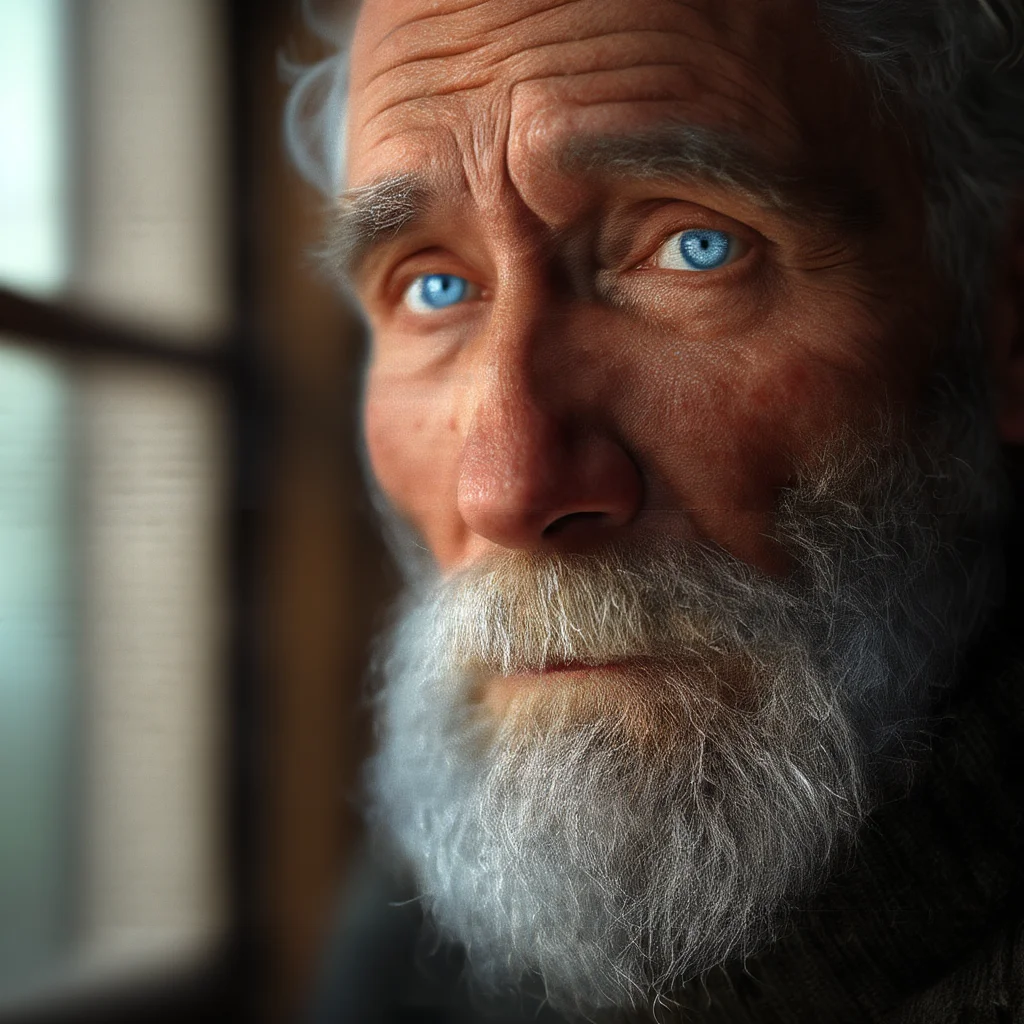
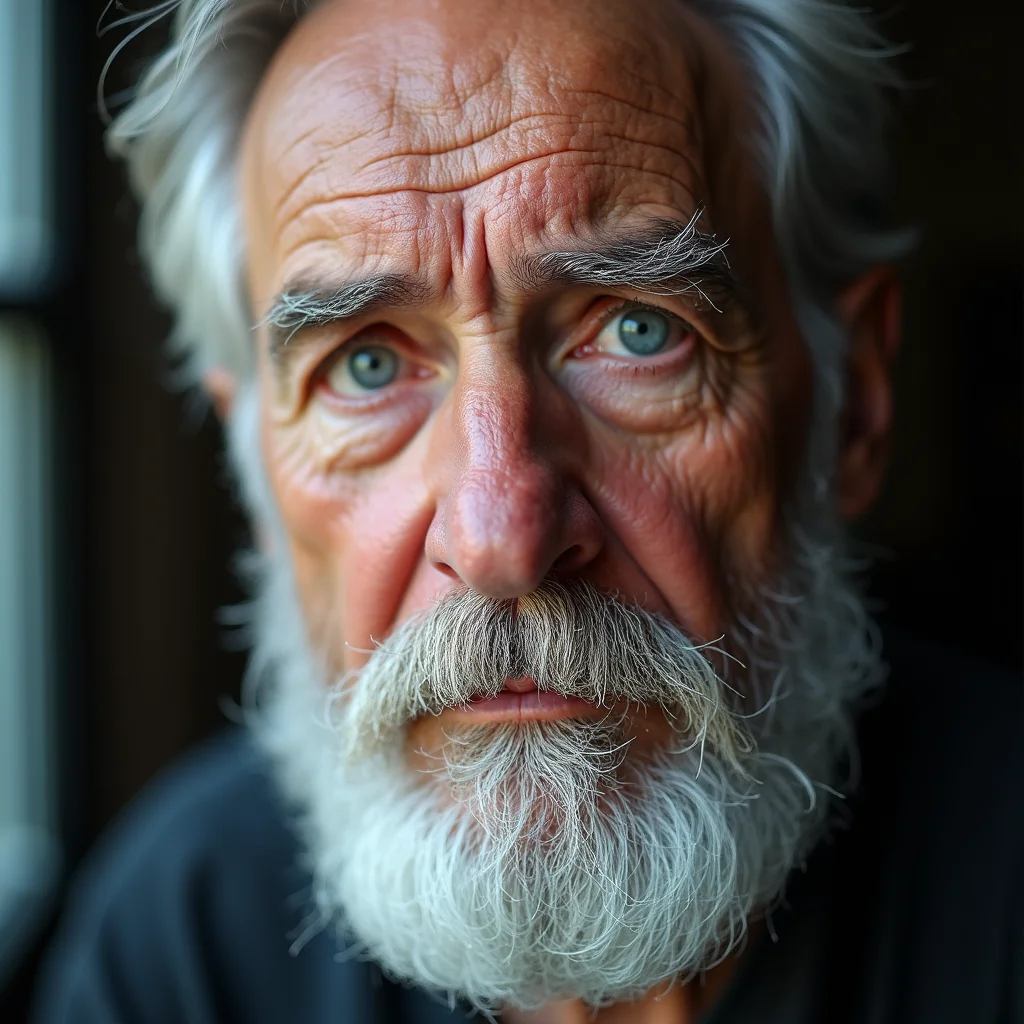
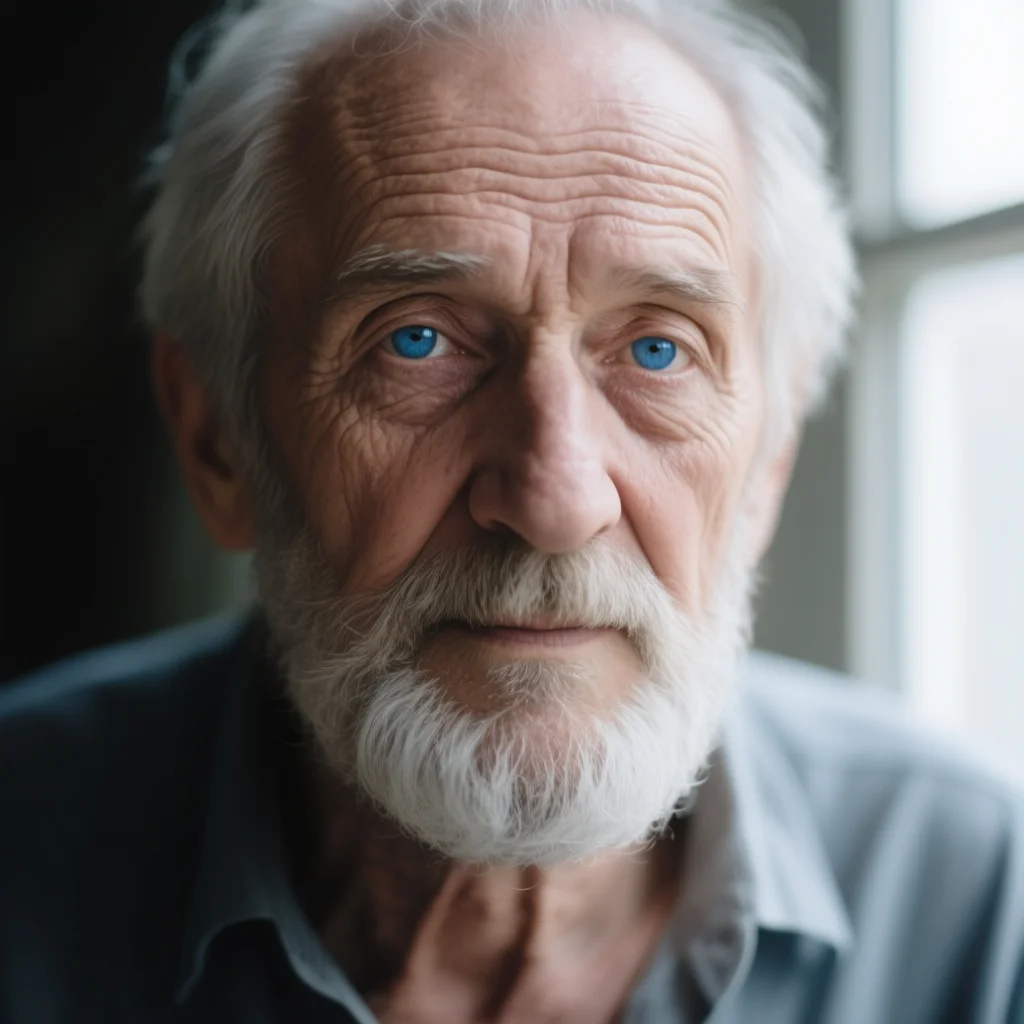
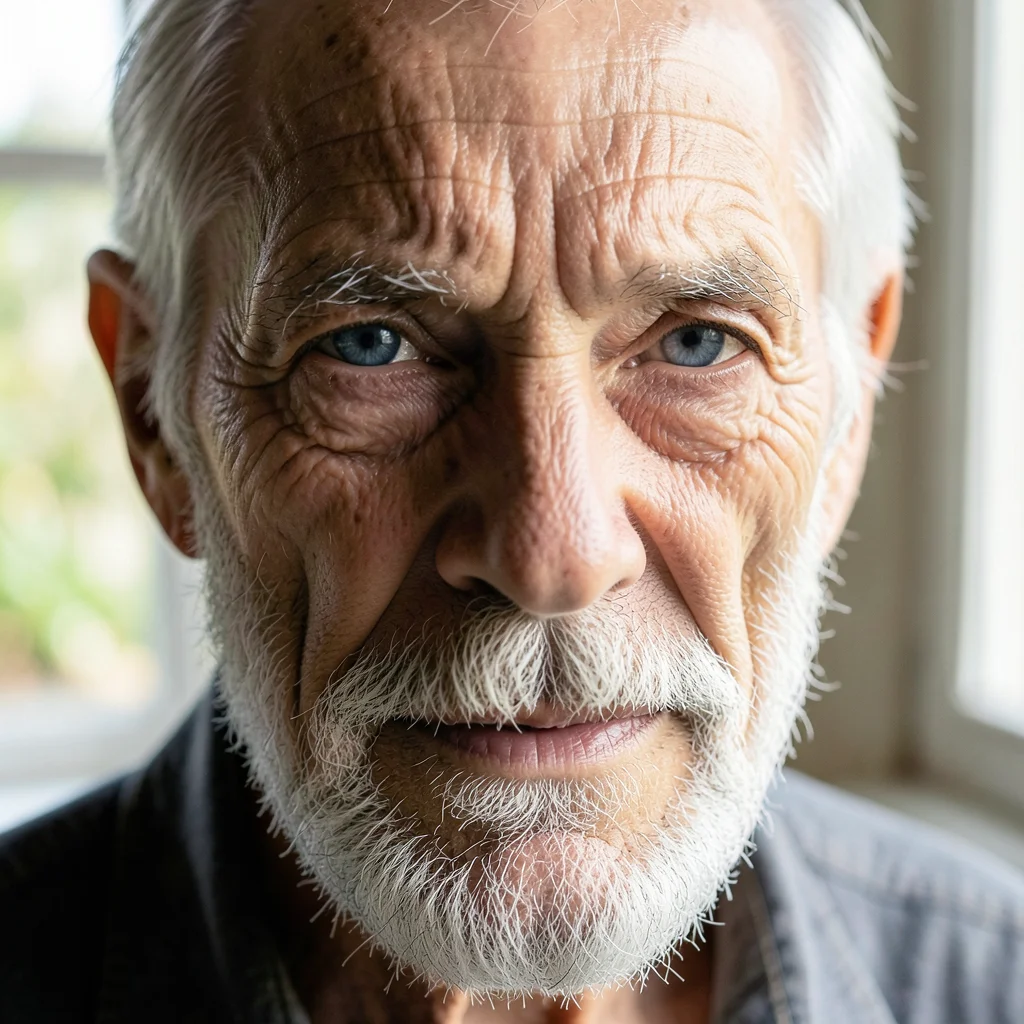
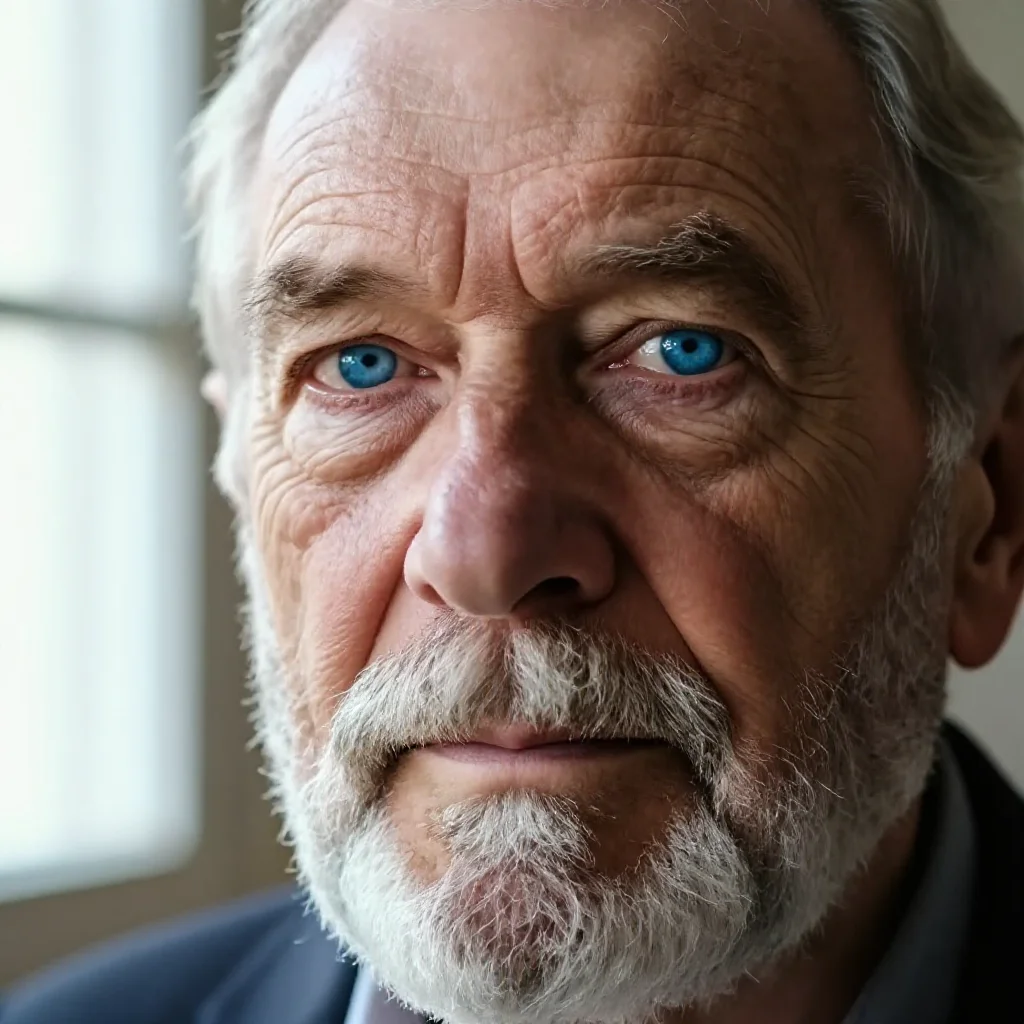
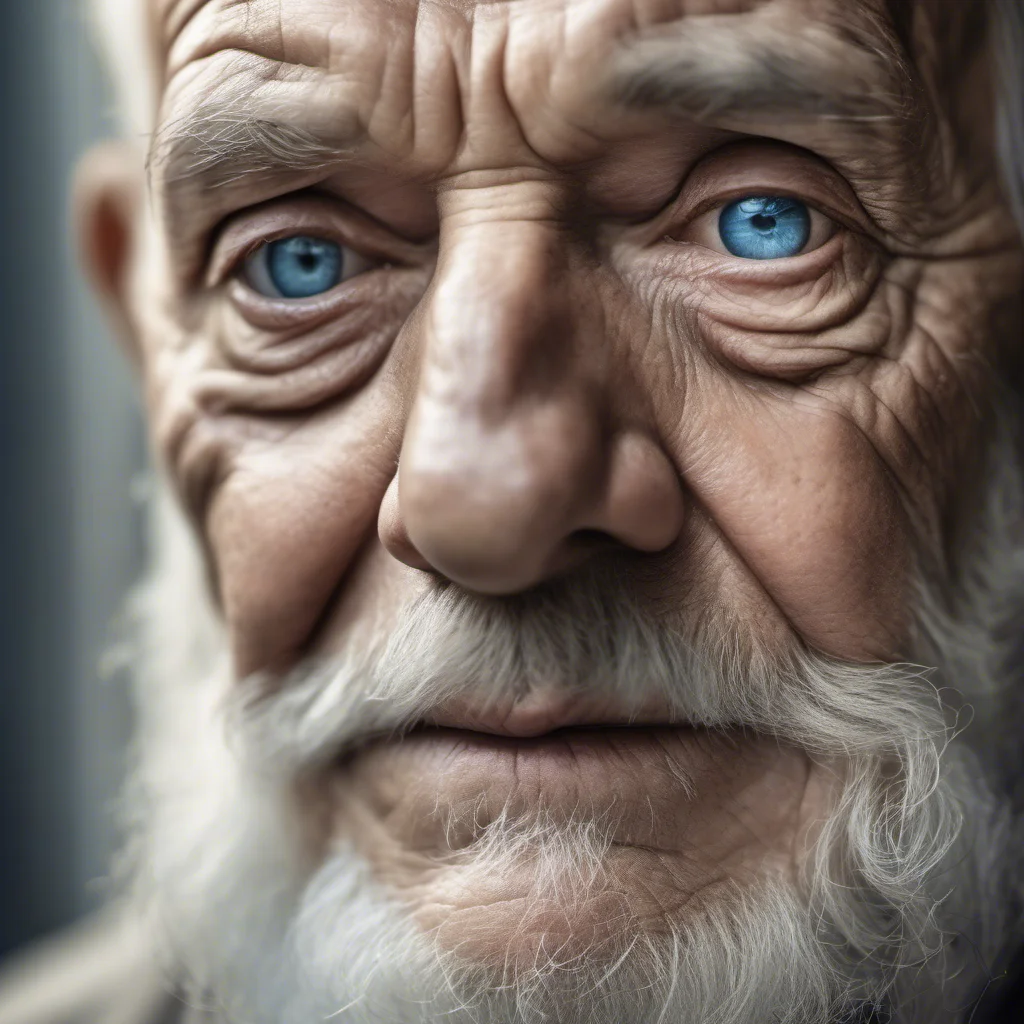
Same prompt, same seed. Notice the differences in skin detail, lighting interpretation, and overall aesthetic. Klein 4B produces this in 4 steps — the others take 8-40.
Landscape
“vast mountain valley at sunrise, fog rolling between peaks, river reflecting golden light, pine forests, cinematic landscape photography”
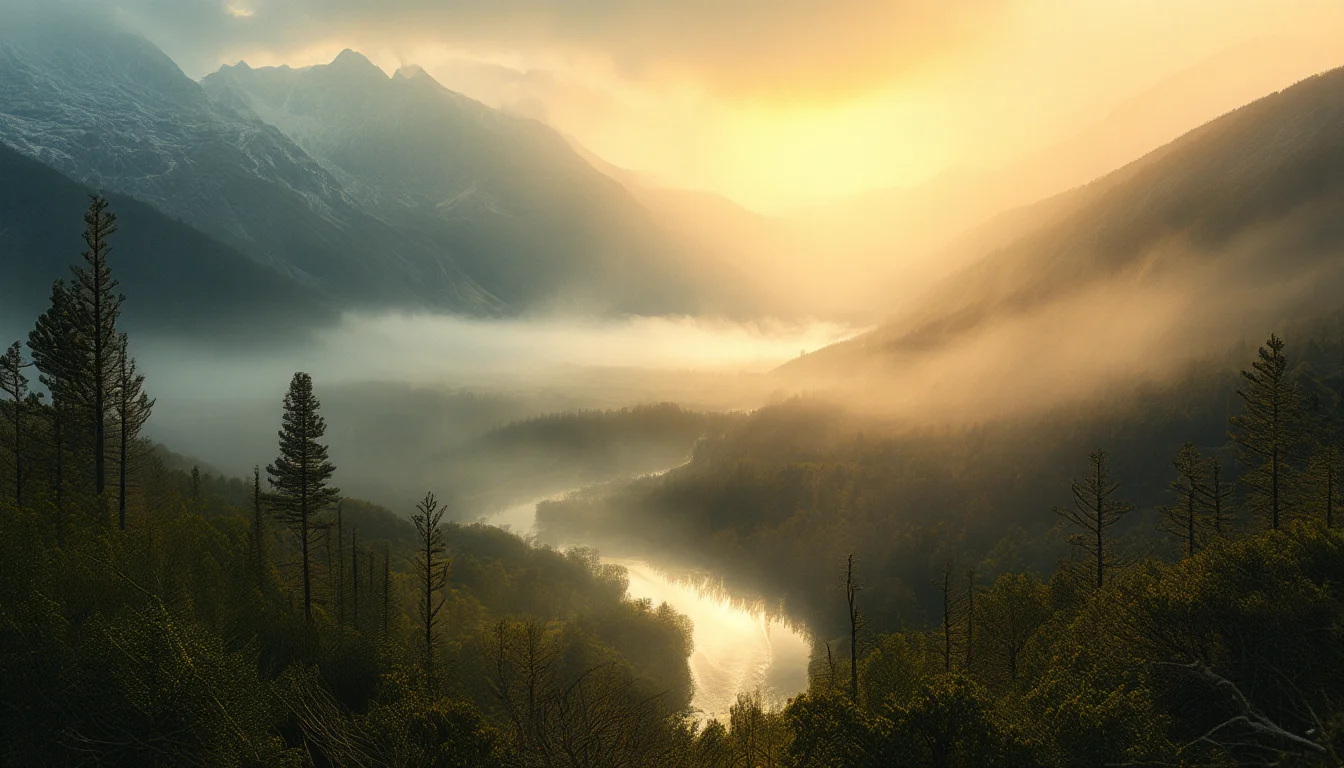
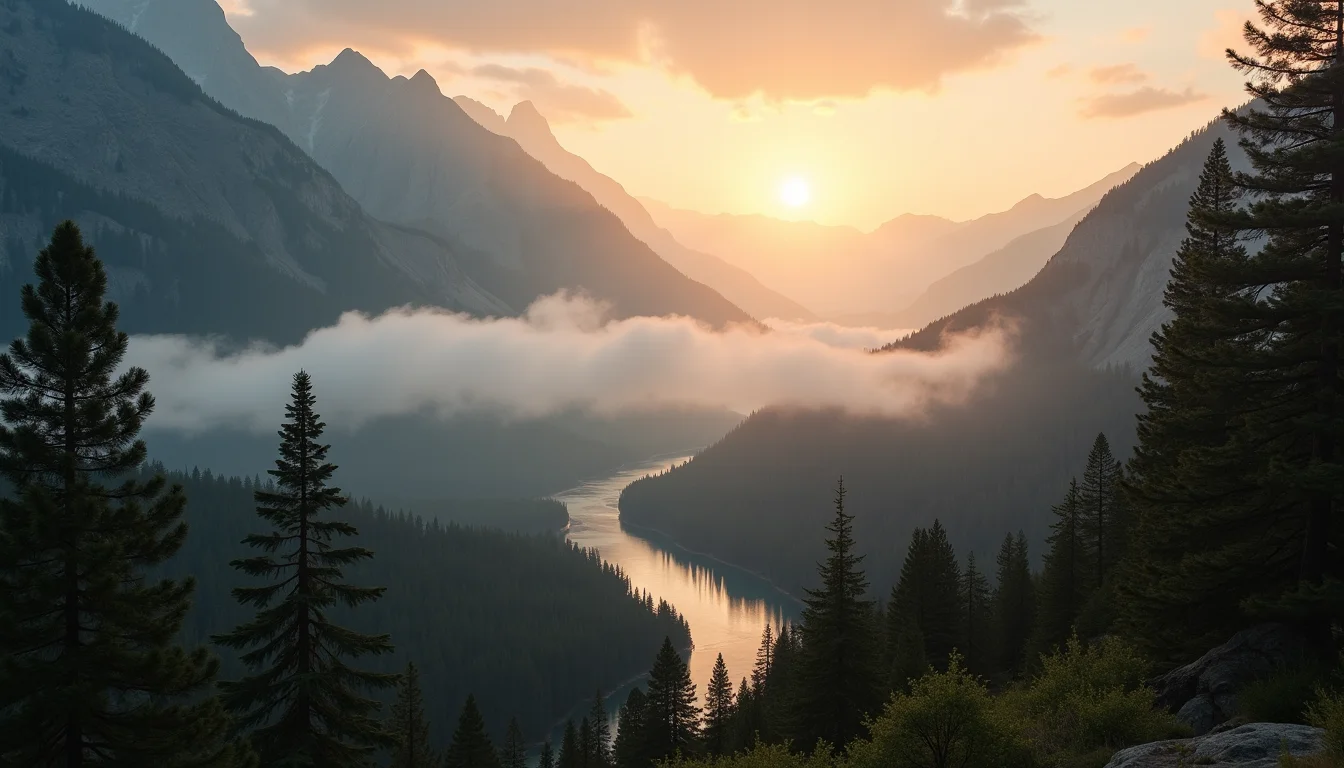
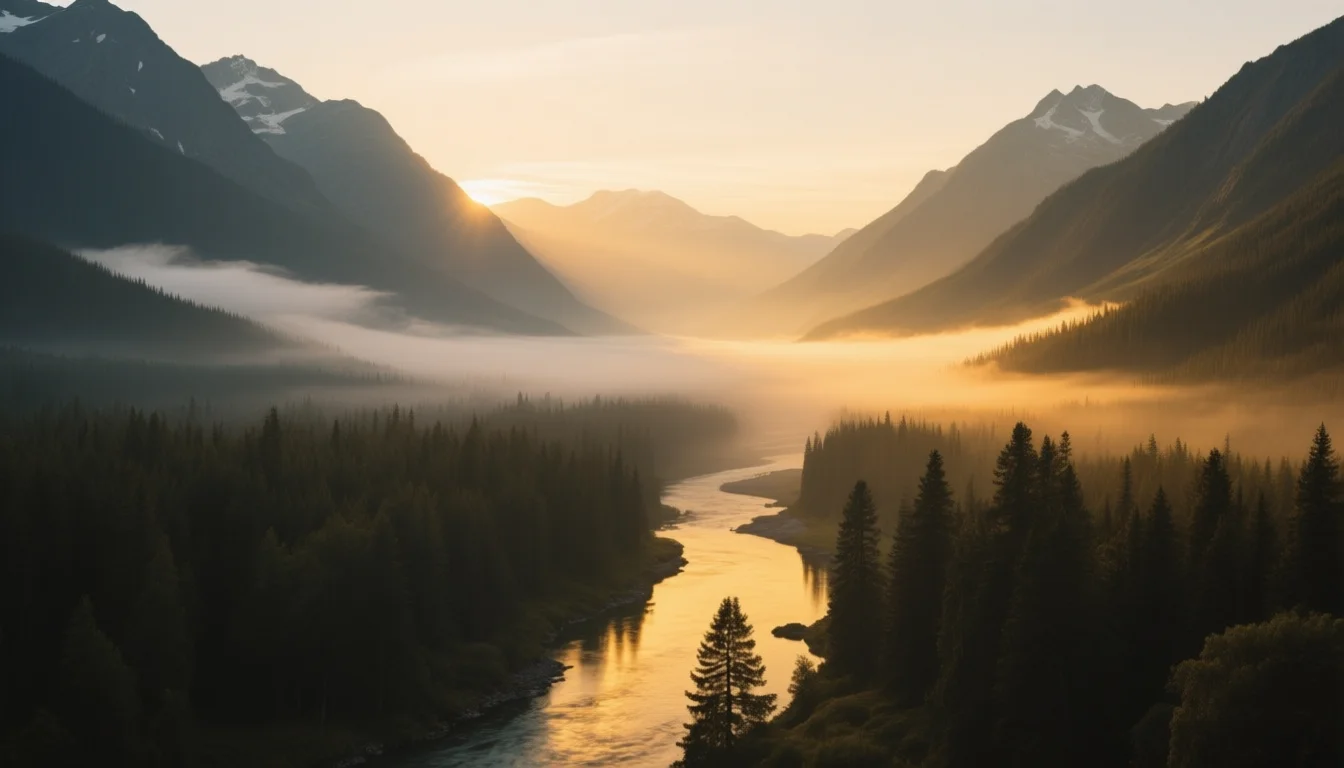
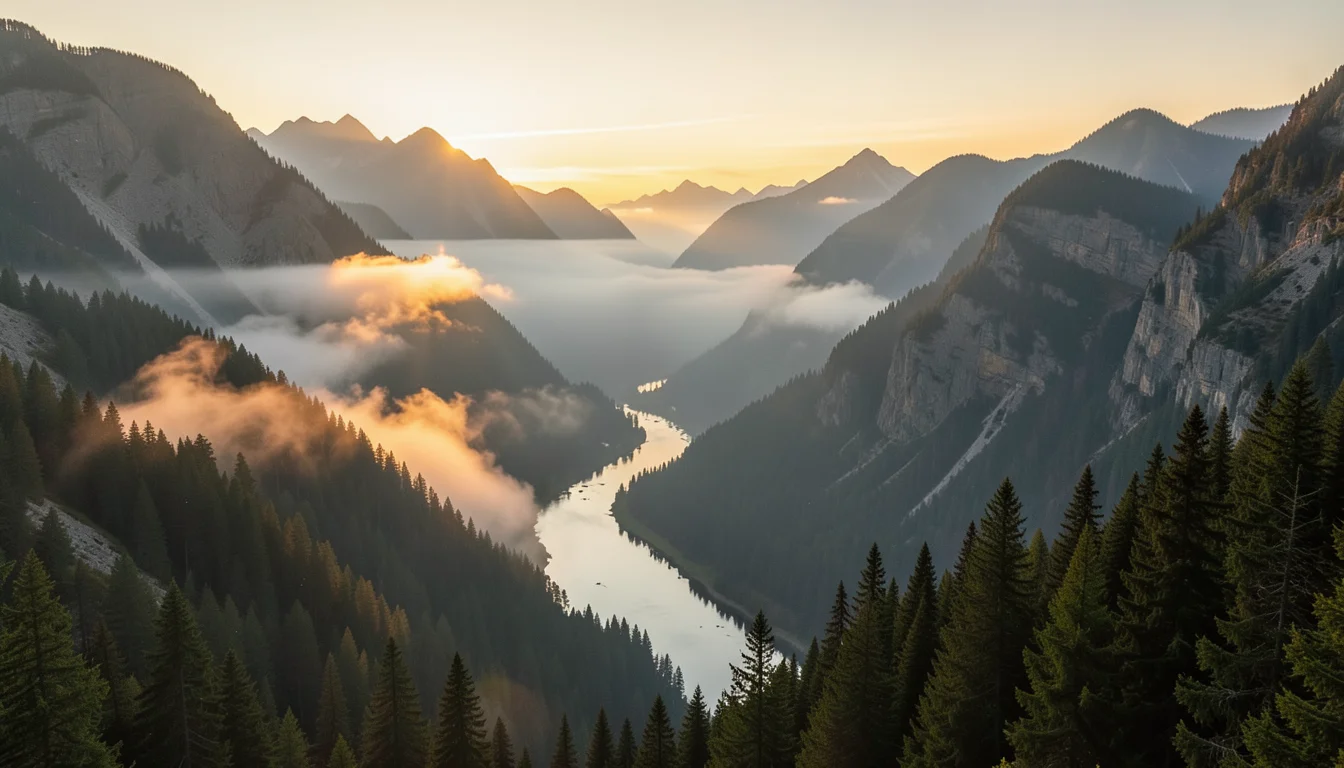
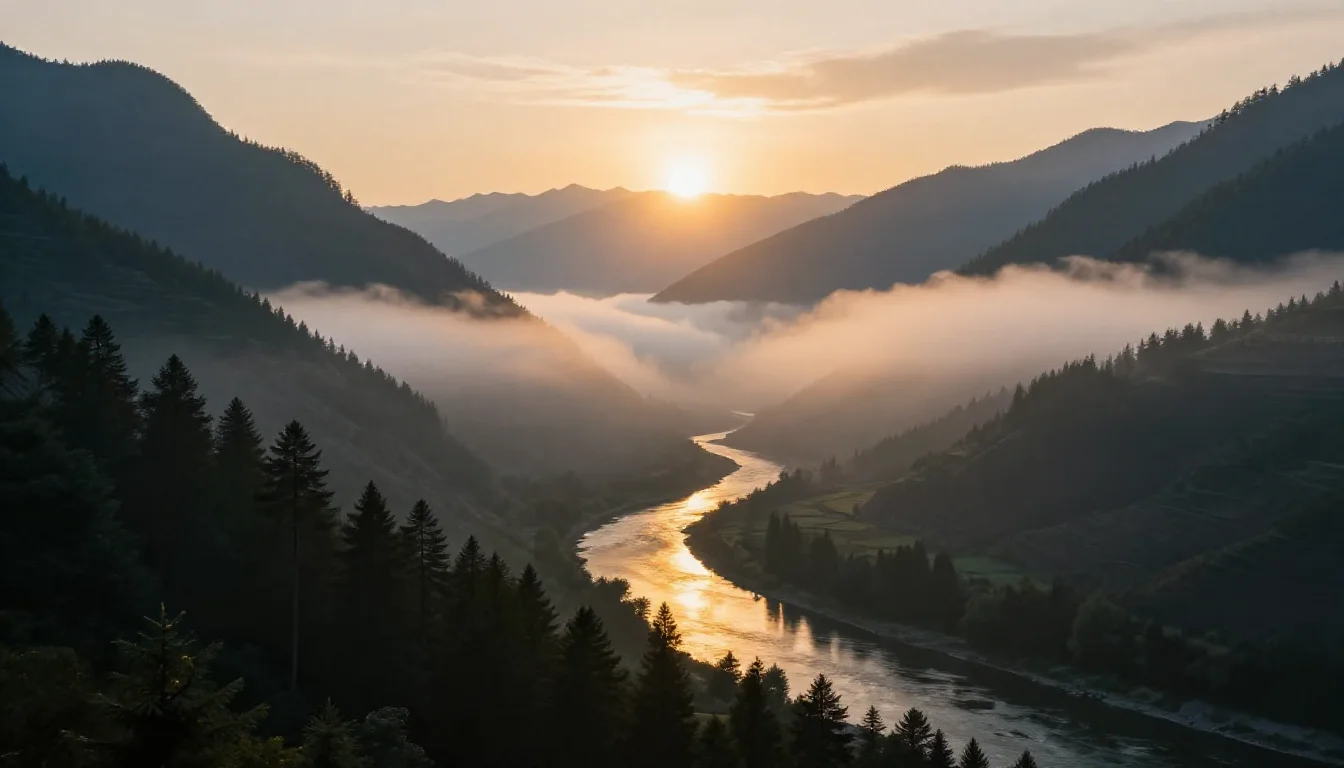
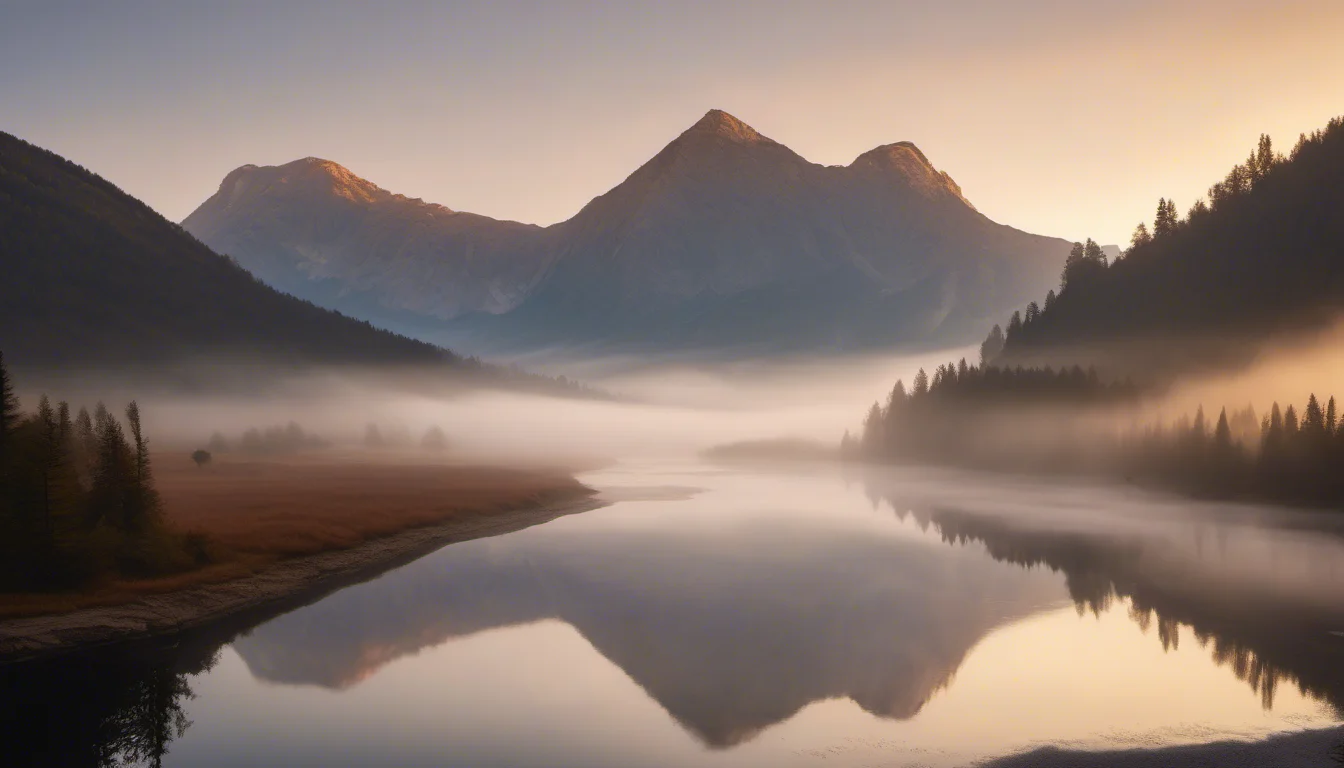
Landscape at 16:9. Each model interprets 'cinematic' differently — from painterly to photographic.
Product photography
“premium leather watch on dark marble surface, dramatic side lighting, product photography, sharp focus, dark background, commercial quality”
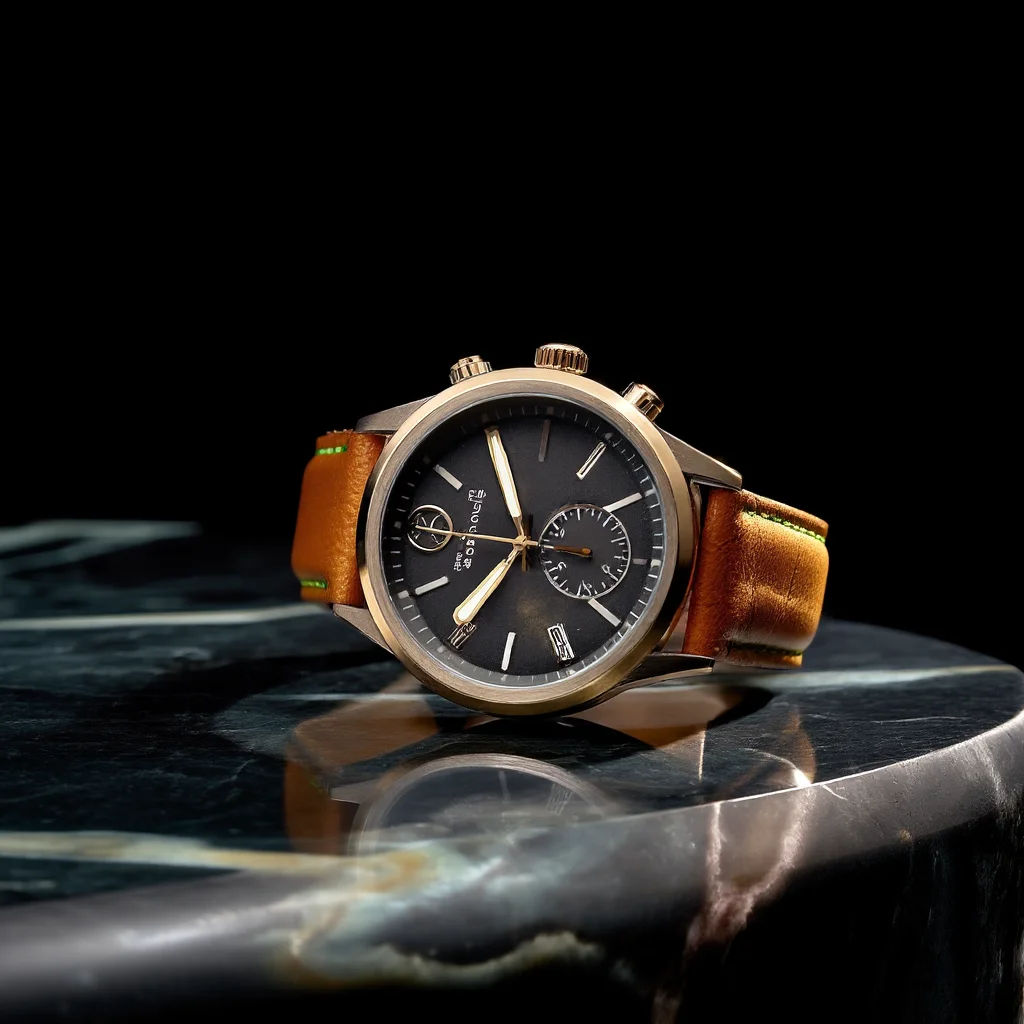
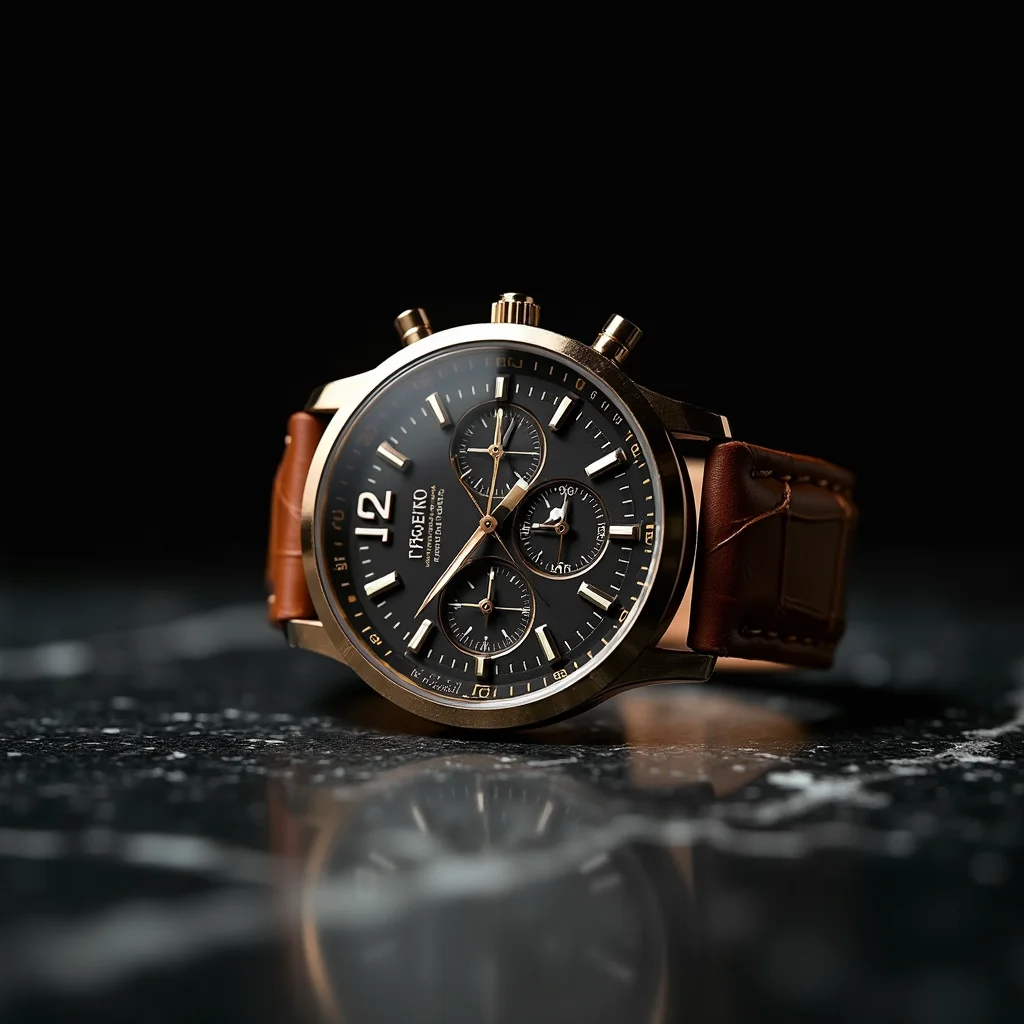
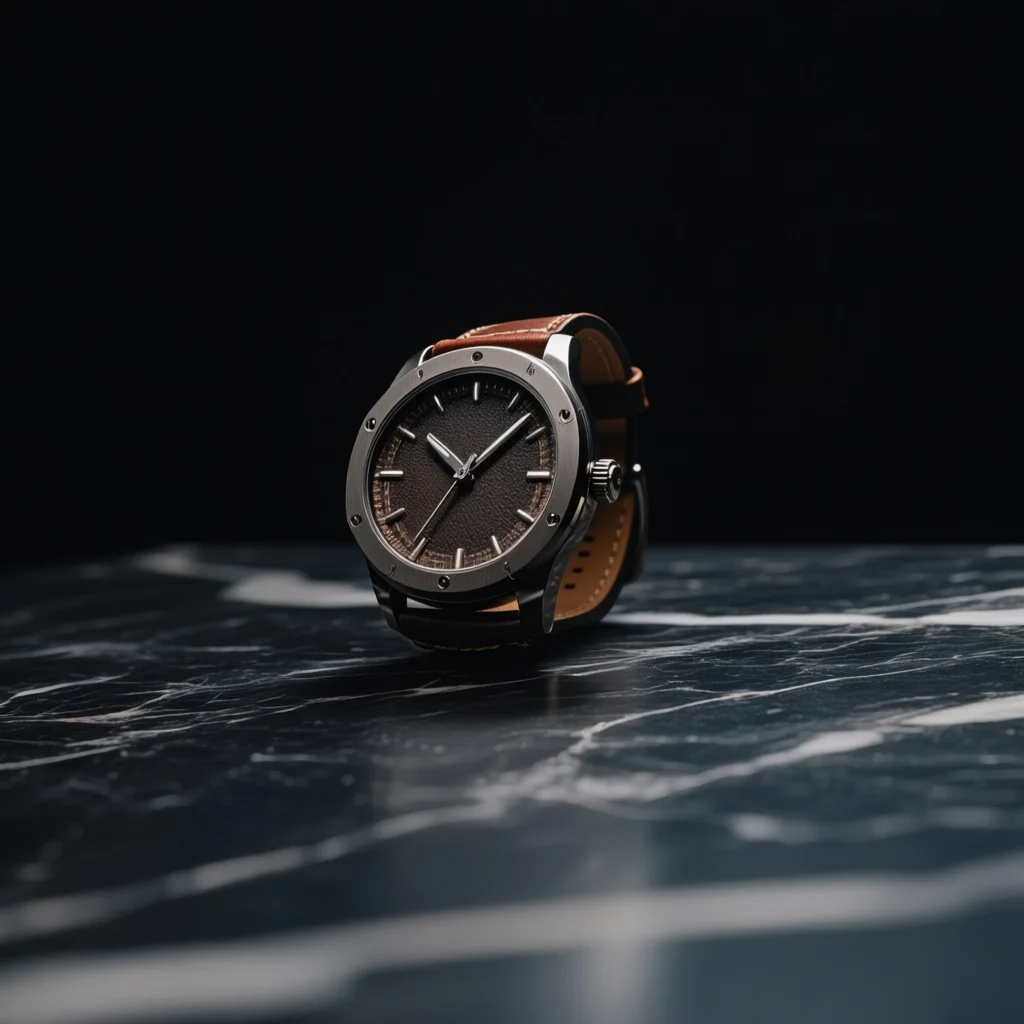
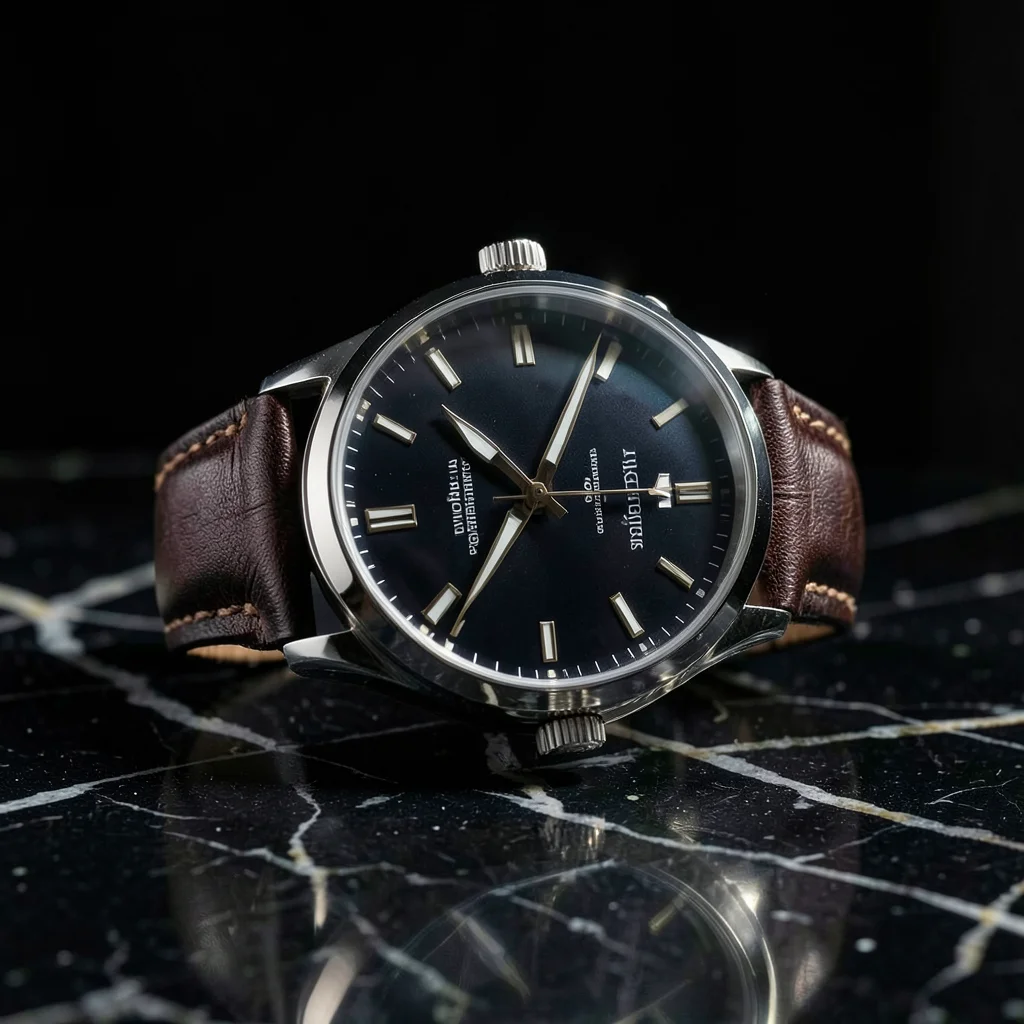
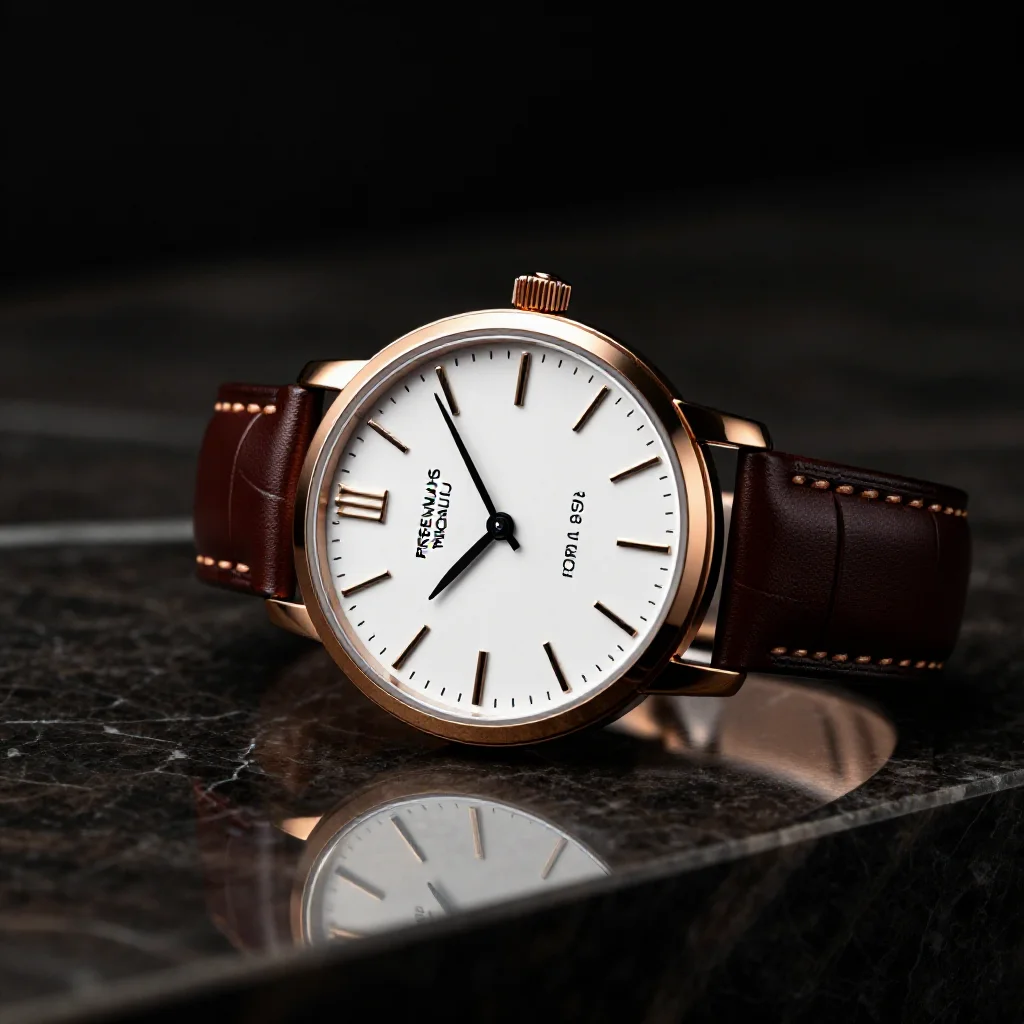
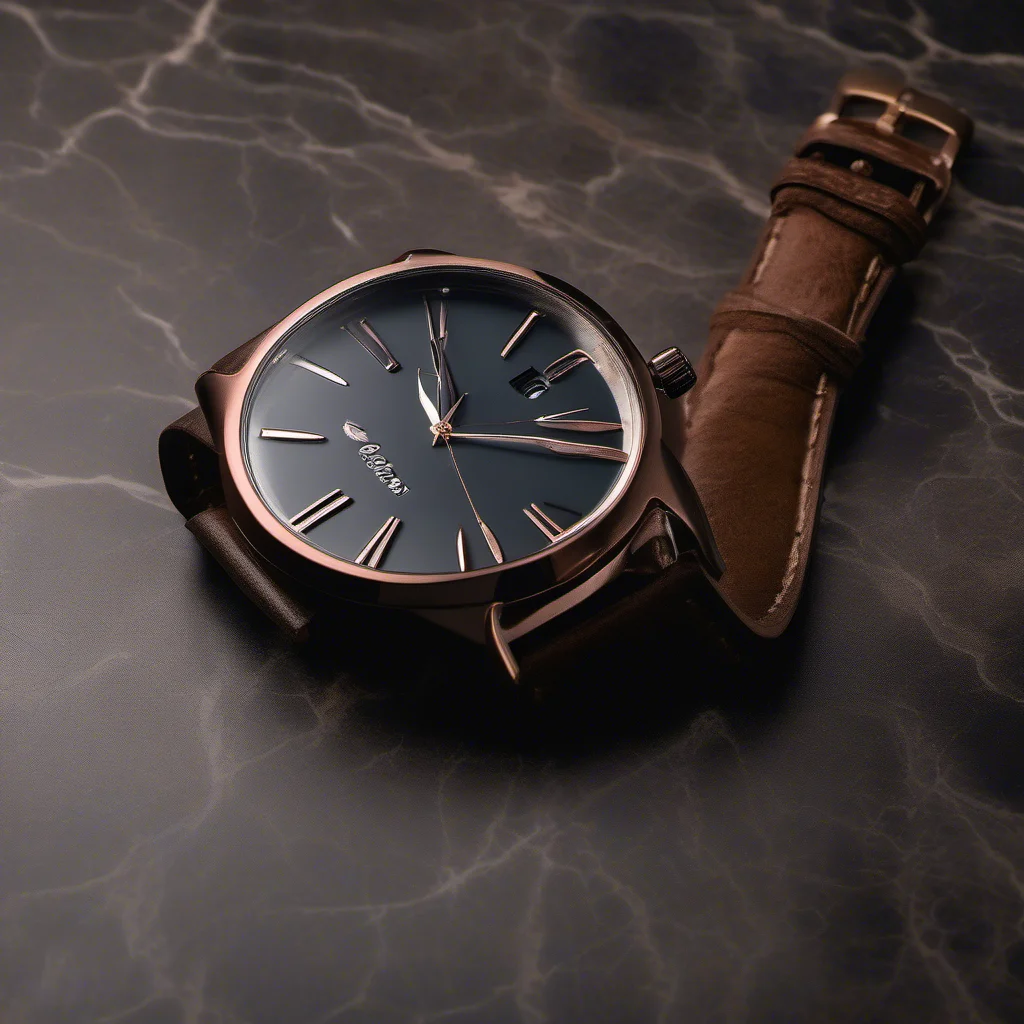
Product shots test material rendering, lighting accuracy, and detail. Watch details push into the VAE's resolution limits — fine textures like gears and hands are where model quality differences become most visible.
Illustration
“a fox reading a book under a giant mushroom in an enchanted forest, watercolor illustration, storybook art style, warm colors, whimsical”
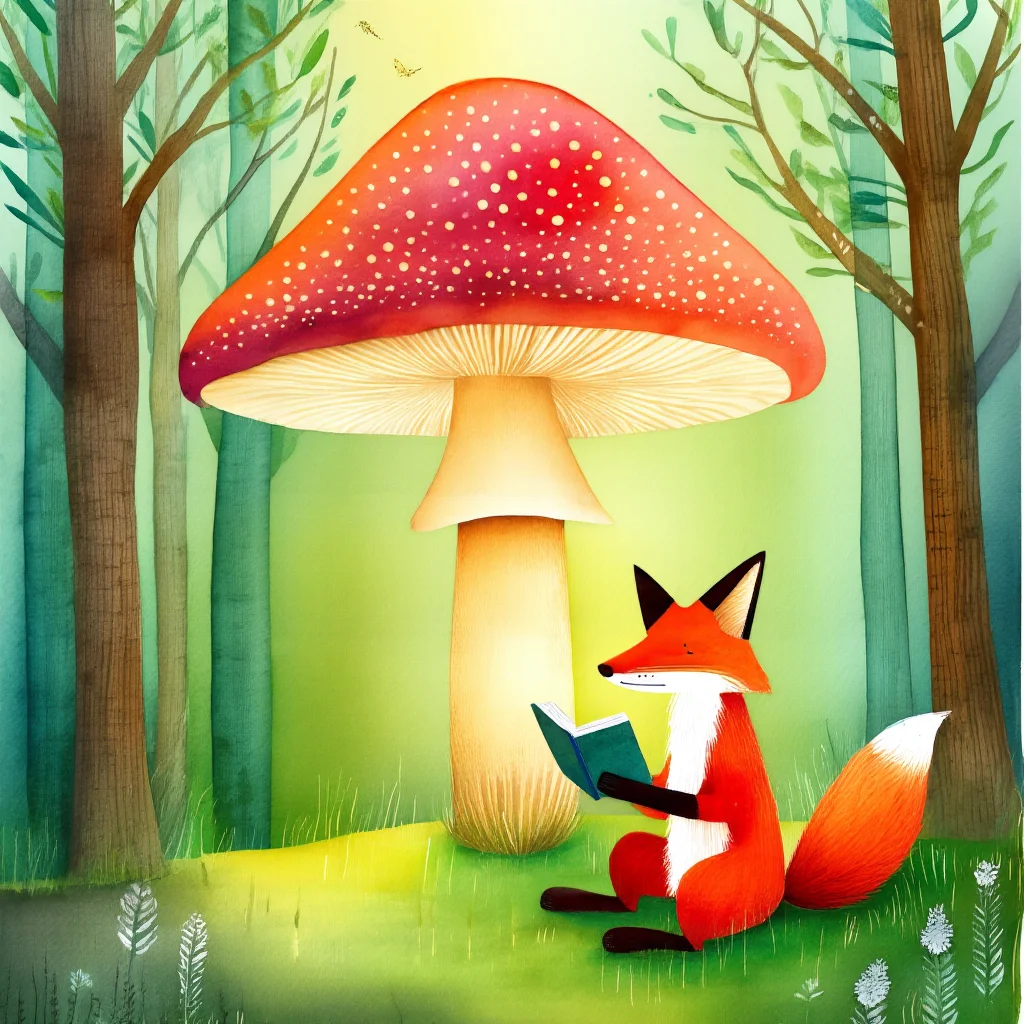
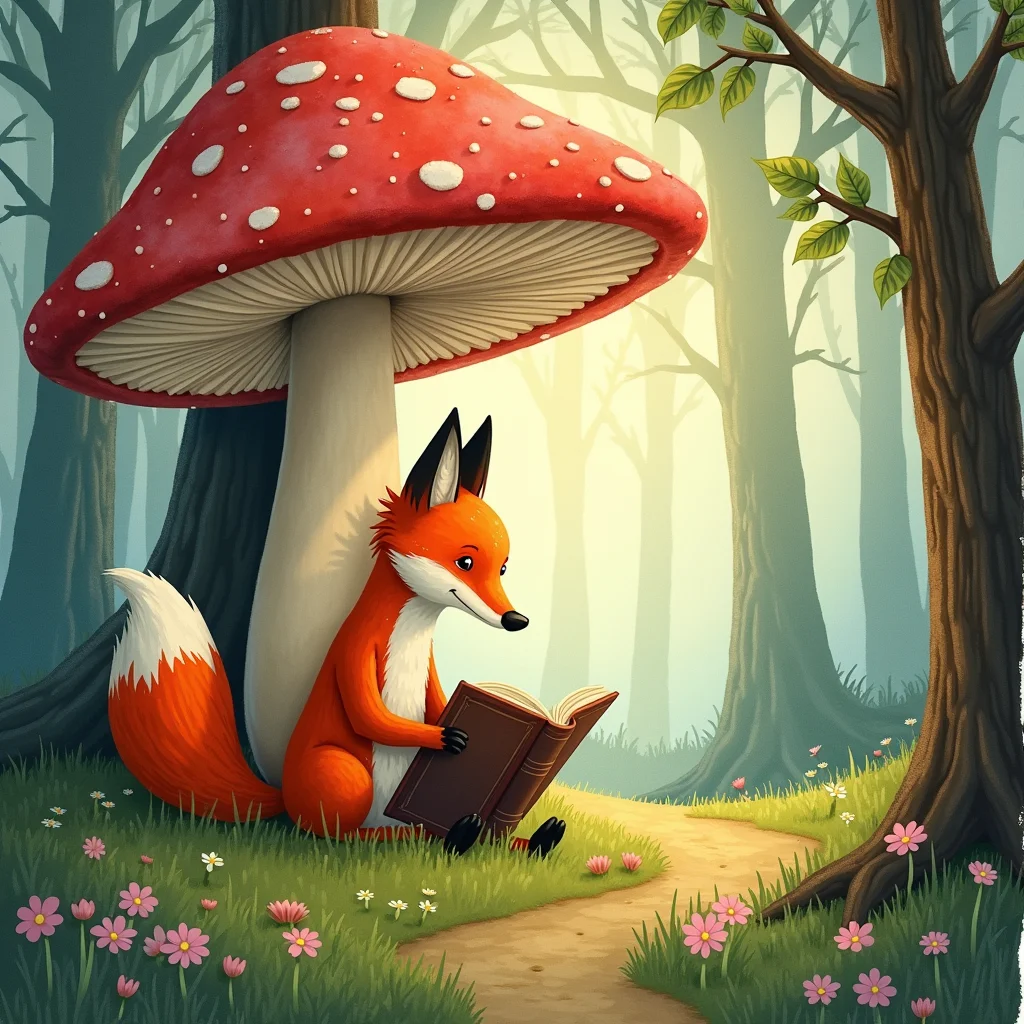
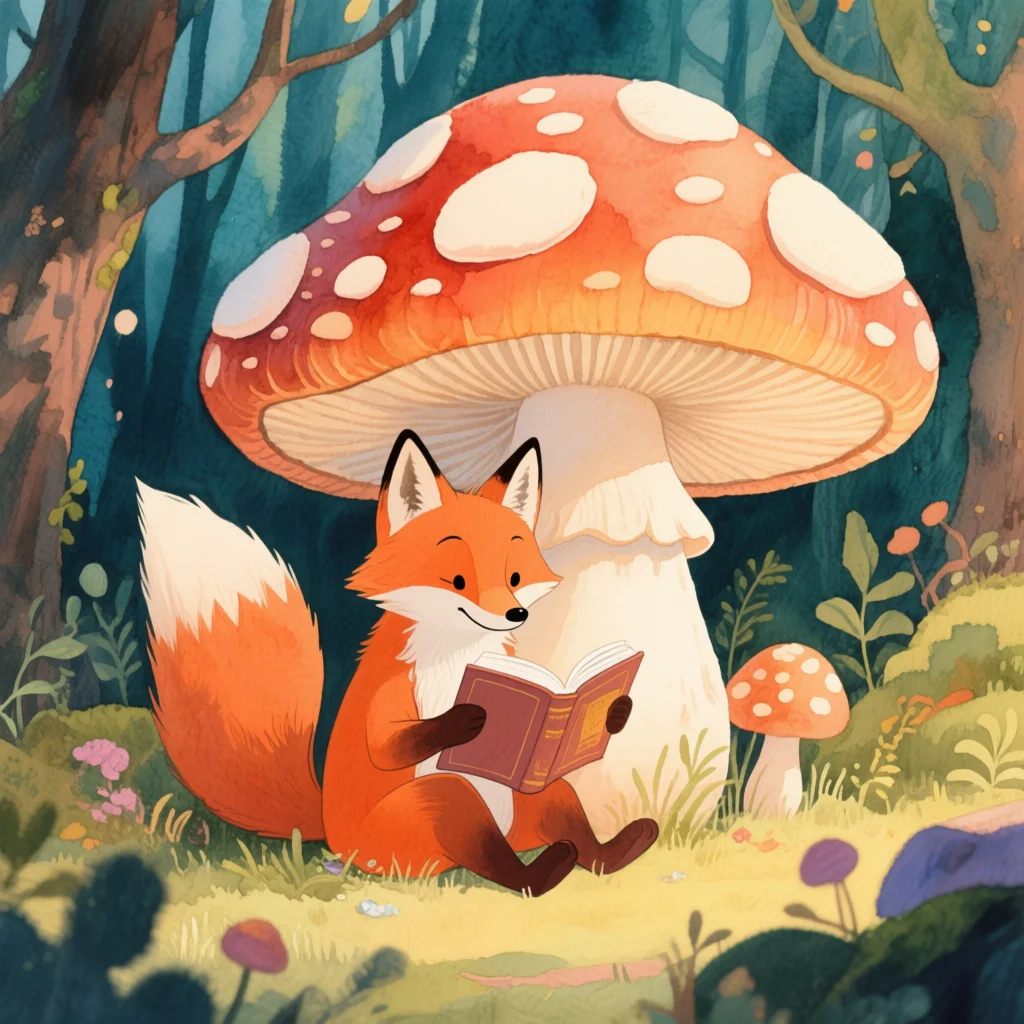
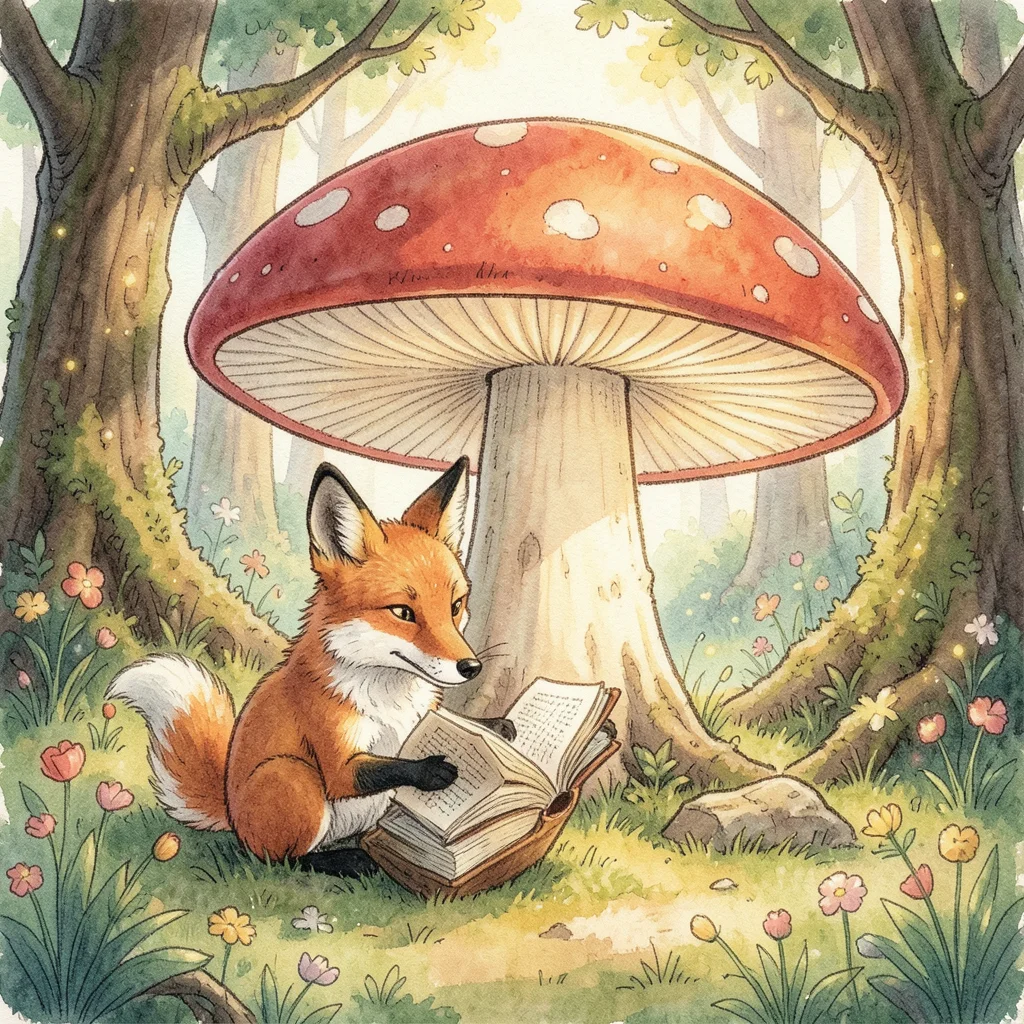


Artistic prompts reveal each model's default aesthetic. Some lean photographic even when asked for watercolor, others embrace the style fully.
Text rendering
“a neon sign that reads ‘OPEN 24/7’ hanging in a rainy window, cyberpunk aesthetic, reflections, moody atmosphere”
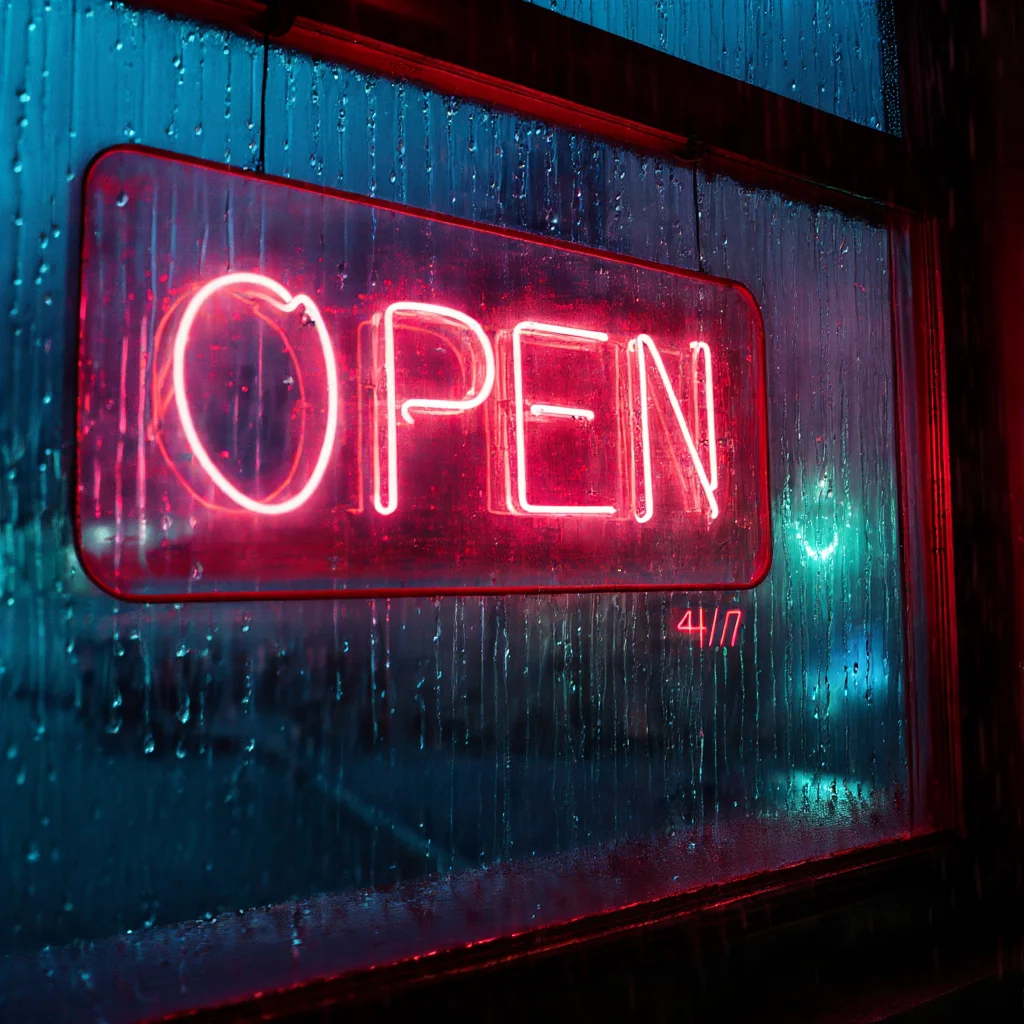
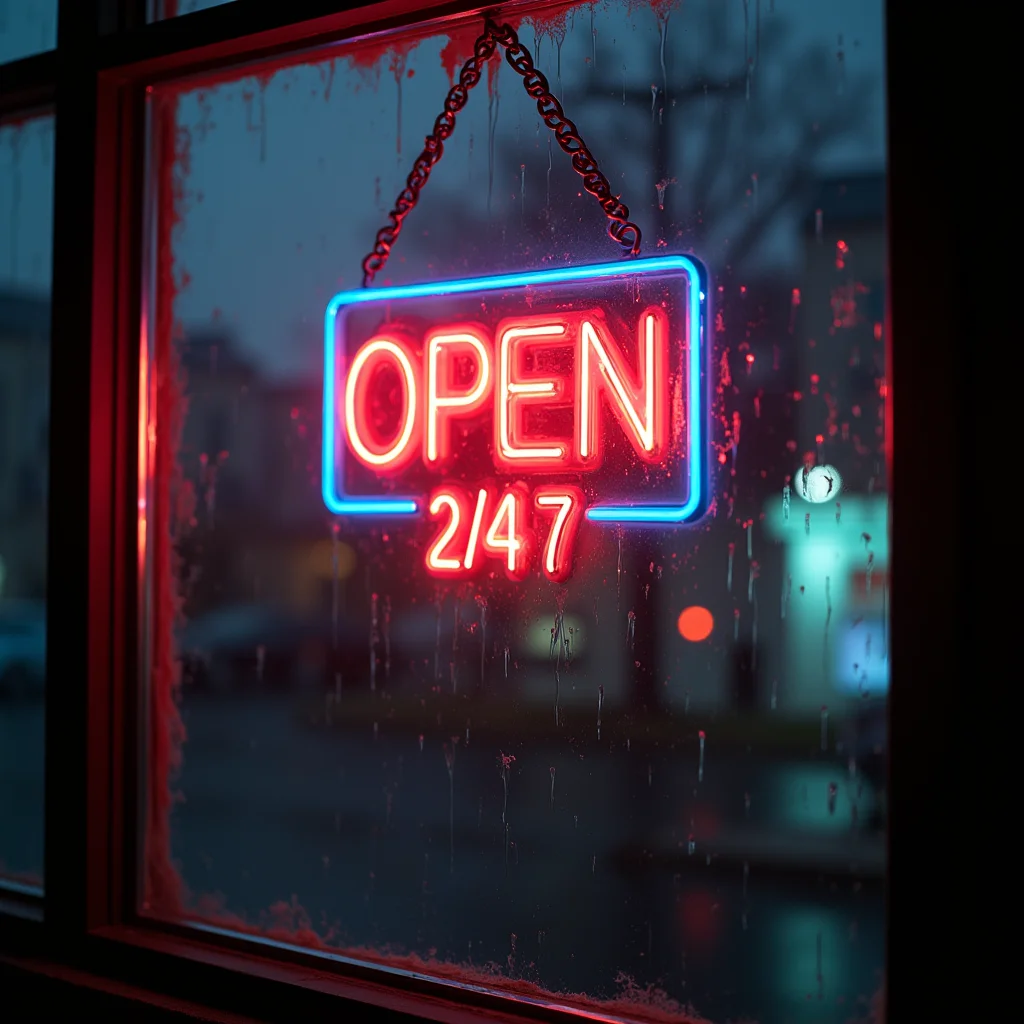
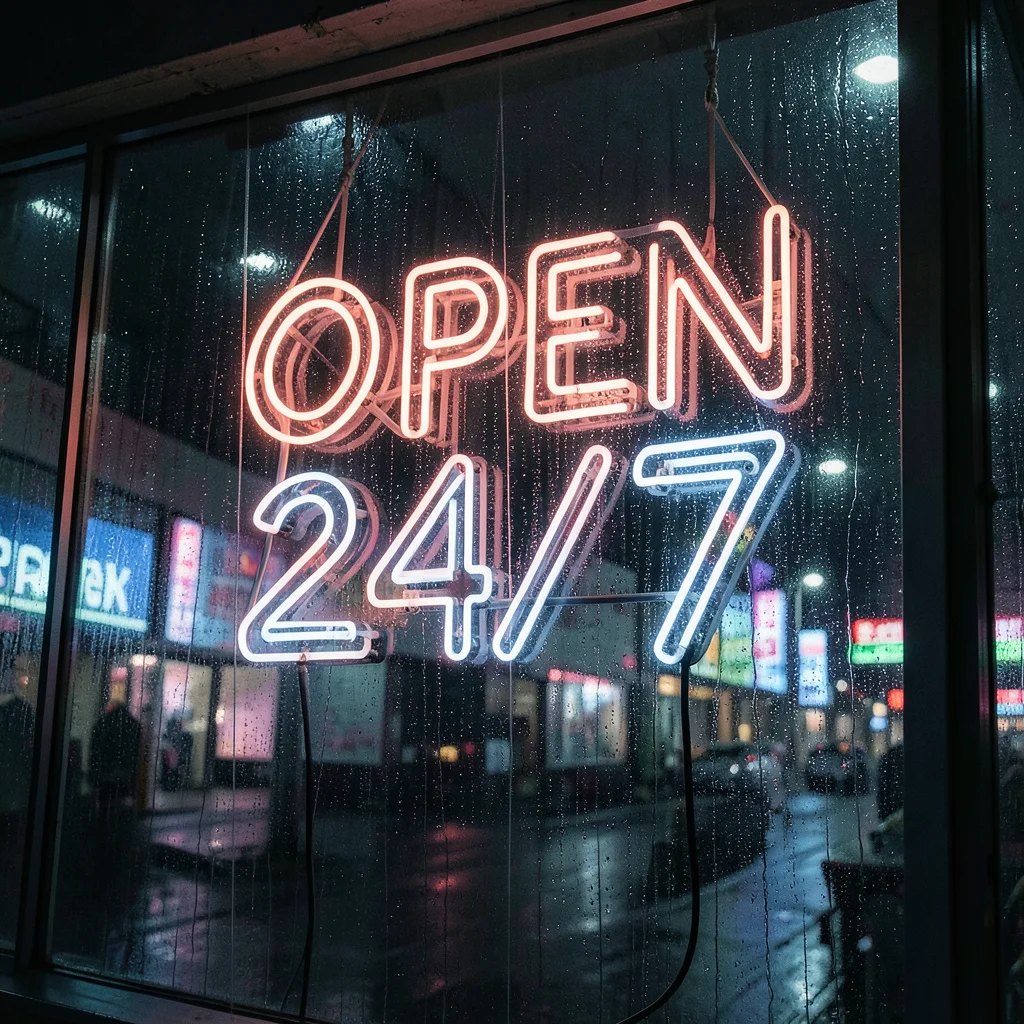
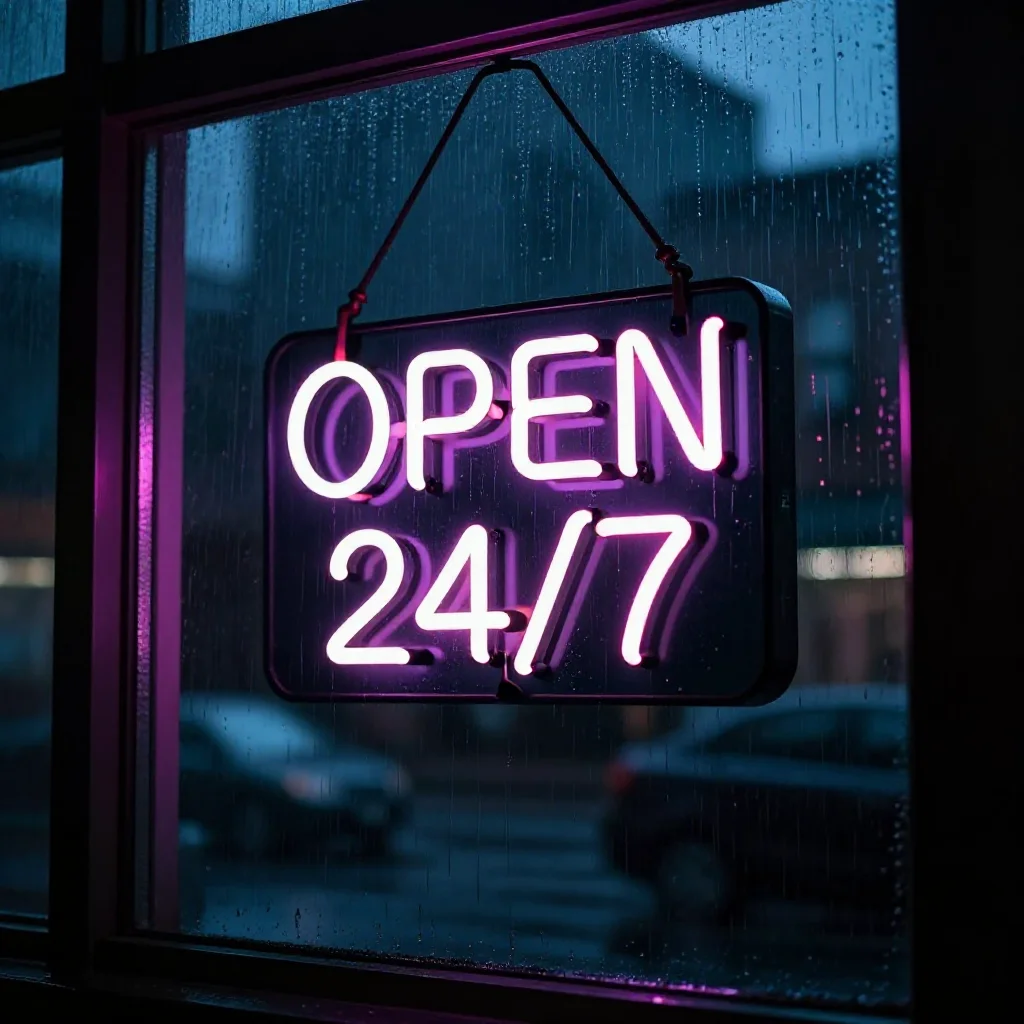
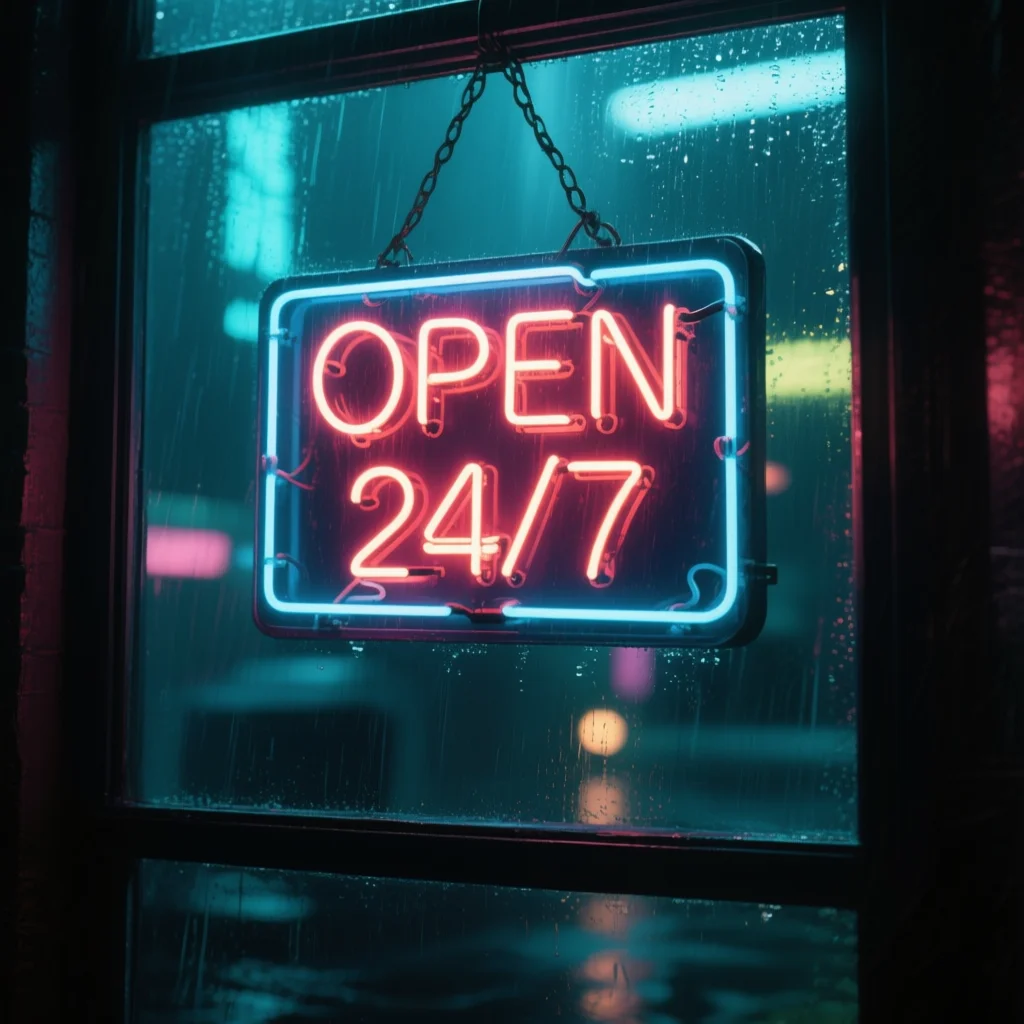
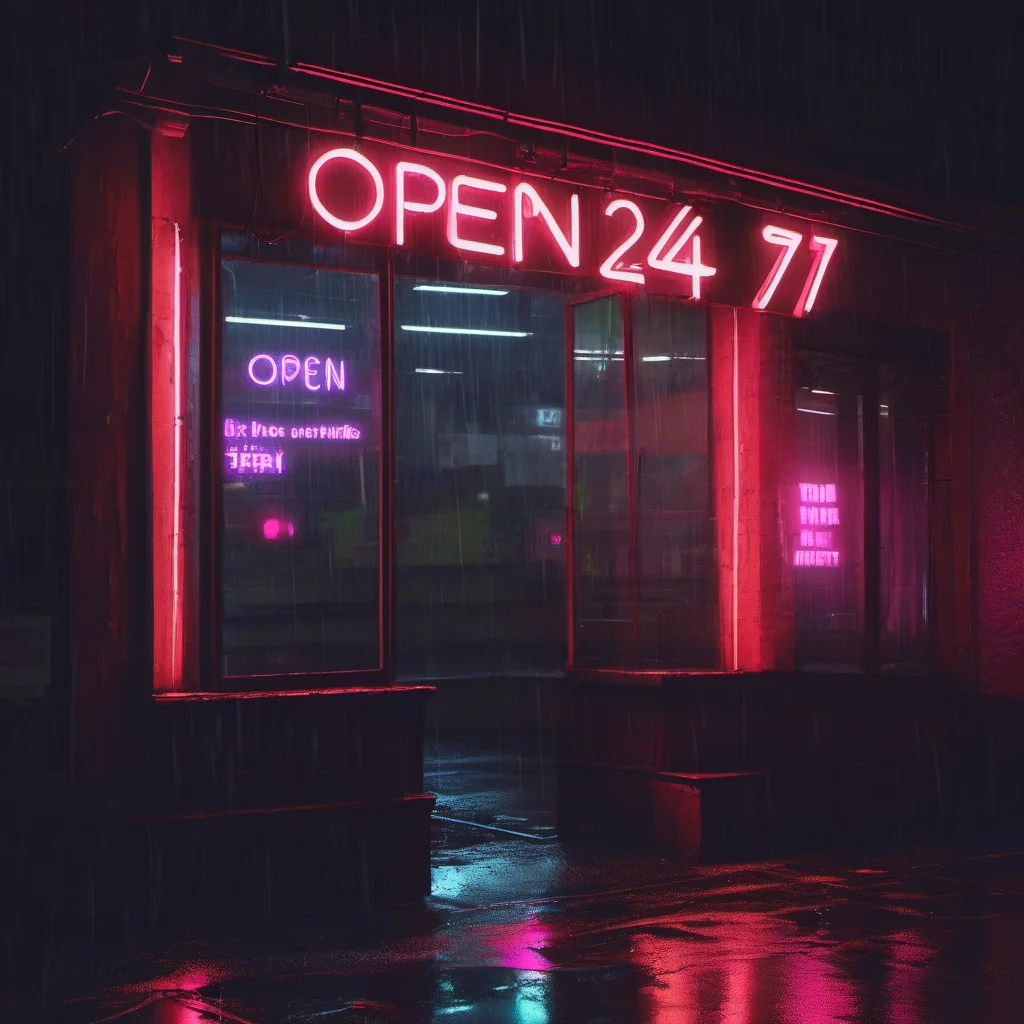
Text rendering is the hardest test. Most models scramble letters. Qwen Image is the only model specifically trained for readable text — compare its 'OPEN 24/7' to the others.
The models
2025 models (current generation)
2024 models (proven, large ecosystem)
Legacy (2022-2023)
“Params” includes both the image model (transformer/UNet) and text encoder(s). The image model is the larger part — it’s what determines quality. Text encoders handle prompt understanding and are shared across model families.
Capability matrix
A — means the mode isn’t supported for that model. modl validates this before running — if you try modl edit —base z-image, it’ll tell you which models support editing and suggest one.
Decision guide
”I just want to generate images”
Start with flux2-klein-9b. It’s the best balance of quality, speed (4 steps), and VRAM (~16GB fp8). If you’re on a 12GB card, use flux2-klein-4b or z-image-turbo.
”I need to edit/modify existing images”
Two options depending on what you’re doing:
- Replace a region (remove an object, swap a background) → use inpainting with
flux-fill-dev(best edges),flux-dev, orflux2-klein-9b(uses LanPaint automatically) - Transform the whole image (add sunglasses, change time of day) → use editing with
flux2-klein-4b(fast, 4 steps) orqwen-image-edit(slower, more precise)
“I want structural control”
Use ControlNet with z-image-turbo (best ControlNet support, fits on 24GB with Union 2.1). Or use edit mode with flux2-klein-4b for ControlNet-like results without extra weights — see the structural editing guide.
”I’m training LoRAs”
Most models support training. Best choices:
- flux-dev — best ecosystem, most community LoRAs for reference
- flux2-klein-4b — fastest training and inference, good for rapid iteration
- z-image / z-image-turbo — strong quality, smaller model = faster training
- sdxl — if you need community LoRA compatibility
”I need text in images”
qwen-image and ernie-image both render text accurately. Qwen excels at single-line text in photographic scenes. ERNIE excels at multi-line typography, posters, and structured layouts with embedded labels. See the ERNIE Image guide for prompting techniques.
”I need structured layouts (posters, sticker sheets, infographics)”
ernie-image is the only model that handles multi-panel compositions, spatial layout directives, and complex structured content. It requires long, detailed prompts (150-400 words) but produces infographics, character reference sheets, and sticker grids that no other model can match. Use ernie-image-turbo for faster iteration.
”I want open-source (Apache 2.0)”
chroma is the only Apache 2.0 model in the lineup. It’s a Flux fork with 8.9B params, supports negative prompts, img2img, and inpainting. Strong quality at 35 steps.
”I have limited VRAM”
| VRAM | Best choices |
|---|---|
| 24GB+ | Any model (fp8) |
| 16GB | flux2-klein-9b, chroma, z-image-turbo |
| 12GB | flux2-klein-4b, z-image-turbo (fp8), ernie-image-turbo (GGUF Q4) |
| 8GB | sdxl, sd-1.5 |
| 4GB | sd-1.5 |
Powerful combinations
The real power of modl is chaining commands. Here are workflows that combine multiple modes and models.
Generate → score → pick the best
Find → mask → replace (object swap)
Preprocess → generate → restore → upscale (production pipeline)
Train → generate → compare (LoRA iteration)
What’s next
Explore from here
- Getting Started — Install modl and generate your first image
- ControlNet guide — Structural control with canny, depth, pose
- Structural Editing — ControlNet-like results without ControlNet weights
- Train a Style LoRA — Teach a model your visual style
- Image Primitives — Score, detect, segment, restore, upscale
- VL Primitives — Ground, describe, and tag with vision-language models
- ERNIE Image — Posters, sticker sheets, and structured layouts with text