ERNIE Image: Posters, Stickers & Structured Layouts
Master ERNIE-Image's unique prompting style — generate infographics, multi-panel sticker sheets, character reference sheets, recipe cards, comic pages, and images with readable embedded text.
ERNIE-Image is an 8B DiT model from Baidu — ranked #1 on GenEval and #2 on LongTextBench among open-weights models at launch (April 2026). It excels at structured content that other models struggle with: multi-panel layouts, embedded readable text, infographics, and character reference sheets.
Every image on this page was generated with modl on a single 4090 using GGUF Q4 quantizations (~10 GB VRAM per model).
The golden rule: write long prompts
The catch is one rule: ERNIE needs long, structured prompts (150-400 words) or it underperforms. Where Flux and Z-Image work fine with a sentence or two, ERNIE treats your prompt as an art direction brief. Short prompts produce generic results. Detailed prompts — the kind you’d write as a brief for an illustrator — produce images no other model can match.
Same seed, same model, same settings — the only difference is prompt length:
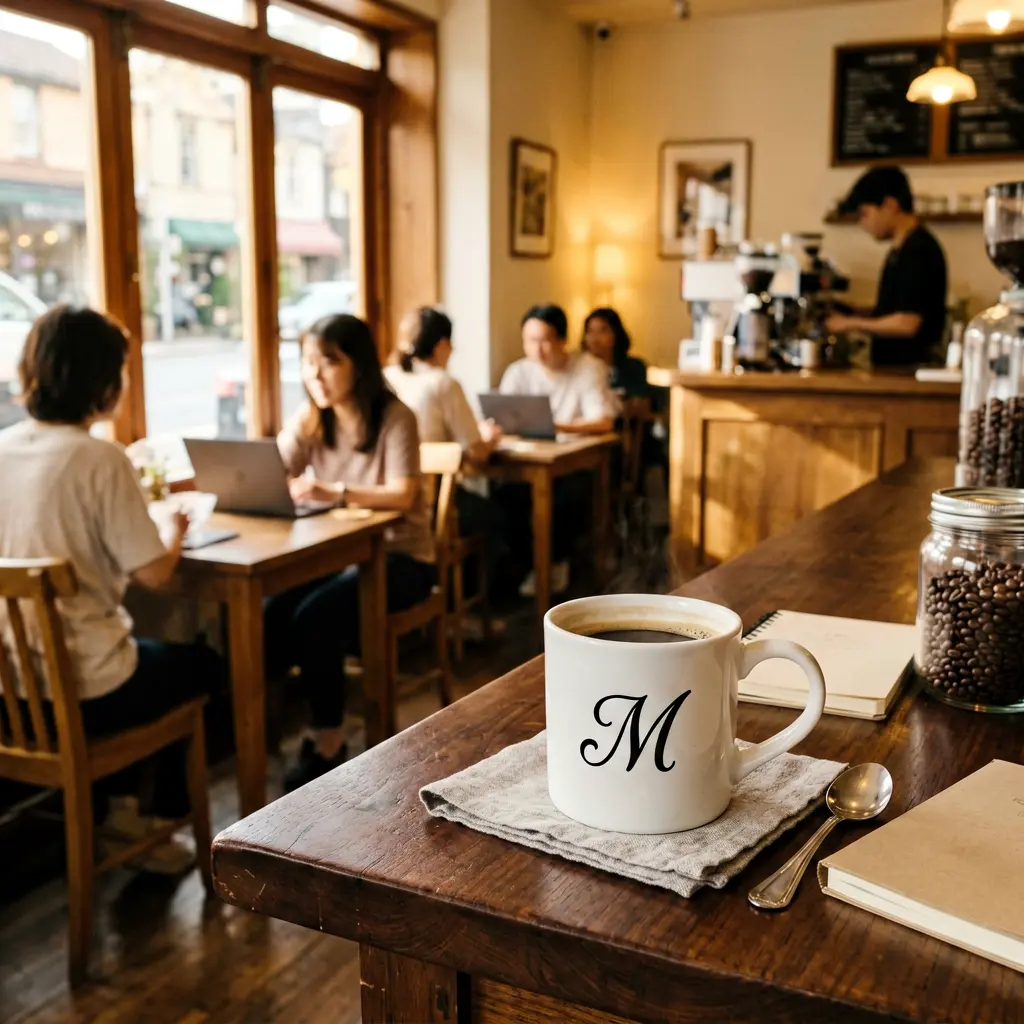
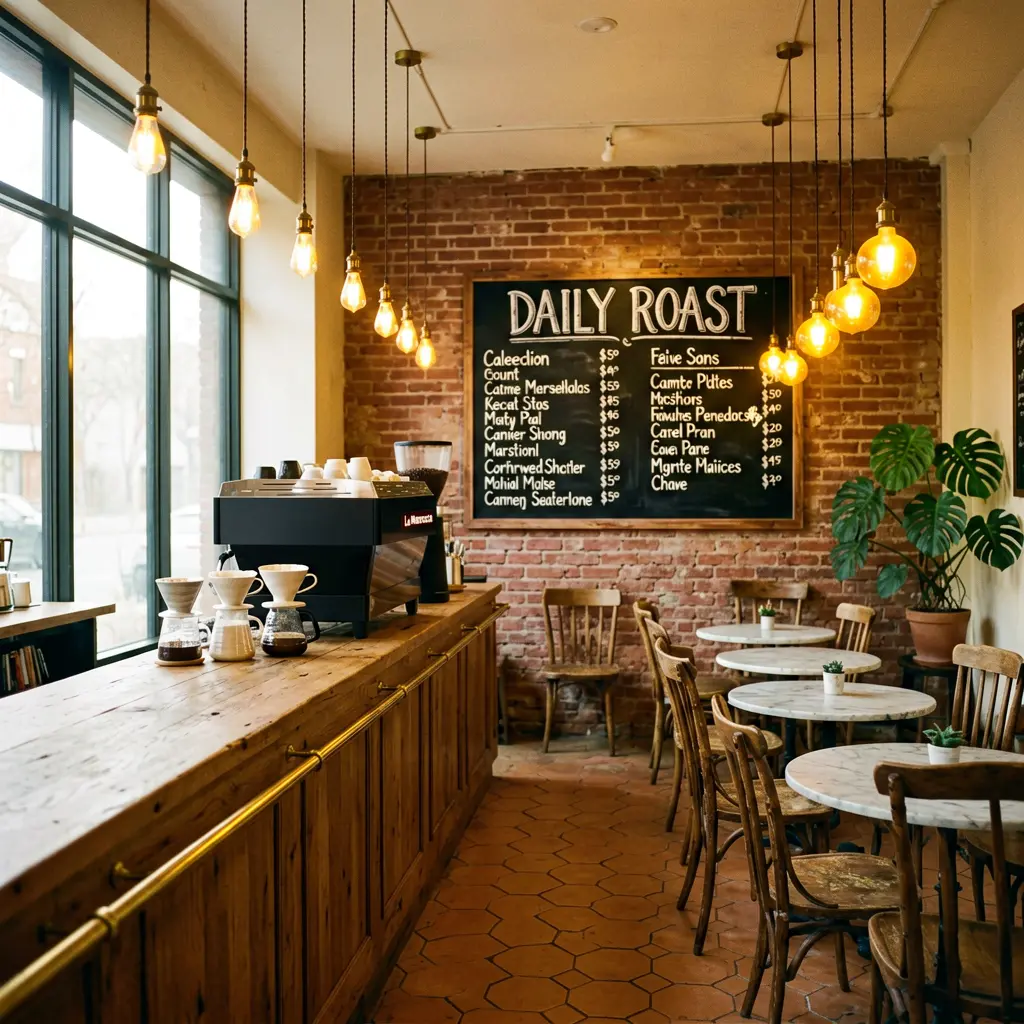
Same seed, same model (ernie-image-turbo). The short prompt produces a generic cafe. The long prompt nails the brick walls, chalkboard reading 'DAILY ROAST', Edison bulbs, marble tables, monstera, and hexagonal tiles — exactly as described.
The short prompt:
The structured prompt:
The rest of this guide shows what ERNIE can do, how it compares to other models, and gives you 7 rules for writing prompts that work.
What ERNIE can do
Here’s what’s possible with structured prompting. Every image below was generated with a single modl generate command.
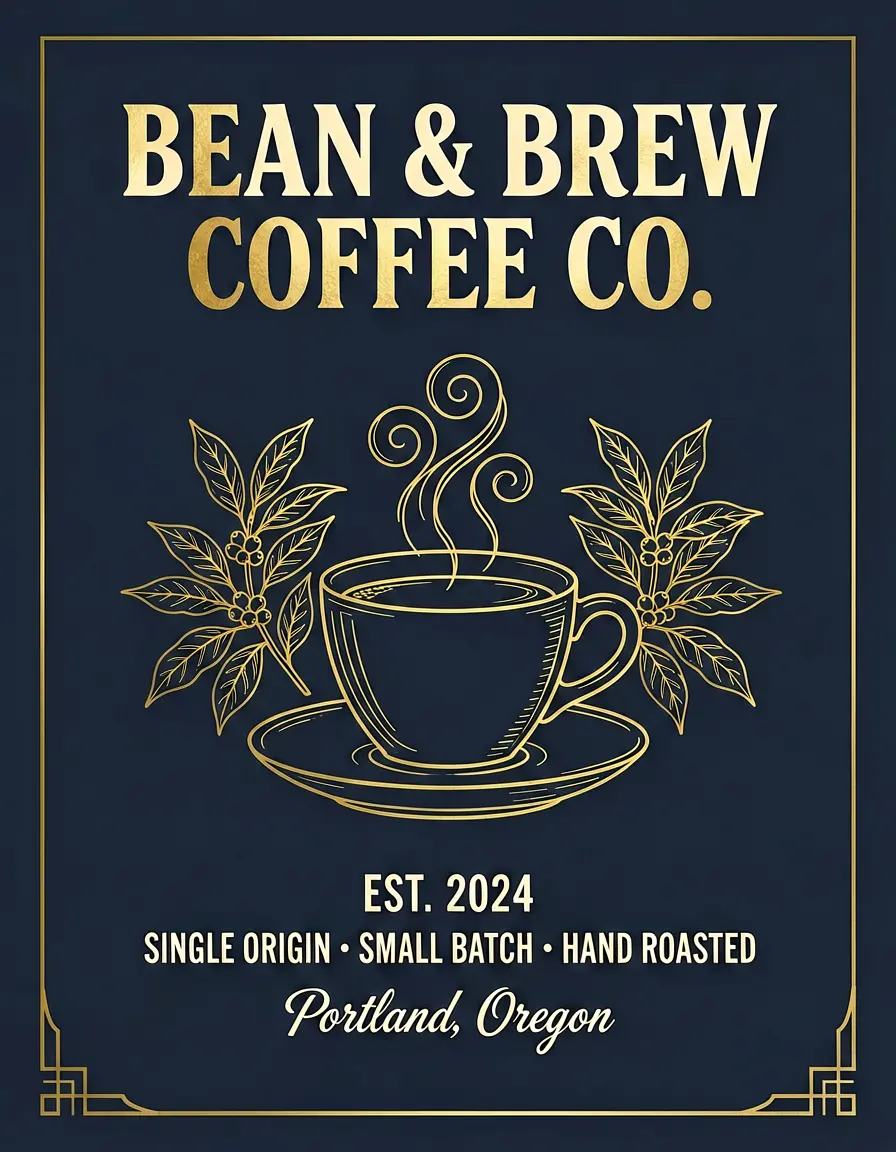
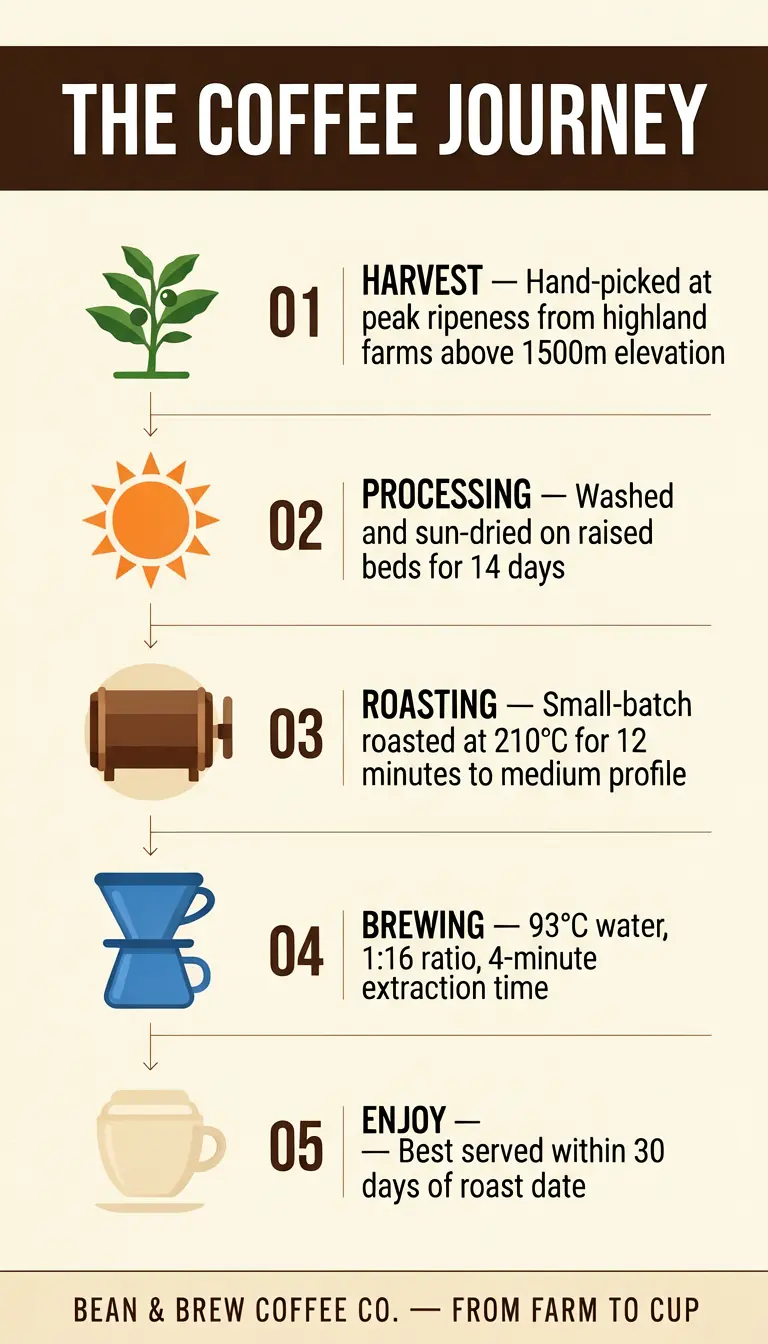
Choose ERNIE when your image has structure — panels, labels, typography, spatial organization. Don’t choose it for quick single-image generation (use z-image-turbo) or LoRA-based consistency (use flux-dev). ERNIE comes in two variants — ernie-image and ernie-image-turbo. See Turbo vs Base below for when to use which.
ERNIE vs Z-Image: head-to-head
Every comparison below uses the exact same prompt and seed on both models. Z-Image Turbo is a strong model — it handles short prompts and photographic content well. But the more text elements a prompt contains, the bigger ERNIE’s accuracy advantage becomes. At 5+ text elements, the gap is consistent.
Comic page
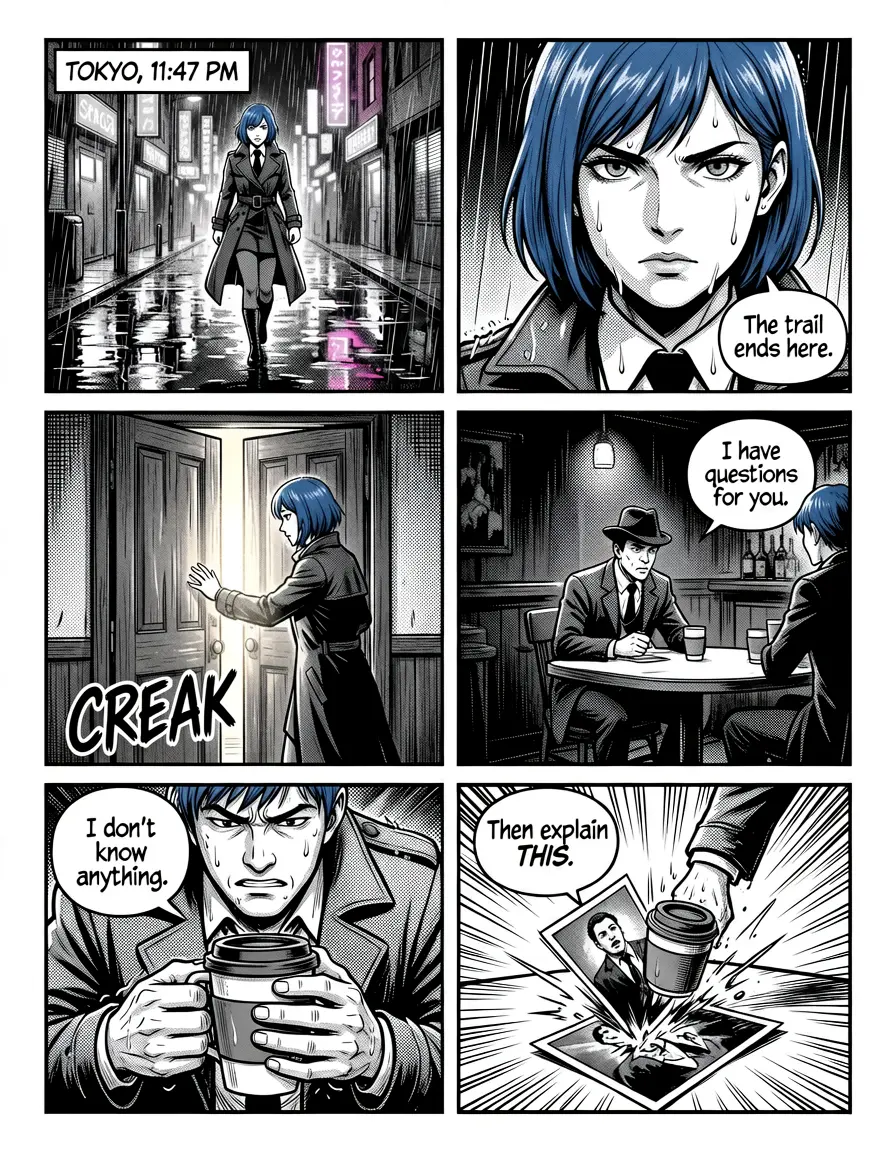
A 6-panel manga page with speech bubbles, a caption box (“TOKYO, 11:47 PM”), a sound effect (“CREAK”), and 5 lines of dialogue.
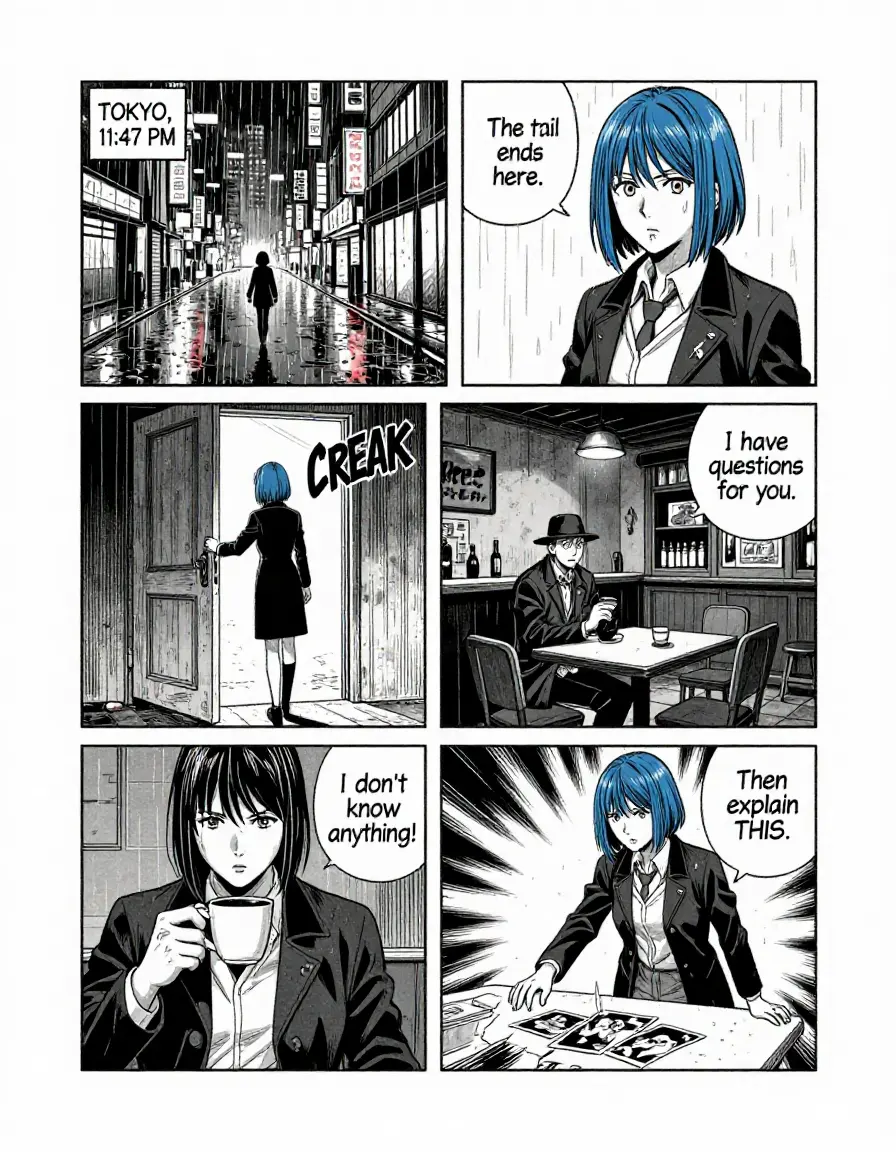
ERNIE produces a clean 6-panel grid with all 5 speech bubbles placed correctly, the 'TOKYO, 11:47 PM' caption, and 'CREAK' sound effect. Z-Image merges the top two panels into one wide shot, drops the bar interior from panel 4, and places speech bubbles outside their panels.
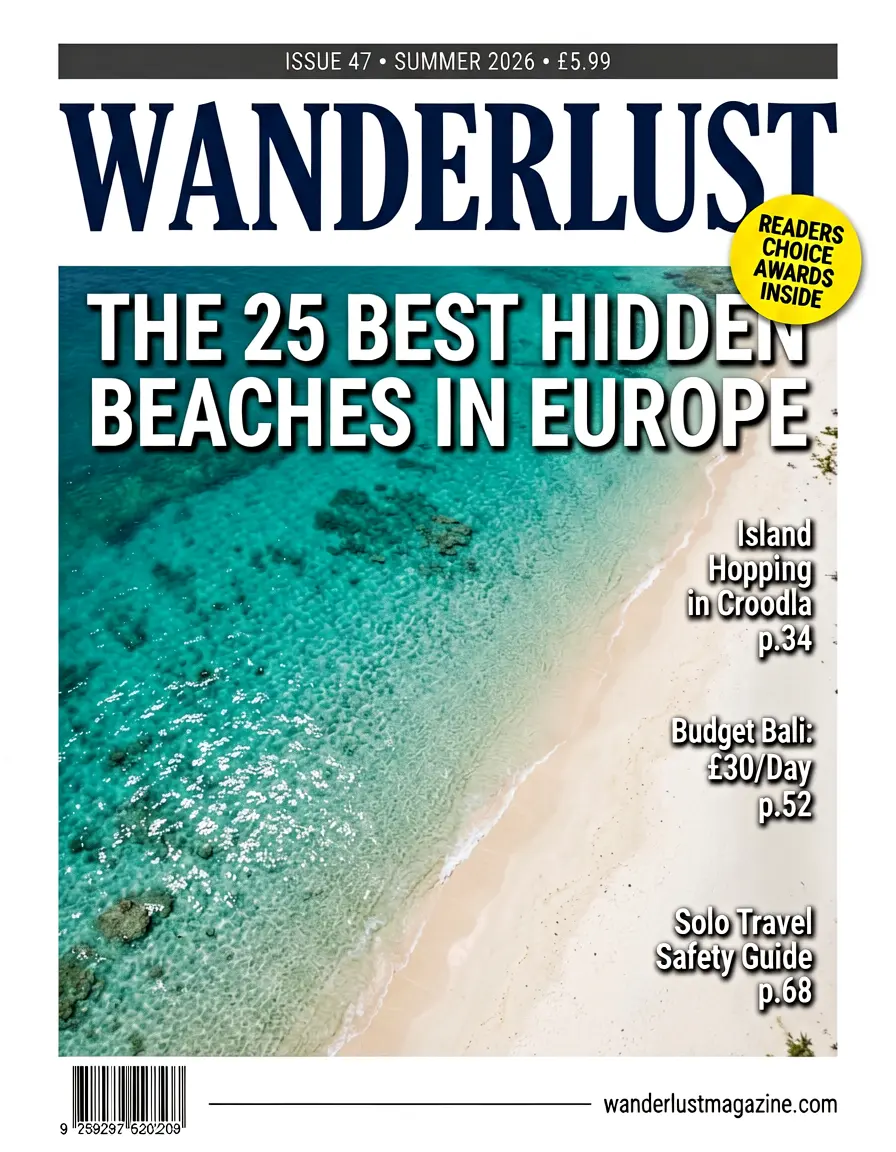
Magazine cover
A travel magazine cover with a title, main headline, three cover lines with page numbers, an issue bar, a badge, and a URL footer — 10+ separate text elements.
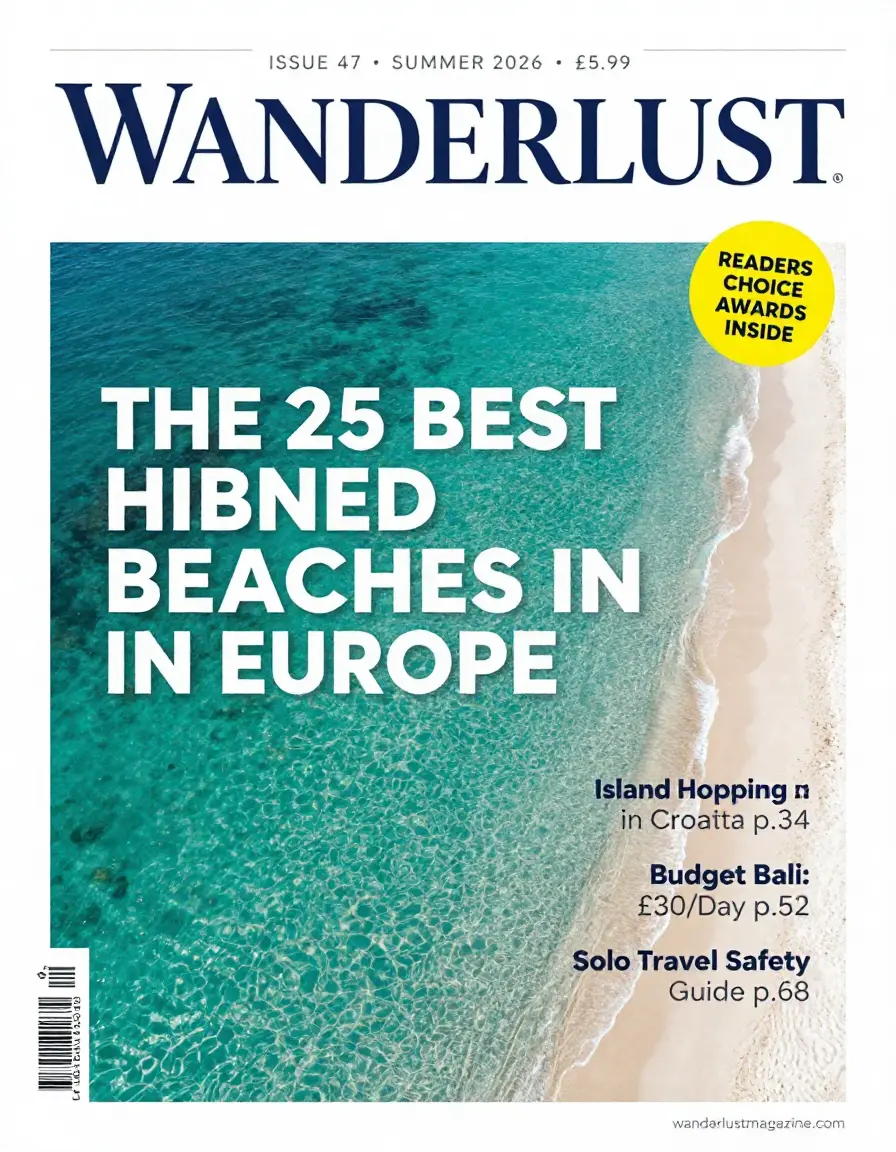
ERNIE renders 'THE 25 BEST HIDDEN BEACHES IN EUROPE' correctly along with all cover lines and page numbers. Z-Image misspells 'HIDDEN' as 'HIBNED'.
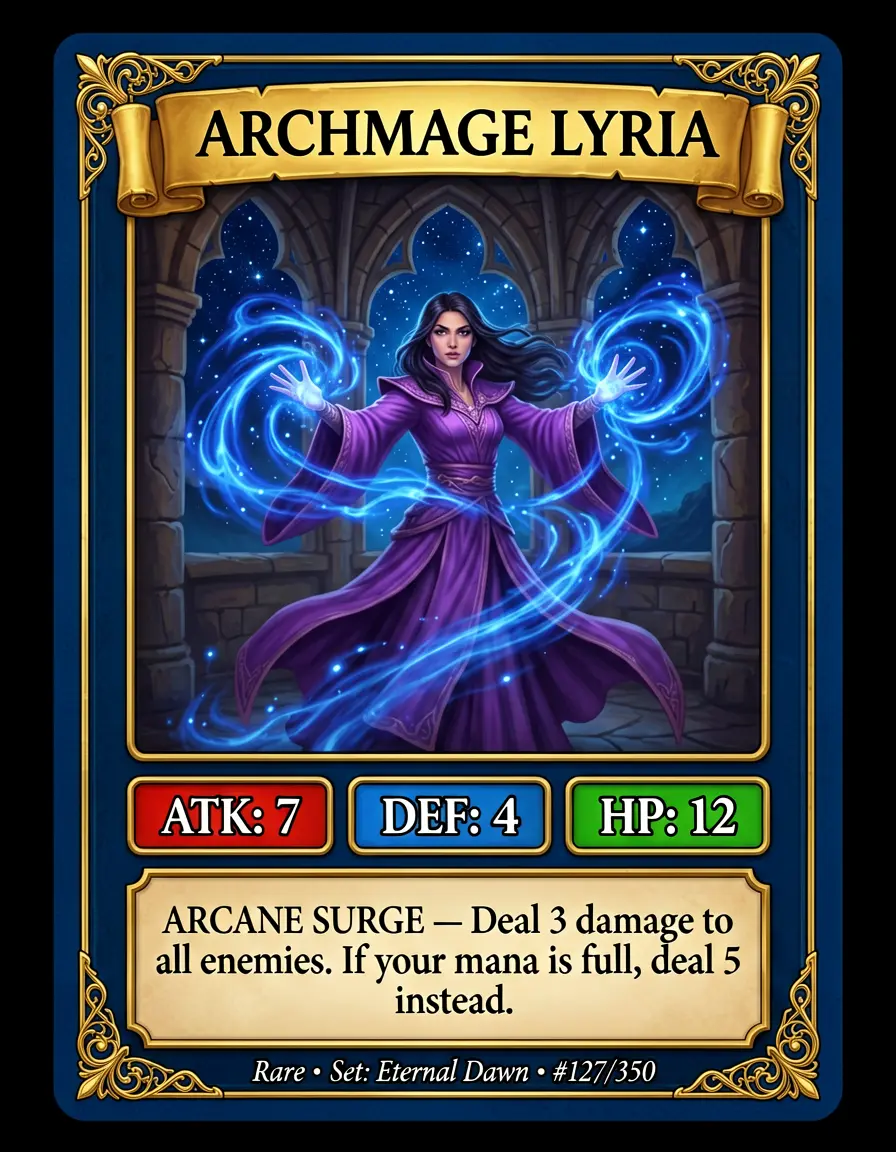
Trading card
A fantasy game card with a character name, three stat boxes, ability text, and set info footer.
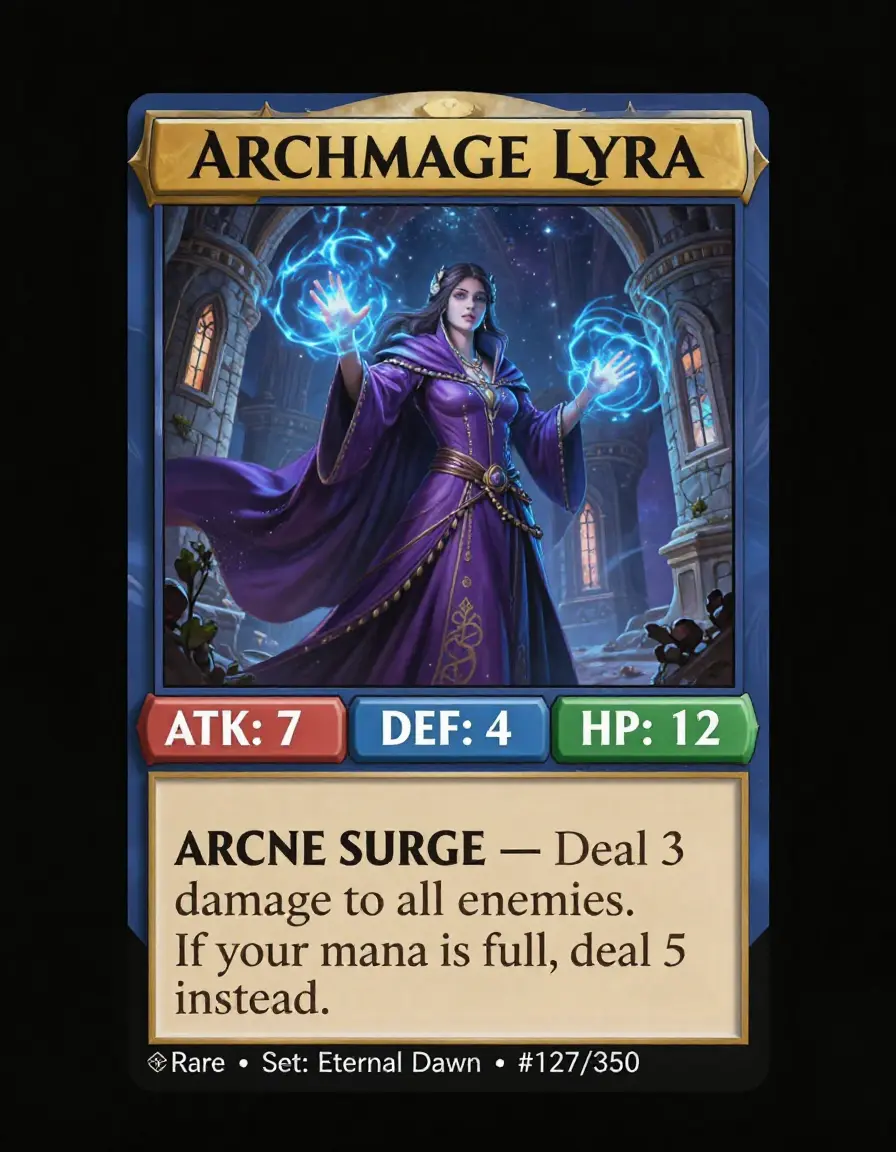
ERNIE renders 'ARCHMAGE LYRIA', 'ARCANE SURGE', all three stat values, the full ability description, and 'Rare • Set: Eternal Dawn • #127/350'. Z-Image misspells the character name ('Lyra') and the ability name ('ARCNE SURGE').
Restaurant menu
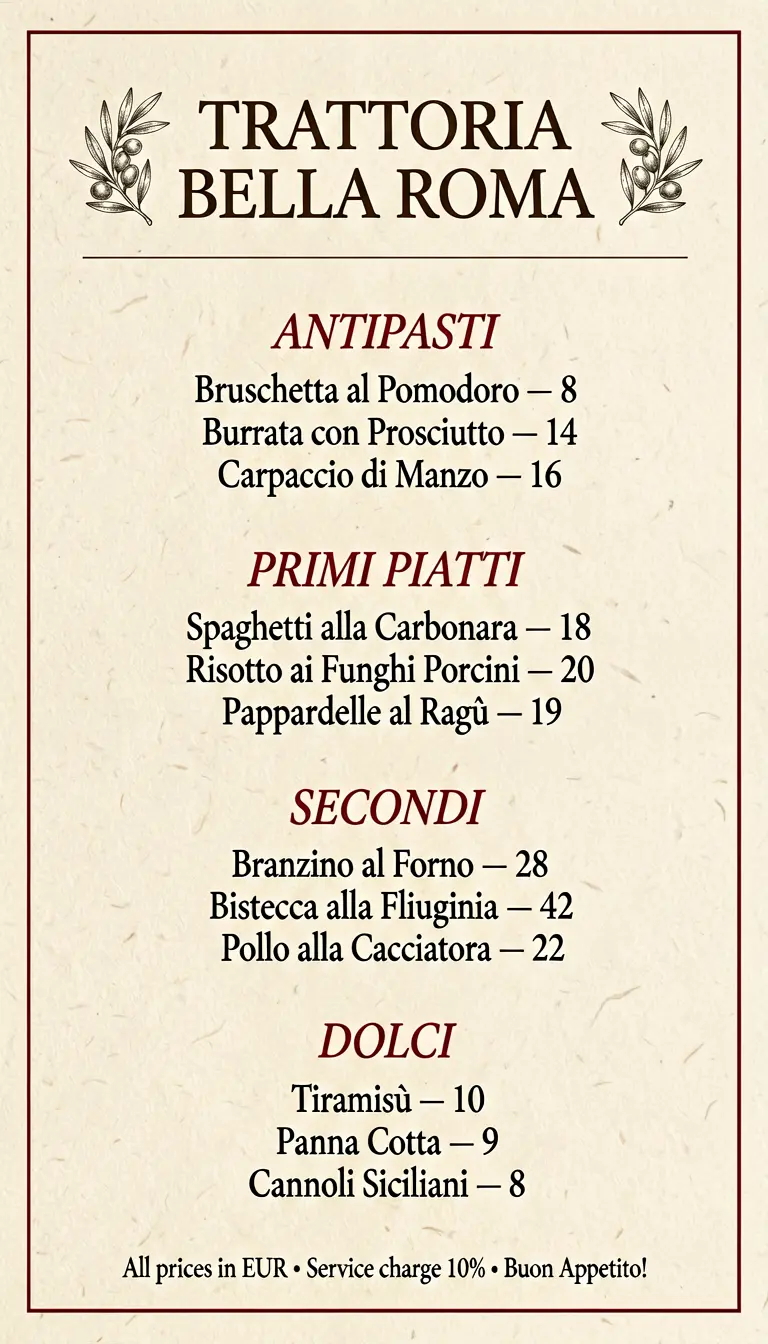
An Italian trattoria menu with 4 sections, 12 items with Italian names, and 12 prices.
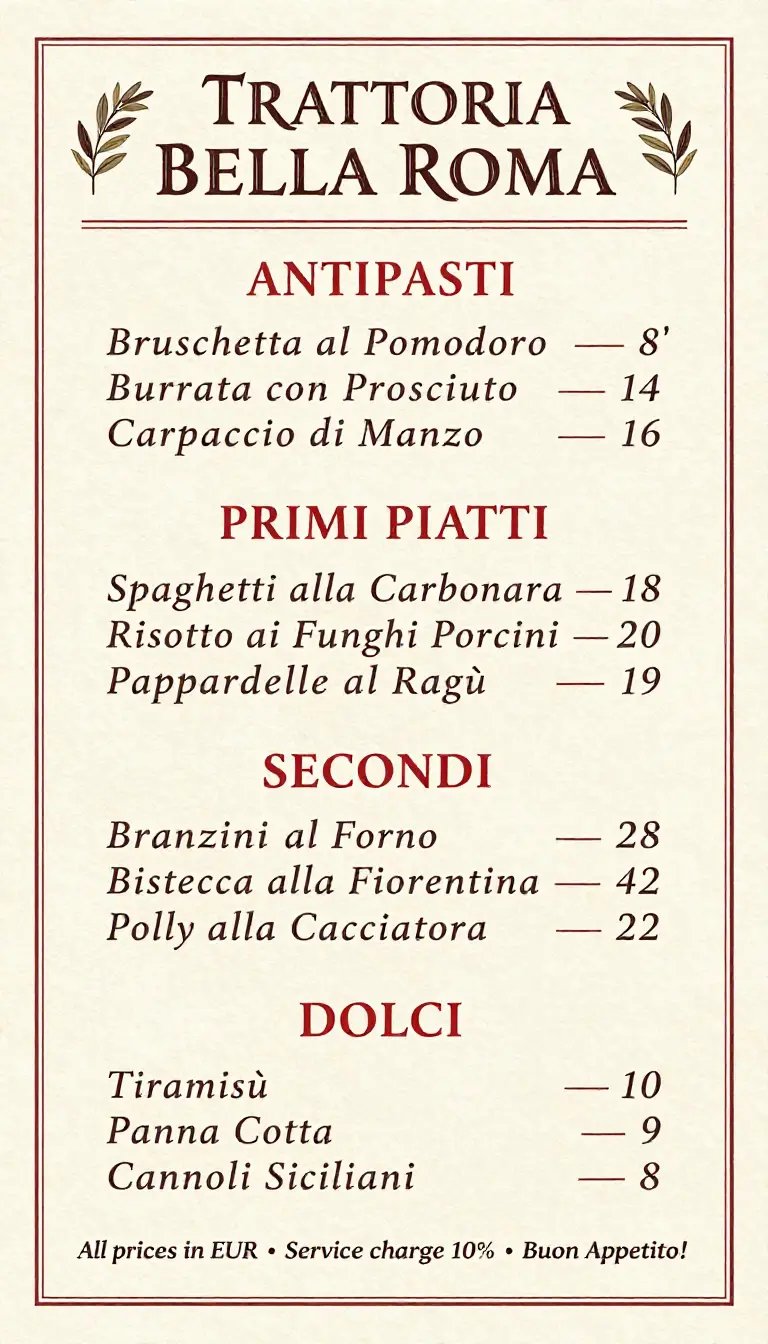
ERNIE gets all 12 Italian dish names and prices correct. Z-Image misspells 'Prosciutto' → 'Prosciuto', 'Branzino' → 'Branzini', 'Pollo' → 'Polly', and gives Cannoli the wrong price (4 instead of 8).
Character reference sheet
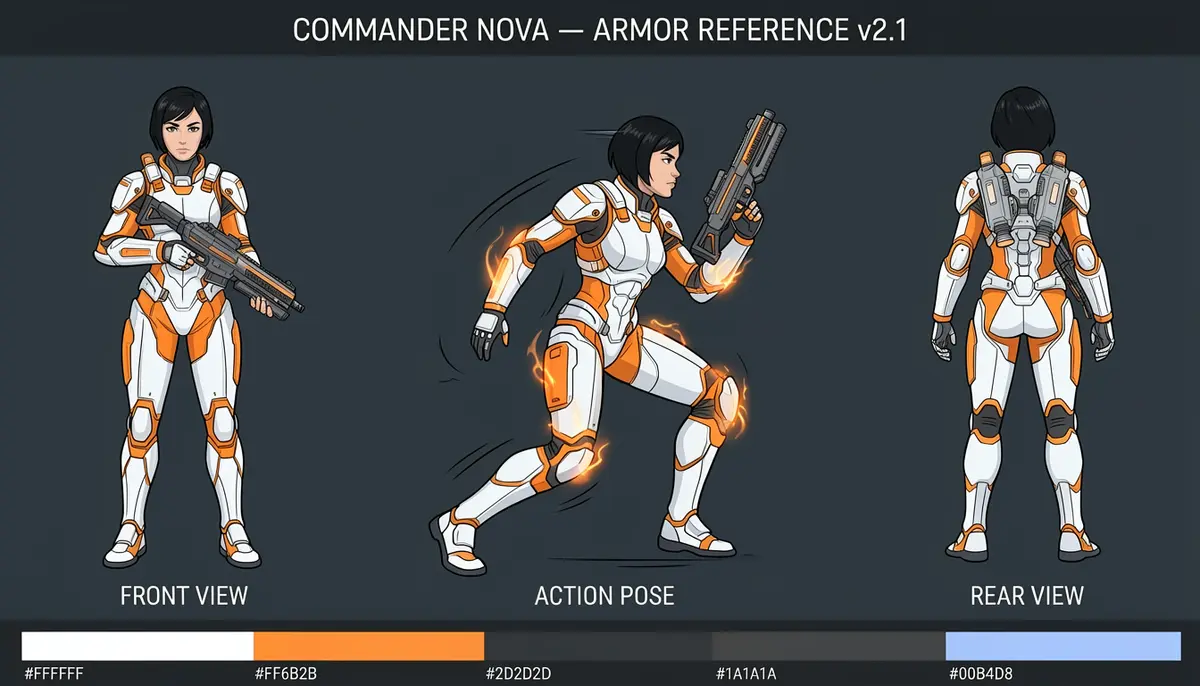
A 3-view character design sheet with spatial layout, hex color palette, and title.
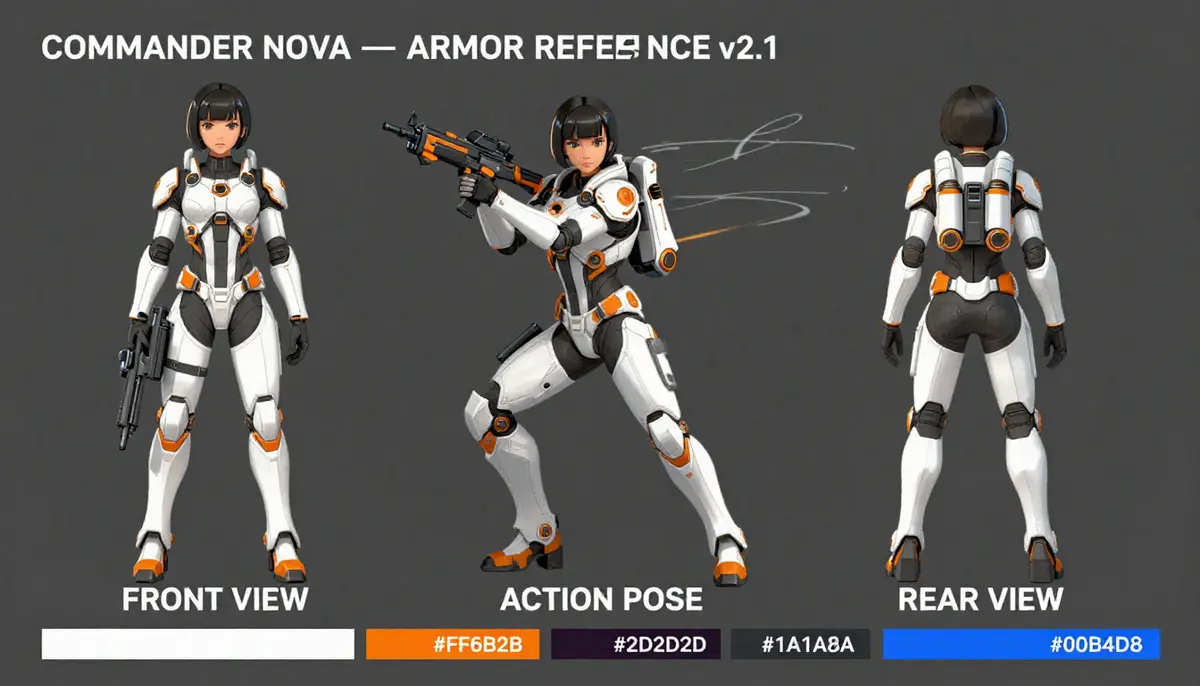
ERNIE renders 'COMMANDER NOVA — ARMOR REFERENCE v2.1' correctly with accurate hex codes in the palette strip. Z-Image breaks the title ('REFERE NCE') and has incorrect hex values.
Recipe card
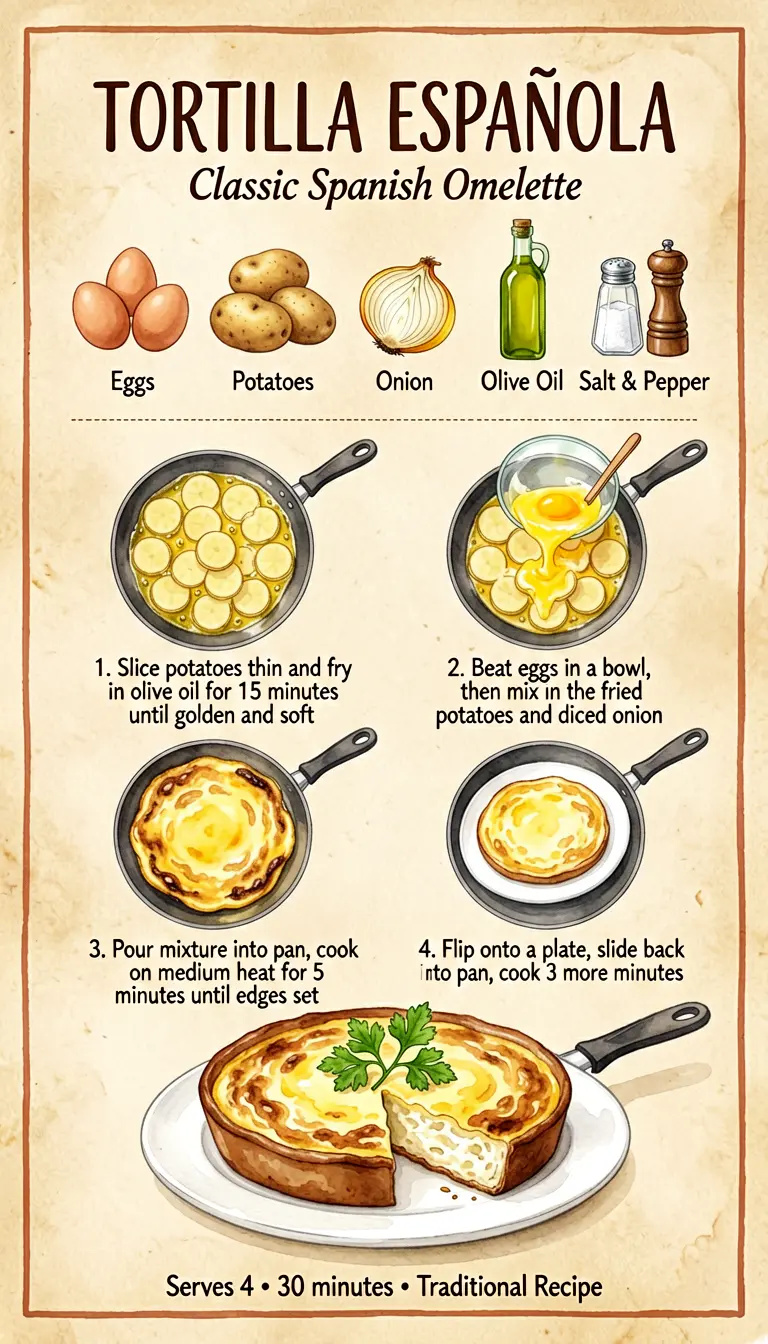
An illustrated Spanish omelette recipe with ingredient row, 4 cooking steps, and footer.
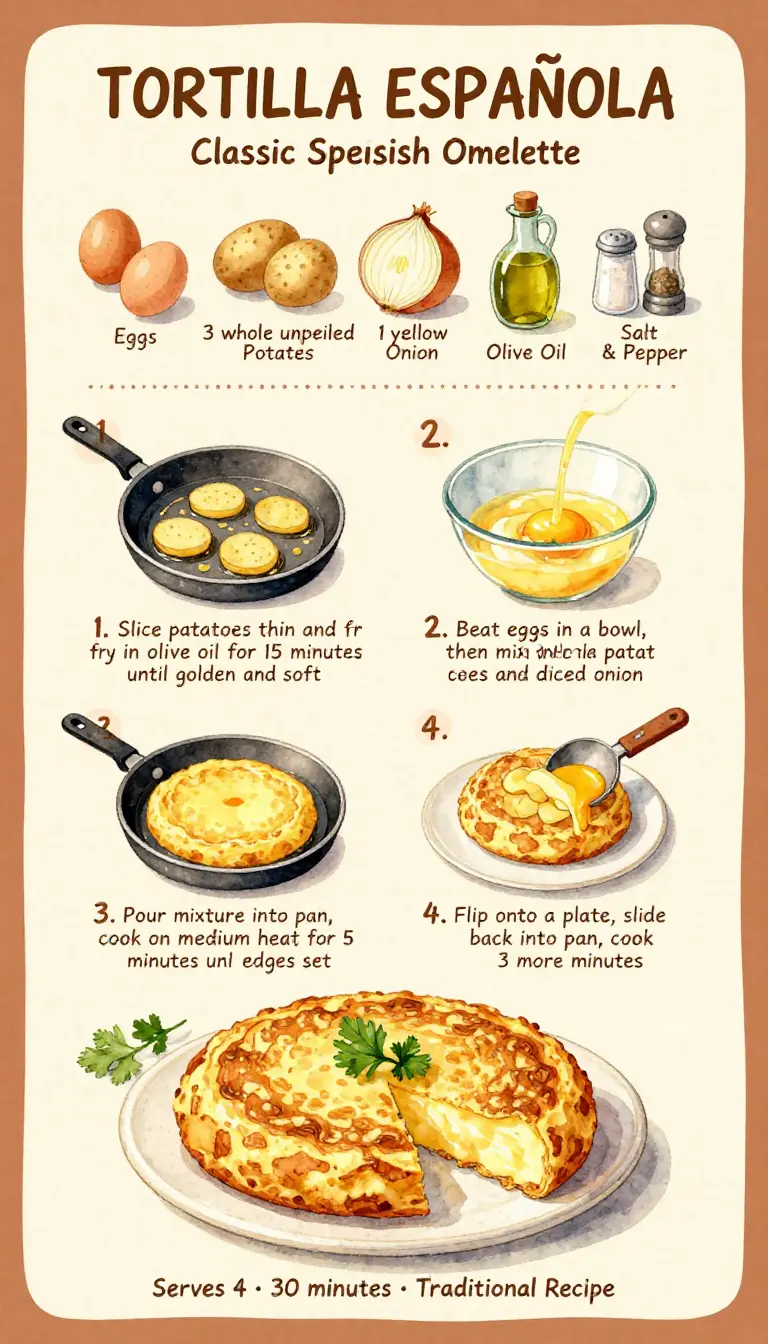
ERNIE renders all ingredient labels in correct English and all step instructions are readable. Z-Image misspells 'Classic Spanish' → 'Classic Spesish' and garbles ingredient labels.
Sticker sheet
An 8-panel expression sticker grid with character consistency and per-sticker text labels.
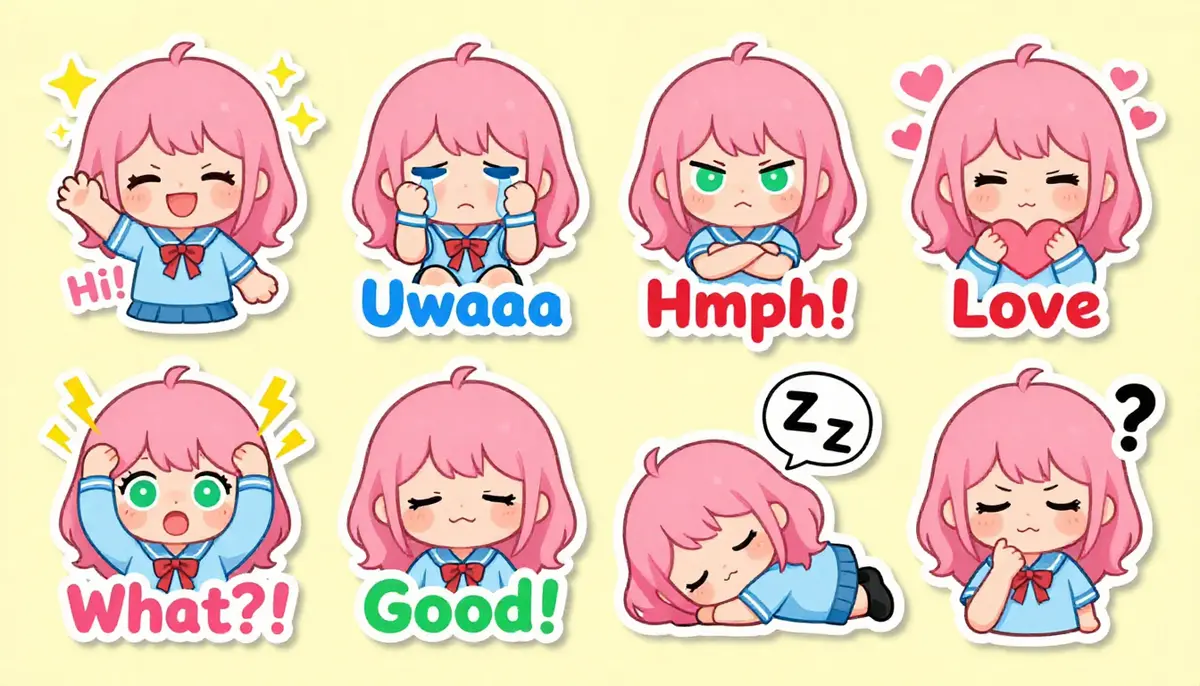
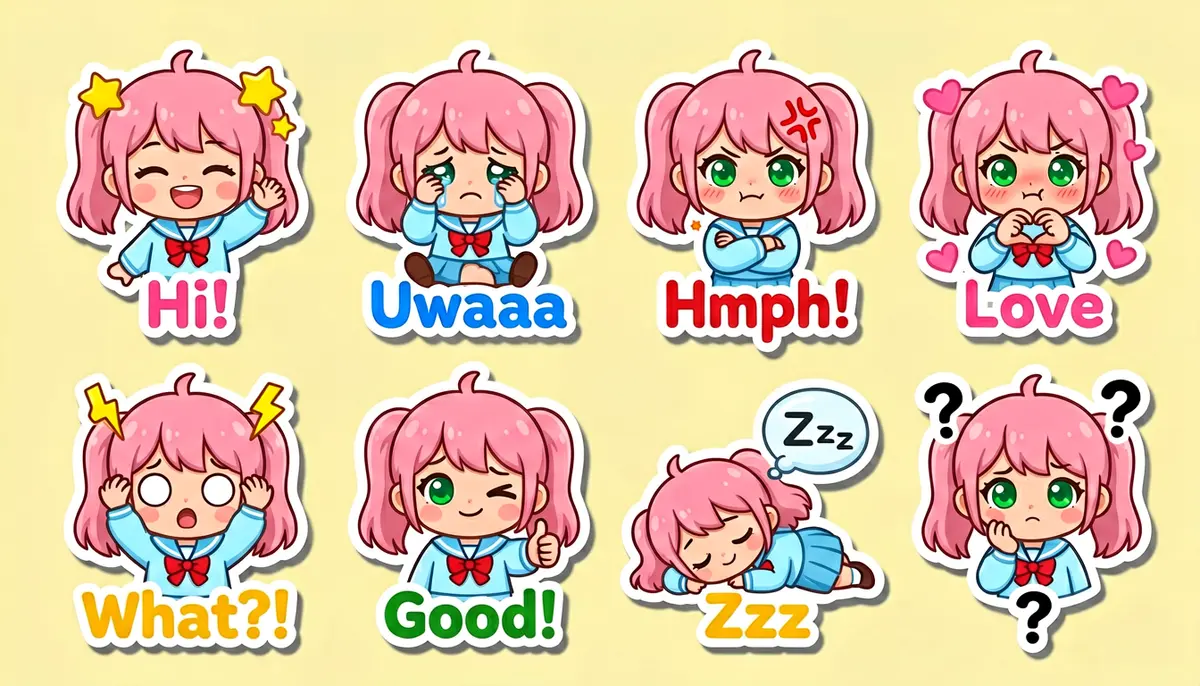
Both models produce recognizable sticker sheets. ERNIE's text labels are more consistently placed and the character is more uniform across all 8 panels.
The 7 prompting rules
The golden rule tells you why — ERNIE rewards detail. These 7 rules tell you how to write prompts that work. The first four are the core techniques with the biggest impact; the last three are supporting habits that improve consistency.
1. Specify spatial layout explicitly
Use phrases like “upper-left corner contains X”, “the lower-center shows Y”, “left section occupying one-third of the frame”. ERNIE places elements where you tell it to.
'Left section: front view... Center section: action pose... Right section: rear view...' — ERNIE followed the spatial directions precisely, including hex color swatches along the bottom.
2. Embed exact text strings in quotes
Include literal strings: title reads 'CAFE & ROASTERY', text reads '1. Slice potatoes thin', labeled '#FF6B2B'. ERNIE renders quoted text faithfully — titles, labels, prices, hex codes, body copy.
All 12 Italian dish names, 4 section headers, 12 prices, and the footer — all rendered from quoted strings in the prompt.
3. Use specific technique vocabulary
Not “anime style” but “high-quality cel-shading flat coloring with clean outlines and crisp shadow boundaries.” The more specific your technique vocabulary, the more ERNIE has to work with.
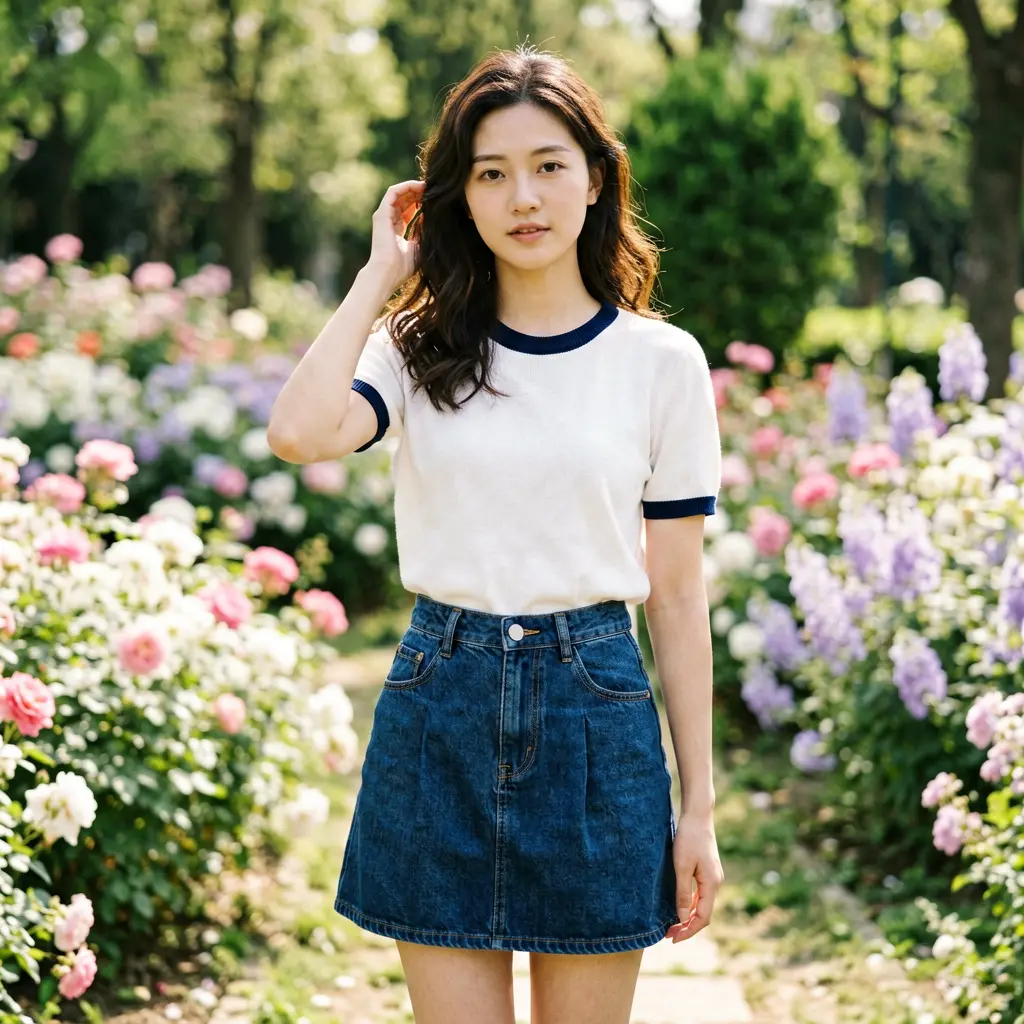
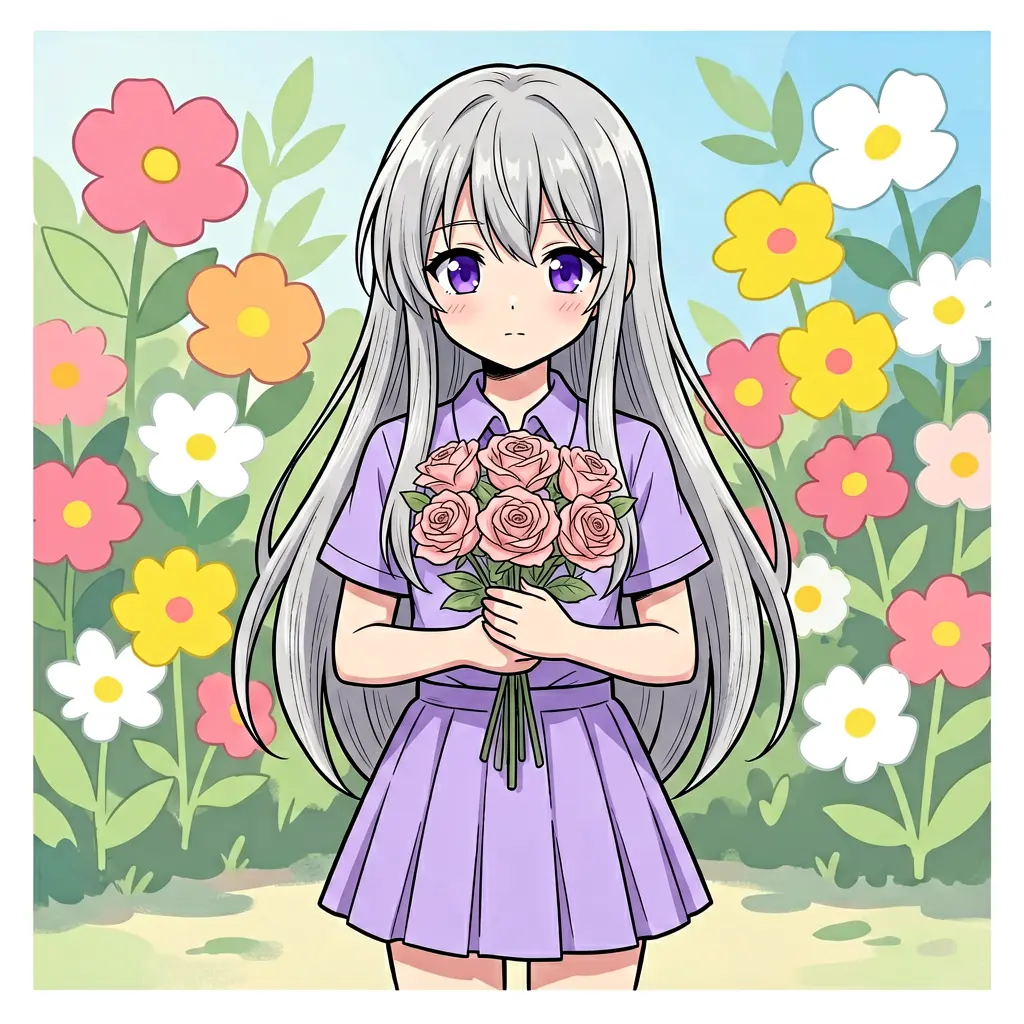
Same seed. The vague prompt produces generic anime. The specific prompt produces cel-shading with flat coloring, silver hair, violet eyes with catchlight reflections, and a limited pastel palette — all explicitly requested.
4. Use camera/lens language as structural directives
ERNIE treats camera specs as composition instructions. “24mm wide-angle” produces an environmental shot. “85mm f/2.0” isolates the subject. “200mm telephoto” compresses the scene to hands and detail.
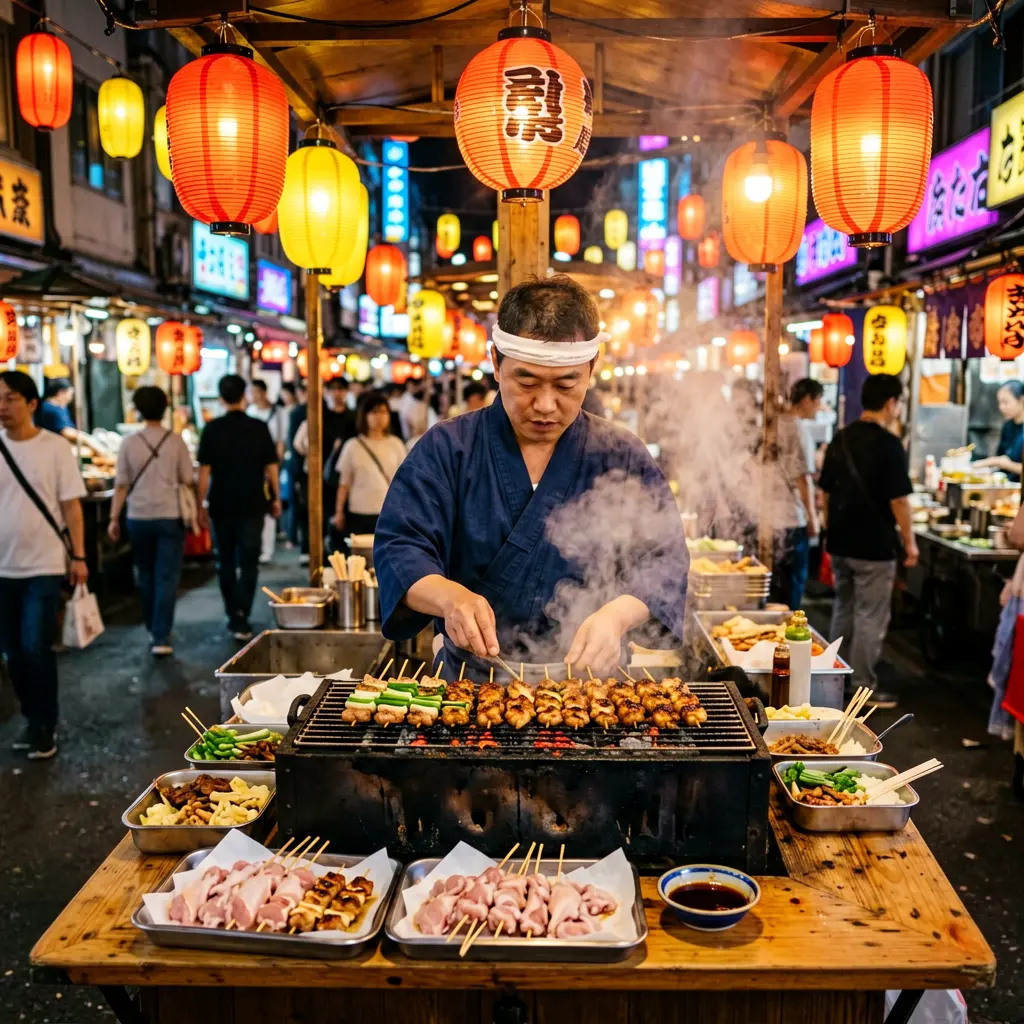
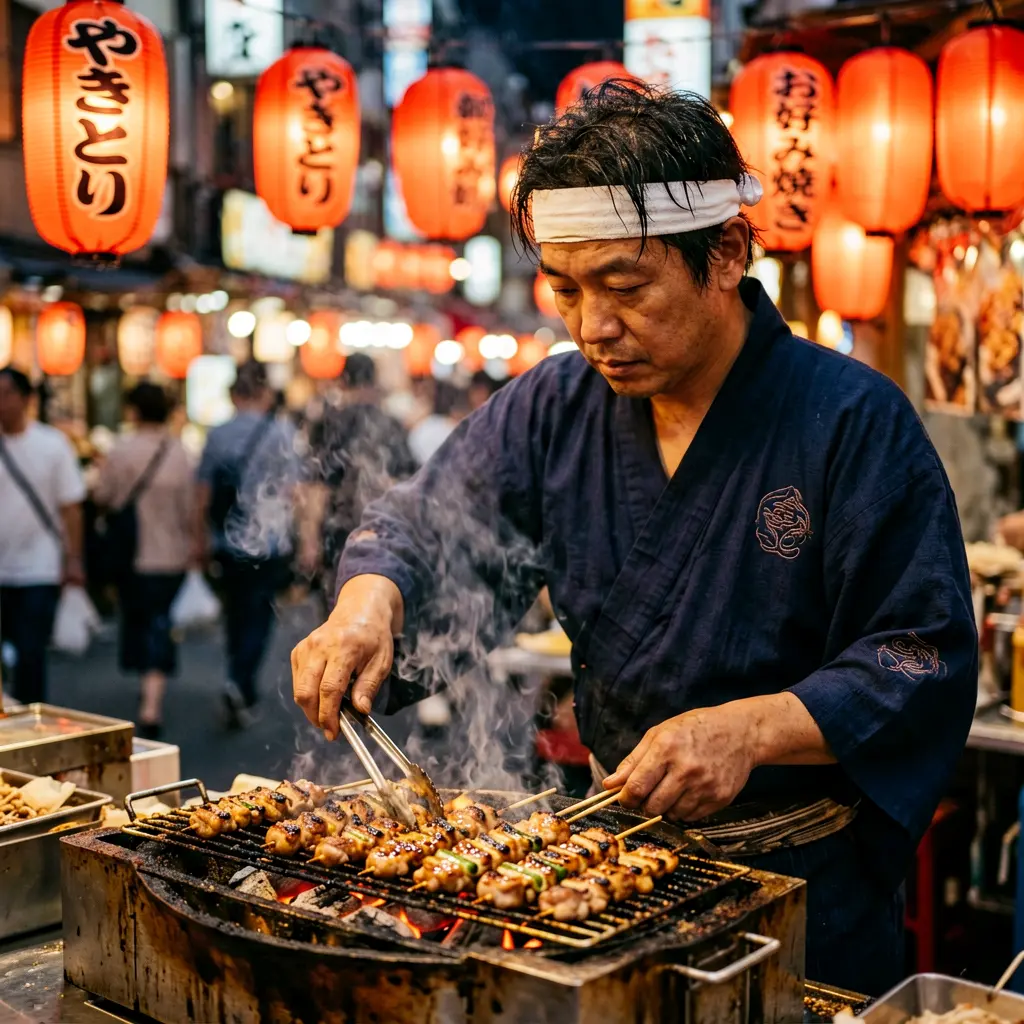
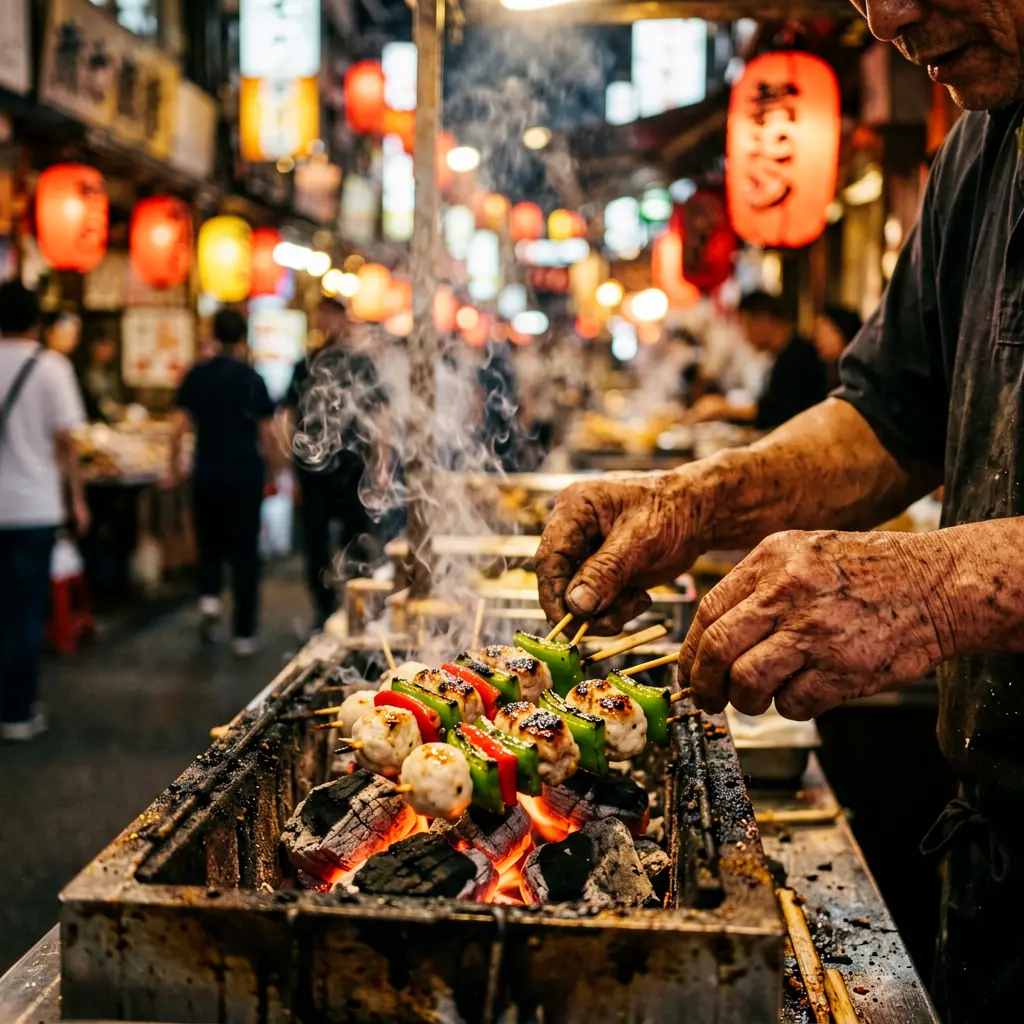
Same subject (Tokyo yakitori vendor), same seed. The lens specification completely changes the composition: wide establishes the scene, portrait isolates the person, telephoto compresses to hands and charcoal with large bokeh circles.
5. State exclusions explicitly
“No gradients, no 3D effects, no photographs” — ERNIE respects negative constraints. The poster and menu examples above all use exclusions like “no gradients, no 3D effects — flat matte colors only” to keep designs clean.
6. Describe each panel individually
For sticker sheets, comic pages, or multi-panel compositions, describe every panel with its position, content, and text. This is the technique behind the comic page and sticker sheet results shown above.
7. Front-load the format
The opening sentence sets the overall direction. Start with what the image is before describing what’s in it: “A single page of a manga comic…”, “A magazine cover for…”, “A trading card for…”, “A step-by-step recipe card for…”
Recipe cards
One of ERNIE’s most practical use cases — illustrated recipe cards with ingredients, numbered steps, and a finished dish.
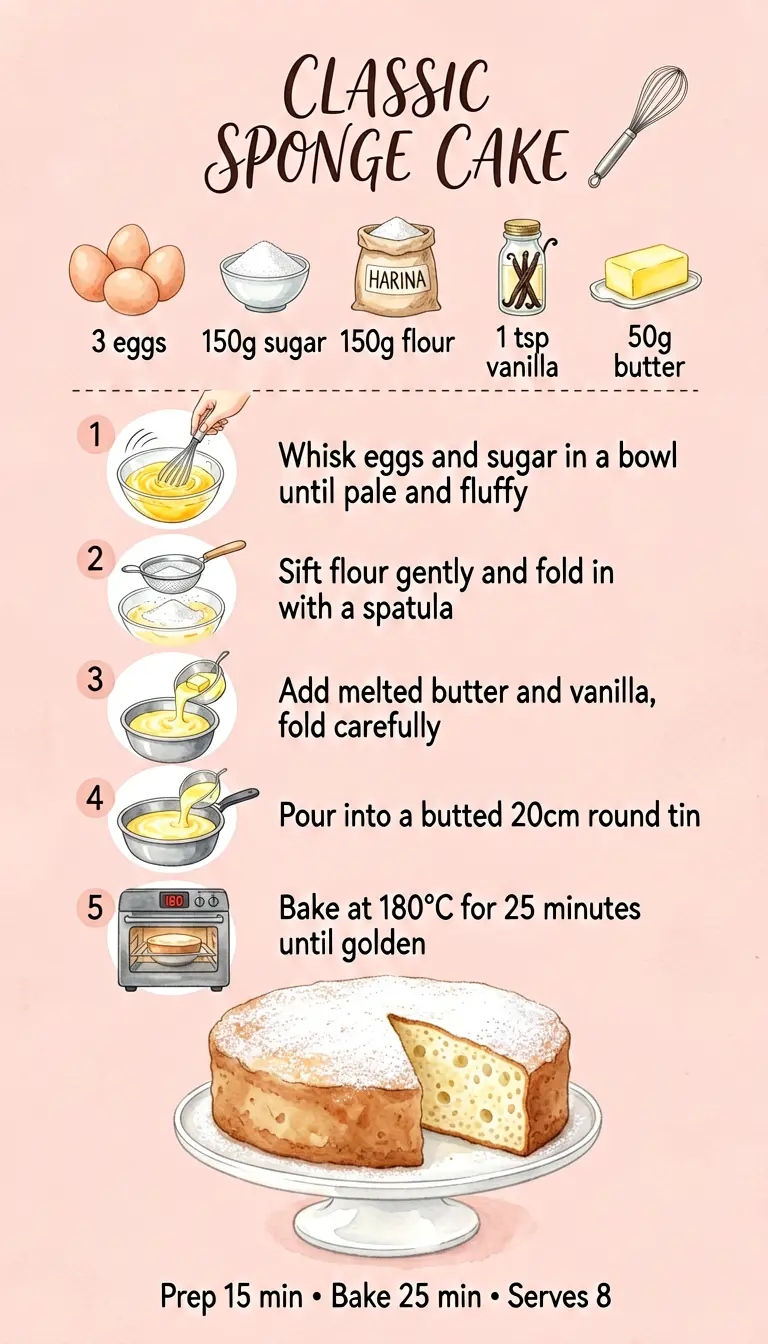
Two recipe styles: the tortilla uses a 2x2 step grid with a parchment aesthetic, the sponge cake uses a single-column layout with watercolor illustrations. Both generated with ernie-image-turbo at 9:16.
Try recipe cards for your own subjects: cocktail recipes, workout routines, plant care guides, DIY instructions — anything with materials, numbered steps, and a final result.
Turbo vs Base
Use turbo for comic pages, game cards, recipe cards, sticker sheets, photographic content, and iteration. Use base for infographics, posters, and anything with dense small text where accuracy on every character matters. On a 4090 with GGUF Q4 at 1024x1024: turbo takes ~45s, base takes ~5 min.
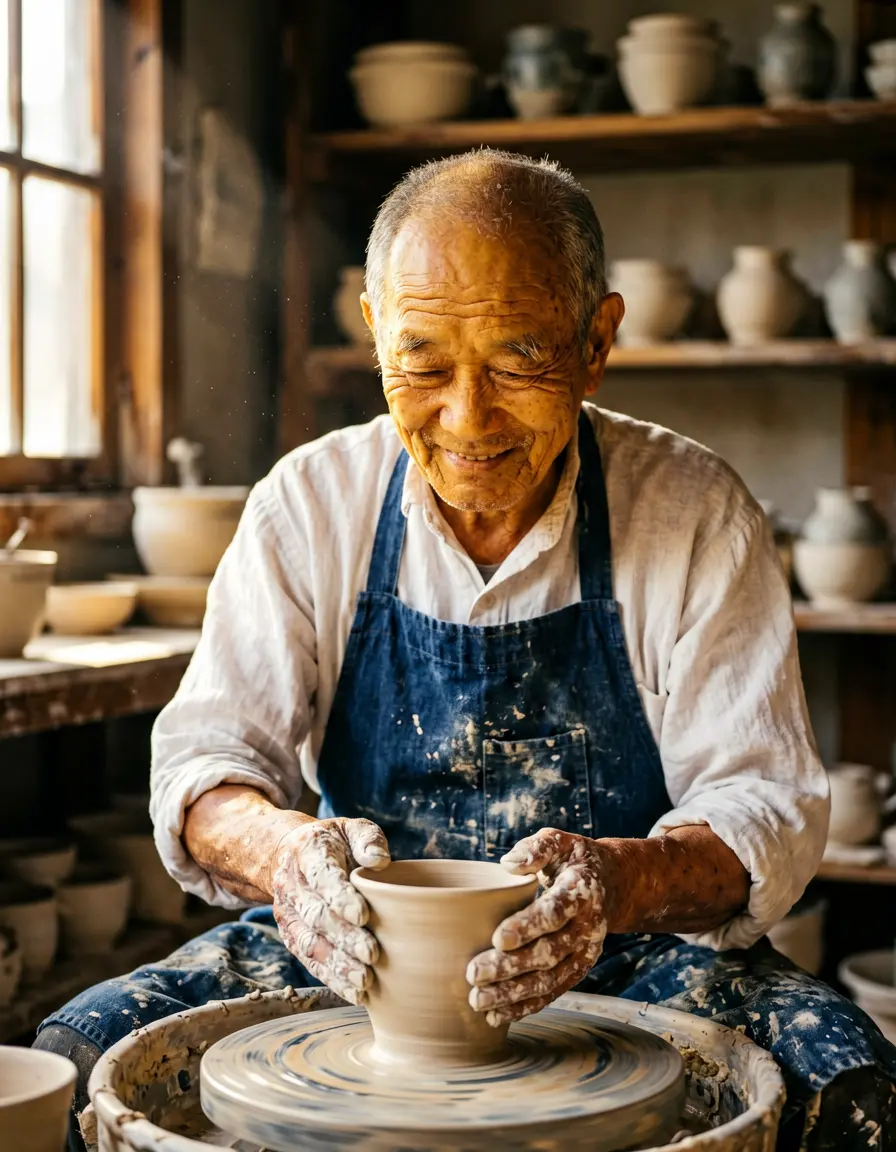
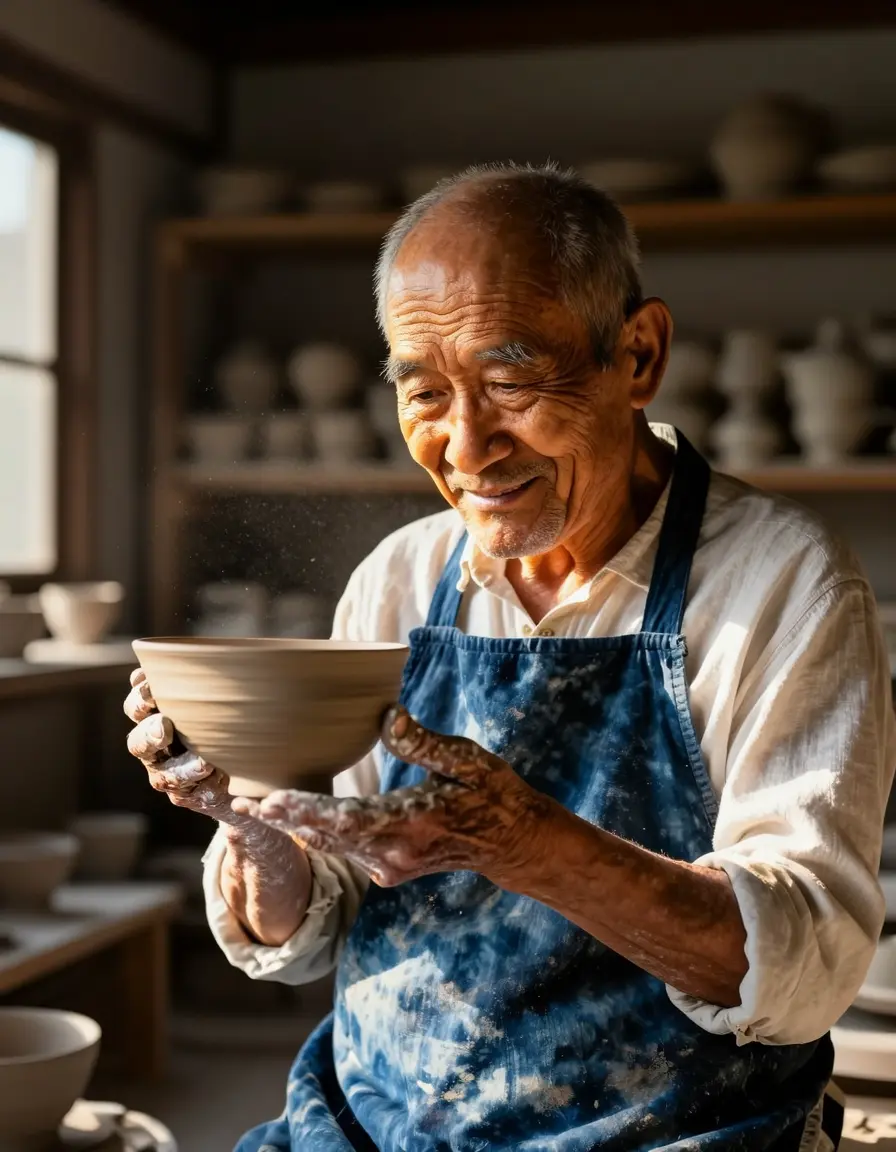
Same prompt, same seed. The turbo version is slightly less refined in fine details (skin texture, clay dust particles) but the composition and overall quality are close.
Parameters
Prompt templates
Each template is followed by a filled example so you can see what a completed prompt looks like.
Comic / manga page
A single page of a [manga/comic] with [N] panels arranged in a [rows]-row
by [cols]-column grid on a [background]. [Panel border style]. The story
follows [character description]. Panel 1 ([position]): [scene description].
Caption box reads '[TEXT]'. Panel 2 ([position]): [scene]. Speech bubble
reads '[DIALOGUE]'. [Continue for each panel]. [Art style], [coloring].
Filled example:
Recipe card
A step-by-step illustrated recipe card for [DISH]. [Background style].
Title reading '[TITLE]' with subtitle '[subtitle]'. Ingredient row with
labels: [ingredient] labeled '[NAME]', ... [N] cooking steps in [grid]:
Step 1 shows [illustration], text reads '[instruction]'. ... Finished dish
at bottom. Footer: '[serving info]'. [Art style], [colors].
Filled example:
Magazine cover
A magazine cover for [type]. [Photo/art description]. At the top,
'[ISSUE INFO]'. Title '[TITLE]' in [typography]. Main headline
'[HEADLINE]' in [style]. [N] cover lines: '[line with page number]', ...
[Badge/callout]. Bottom: [barcode, URL]. Editorial design.
Trading card
A [card type] for [game], [orientation] on [background]. [Border style].
Name banner: '[CARD NAME]'. [Illustration frame with scene]. Stats:
'[STAT: value]' in [colored boxes]. Ability: '[NAME] — [description]'.
Footer: '[rarity • set • number]'. [Art style].
Restaurant menu
A single-page menu for [restaurant] on [background]. Name '[NAME]' in
[typography]. [N] sections with headers: '[HEADER]' with items:
'[Item — price]', ... Footer: '[info]'. [Design constraints].
Character reference sheet
A character reference sheet for [character] on [background]. [N] sections:
[per-section position, view, pose, details]. Color palette: [hex swatches].
Title: '[TEXT]'. [Art style], no background environment.
Gallery
More samples to browse. Every image is a single modl generate command with ernie-image-turbo.
Labeled grids
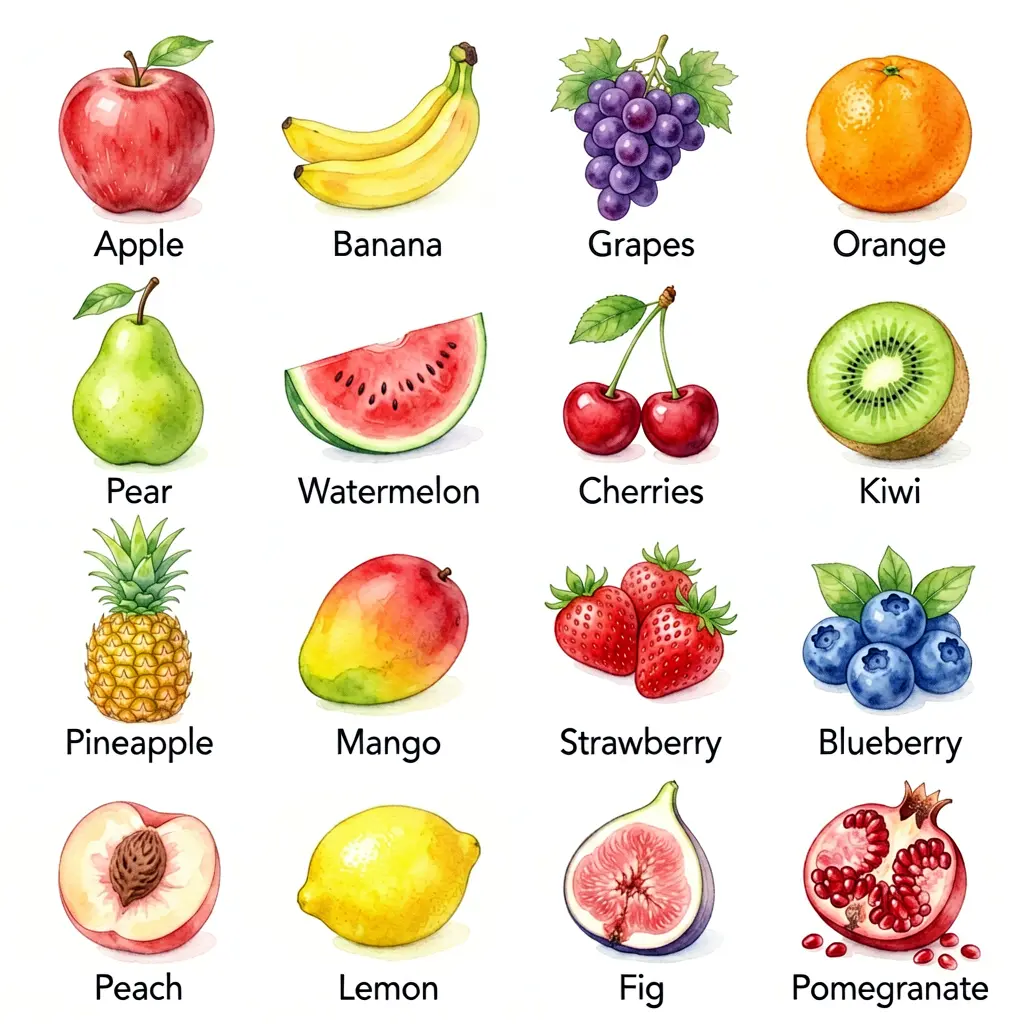
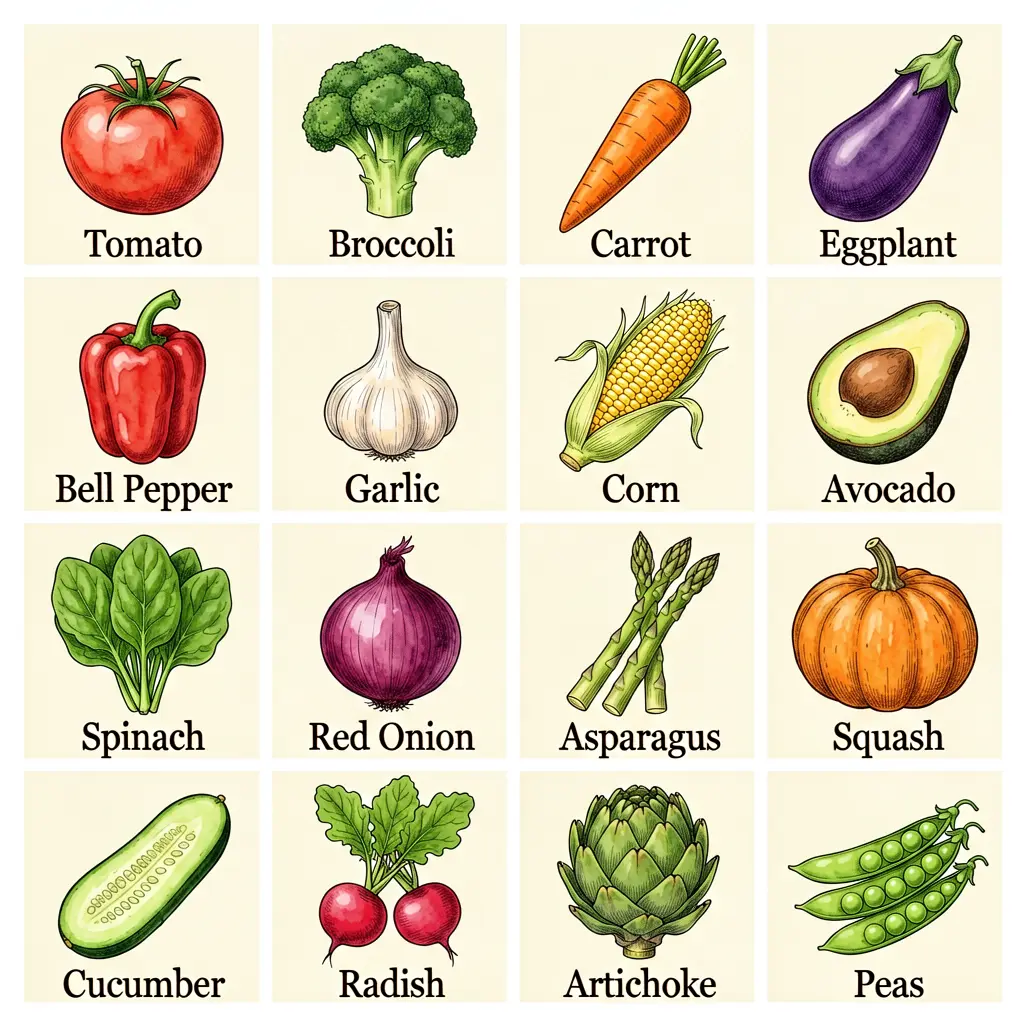
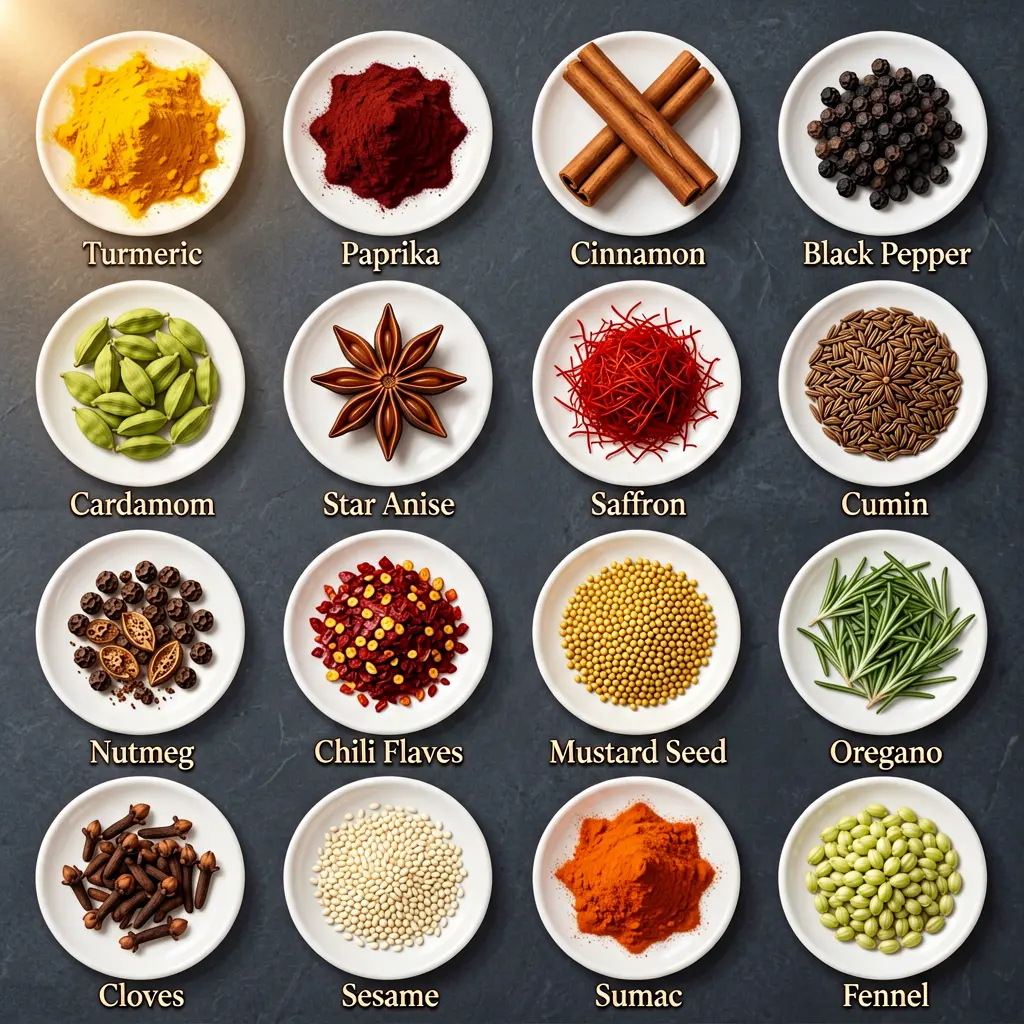
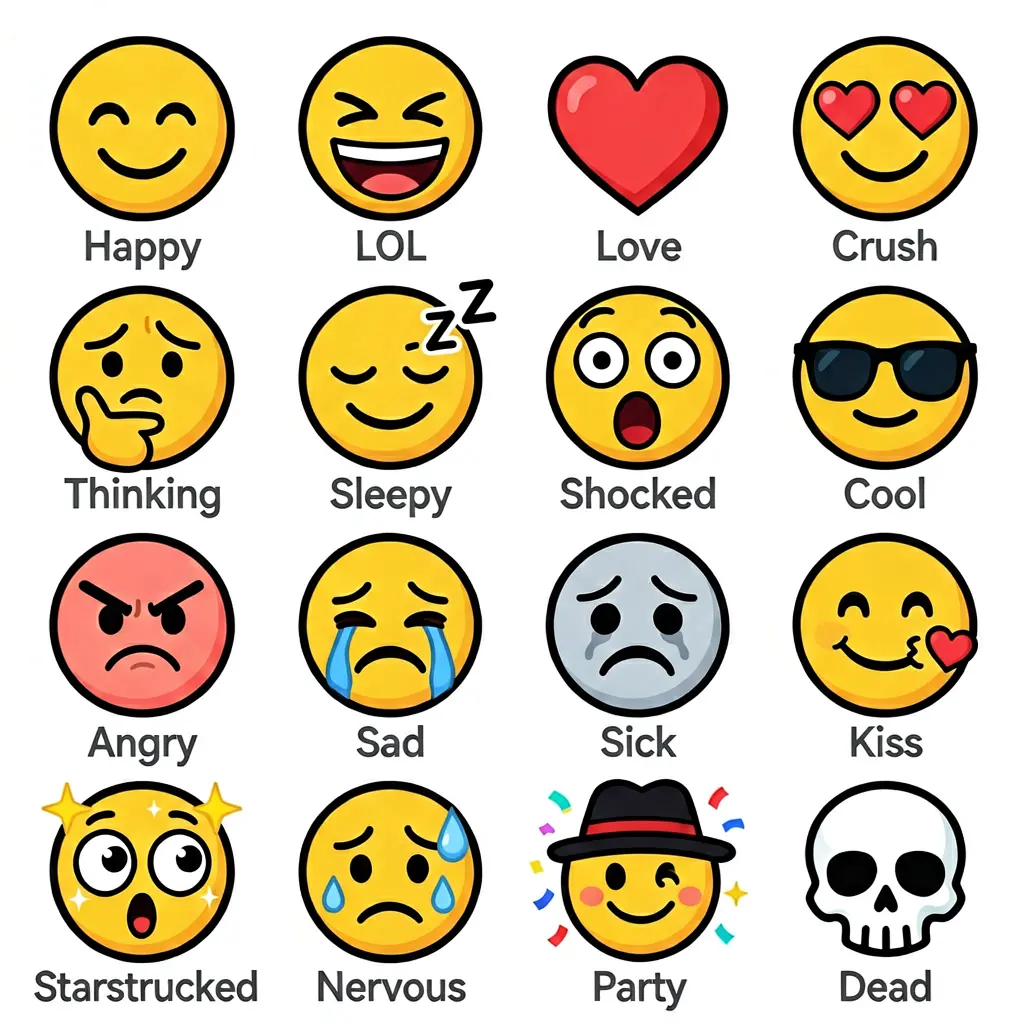
64 labels across four grids, four different illustration styles: watercolor (fruits), botanical ink (vegetables), moody food photography (spices), flat vector (emojis) — each specified in the prompt.
Recipe cards
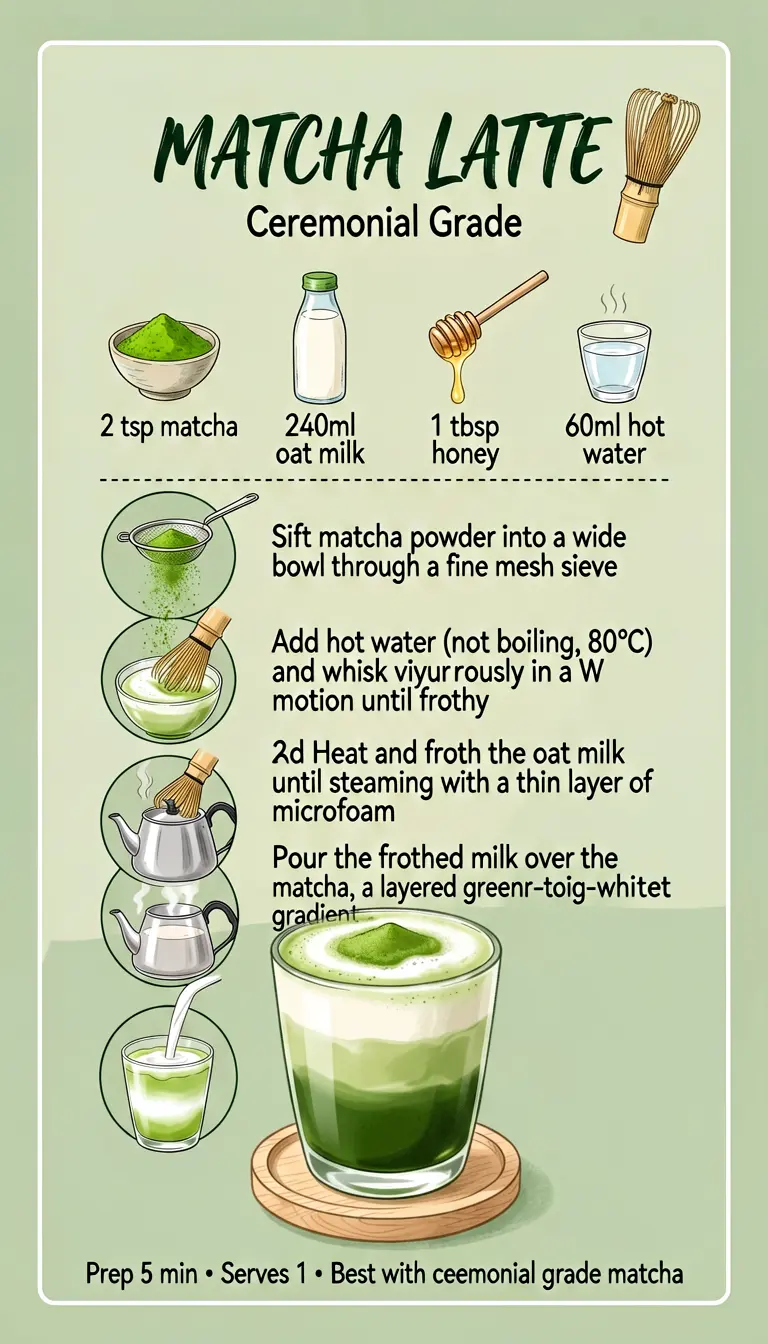
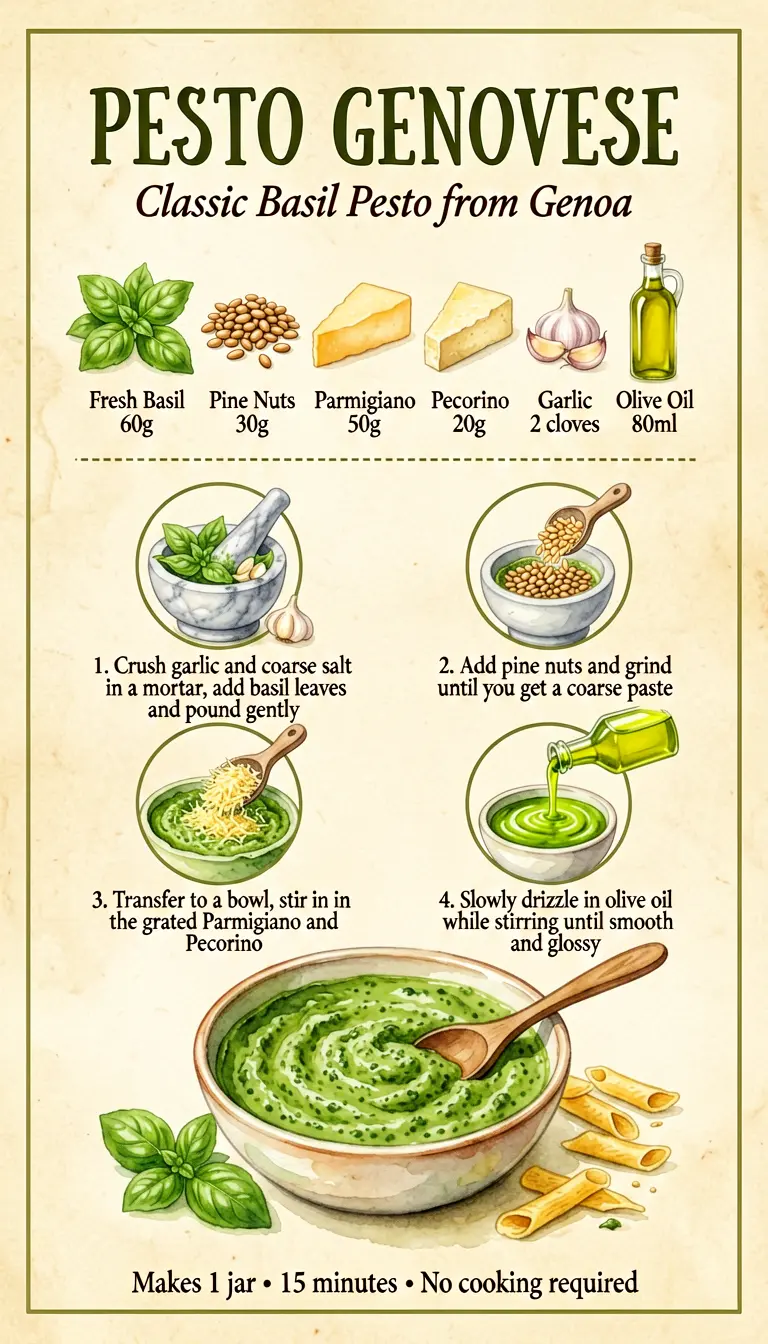
Four recipe styles: Japanese minimalist (matcha), Mediterranean watercolor (pesto), rustic parchment (tortilla), and pastel (sponge cake). Each style was specified in the prompt — ERNIE adapts illustration technique to match.
Write the brief, quote the text, trust the model.
ERNIE Image quick reference
Install: modl pull ernie-image / modl pull ernie-image-turbo
Generate: modl generate "your long structured prompt" --base ernie-image-turbo
Key flags:
--size 16:9for landscape,9:16for vertical,3:4for posters/cards--seed Nfor reproducibility- Steps and guidance use correct defaults automatically
The prompting checklist (matches the 7 rules above):
- Specify spatial layout (“left section”, “upper-right corner”)
- Quote all text strings (“title reads ‘YOUR TEXT HERE’”)
- Use specific technique vocabulary, not vague style words
- Use camera/lens language (“85mm f/2.8”, “24mm wide-angle”)
- State exclusions (“no gradients, no 3D effects”)
- Describe each panel/section individually
- Front-load the format (“A magazine cover for…”, “A 6-panel comic…”)