Stuck on Z-Image? What Klein 9B Does Differently
Side-by-side comparison of Z-Image Turbo and Klein 9B across camera angles, editing, complex scenes, and LoRA training — with full prompts and settings to reproduce everything.
Z-Image Turbo is fast, aesthetic, and a great starting point. But if you’ve been using it for a while, you’ve probably hit the wall: camera angles feel limited, complex compositions fall apart, and you’re spending more time engineering prompts than creating images.
Klein 9B fixes most of this — and it’s nearly as fast. This guide puts them head-to-head across the scenarios where the difference matters most.
All images generated on an RTX 4090 with modl v0.2.13. Every command is included so you can reproduce them exactly.
Quick answer
The models
Why the text encoder matters here: Z-Image uses T5-XXL, a general-purpose text encoder. Klein 9B uses Qwen3-8B, a full language model that parses prompts more like natural language. This is why Klein handles camera angles, spatial descriptions, and complex scene layouts better — it actually understands the sentence structure.
Test 1: Camera angles
This is the pain point that started this guide. Z-Image Turbo struggles with specific camera angles — “from above,” “low angle,” “bird’s eye view” often get ignored or produce generic compositions.
Overhead / bird’s eye

Z-Image Turbo
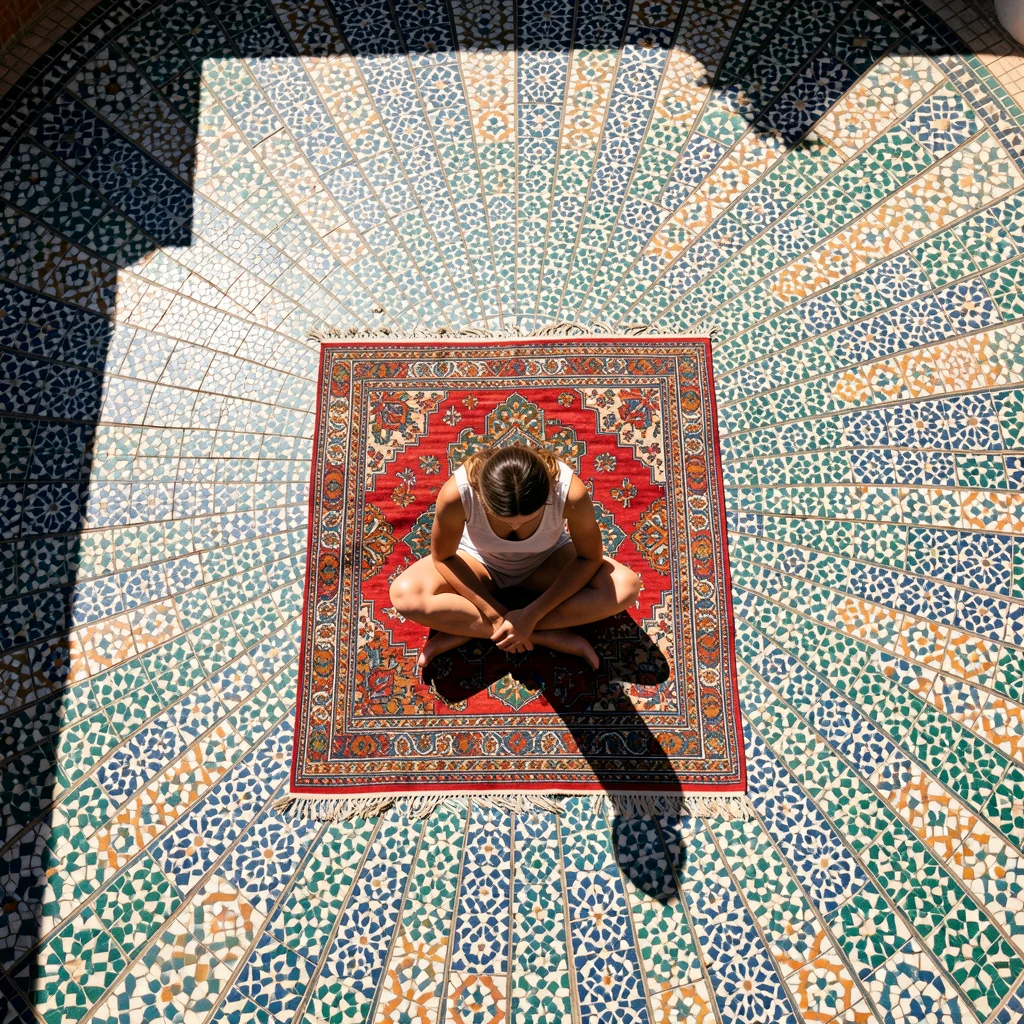
Klein 9B
Both models handled bird’s eye reasonably well. Z-Image produced a beautiful circular rug composition. Klein added a more complex courtyard with radiating mosaic tiles.
Low angle / worm’s eye
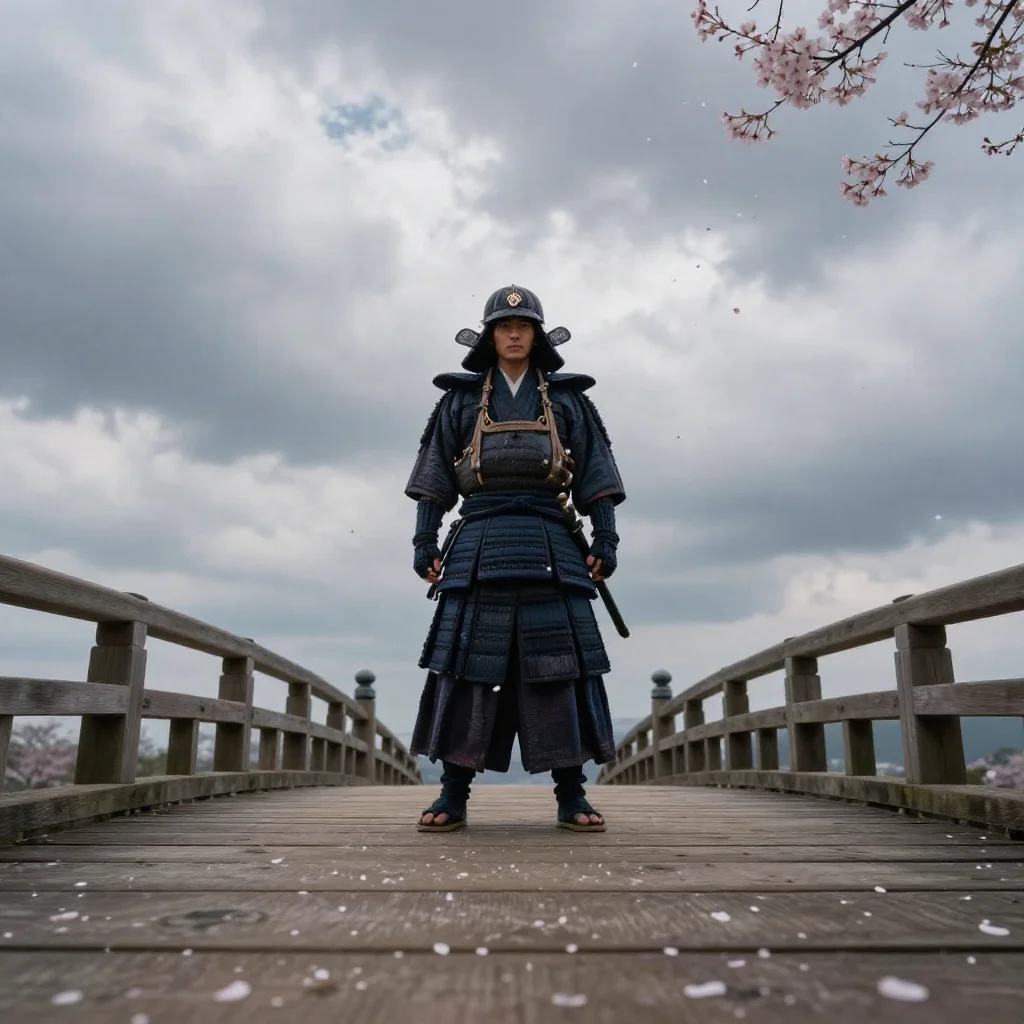
Z-Image Turbo — eye level despite asking for low angle
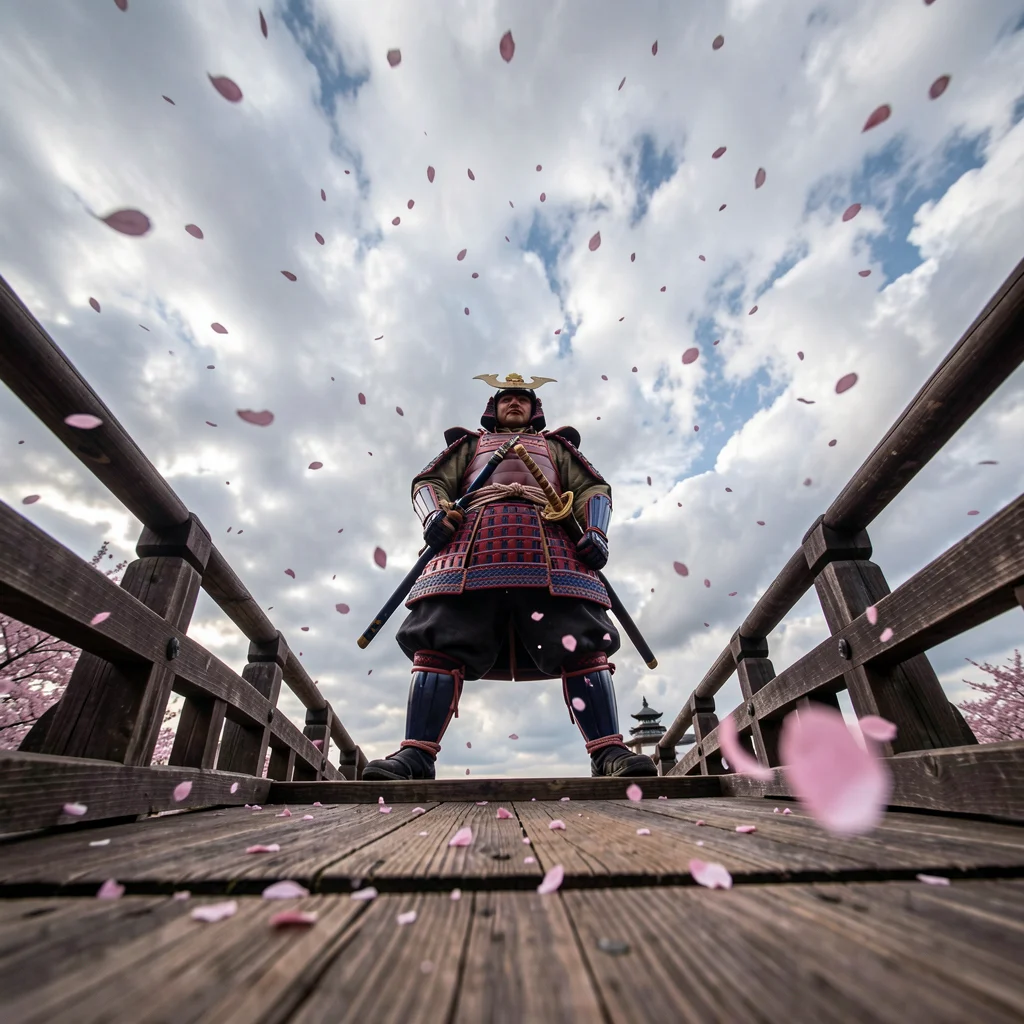
Klein 9B — true low angle, bridge planks in foreground
This is the clearest difference. Z-Image gave an eye-level shot — it essentially ignored the “extreme low angle” instruction. Klein nailed it: looking up at the samurai, bridge planks visible in the foreground, cherry blossom petals falling past the camera, vast sky behind. The foreshortening and perspective are exactly what was asked for.
Dutch angle
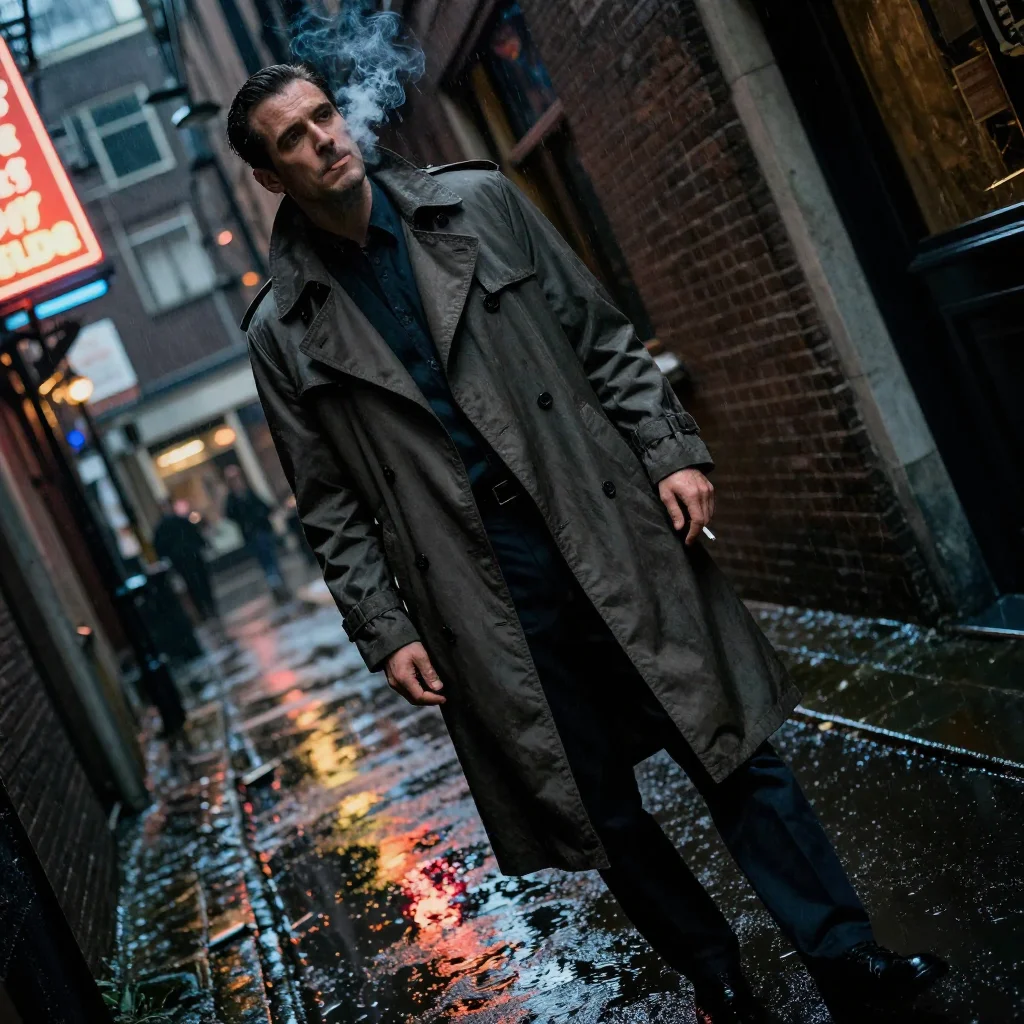
Z-Image Turbo
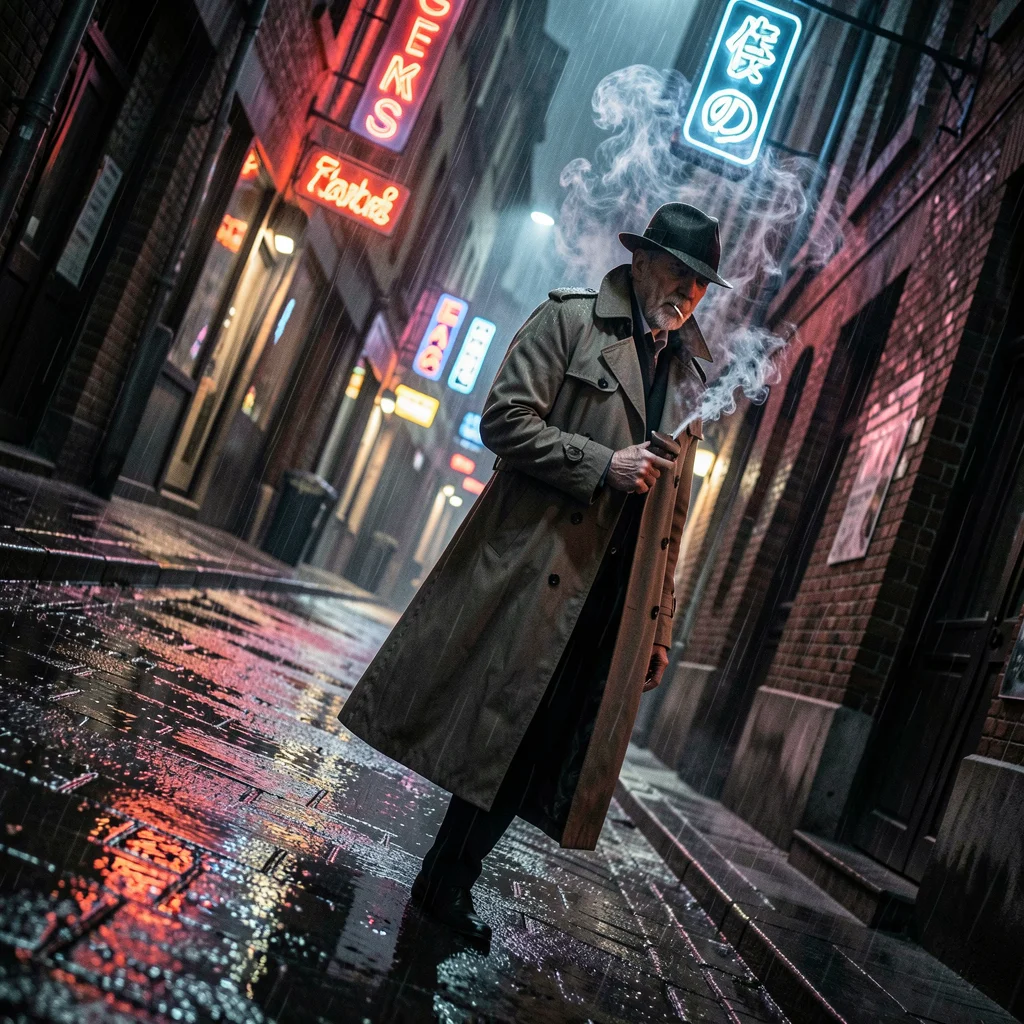
Klein 9B
Both produced atmospheric noir scenes. Z-Image has a slight tilt with great street-level atmosphere. Klein captured more of the diagonal composition with stronger neon reflections in the puddles.
Over-the-shoulder
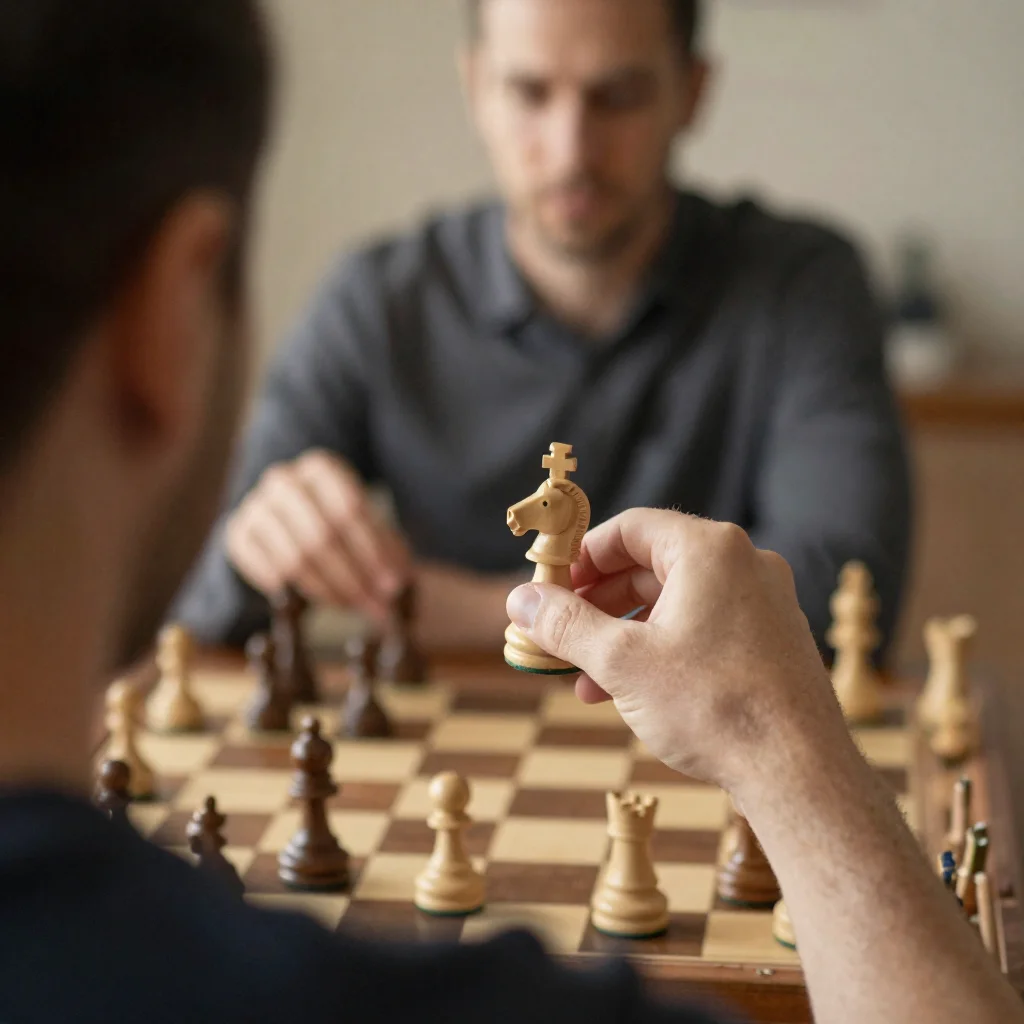
Z-Image Turbo — knight prominently held
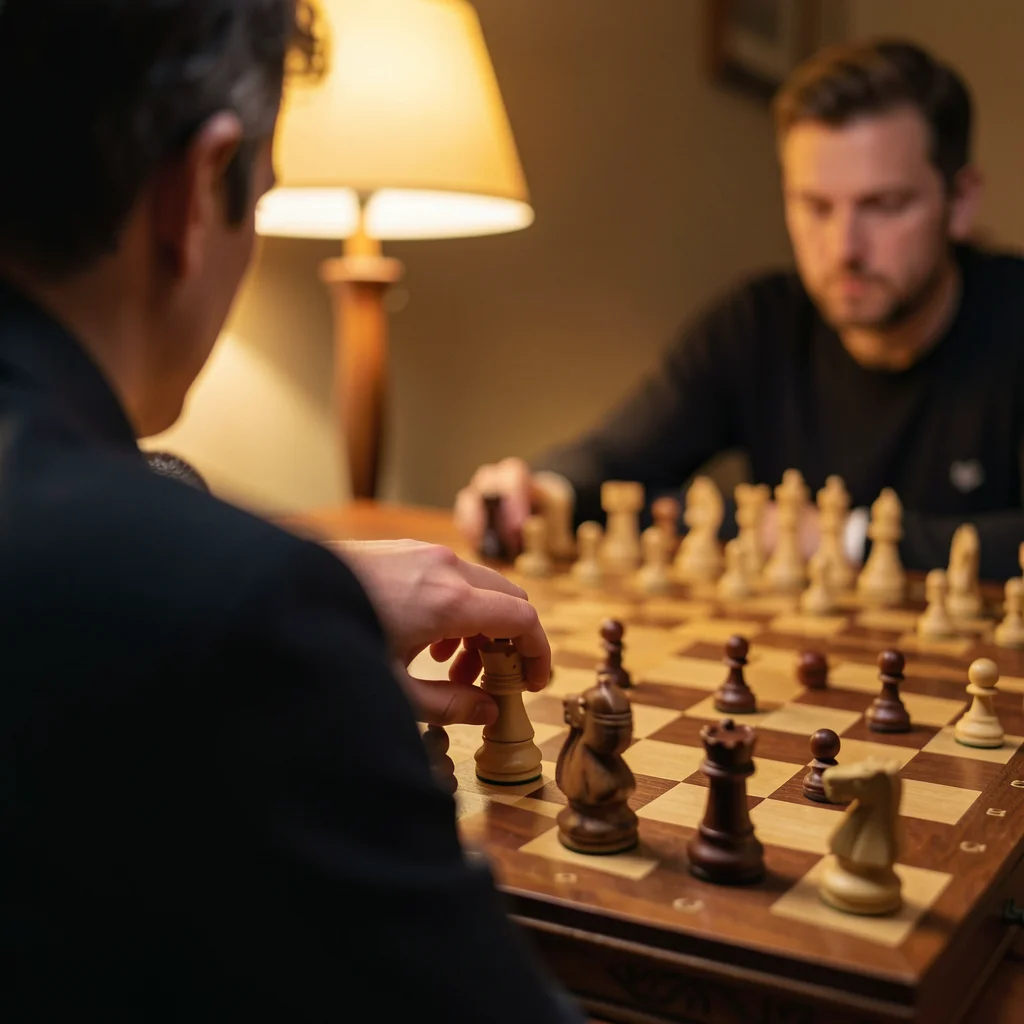
Klein 9B — warm lamplight, depth of field
Both nailed this one. Z-Image has the player holding a knight piece prominently — excellent detail. Klein captured the warm lamplight and shallow depth of field beautifully. A tie on this angle.
Camera angle takeaway
Klein 9B consistently interprets camera angle instructions more accurately, especially for non-standard perspectives like low angle and bird’s eye. Z-Image defaults to eye-level or generic compositions when the angle description is unusual. For standard shots like over-the-shoulder, both perform equally well.
Test 2: Complex multi-element scenes
When you put multiple subjects with spatial relationships in one prompt, text encoders matter enormously. T5 treats it as a bag of concepts; Qwen3 parses the sentence structure.
Market scene
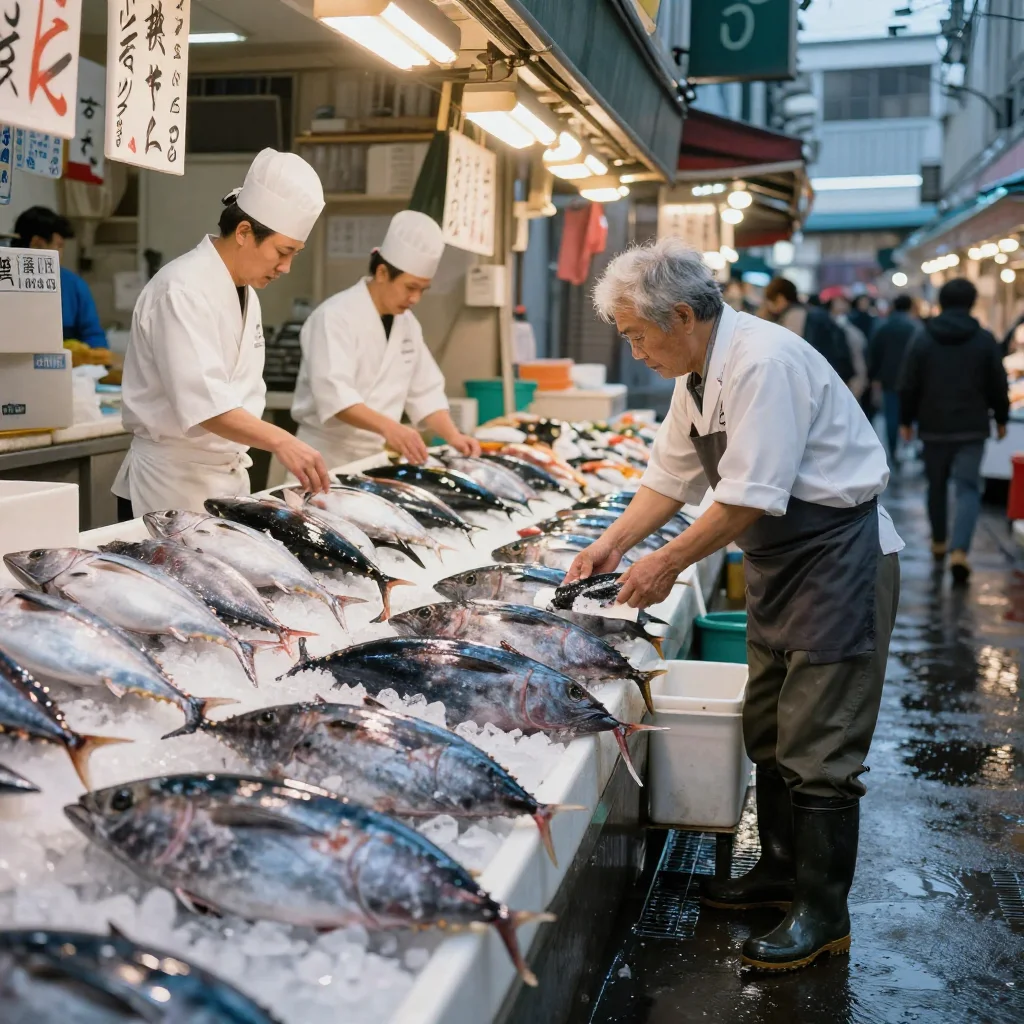
Z-Image Turbo — side view, vendors in a row
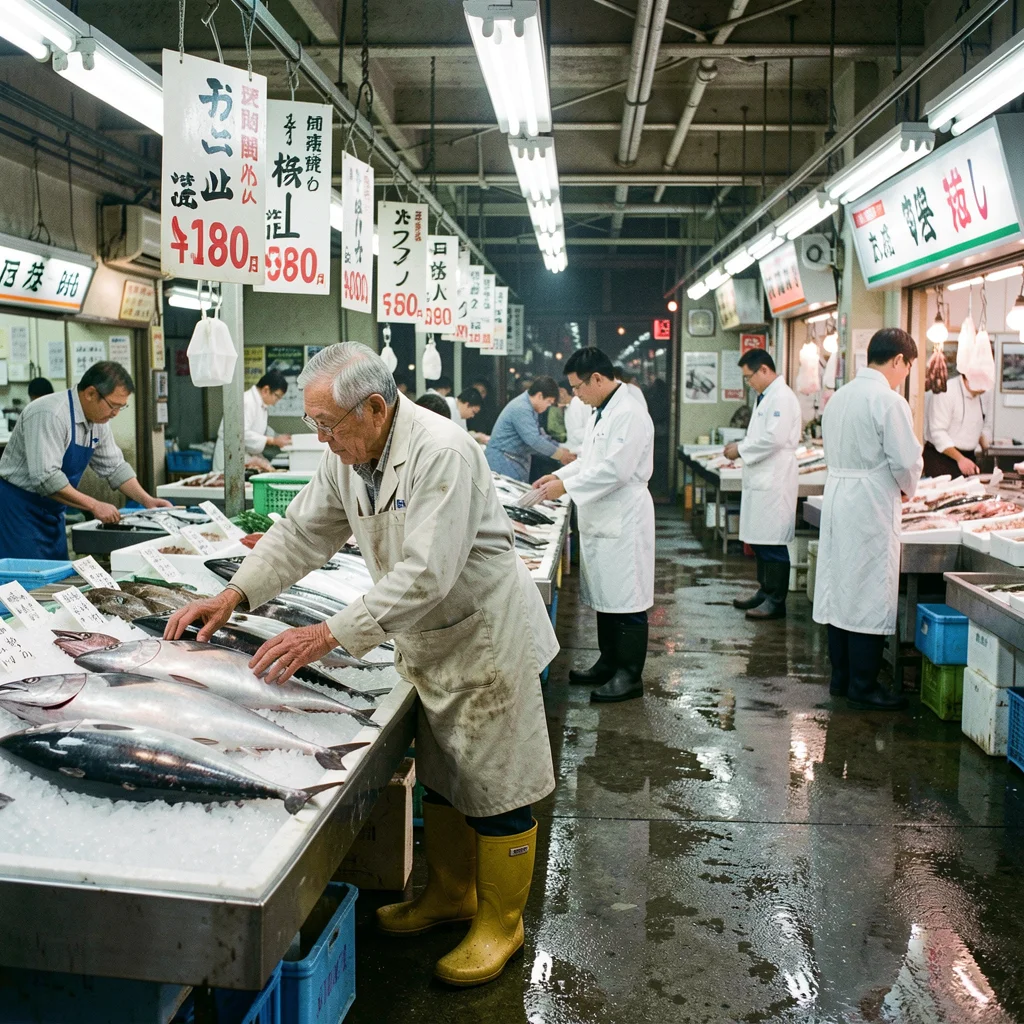
Klein 9B — layered depth as described
Klein placed the elements exactly as described: elderly vendor arranging fish in the foreground, chefs in white coats in the midground, fluorescent lights and hanging price signs in the background, wet floor reflecting everything. Z-Image produced a beautiful market scene but flattened the spatial layering into a side-view composition.
Workshop interior
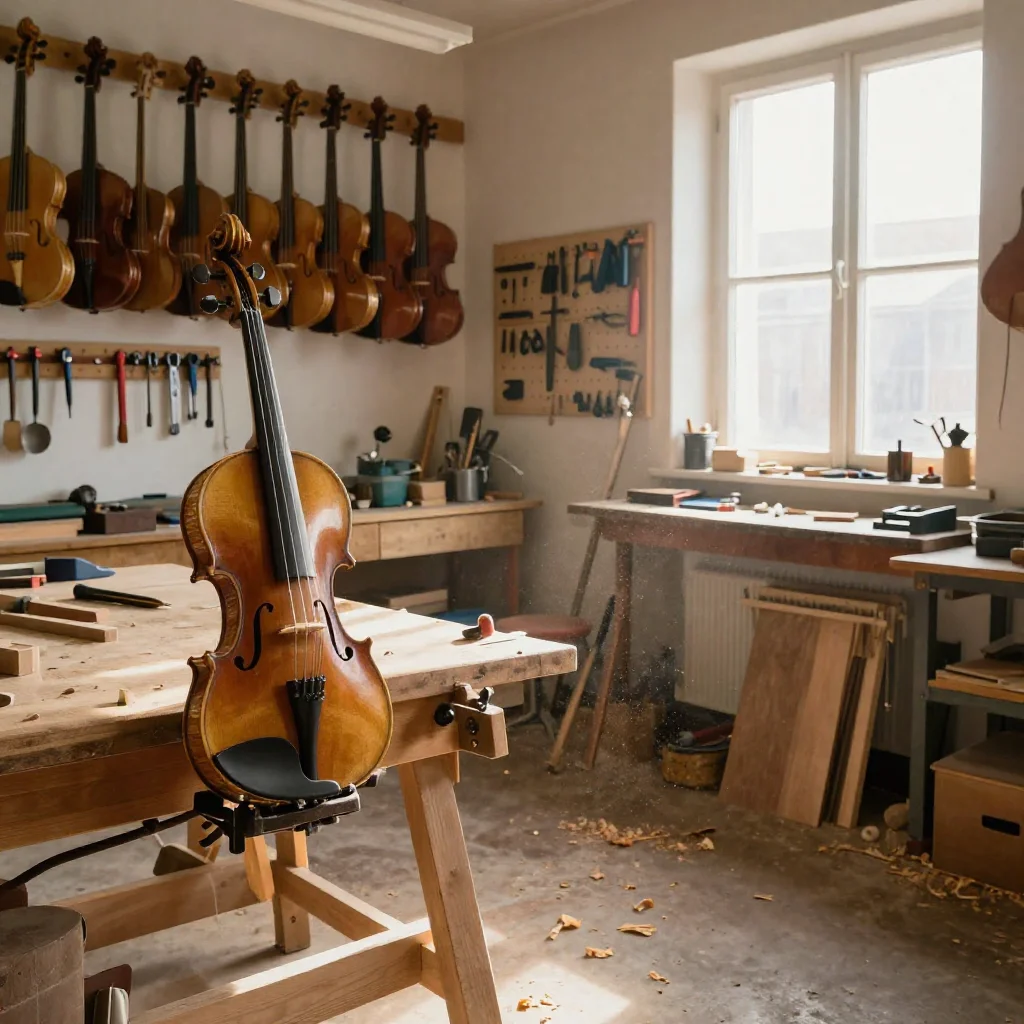
Z-Image Turbo — beautiful light, violin prominent
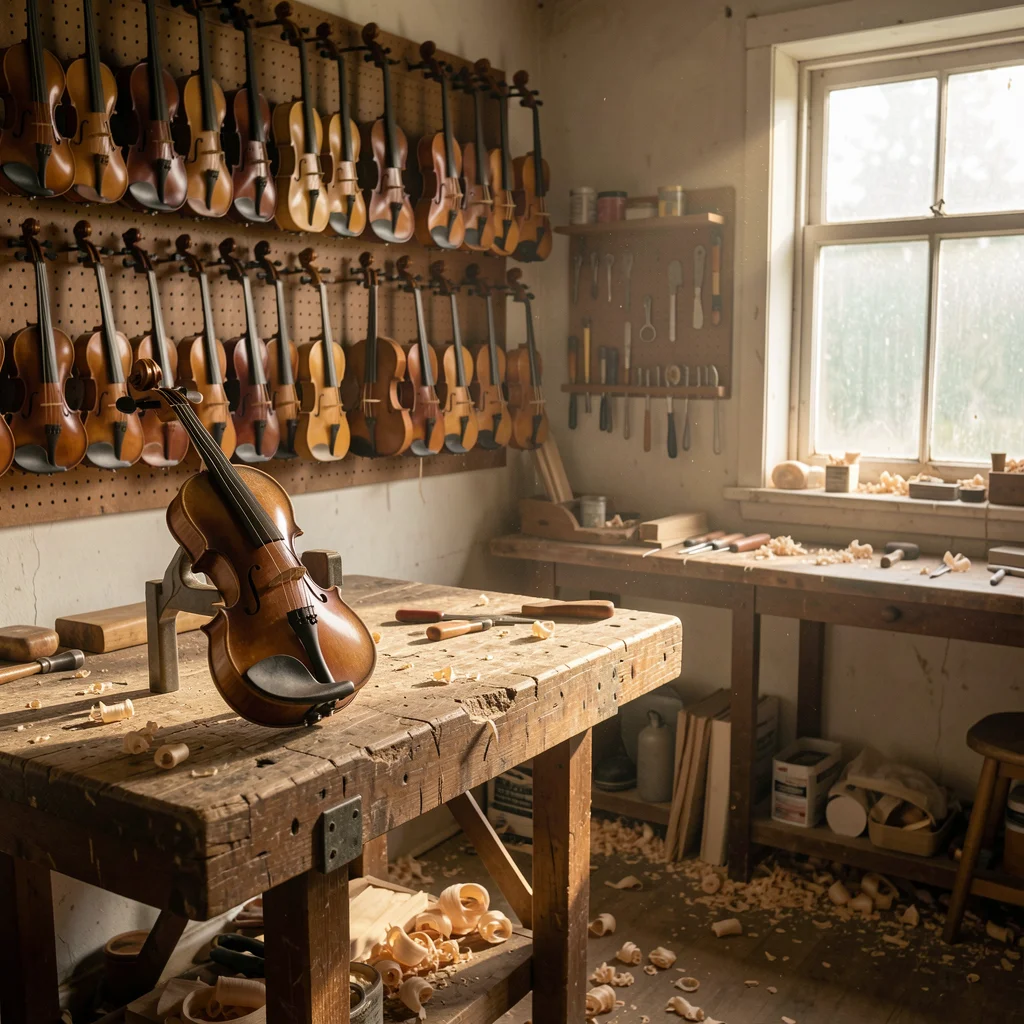
Klein 9B — spatial layout matches prompt
Both produced stunning workshop scenes. Klein placed the elements more faithfully to the prompt: violin clamped on the left workbench, completed instruments on the back wall, dusty window on the right, tools on a pegboard. Z-Image got the overall mood right but treated the spatial cues more loosely.
Test 3: Natural language editing
This is where Klein pulls ahead completely — it has native editing support. Z-Image has no edit mode at all.
Starting image
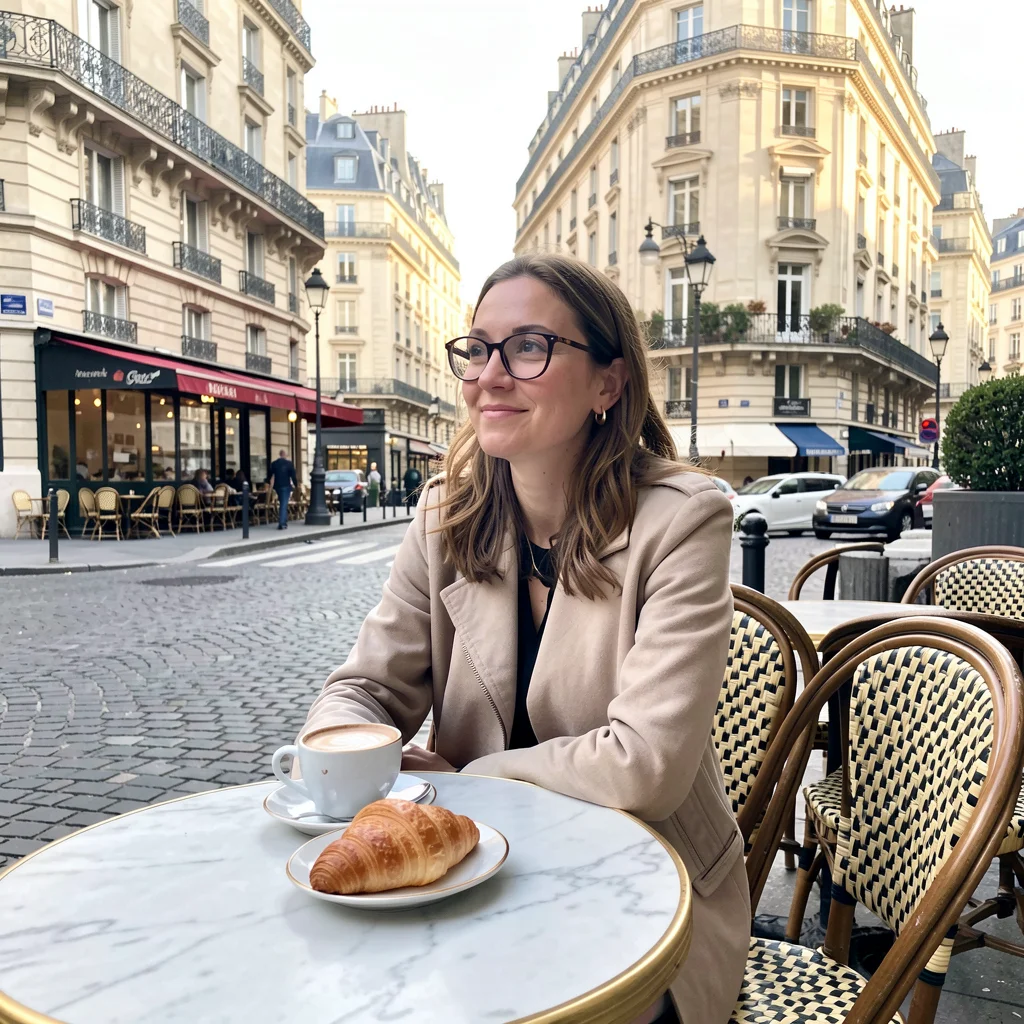
Base image: Paris cafe, morning light
Four edits from one image
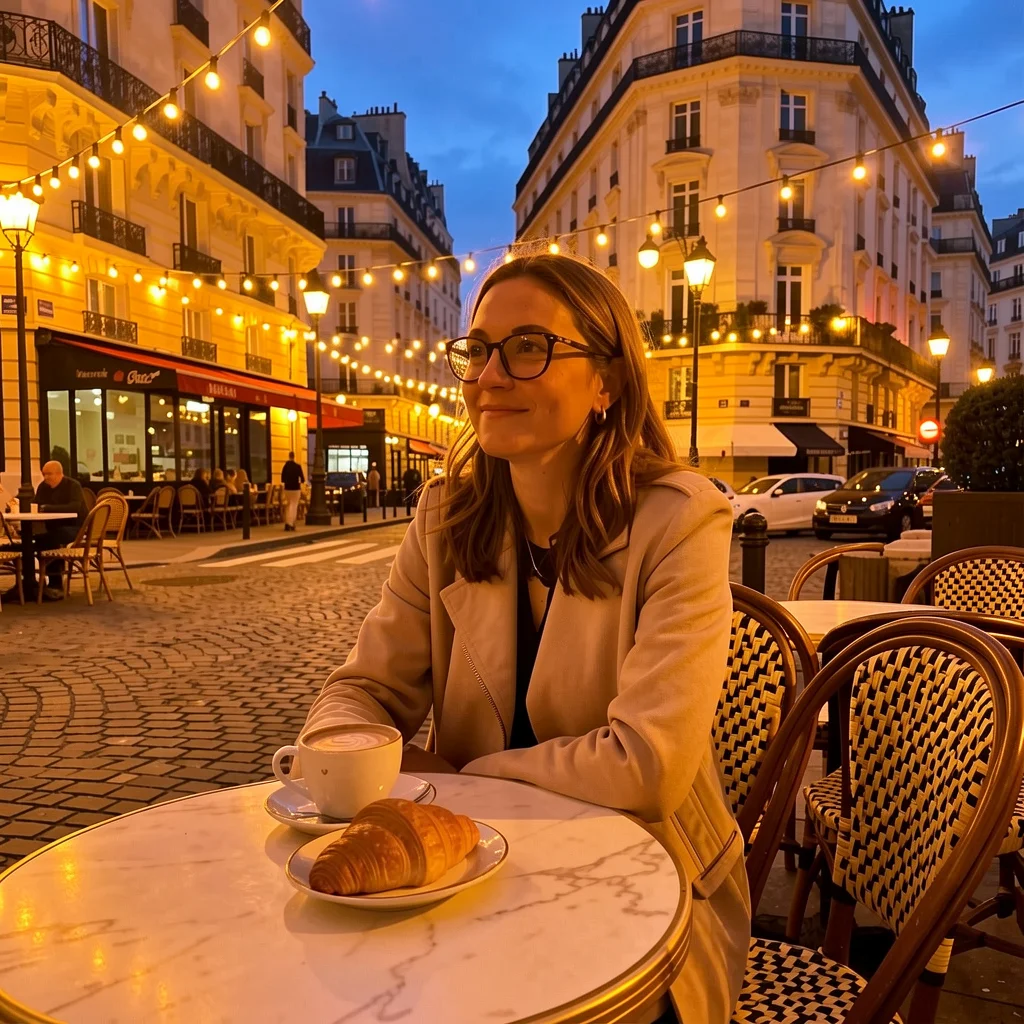
Evening — string lights, blue hour sky
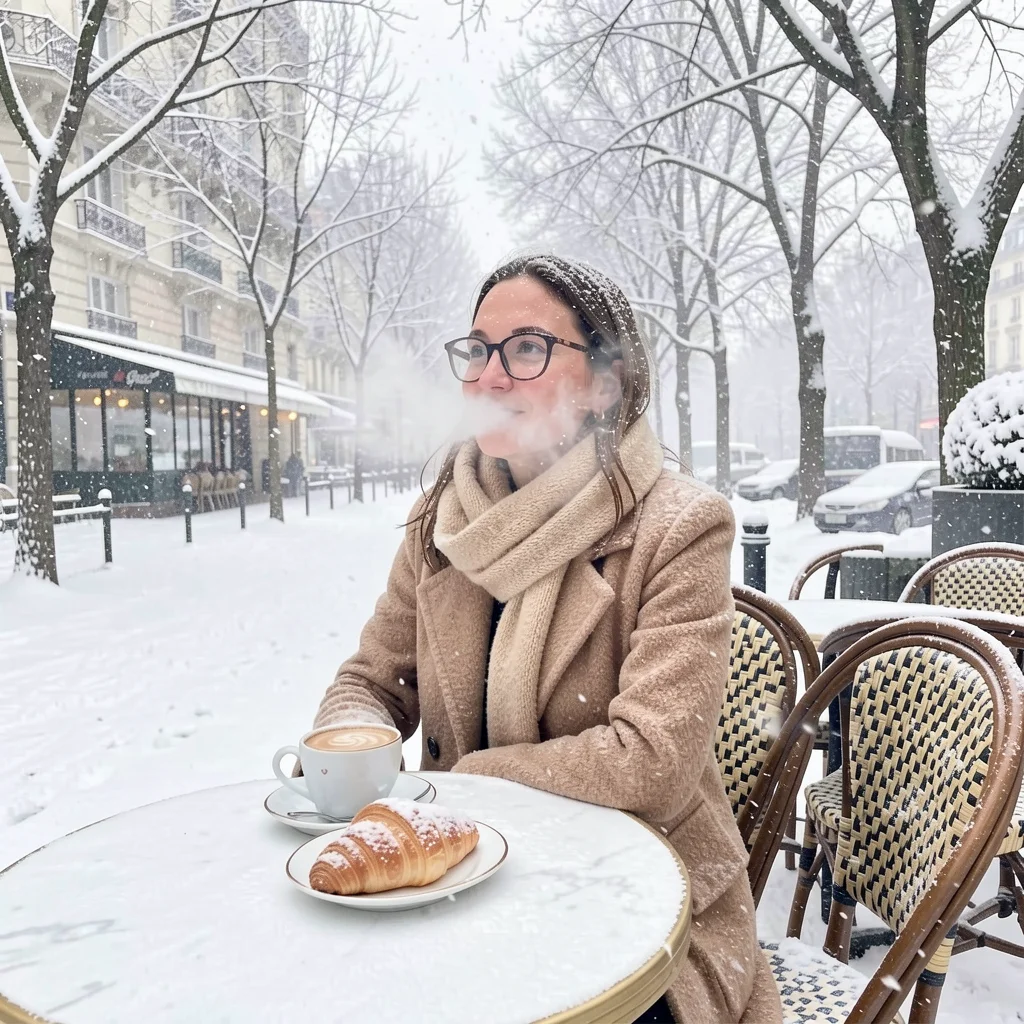
Winter — snow, wool coat, bare trees
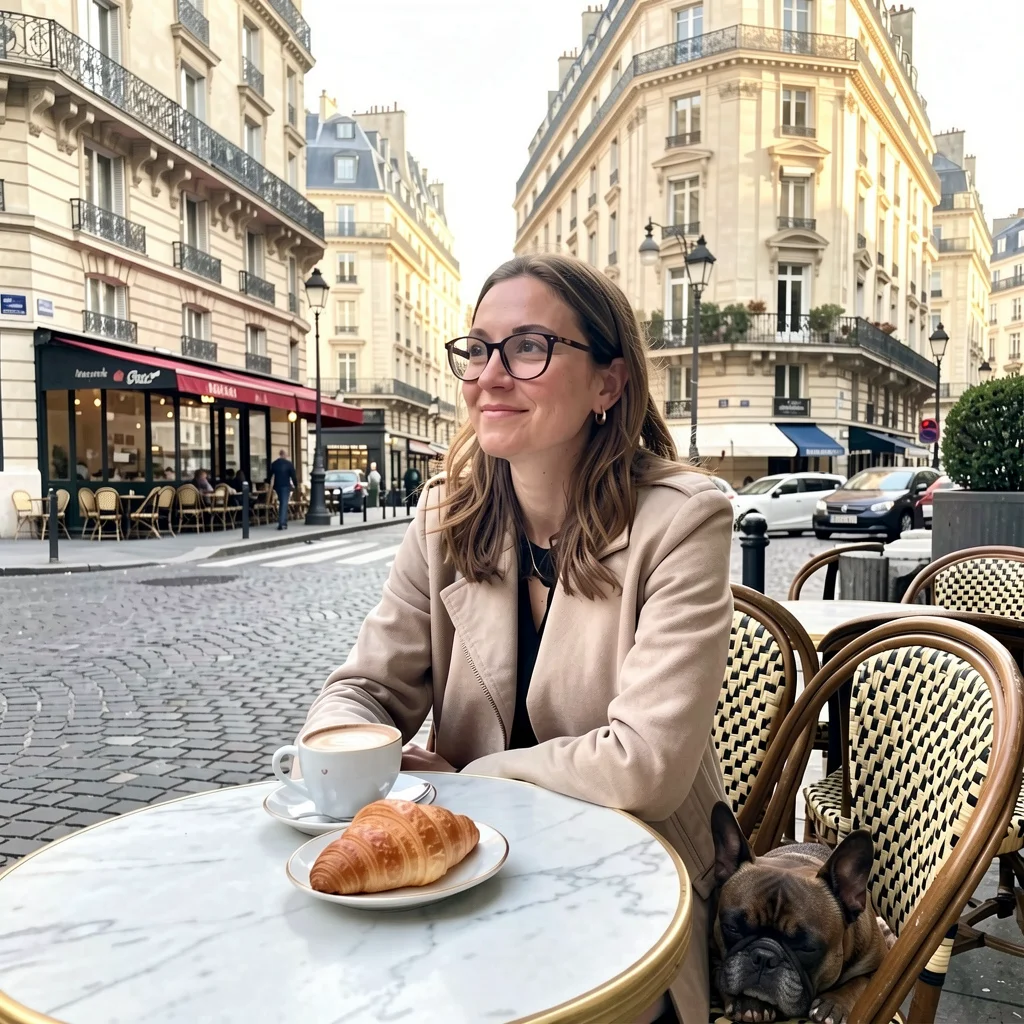
Added — french bulldog at her feet
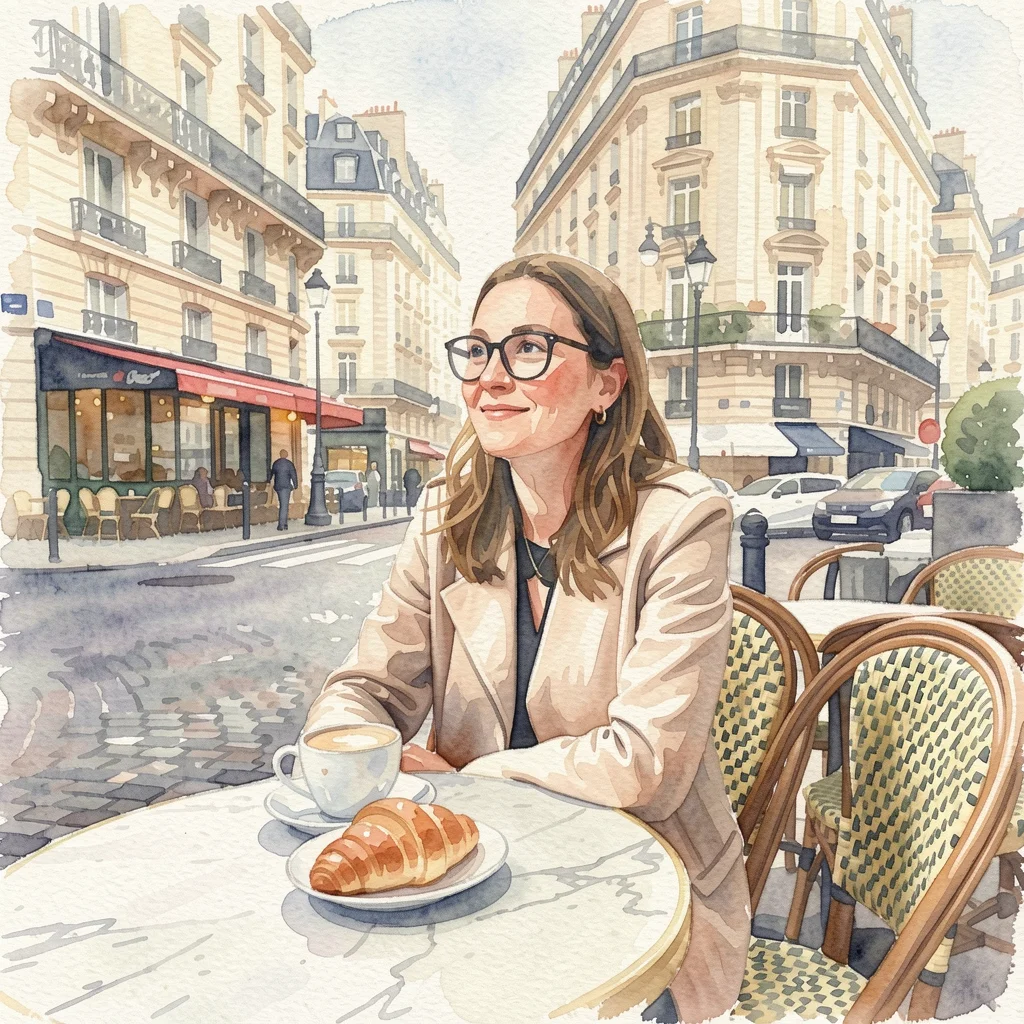
Style — watercolor with brushstrokes
Same woman, same pose, same cafe in every edit. Klein changed the time of day, swapped the season (adding a coat, scarf, and snow), inserted a dog, and transformed the entire style — all without masks, inpainting, or switching models.
Z-Image Turbo has no editing capability. To achieve similar results with Z-Image, you’d need to use inpainting with manual masks, img2img with careful denoising, or switch to a different model entirely. Klein lets you iterate on a single image with natural language — no masks, no pipeline switches.
Test 4: The iterative workflow
This is the real power move — generate with Klein, then refine with Klein. Same model, no context switch.

v1 — base generation

v2 — vivid colors, glowing windows

v3 — golden mist, warm sunset
Three iterations, same model, same composition preserved throughout. The autumn colors became more vivid, the cabin windows glow with warmth, and the lake reflection improved. Each edit builds on the last without losing what came before.
This entire workflow uses one model. With Z-Image Turbo, you’d need to generate with Z-Image, then switch to Klein or Qwen Image Edit for edits, then potentially switch again for inpainting. Klein keeps you in one model for the full loop.
Test 5: LoRA training comparison
Both models train well. This section will be updated with side-by-side LoRA results — same dataset trained on both models.
See the character LoRA guide for detailed training results across multiple models including Z-Image and Klein.
Test 6: Structural control
Z-Image has dedicated ControlNet weights for canny, depth, pose, softedge, and more. Klein doesn’t have ControlNet — but it can use preprocessor outputs (depth maps, edge maps) as input images to achieve similar structural guidance.
Both approaches are covered in detail in their own guides:
- ControlNet guide — Z-Image with canny, depth, pose, scribble. Full strength comparisons and preprocessor breakdown.
- Structural editing guide — Klein 4B/9B using preprocessor outputs as edit inputs. Same structural control, no extra weights.
The short version: if you need precise structural control (exact silhouettes, architectural lines), Z-Image with ControlNet canny is stronger. If you want fast structural guidance without downloading extra weights, Klein’s edit mode with a depth or edge map gets you 80% of the way there in 4 steps.
Test 7: Aesthetic defaults
A common assumption is that Z-Image Turbo has stronger aesthetics out of the box. Let’s test that.
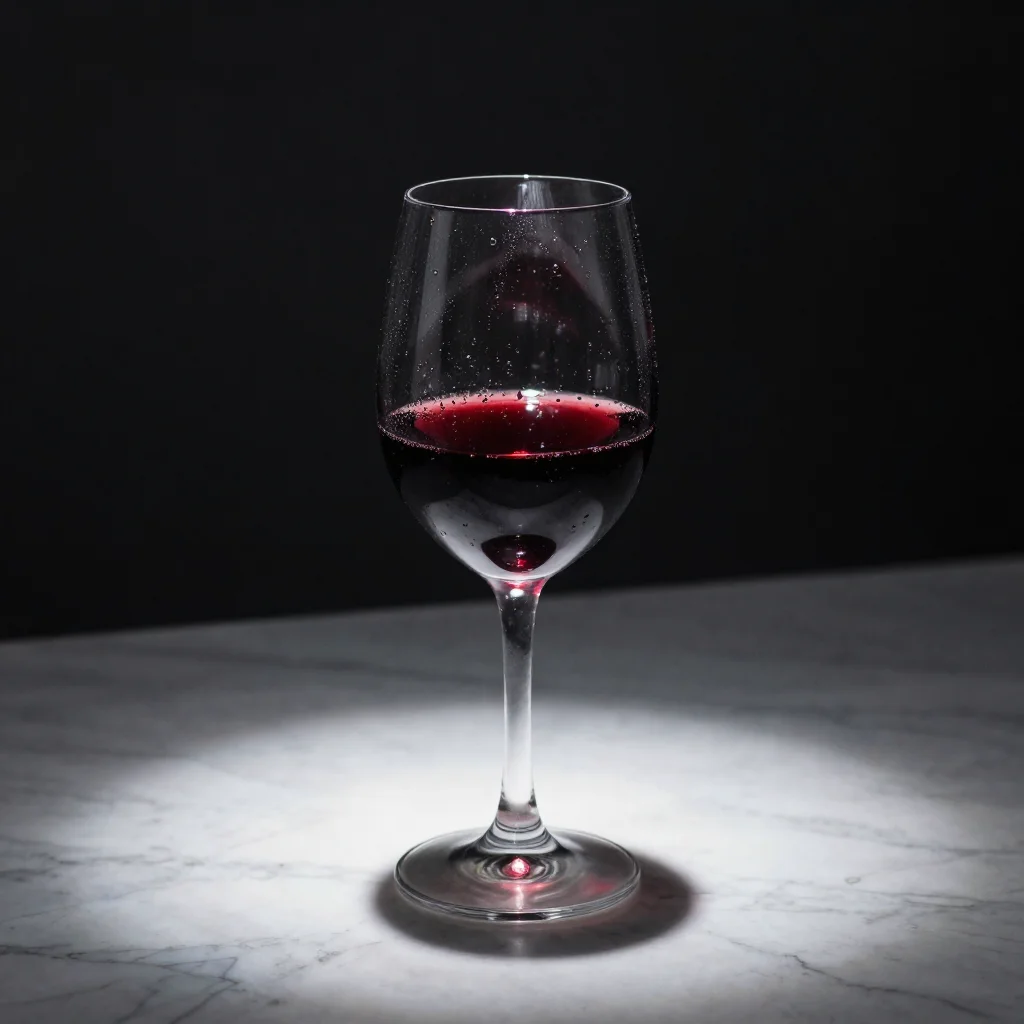
Wine glass — Z-Image Turbo
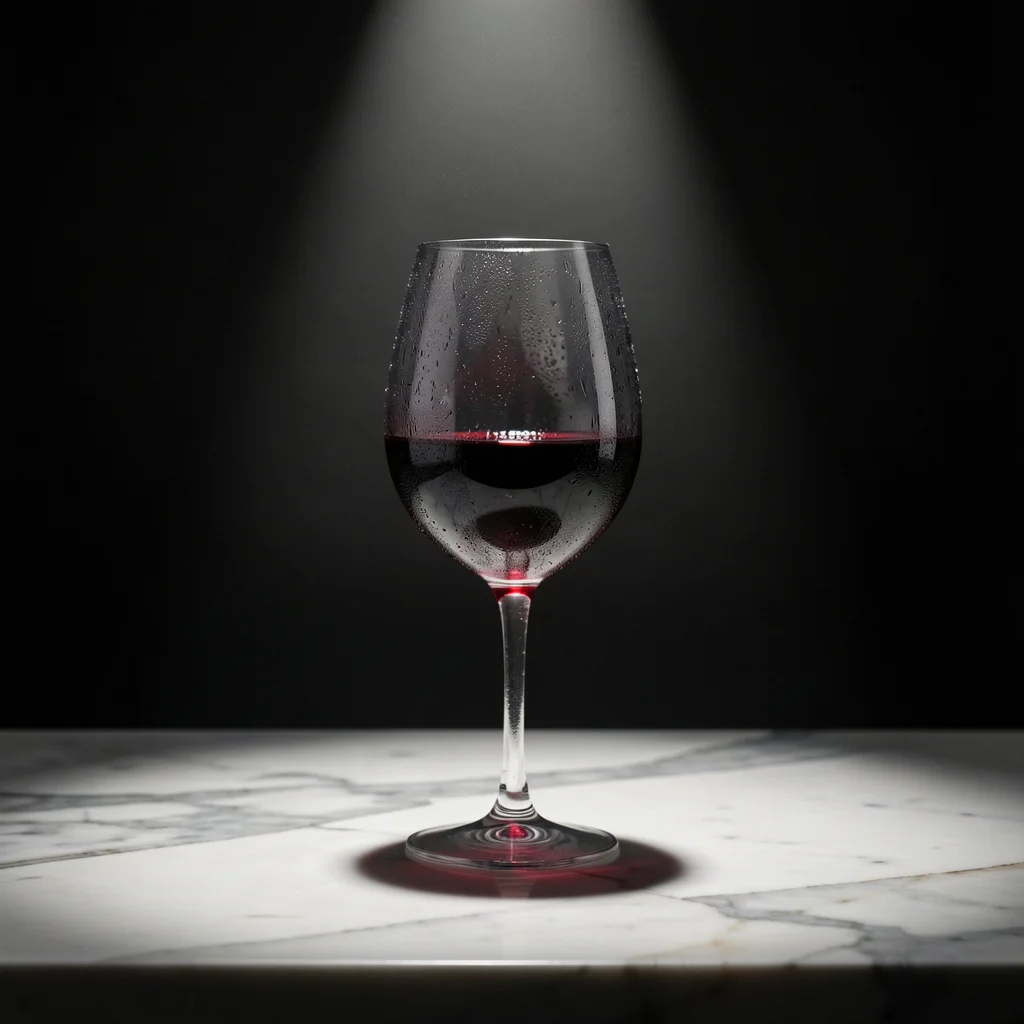
Wine glass — Klein 9B
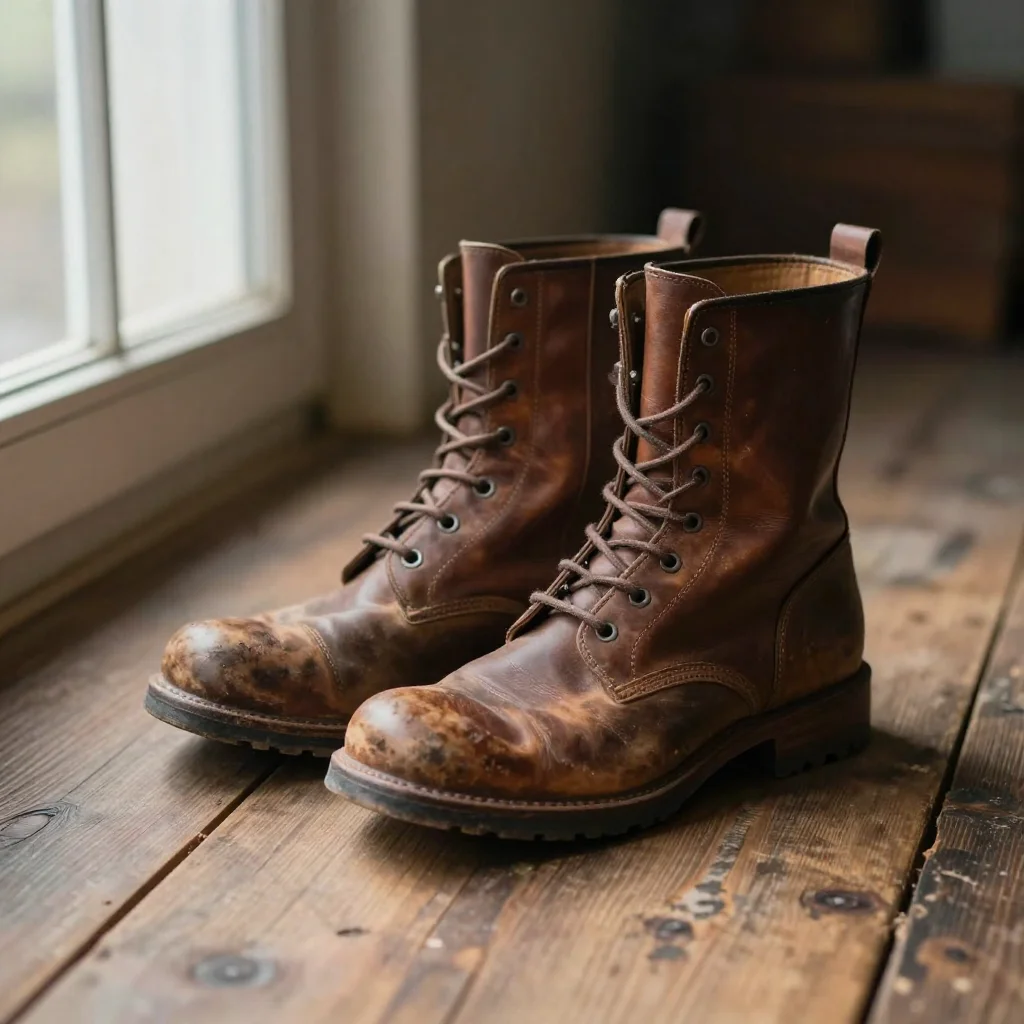
Boots — Z-Image Turbo
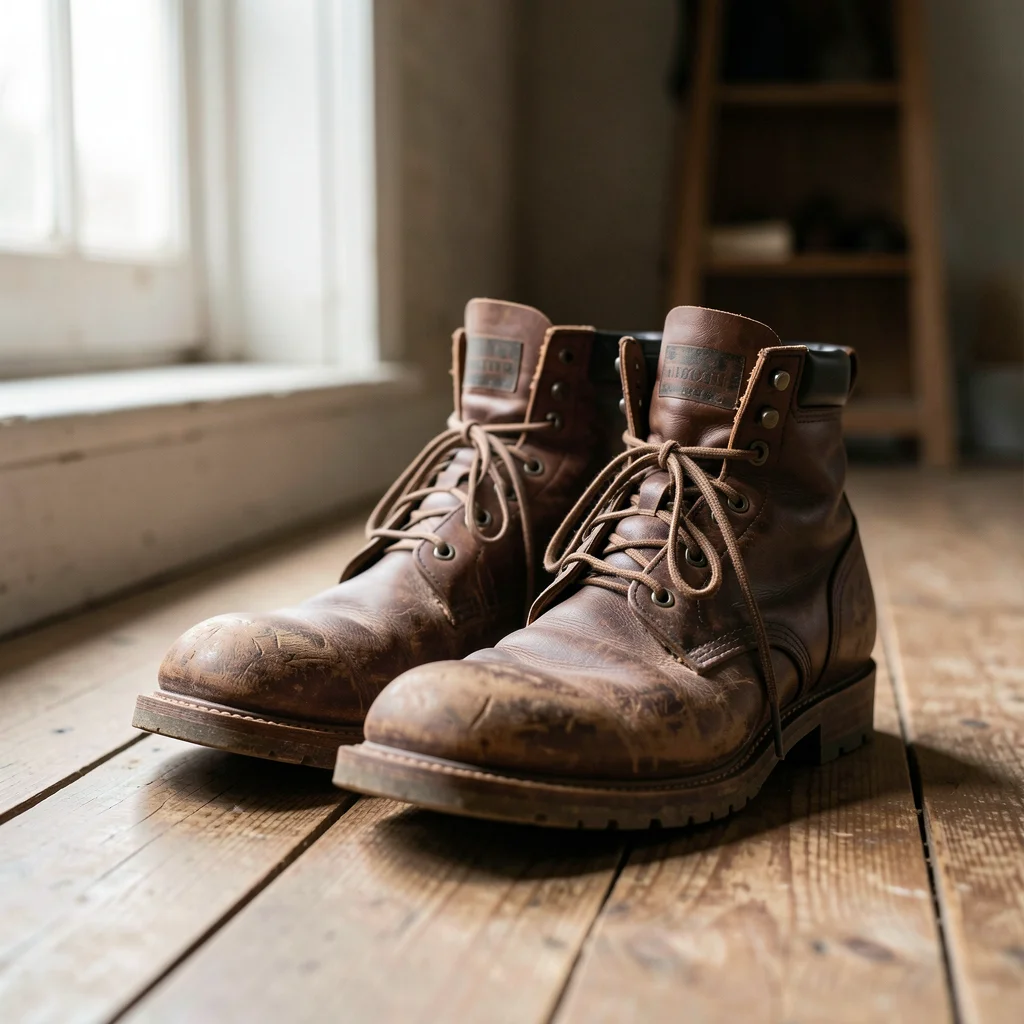
Boots — Klein 9B
The aesthetic gap between these two models is smaller than many people assume. Both produced excellent product-style imagery. Z-Image tends toward slightly warmer tones and tighter compositions. Klein includes more environmental context and natural detail. Neither is clearly “better” — it depends on what you’re going for.
When to use which
You don’t have to choose one. modl’s persistent worker keeps both models cached in VRAM if you have the space. Generate with Z-Image for the aesthetic, switch to Klein for editing — the second model loads in seconds if it’s already cached.
Get started
Related guides
- Model Personalities — Same Scene, Six Models — broader comparison across all models
- Which Model Should I Use? — capability matrix and decision tree
- Shape Control Without ControlNet — how to use Klein for structural control
- Multi-Reference Editing with Klein 9B — pass reference images to Klein
- Character Reference Sheet Design with Klein — generate pose variations without retraining