Multi-Reference Editing with Klein 9B
Pass up to 4 reference images to Klein 9B and blend people, places, and styles in a single generation. Real experiments, findings, and tips.
Klein 9B can take up to 4 reference images and blend them into a single generation. No training required, no IP-Adapter setup — it’s built into the model. Pass a person, a place, and a style, and get something like this:
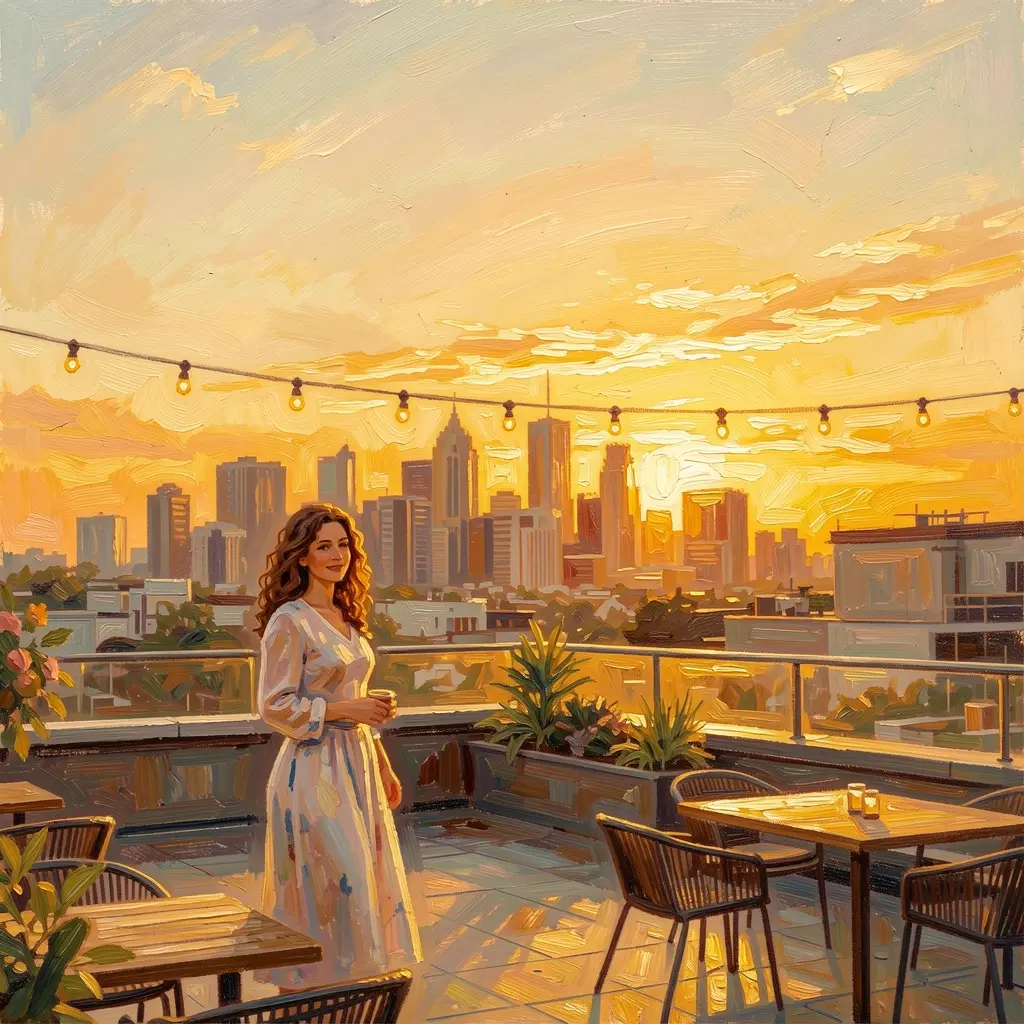
Three references in, one image out: person + rooftop location + oil painting style.
This guide documents real experiments — what works, what doesn’t, and when to use references vs LoRA.
How it works
Klein 9B was trained with native multi-reference support. When you pass images via --image, the model conditions on all of them during generation. This isn’t IP-Adapter or ControlNet bolted on after training — it’s part of the architecture.
The image parameter in Flux2KleinPipeline accepts a list of PIL images. The model VAE-encodes each reference and feeds them to the transformer alongside the noise. BFL’s spec says Klein supports up to 4 reference images.
In modl, you use modl edit with multiple --image flags:
Each --image adds another reference. The prompt tells the model what to do with them.
Your first multi-reference edit
Start with a single reference — a portrait — and see how adding a second changes the output.

Reference: portrait
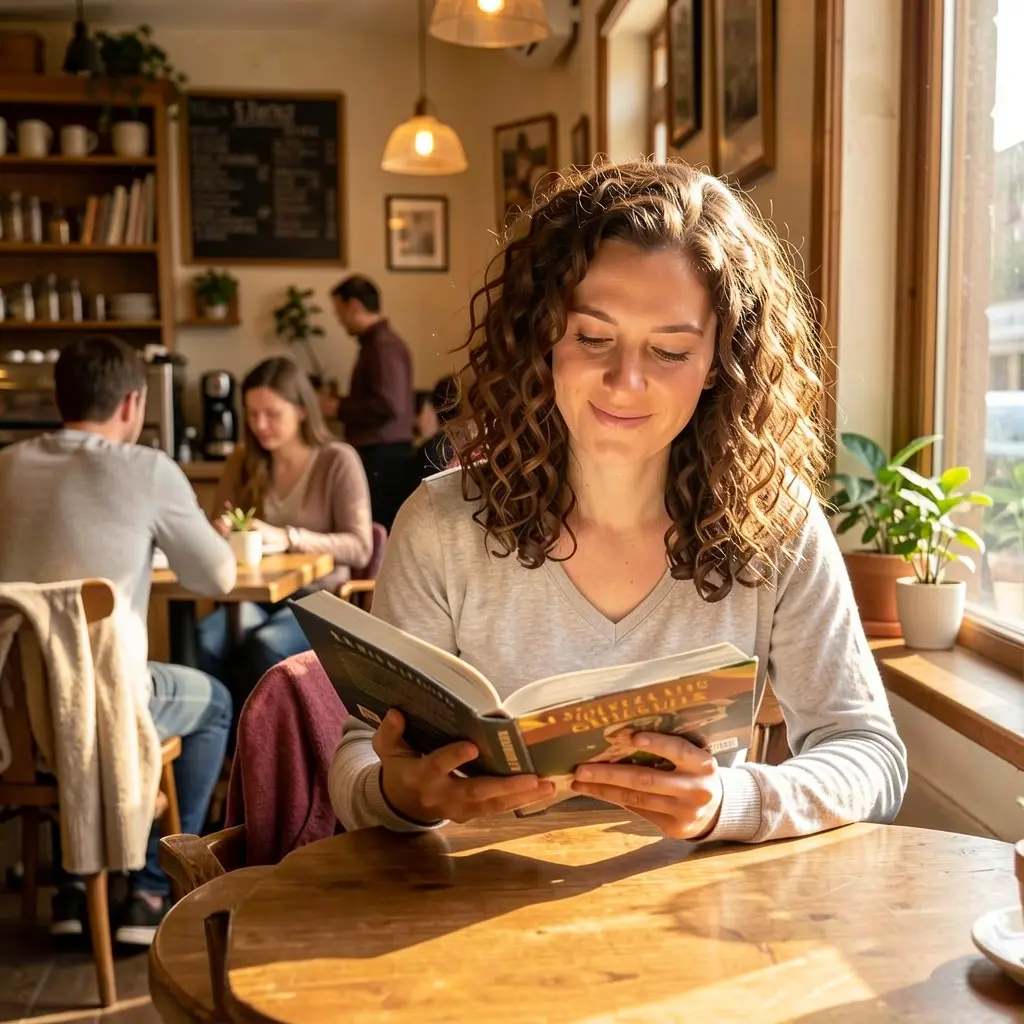
Result: Klein invents the cafe
The model kept the woman’s appearance but invented its own cafe. Now add a second reference — the actual cafe you want:
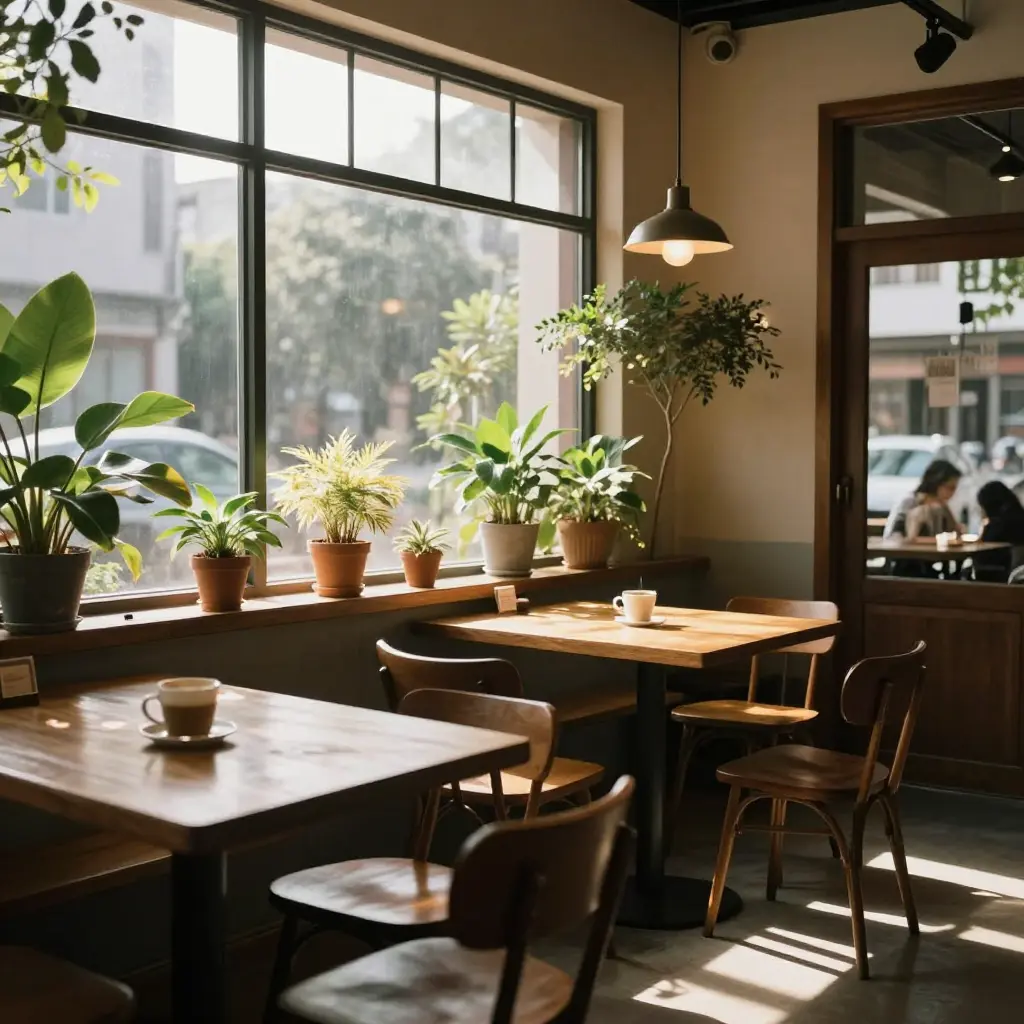
Added reference: the cafe

Result: cafe now matches the reference
Same plants, same window, same warm light — both the person and the environment are now grounded in real images.
The prompt is the conductor
The most important lesson: your prompt tells the model how to compose the references. Throwing in images without describing how they relate produces mediocre results. Each reference needs a role in the scene you’re describing.
Mistake 1: references without prompt context
If you add a rooftop reference but your prompt just says “a woman in a cafe”, the rooftop gets ignored — the model follows the prompt.
✔ Person + cafe: prompt matches refs

✘ Added rooftop ref, prompt still says “cafe” — ignored
The rooftop reference did nothing because the prompt didn’t mention it. The model has no idea what to do with an unrelated image.
Mistake 2: spatially conflicting references
The prompt needs to mention all references — but there’s a second trap. References need to be spatially coherent. Our indoor cafe has walls and windows. The rooftop is open air. Even with a good prompt, these fight each other:

✘ Indoor cafe + rooftop: walls vs open air conflict

✔ Outdoor terrace + rooftop: coherent, clean blend
The fix: replace the indoor cafe with an outdoor cafe terrace that agrees with the rooftop on being open air.
String lights and wooden table from the terrace, skyline and railing from the rooftop, curly-haired woman from the portrait — no conflict, no compromise.
Scaling to 4 references
Add a beach and describe how it fits: a rooftop cafe overlooking the ocean.

Four coherent references: cafe table and string lights, rooftop railing, palm trees and ocean, woman reading. Every reference is visible.
All four references are clearly present — terrace furniture, railing, palm trees and turquoise water, sunset. The prompt gave each one a spatial role (“rooftop cafe terrace overlooking a tropical beach”) and the references don’t contradict each other.
Another composition: cafe-library
References that share an indoor context work together naturally:
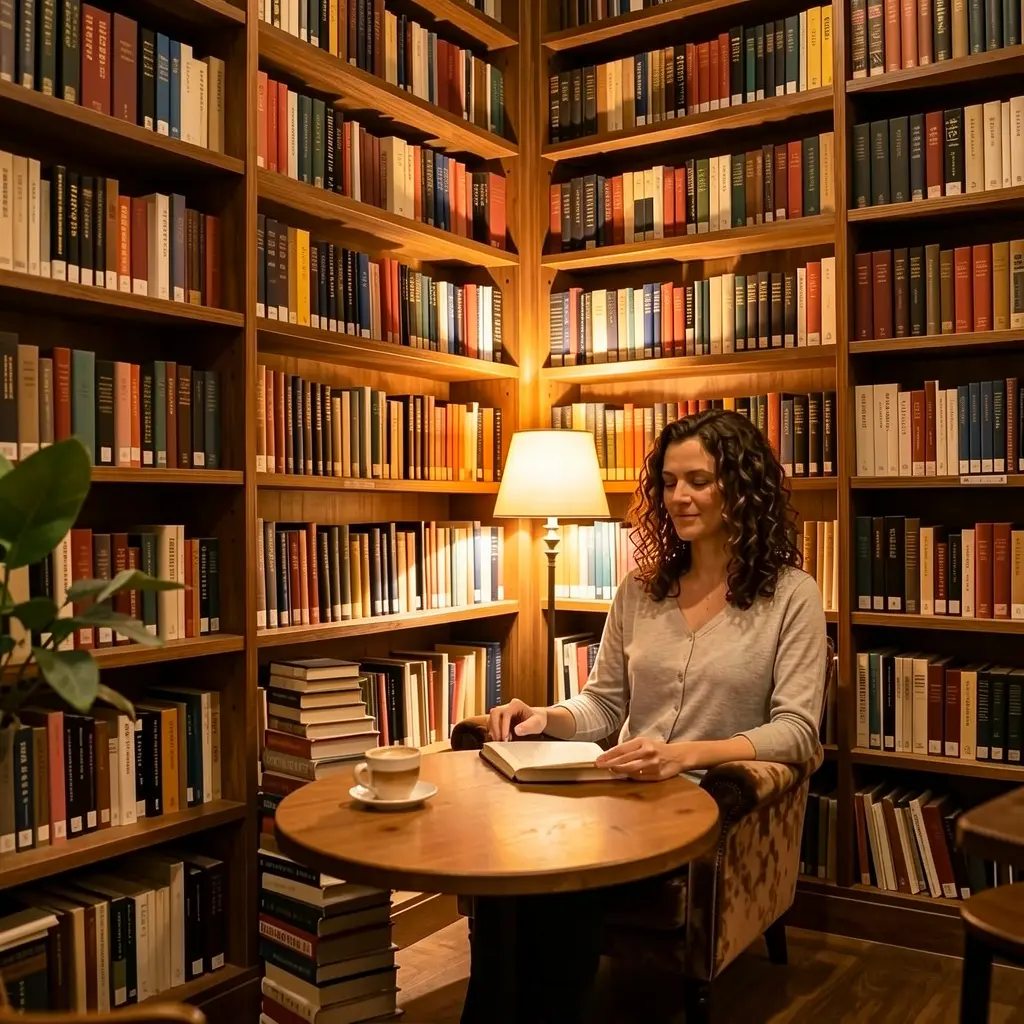
Indoor cafe + library: both references agree on being indoors, so the 'book cafe' blends perfectly.
1. The prompt composes. Describe how references relate: “a rooftop cafe overlooking a beach” gives every reference a spatial role. References the prompt doesn’t mention have little to no effect.
2. References need coherence. Indoor cafe + outdoor rooftop = conflict. Outdoor terrace + rooftop = harmony. Pick references that agree on the basics (indoor/outdoor, lighting, scale) and let the prompt handle the rest.
Does order matter?
We tested three orderings of the same references (person + cafe):
Person → Cafe

Cafe → Person

Library → Cafe → Person
Order has minimal impact. All three orderings produced nearly identical results. The model treats references as a set, not a sequence — don’t worry about which image goes first.
Style transfer with references
Pass a style reference alongside a person to transform the visual language while keeping character identity.
Oil painting
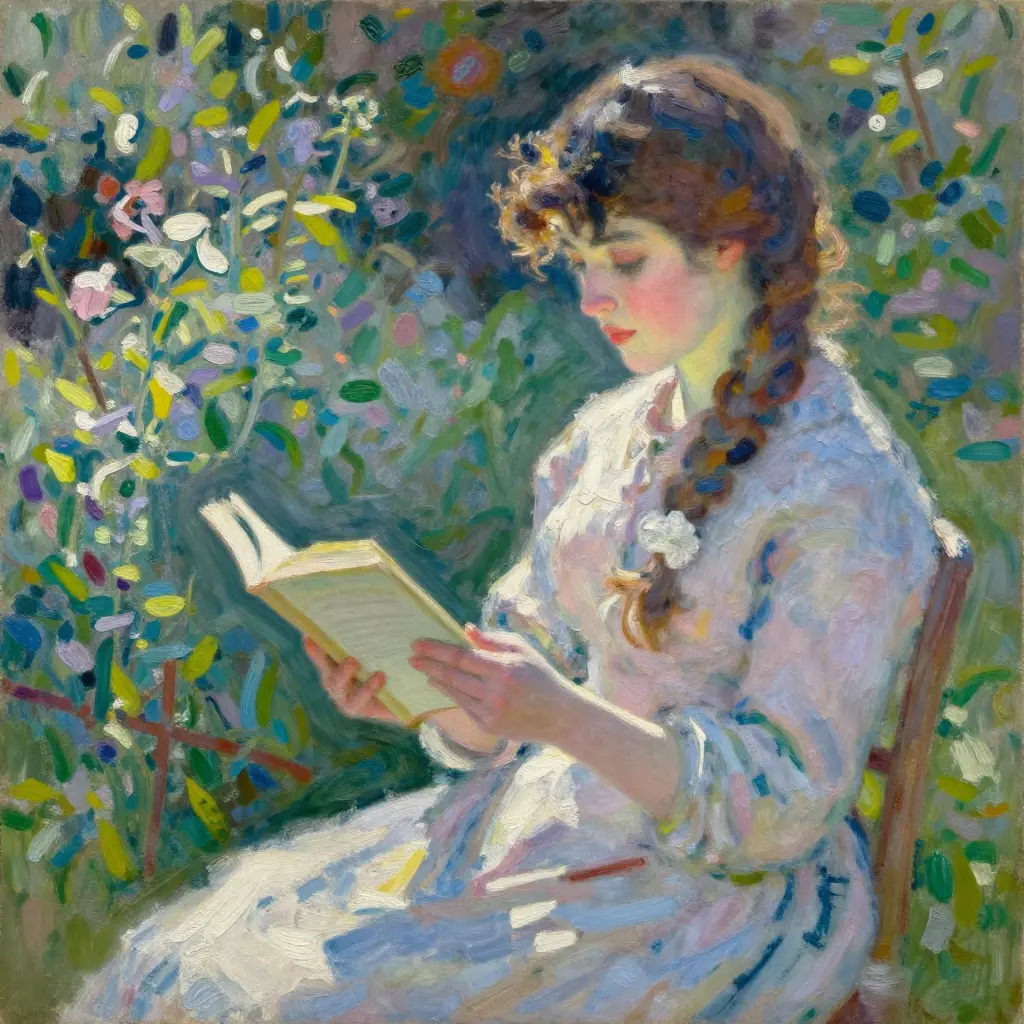
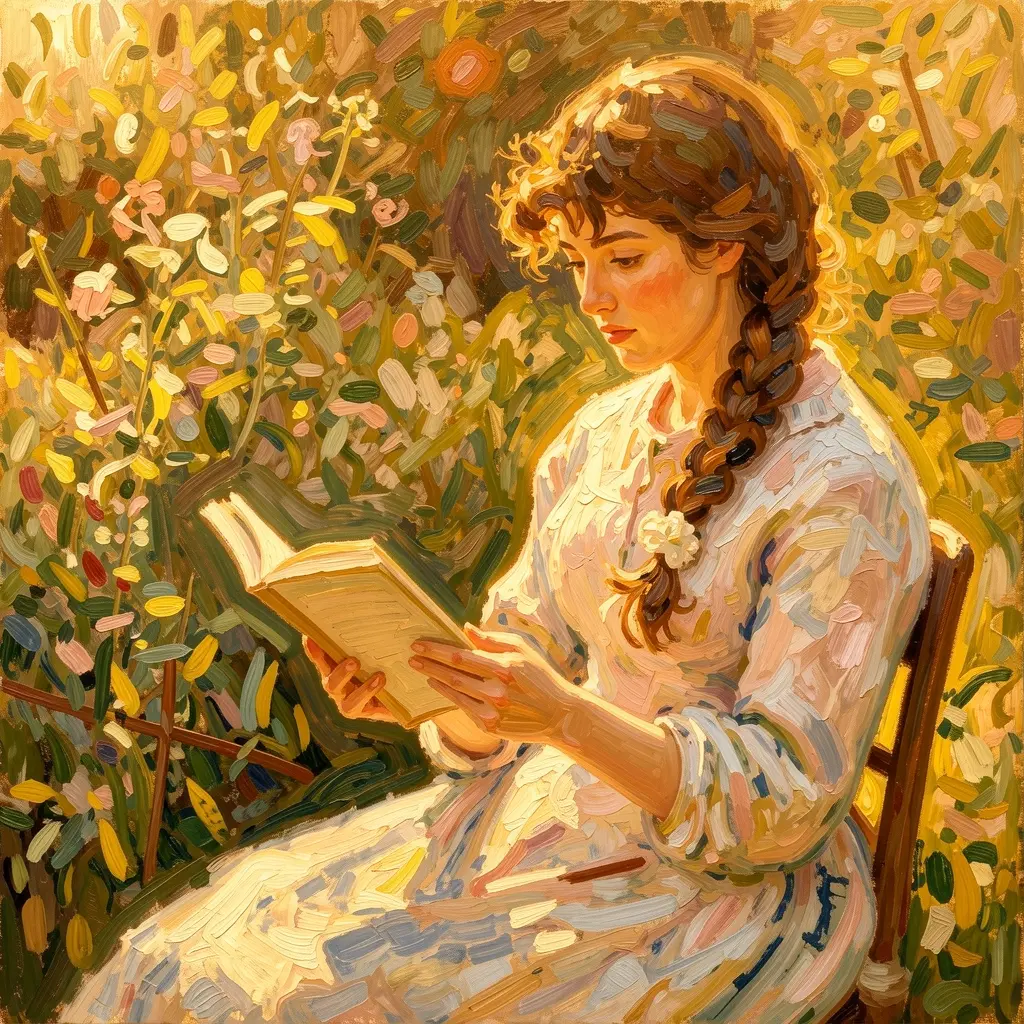
Person reference + oil painting reference → impressionist portrait.
Anime


Person reference + anime reference → Ghibli-style illustration with wavy brown hair.
Pixel art
Pixel art is where multi-reference really shines. The style reference locks in the aesthetic, and whatever you combine it with gets the 16-bit treatment.
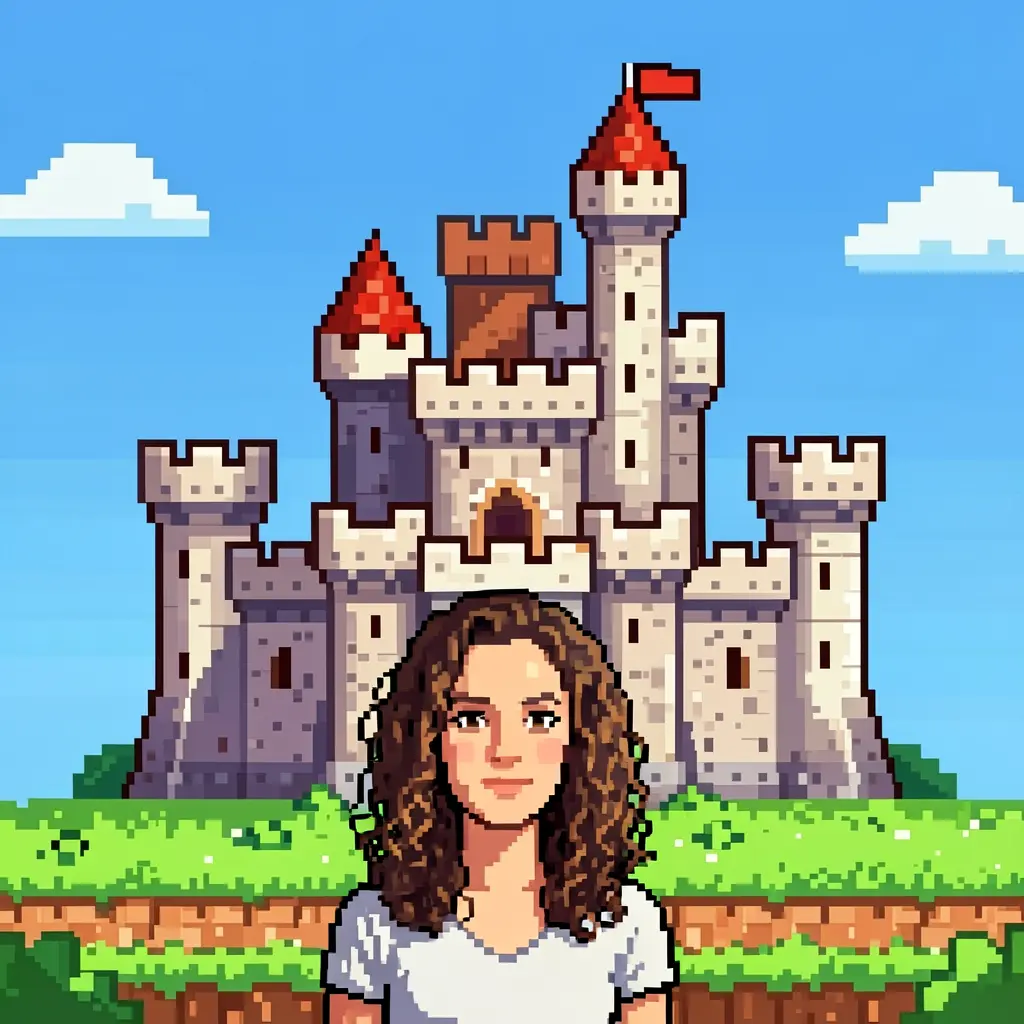
Person + pixel ref: castle scene

Person + pixel ref: cyberpunk rain

Maxi (Pomeranian reference) + pixel art ref: an RPG warrior with sword and shield. The fur color and face shape carry over.
The style reference dominates the visual language while the person/subject reference contributes identity cues (hair color, face shape, fur pattern). The prompt reinforces the style to get the strongest transfer.
Reinforce the style in your prompt. “An oil painting of…” or “pixel art of…” helps the model commit to the style instead of blending it halfway with photorealism.
Character consistency across scenes
One of the most practical uses: take a single portrait and place that character in completely different environments.

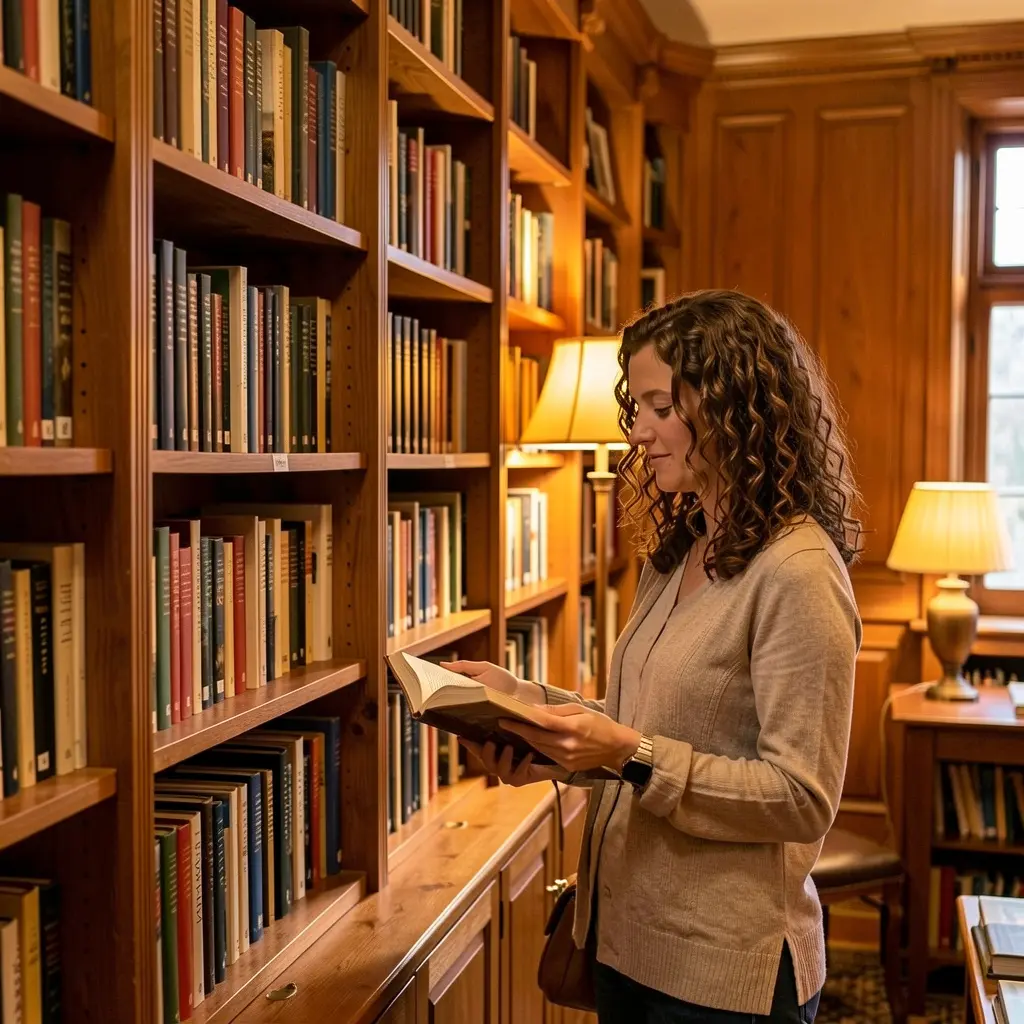
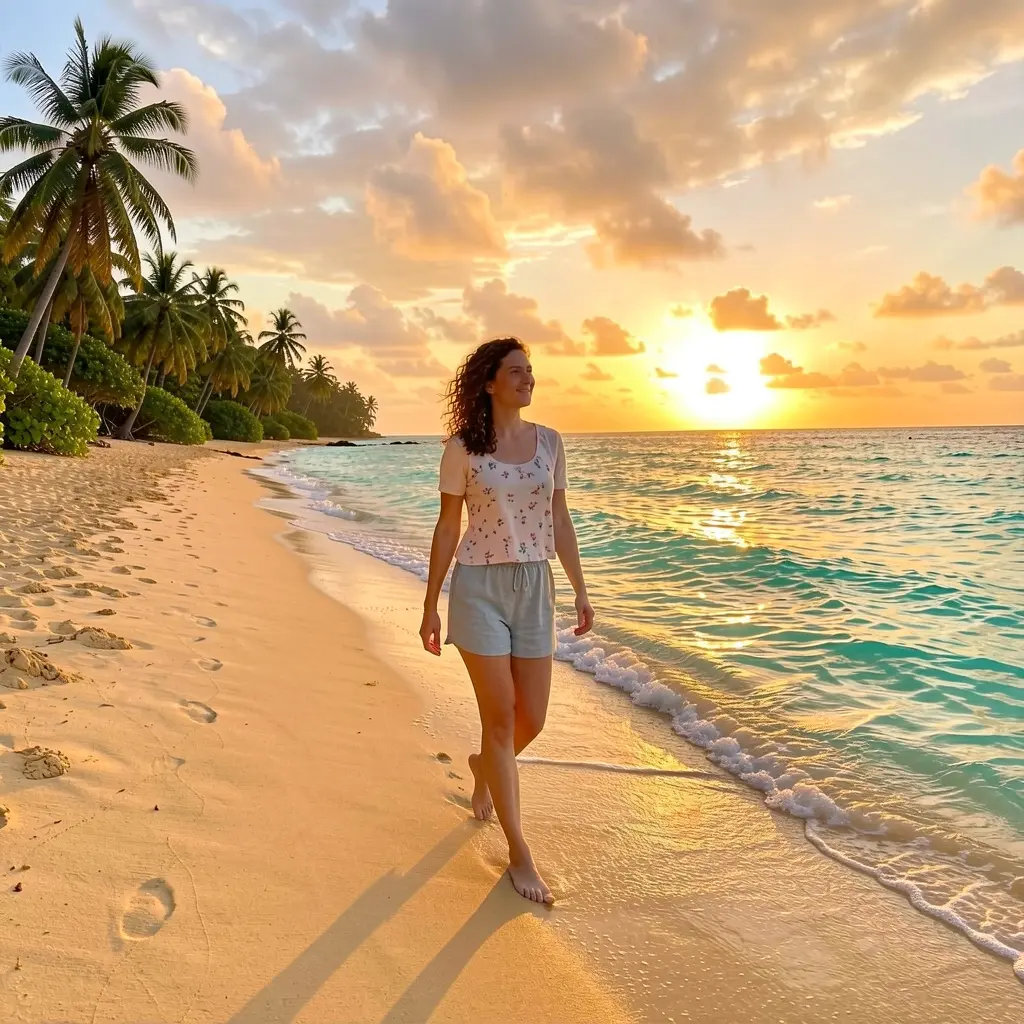
One reference portrait → three completely different scenes. Hair, face, and build stay consistent.
Curly brown hair, similar face structure, even the clothing style carries over across wildly different scenes — all from a single reference photo, no training.
LoRA vs reference: the comparison
We compared three approaches using Maxi (a Pomeranian with a trained Klein 9B LoRA) for the same prompt.
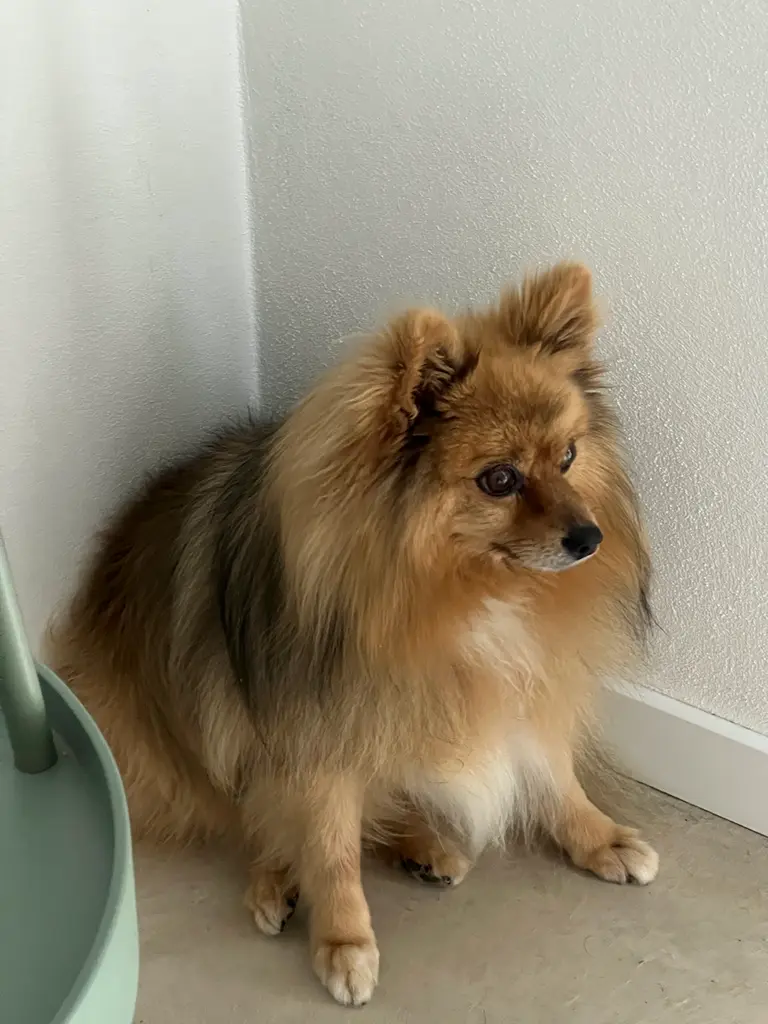
Reference photo
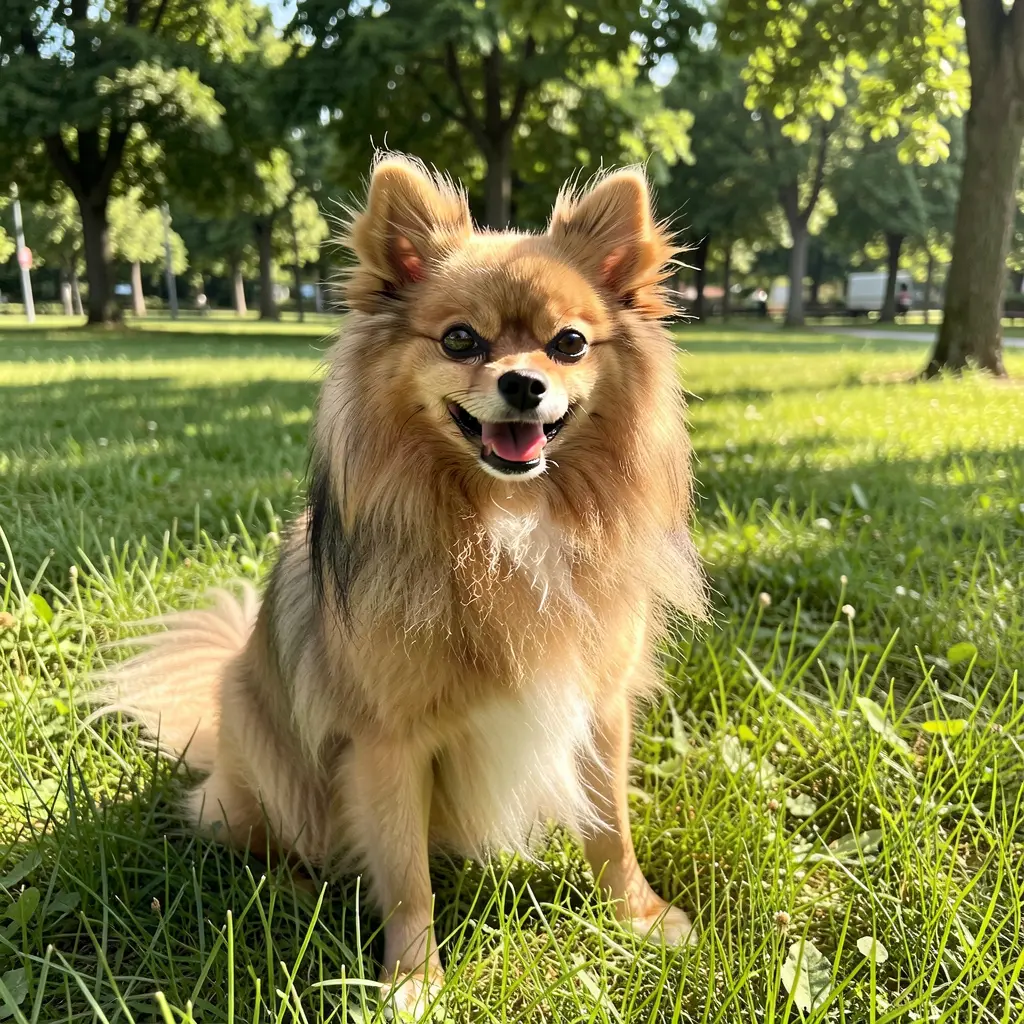
LoRA only
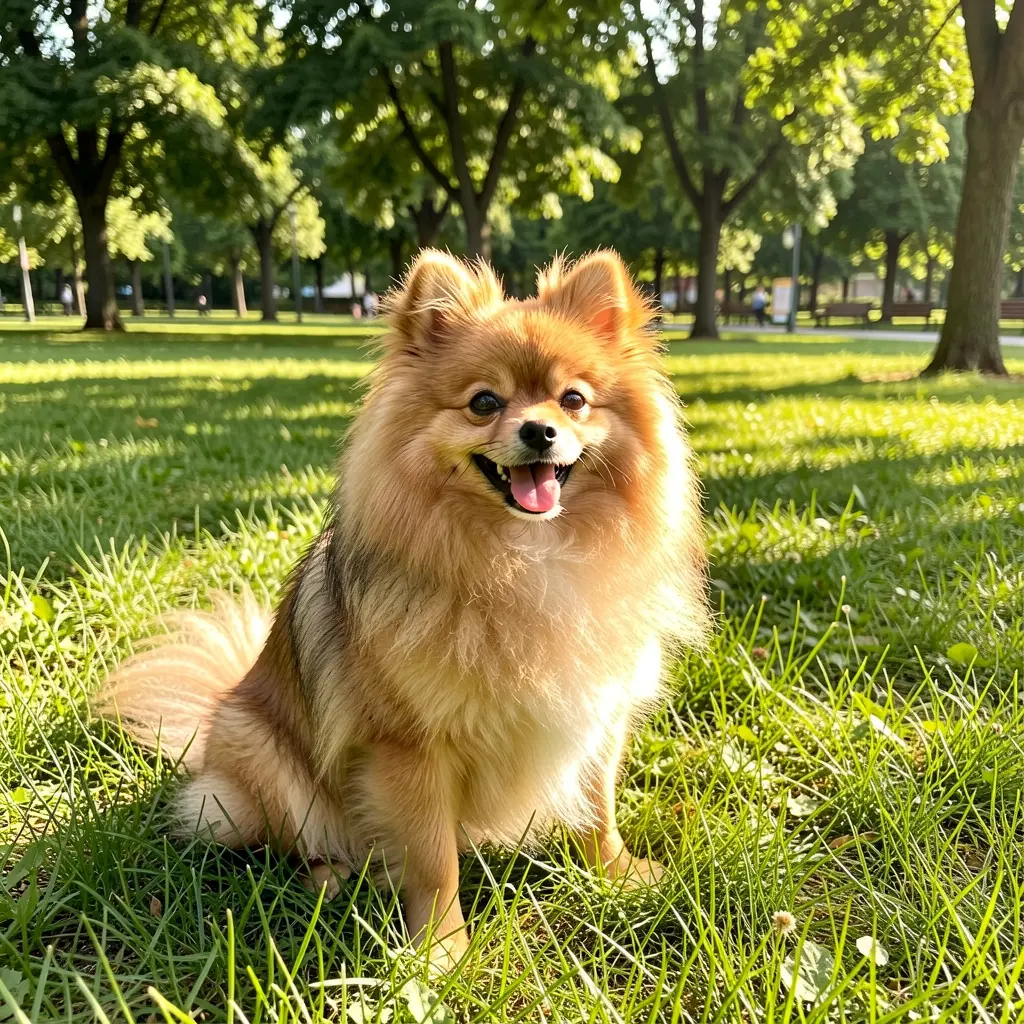
Reference only
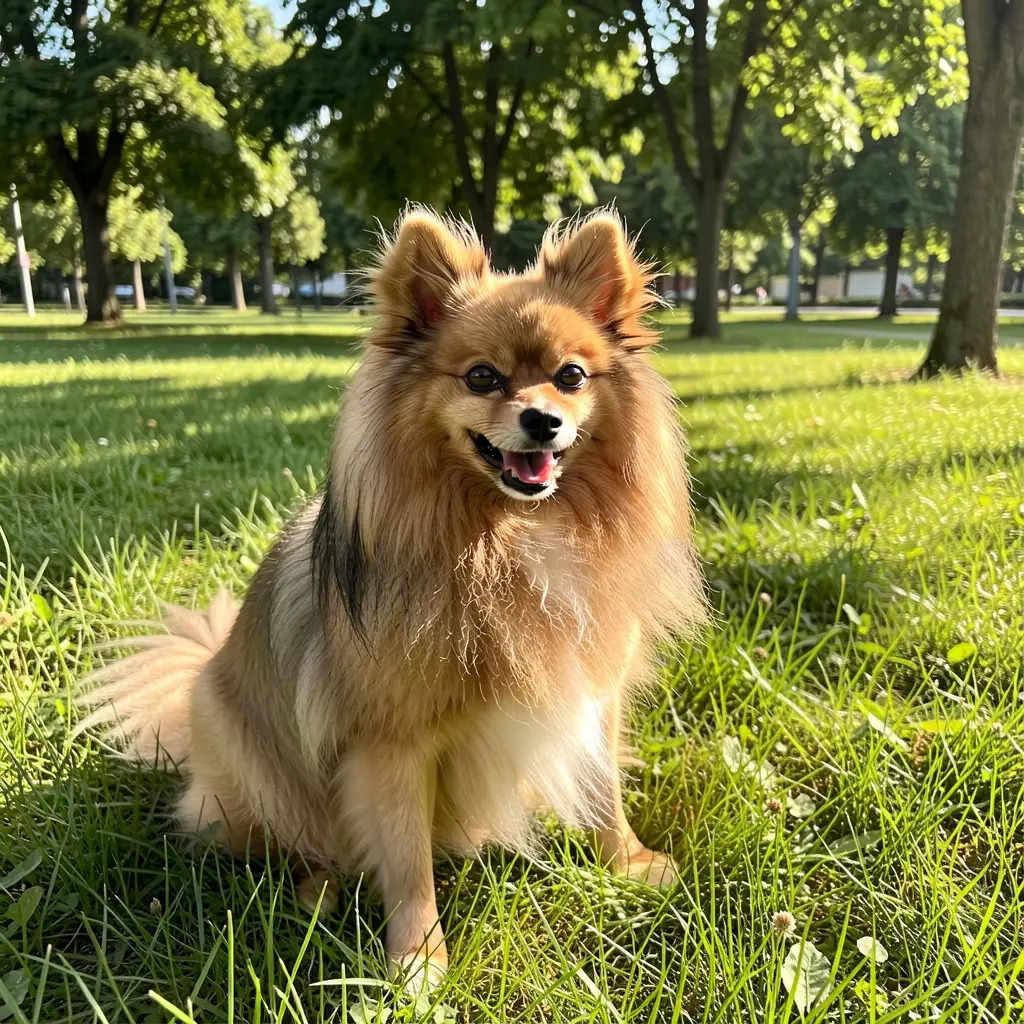
LoRA + reference
All three produced strong Pomeranian results. Here’s a second scene to confirm:

LoRA only — Christmas scene

Reference only — Christmas scene
References are surprisingly effective without any training. For many use cases — especially one-off generations or rapid prototyping — a reference photo gets you 80% of the way to a trained LoRA without the time investment.
Mix & match: combining reference types
The real power is combining different types of references. Each image contributes a different dimension.
Each image contributes a different dimension — who, where, and how it looks:

Person + location (2 refs)
Person + style (2 refs)
The triple combo: person + location + style (3 refs)
Person + rooftop + oil painting style. Three references, each contributing a different dimension.
This is the sweet spot: three references, each contributing a distinct dimension (who, where, how it looks). The model blends them cleanly because they don’t conflict.
Multiple characters in one scene
References also work for putting multiple distinct characters in the same frame — no LoRA needed. Pass one reference per character, describe the scene in the prompt.
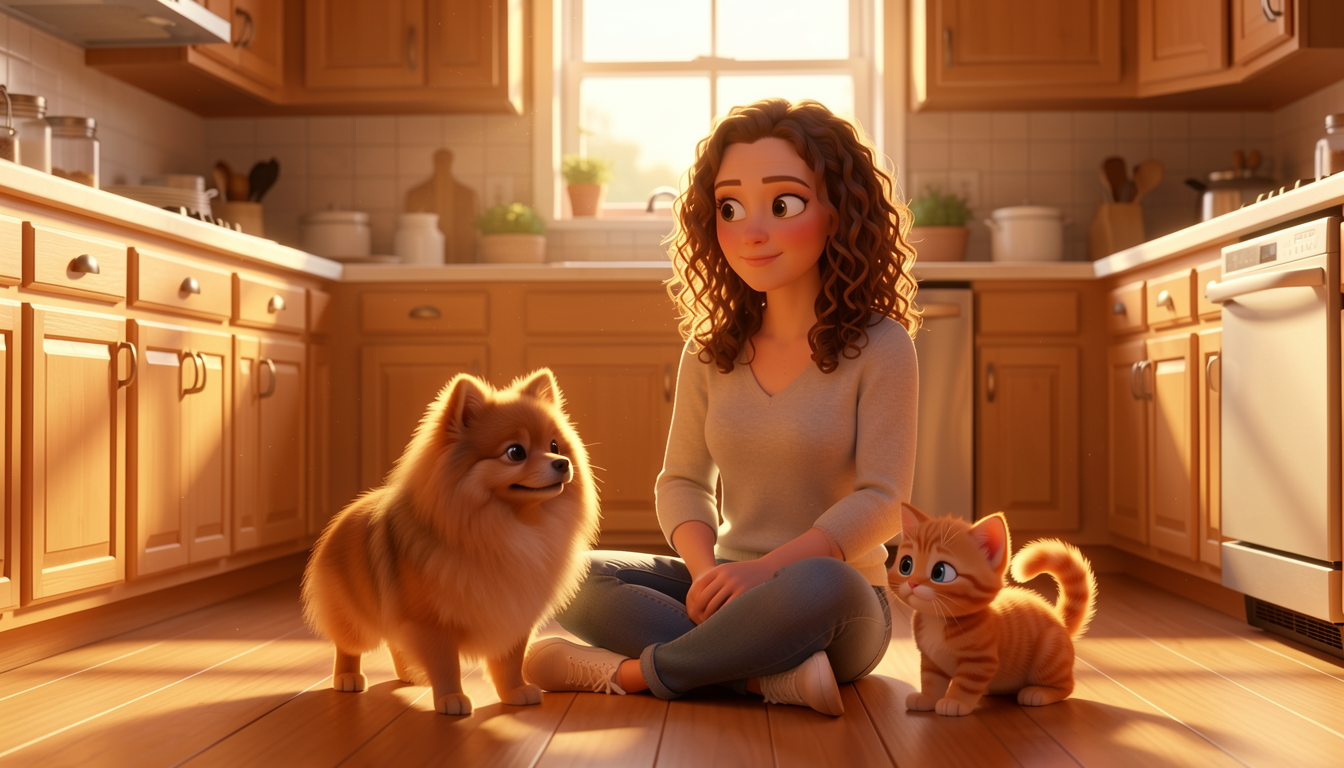
Seed 42 — all 3 characters
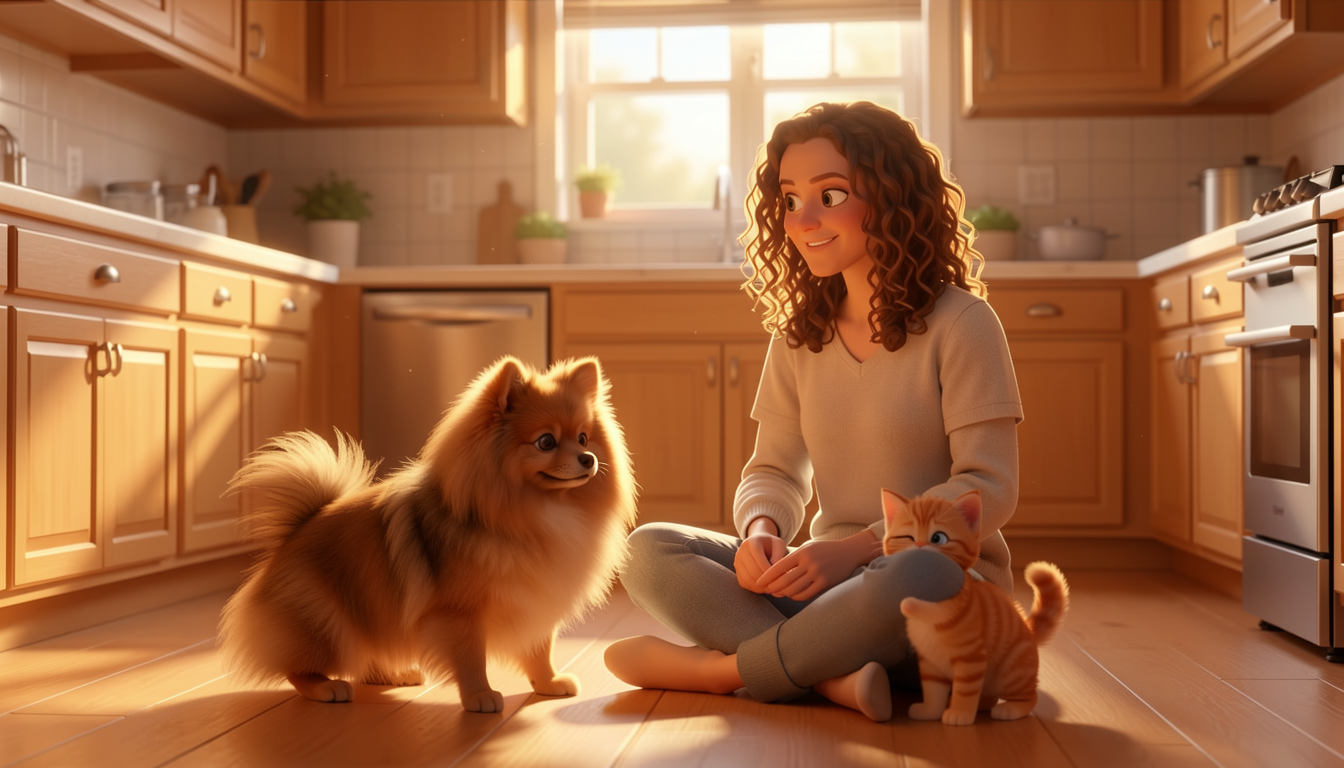
Seed 77 — all 3 characters
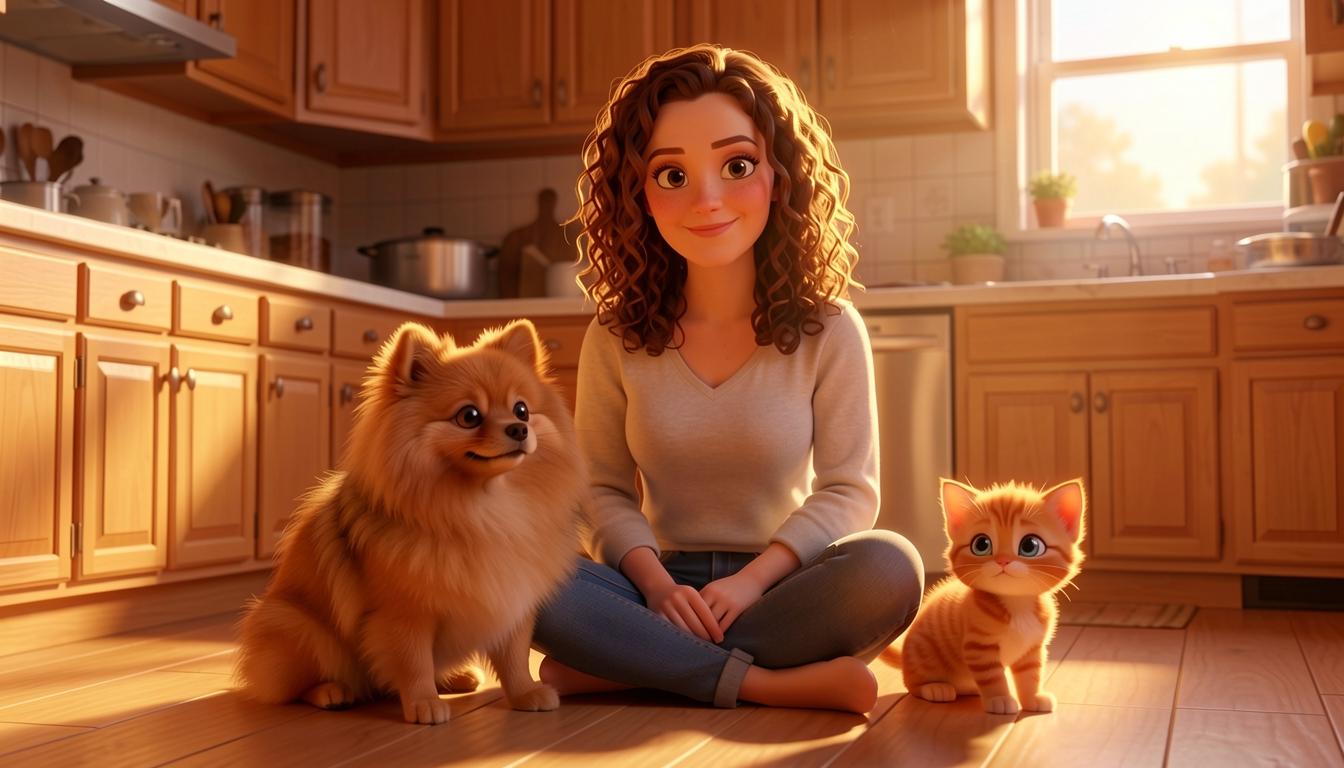
Seed 111 — all 3 characters

2-character scene — park bench
4 out of 4 seeds produced all 3 characters, clearly distinct. The woman keeps her curly brown hair, the Pomeranian stays a Pomeranian, and the kitten remains an orange tabby with blue eyes.
The illustrated storybook guide documented how a LoRA dominates attention and causes weaker characters to vanish — the kitten disappeared in 4 out of 6 seeds. With ref-only (no LoRA), references don’t compete for attention the same way. Each image contributes equally. The trade-off: ref-only characters are less precisely locked than LoRA characters. For storybooks or projects where you need the exact same face across dozens of generations, a LoRA is still better. For one-off scenes with multiple characters, ref-only is simpler and more reliable.
When references conflict
What happens when you pass two competing style references — an oil painting and an anime illustration?
Ref: oil painting
Ref: anime

Result: hybrid blend
Klein handles conflicting references gracefully — it finds a middle ground rather than producing chaos. In this case, a painterly illustration with soft colors that borrows from both styles. This can actually be useful when you want a style that doesn’t exist in any single reference.
Tips and best practices
Use high-quality references. The model can only work with what you give it. Clean, well-lit reference photos produce better results than noisy or compressed images.
What works well:
- 2-3 references is the sweet spot — strong influence from each without dilution
- Different types of references (person + place + style) complement each other
- Prompt reinforcement — describe the style/scene in the prompt to help the model commit
- Same seed for comparing different reference combinations
What to watch out for:
- 5+ references — the model starts ignoring extras past 4
- Conflicting references — the model won’t fail, but results are unpredictable blends
- Prompt vs reference conflict — if your prompt says “cafe” but your reference is a beach, the prompt usually wins
- Color shift — a known Klein issue where edited images have slightly different color temperature than references. Multiple seeds can help find one with less shift.
Klein 9B-KV: faster multi-reference
Klein 9B-KV is not yet available in modl — support is in progress (PR #66). The section below explains what it is and why it matters.
BFL recently released Klein 9B-KV (Flux2KleinKVPipeline), a variant that caches reference image KV pairs across denoising steps. The result: up to 2.5x faster inference for multi-reference editing.
The speedup is most noticeable when:
- Using 2+ reference images
- Generating multiple variations with the same references
- Building interactive editing pipelines
Same model quality, same outputs, just faster.
Quick reference
Multi-Reference Editing Commands
# Single reference
modl edit "prompt" --image ref.webp --base flux2-klein-9b

# Multiple references
modl edit "prompt" \
    --image person.webp \
    --image location.webp \
    --image style.webp \
    --base flux2-klein-9b

# With LoRA + reference
modl edit "prompt" \
    --image ref.webp \
    --lora my-lora \
    --base flux2-klein-9b

# Control output size
modl edit "prompt" \
    --image ref.webp \
    --base flux2-klein-9b \
    --size 1024x1024
Limits: Up to 4 references (BFL spec). 5 may work, 6+ will be ignored.
Models: flux2-klein-9b (recommended), flux2-klein-4b (faster, lower quality).
Steps: 4 (default, distilled model).
Why native multi-reference matters
A year ago, putting a specific person in a specific place with a specific style required a stack of adapters — IP-Adapter for the face, ControlNet for the pose, a style LoRA for the aesthetic, all wired together in a node graph. Each adapter added latency, VRAM, and failure modes. Getting two characters in the same frame meant doubling the adapter stack and hoping they didn’t conflict.
Klein changes this. Multi-reference editing is baked into the model architecture, not bolted on after training. The model was trained to accept multiple images as conditioning — it understands what to do with a person photo, a location photo, and a style reference in the same call. No adapters, no nodes, no glue code.
This is the direction the field is moving. Qwen baked in image understanding natively. Klein baked in multi-reference editing natively. The capabilities that used to require plugin ecosystems are becoming part of the model itself. That means less infrastructure to maintain, fewer things to break, and simpler workflows that are easier to automate — which is why an AI agent can orchestrate a full storybook pipeline with just modl edit and modl vision describe, no node graph required.
The best tool for the job a year from now probably won’t be the one with the most plugins. It’ll be the one that picked the right models and got out of the way.