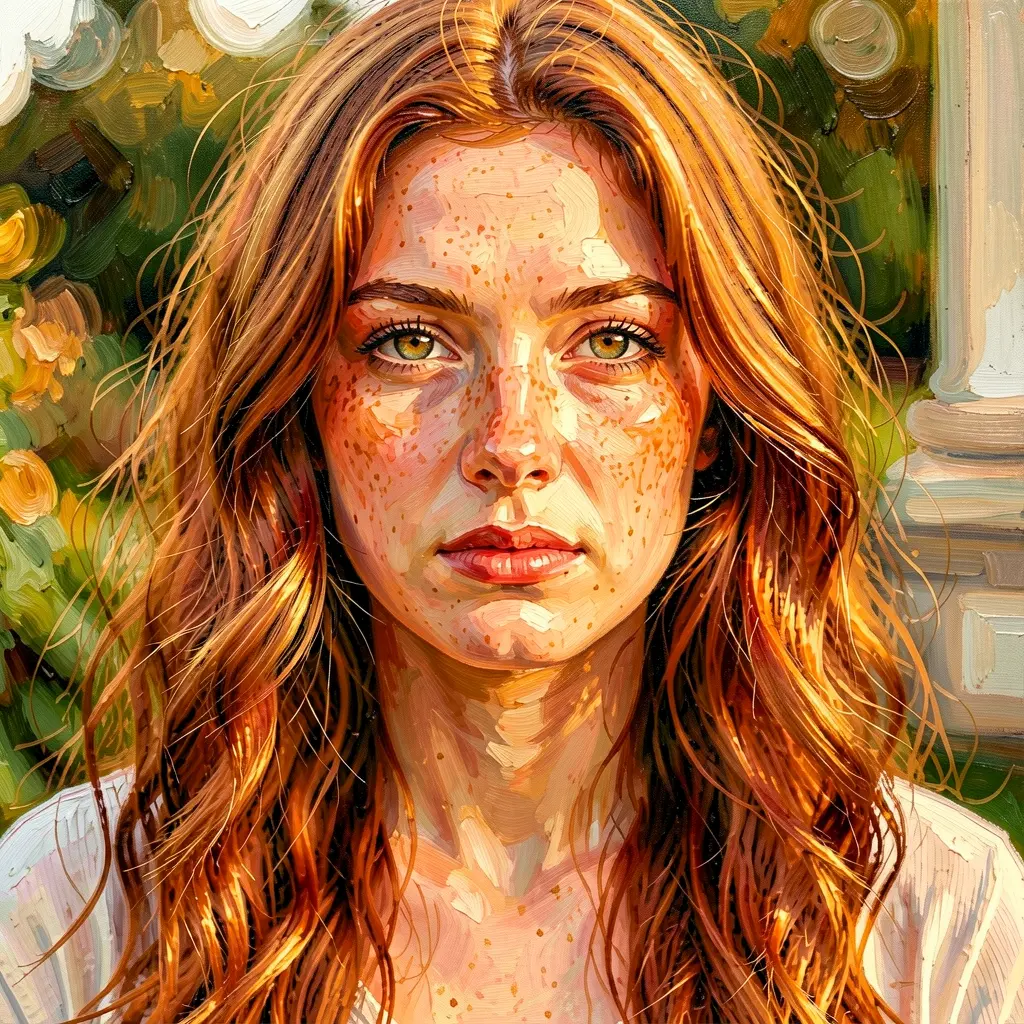
You have a photo. You want it to look like an oil painting, a watercolor, an anime still, a coloring book page, or any other visual style. One command, 4 steps, ~3 seconds. This guide shows what’s possible with real results across 10+ styles on two different subjects.
The style gallery
Every image below was generated with the same command pattern:
$ modl edit "transform this into [style description]" \
--image photo.png --base flux2-klein-9b --seed 42
Klein 9b handles style transfer in 4 steps. The composition stays locked — same scene, same person, completely different visual language.
Scene: the cafe
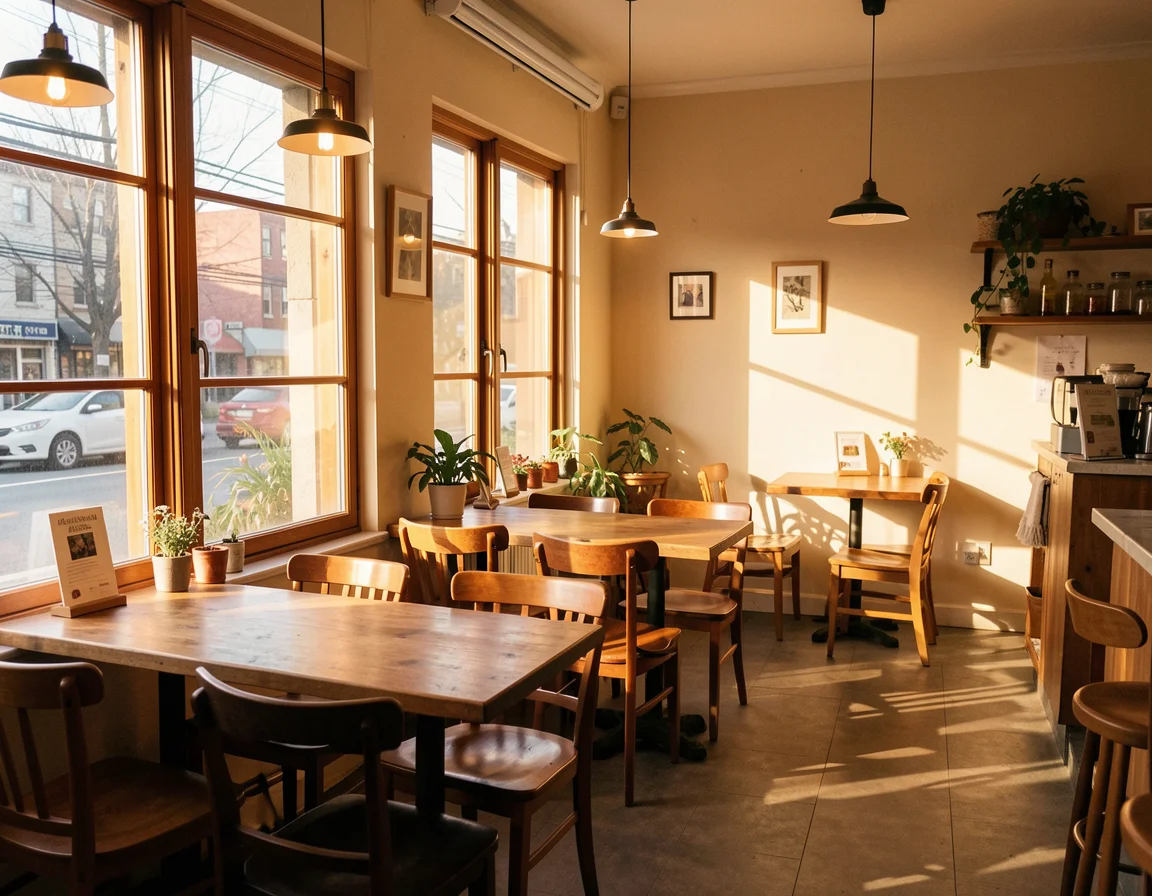
Source — a photorealistic cafe interior generated with Klein 9b.
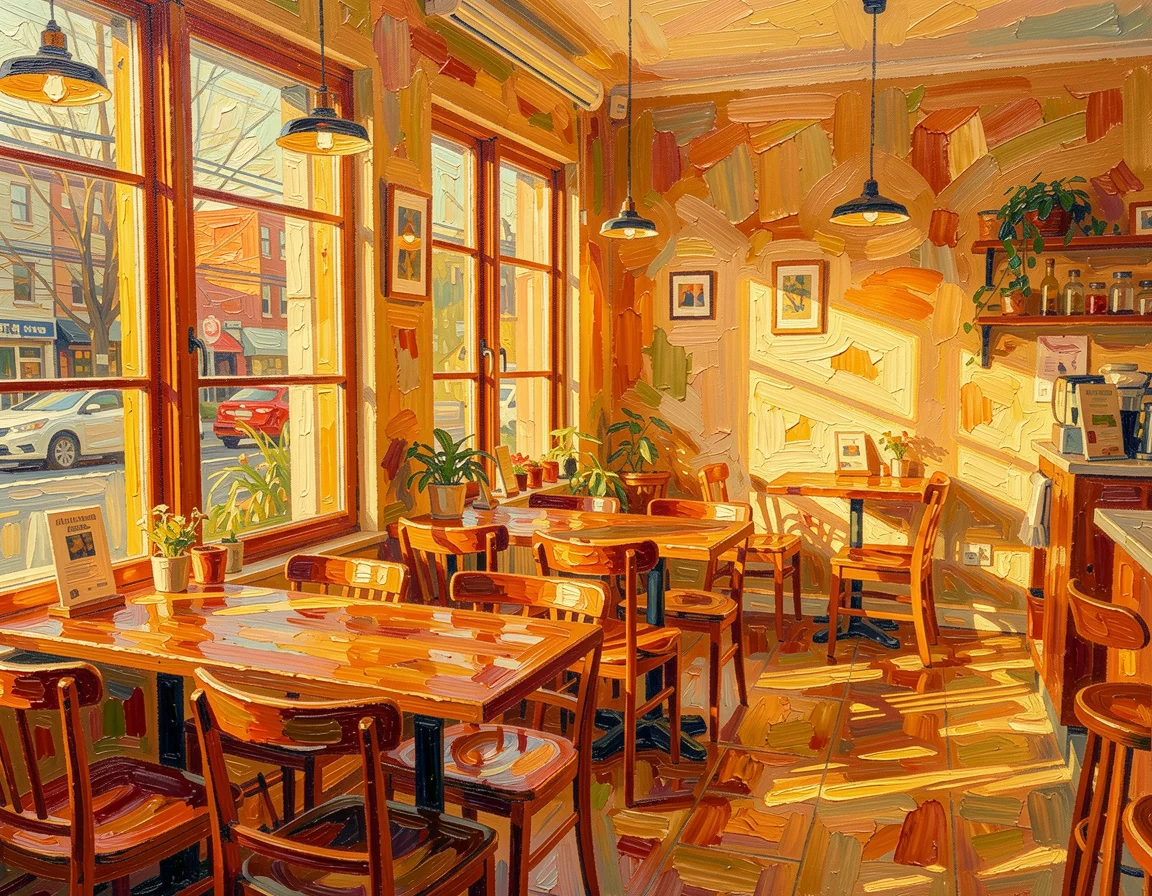
Oil painting — impasto brushstrokes
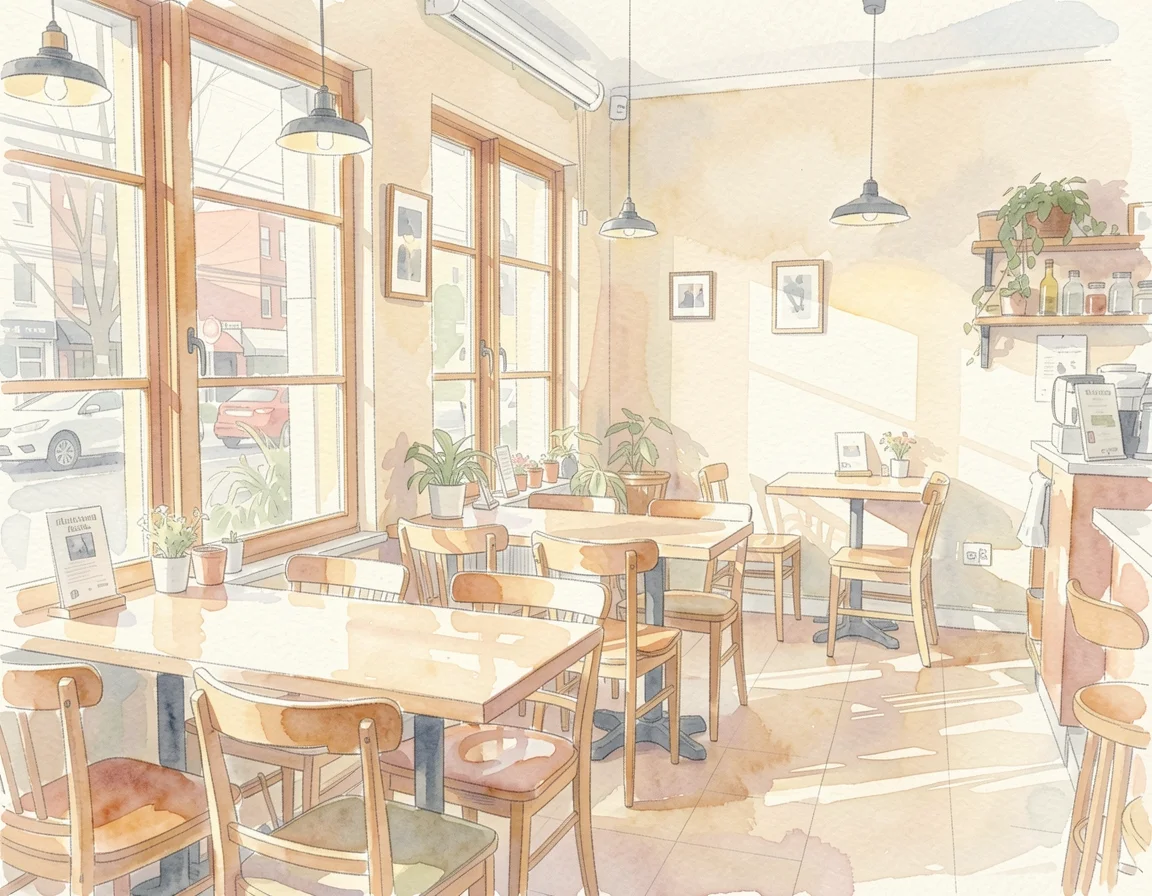
Watercolor — soft washes, paper texture
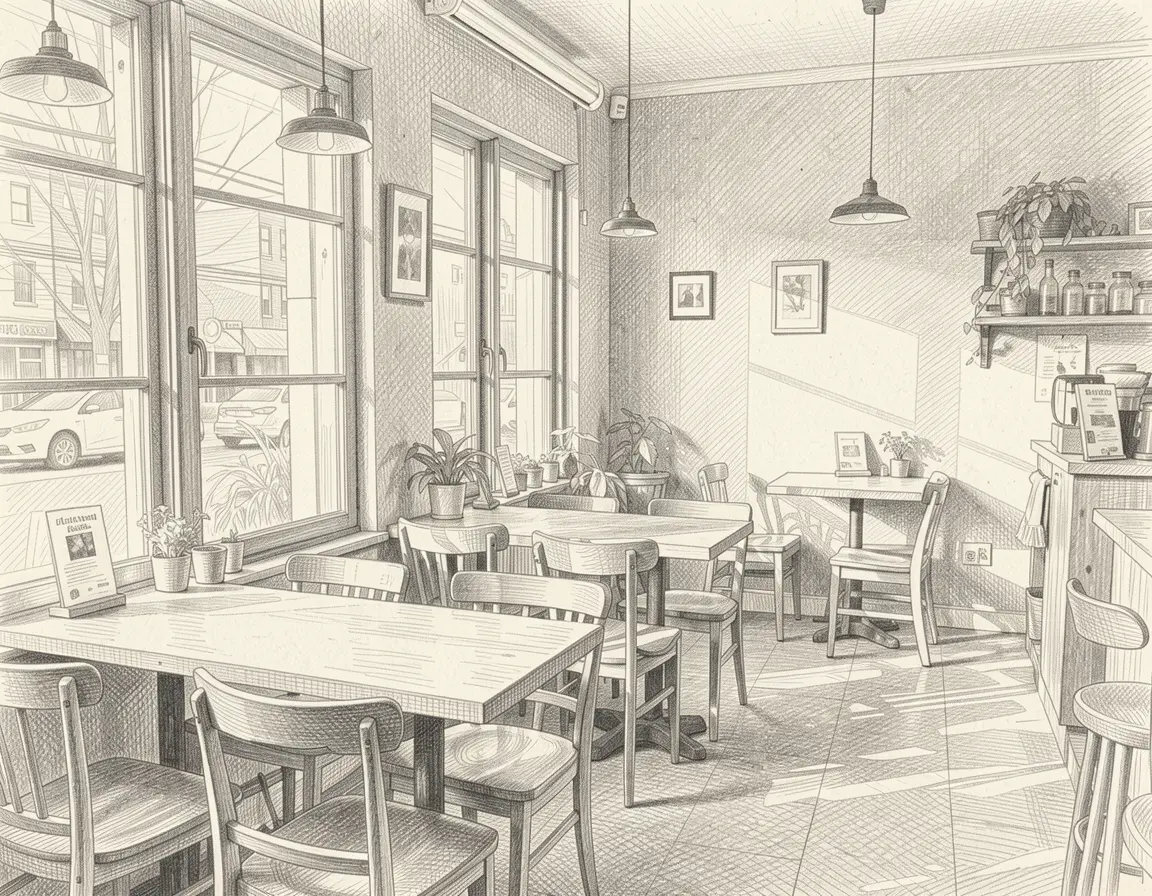
Pencil sketch — crosshatching detail
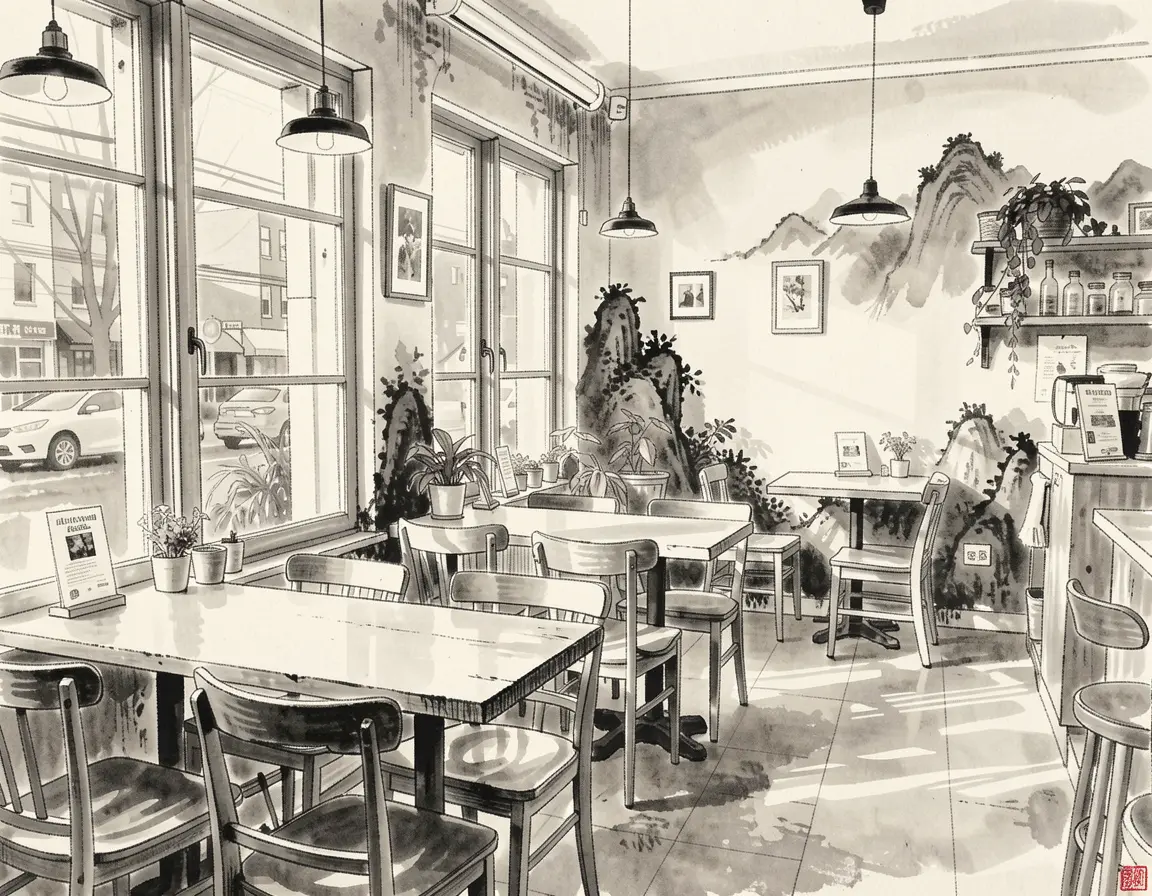
Ink wash — shanshui mountains bleed in
Four traditional media, same cafe. Notice how each medium has authentic characteristics — the pencil’s crosshatch shading, the watercolor’s transparent washes, the ink wash’s soft gradients with Chinese landscape elements bleeding into the background.
$ modl edit "transform this into an oil painting with thick impasto brushstrokes and warm expressionist colors" --image cafe.png --base flux2-klein-9b
$ modl edit "transform this into a watercolor illustration with soft washes and delicate linework" --image cafe.png --base flux2-klein-9b
$ modl edit "transform this into a pencil sketch with crosshatching and fine graphite detail" --image cafe.png --base flux2-klein-9b
$ modl edit "transform this into an ink wash painting, traditional Chinese shanshui style, monochrome with soft gradients" --image cafe.png --base flux2-klein-9b
Illustration styles
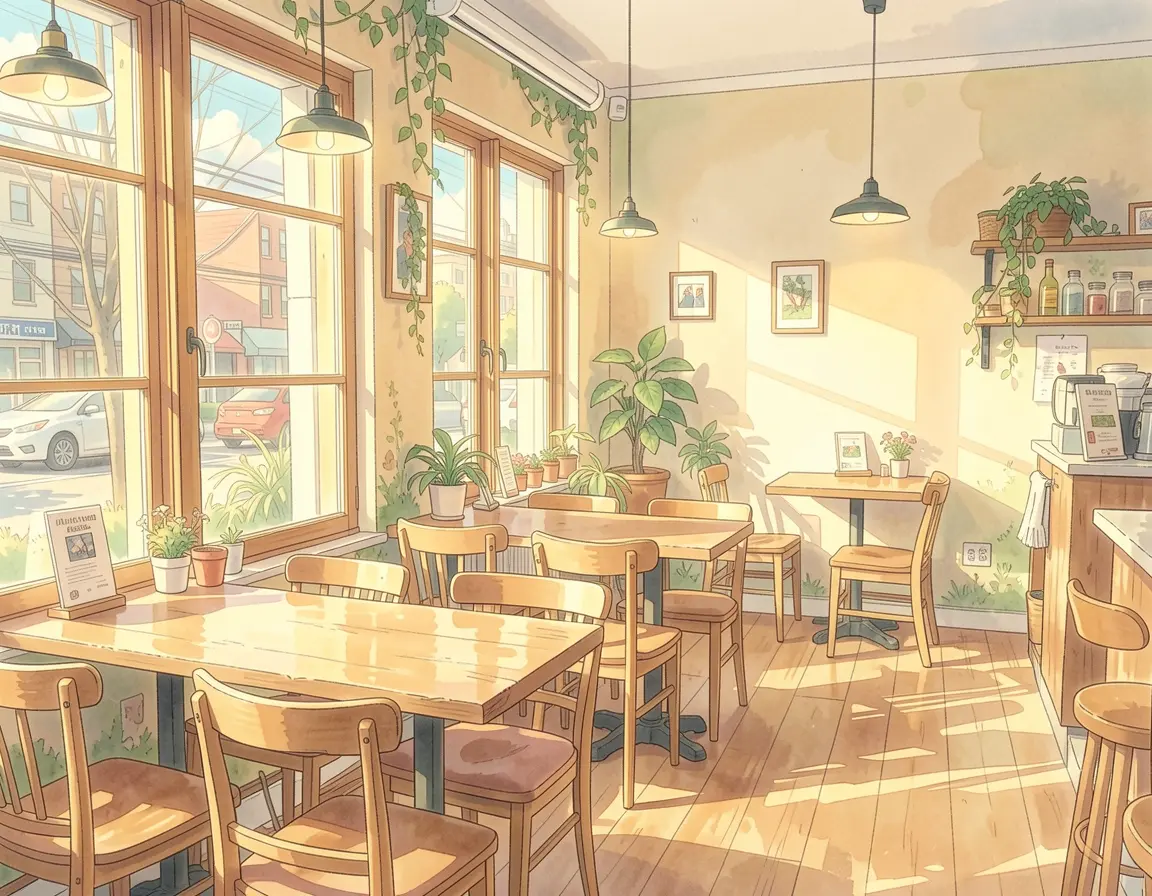
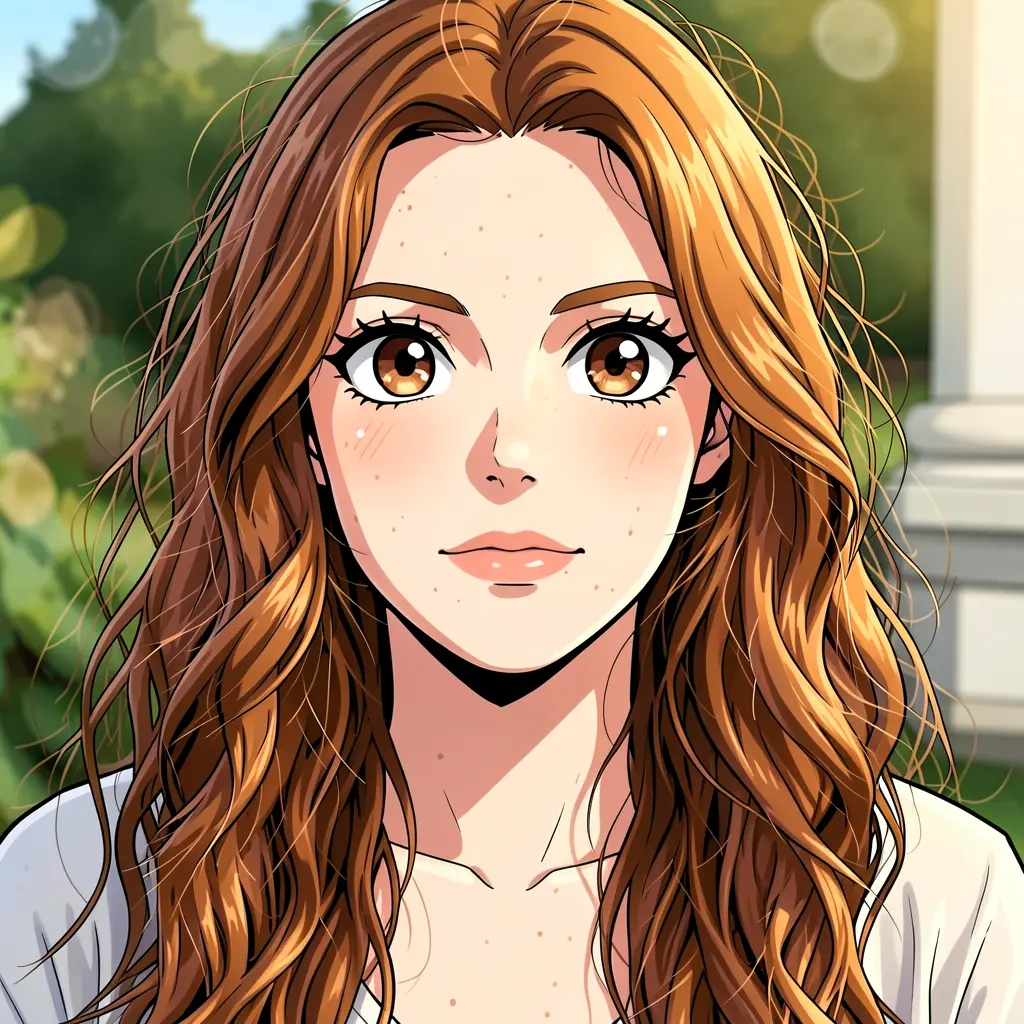
Anime — Ghibli-style warmth
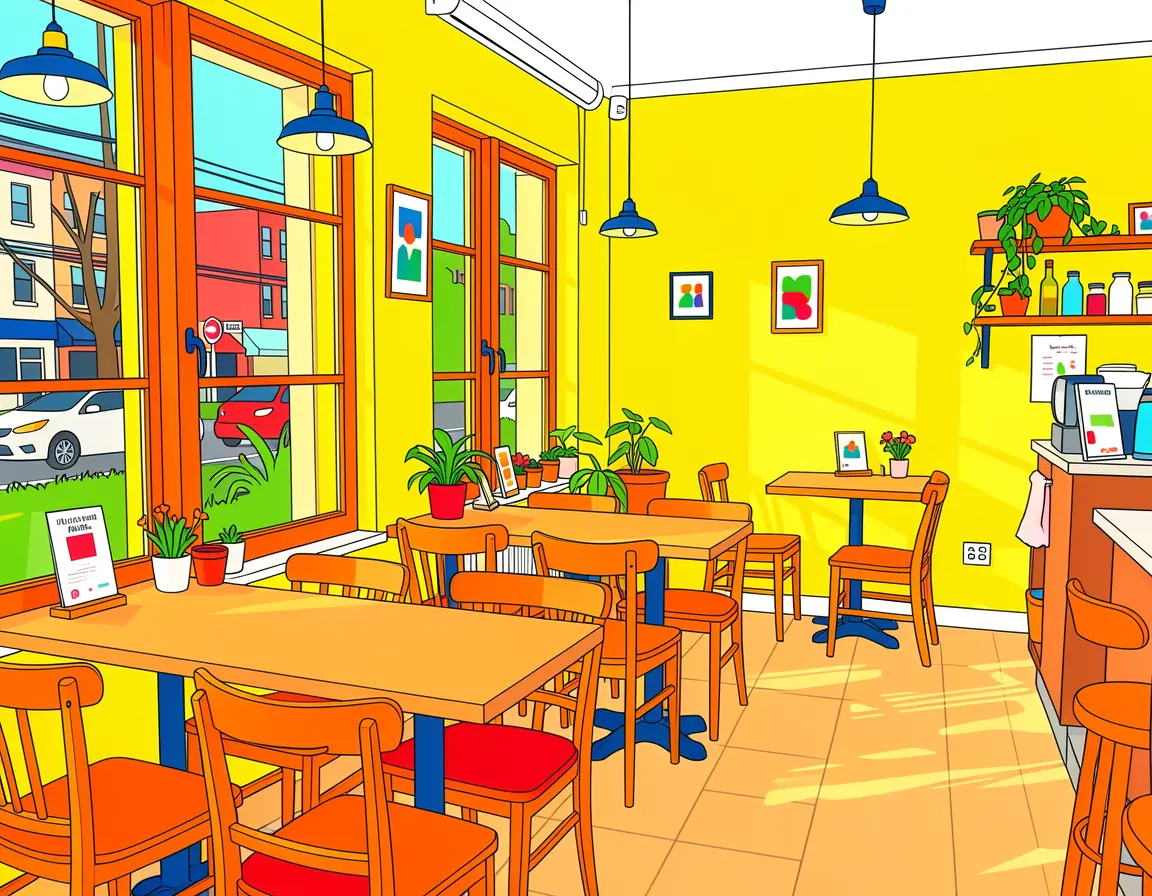
Children’s book — bold primary colors
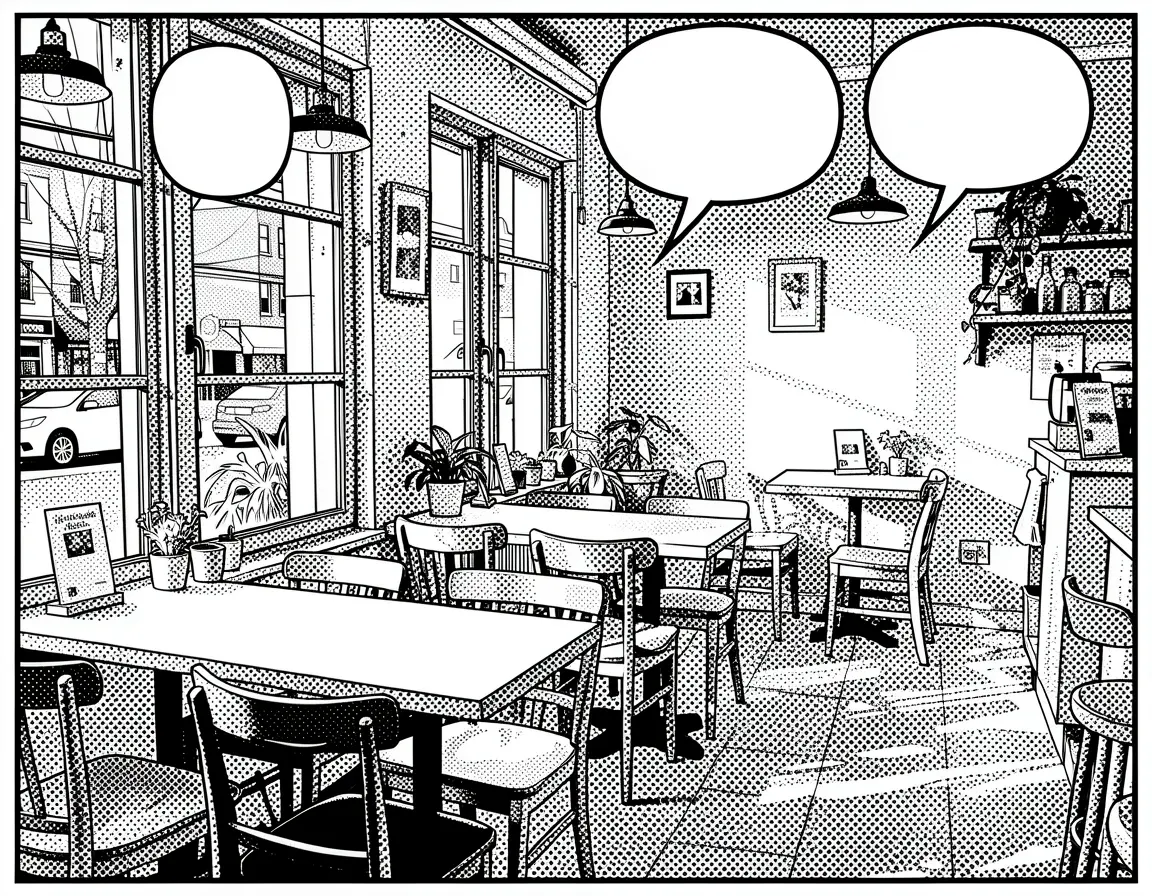
Comic book — halftone dots + speech bubbles
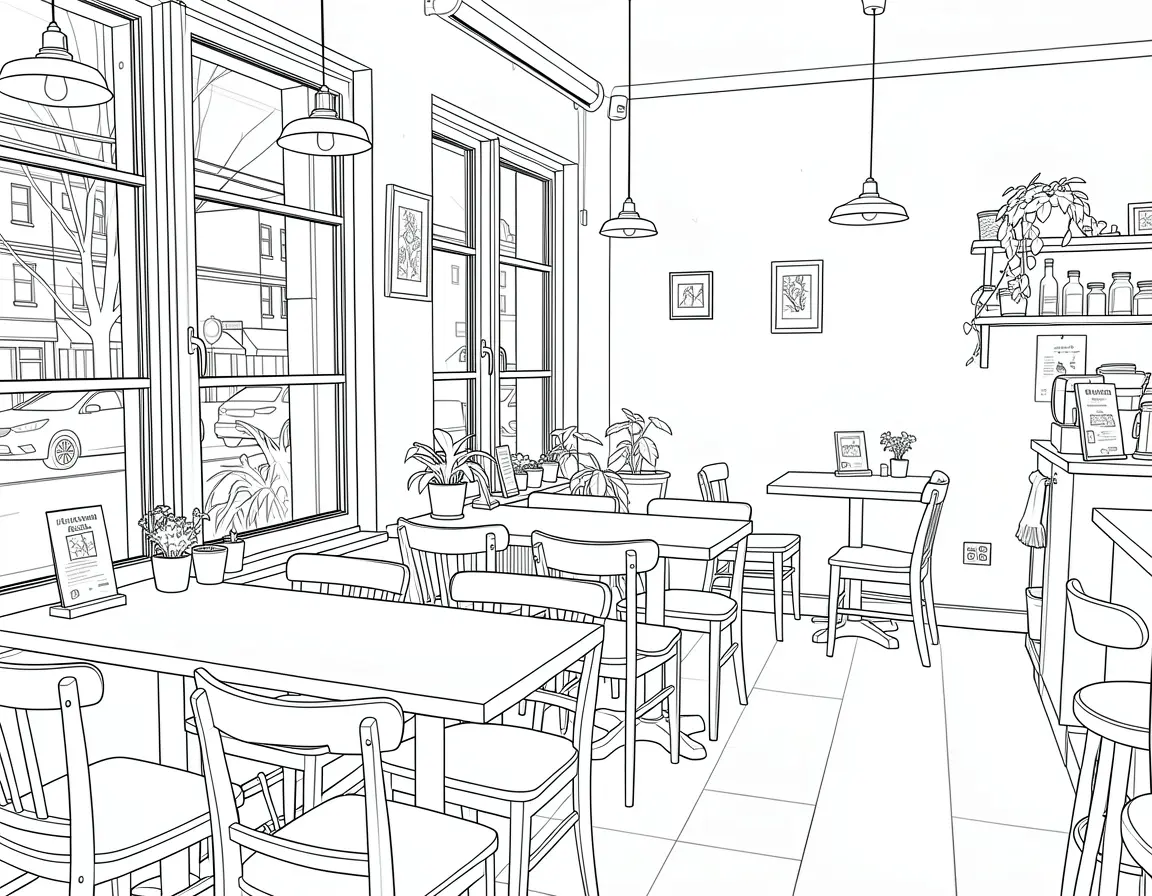
Coloring book — clean black outlines
Illustration styles. The comic book panel generated actual speech bubbles and halftone shading. The coloring book page has clean printable outlines. The children’s book version simplified the geometry while keeping the composition recognizable.
$ modl edit "transform this into an anime illustration in the style of Studio Ghibli, soft colors, detailed backgrounds" --image cafe.png --base flux2-klein-9b
$ modl edit "transform this into a children's book illustration with bright primary colors and simplified shapes" --image cafe.png --base flux2-klein-9b
$ modl edit "transform this into a comic book panel with bold outlines, halftone dots, and speech bubble spaces" --image cafe.png --base flux2-klein-9b
$ modl edit "transform this into a coloring book page with clean black outlines on white background, no color fill" --image cafe.png --base flux2-klein-9b
Digital and retro styles
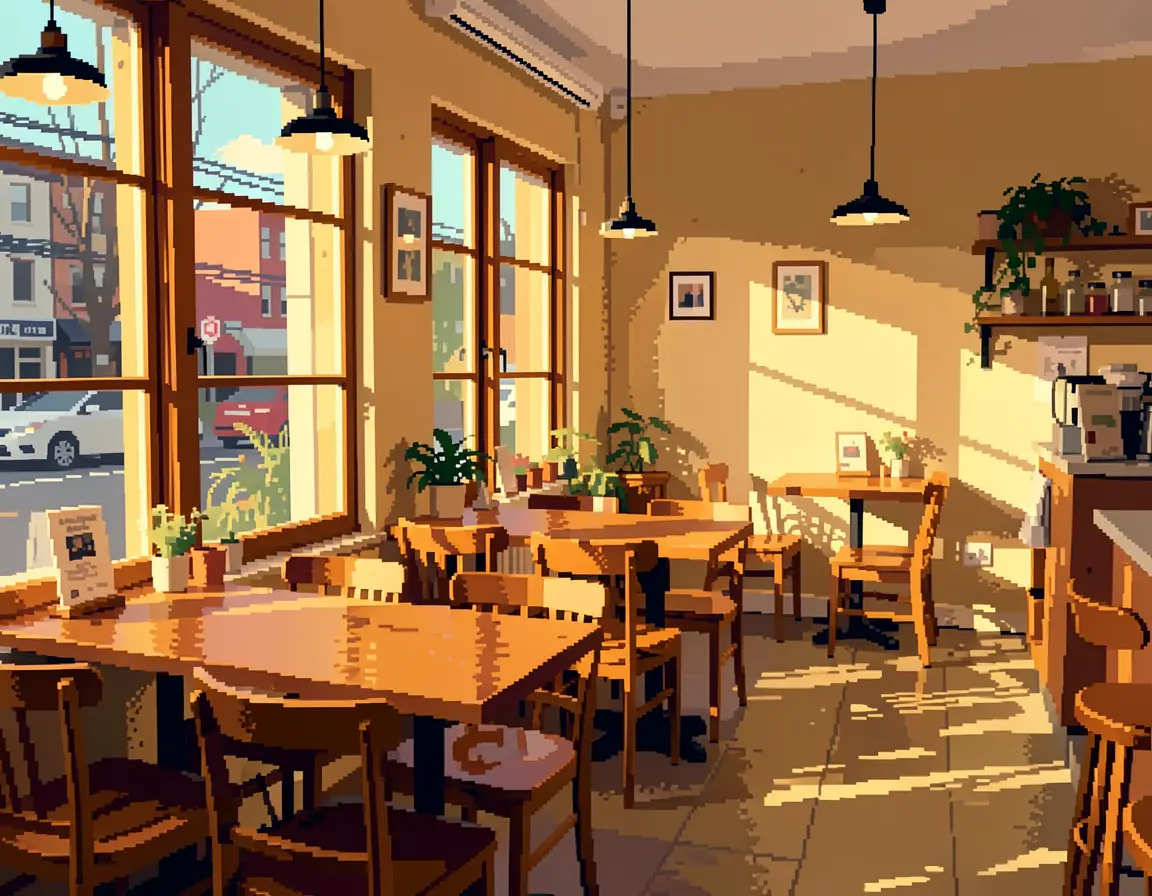
Pixel art — 16-bit retro game
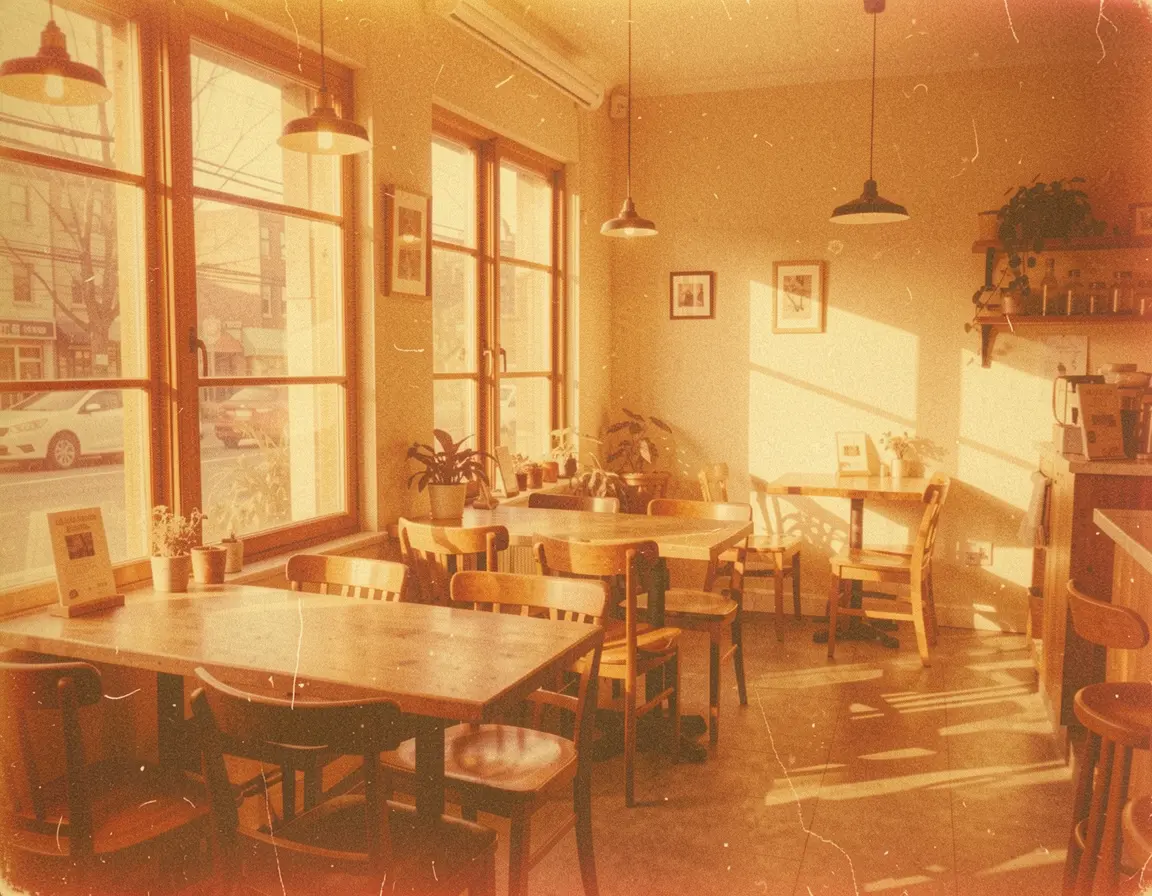
Vintage 70s — faded film, scratches
The pixel art has visible pixel boundaries and a limited color palette — it looks like an actual game background. The vintage photo has authentic film grain, warm color shift, and even surface scratches.
Portrait: style transfer on a face
Same technique, different subject. A portrait tests whether the model preserves identity across style transforms — freckles, eye color, hair texture.
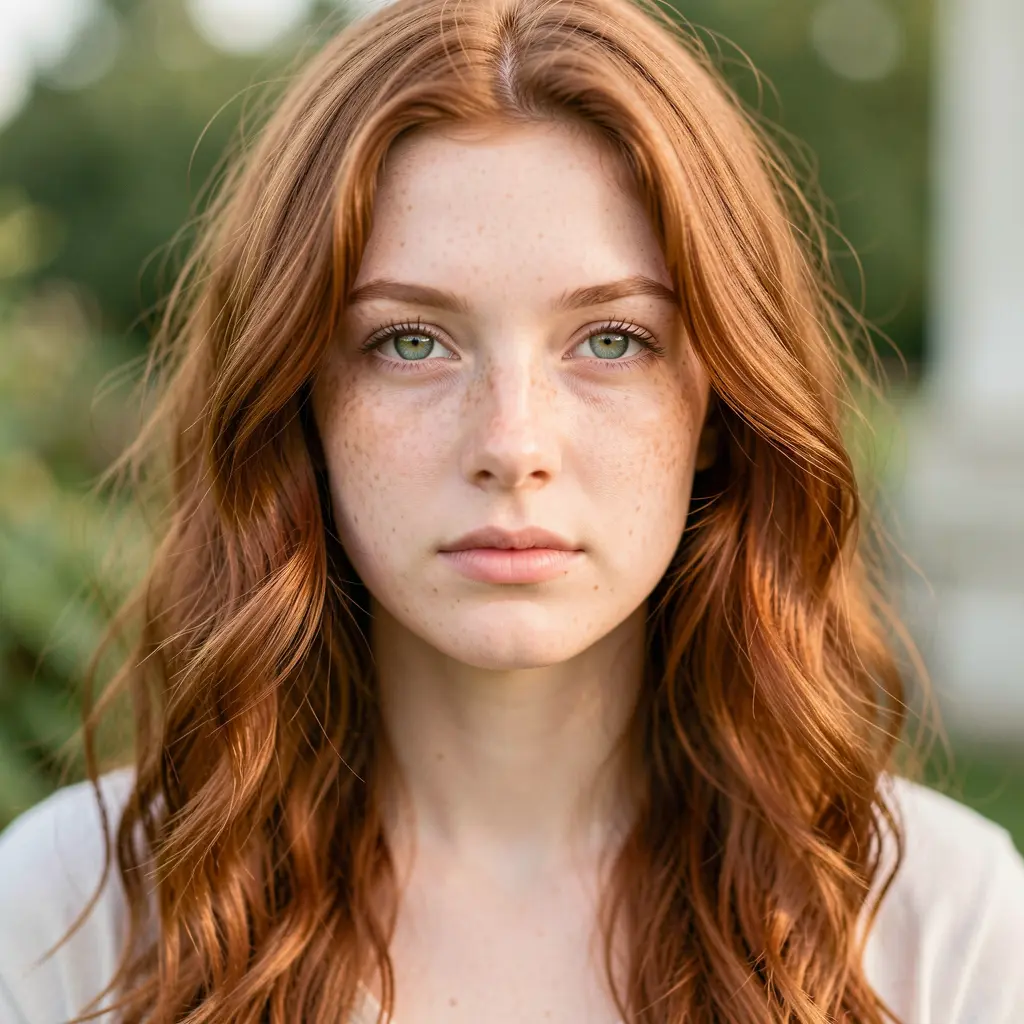
Source — photorealistic portrait generated with Klein 9b.
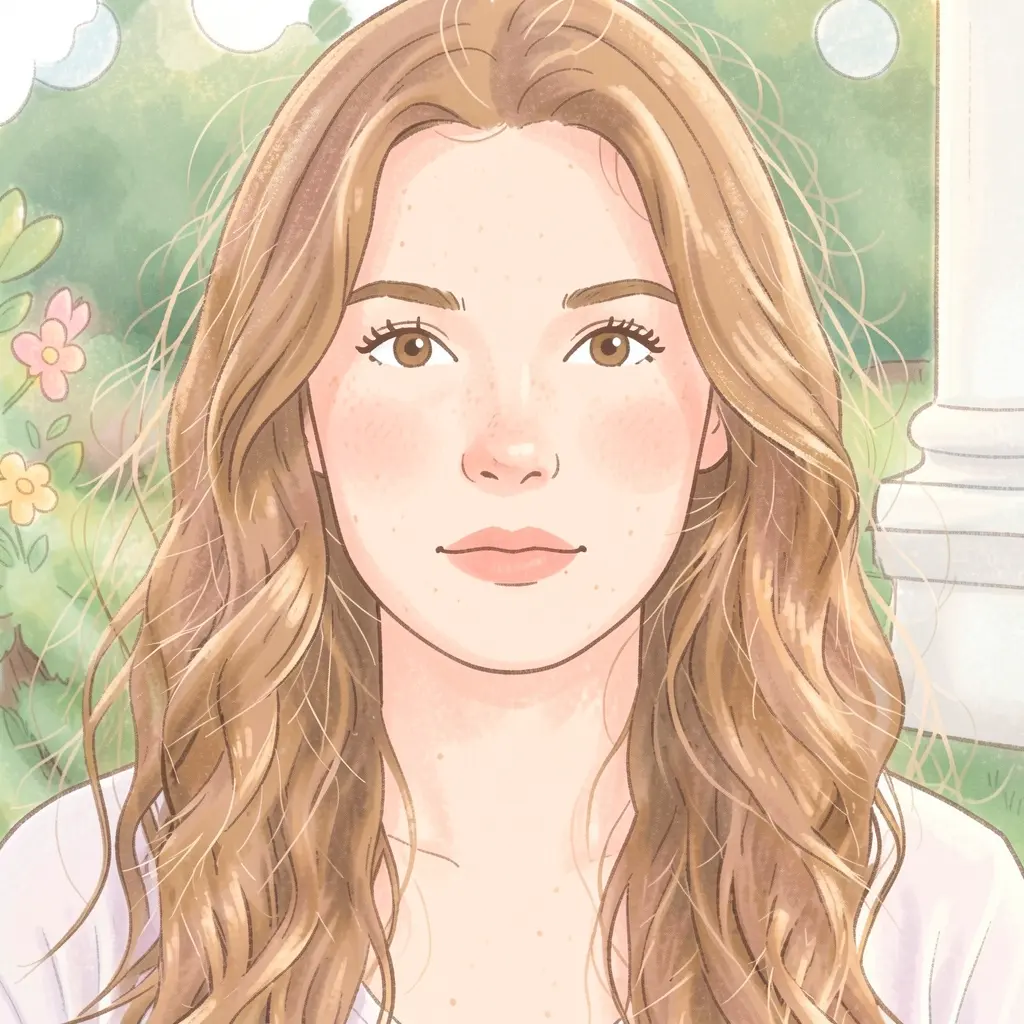
Children’s book
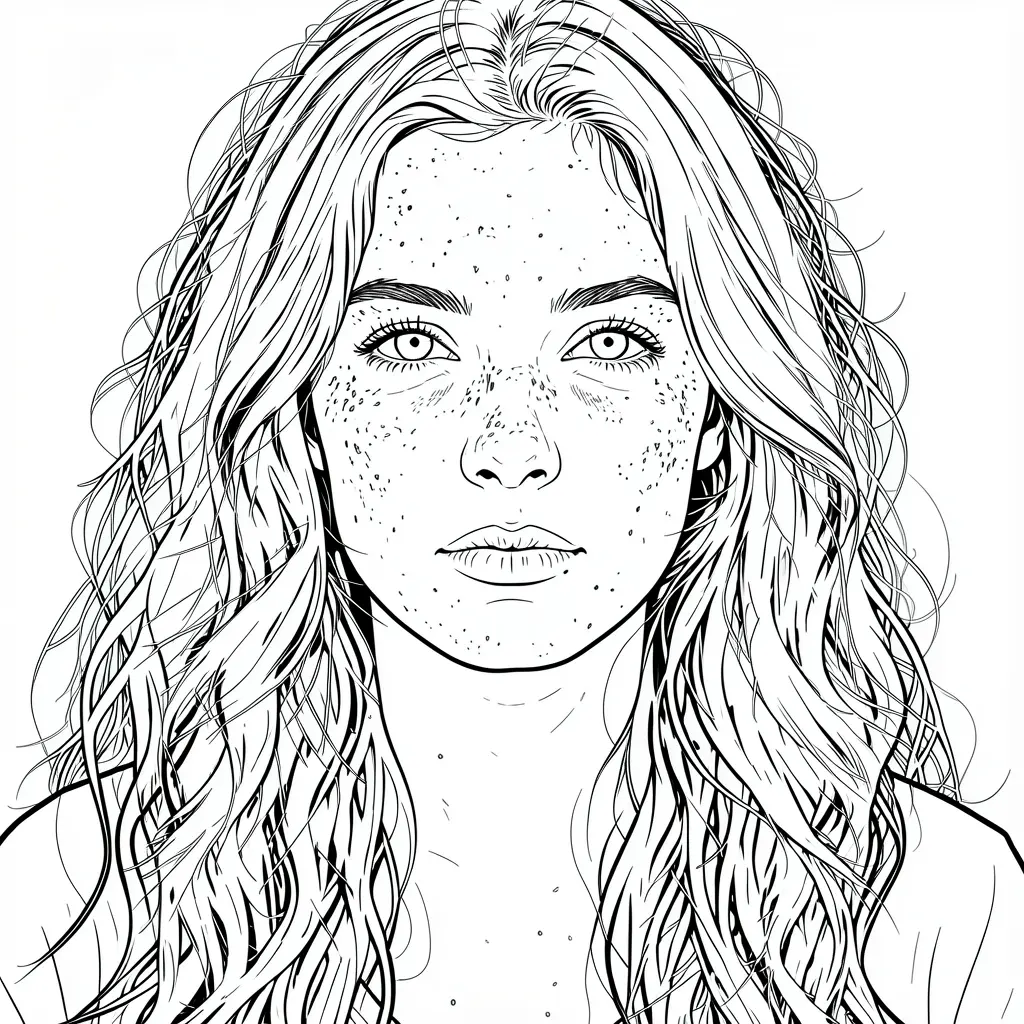
Coloring book
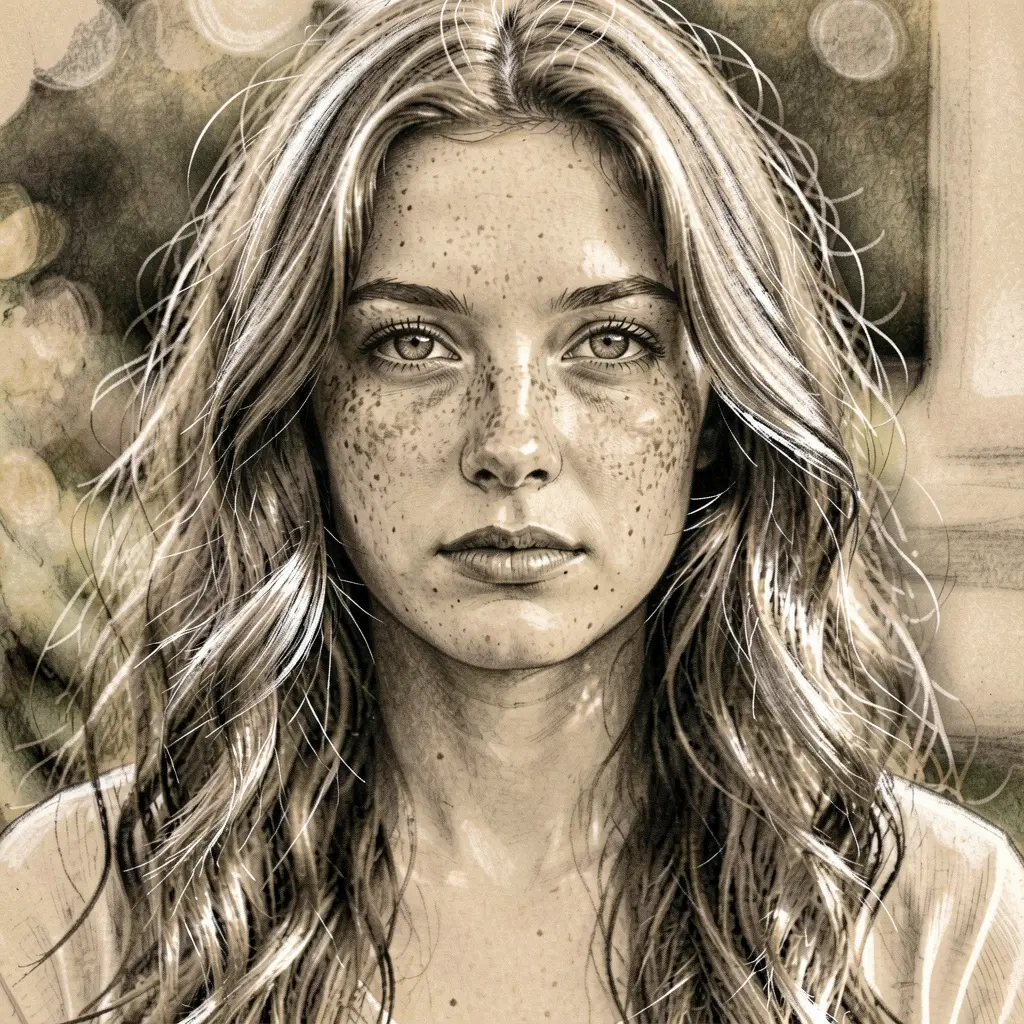
Charcoal on toned paper
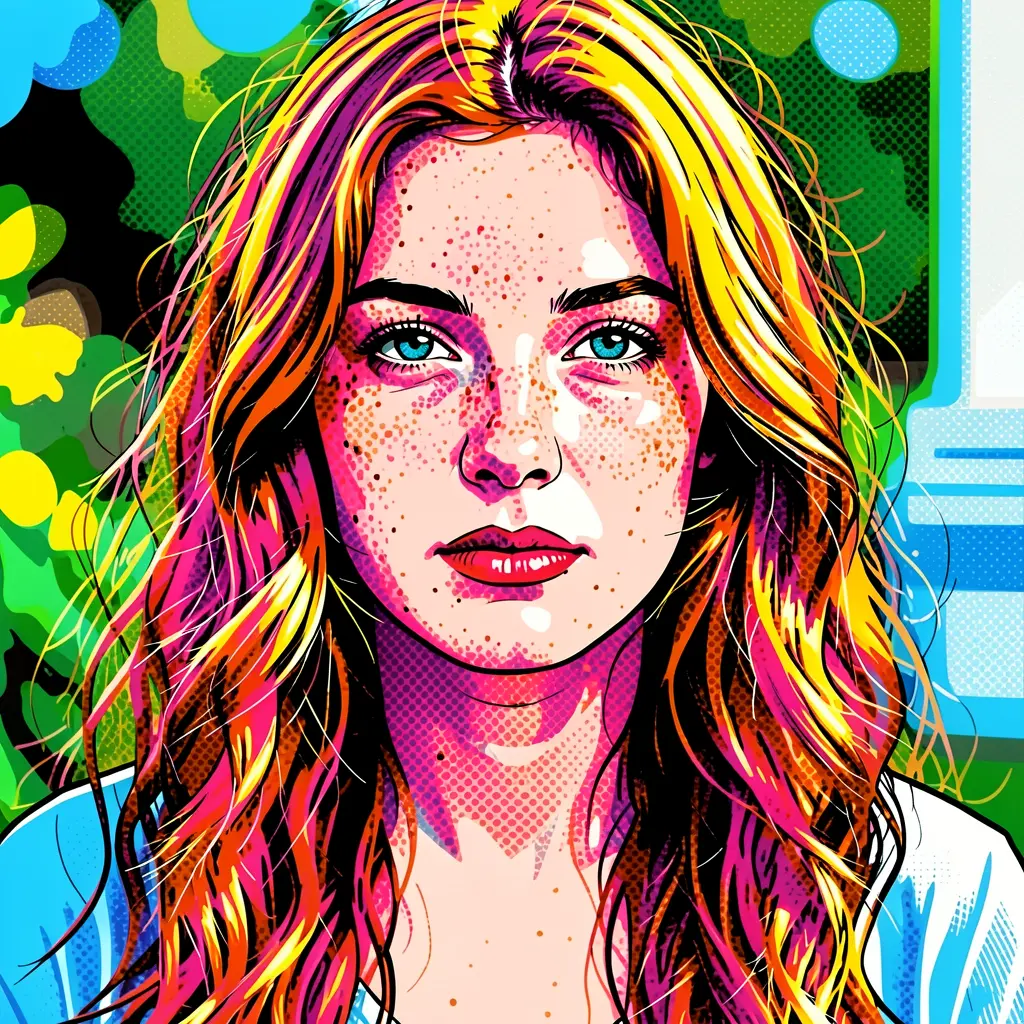
Six styles on the same face. The freckles survive in the oil painting, charcoal, and coloring book versions. The anime simplified the features but kept the hair color and wave pattern. The pop art went full Warhol with Ben-Day dots and neon colors. The coloring book produced clean printable outlines.
Tip: The coloring book and line art styles are actually printable. Save the output, print it, and color it in. Great for kids’ activities or custom coloring pages from any photo.
Prompt patterns that work
The style description in your prompt drives everything. Here are patterns that produce distinct results:
Oil painting"oil painting with thick impasto brushstrokes, warm colors"impasto, brushstrokes, expressionist, palette knife
Watercolor"watercolor with soft washes, visible paper texture"washes, bleeding edges, paper texture, delicate linework
Pencil sketch"pencil sketch with crosshatching and fine graphite detail"crosshatching, graphite, shading, textured paper
Anime"anime illustration, Studio Ghibli style, soft colors"cel shading, large eyes, clean lines, soft colors
Children's book"children's book illustration, bright primary colors, simplified"simplified shapes, primary colors, whimsical, soft
Comic book"comic book panel, bold outlines, halftone dots"halftone, bold outlines, speech bubbles, action lines
Coloring book"coloring book page, clean black outlines, no color fill"black outlines, white background, no fill, printable
Pixel art"pixel art, 16-bit retro game style, limited palette"visible pixels, limited palette, 16-bit, retro
Pop art"pop art, bold flat colors, Ben-Day dots, Warhol style"flat colors, Ben-Day dots, neon, bold, screenprint
Charcoal"charcoal drawing on toned paper with white highlights"charcoal, toned paper, white highlights, smudging
Ink wash"ink wash painting, Chinese shanshui style, monochrome"ink wash, monochrome, gradients, traditional, seal
Vintage photo"vintage 1970s photograph, faded tones, film grain"film grain, faded, vignette, warm tones, scratches
The key to good style prompts: Name the medium, then name the technique. “Oil painting” is okay. “Oil painting with thick impasto brushstrokes and warm expressionist colors” is dramatically better. The model responds to specific art terminology — use it.
Z-Image img2img: fine-tuned control
Klein 9b’s text edit always goes bold — the style transform is strong and dramatic. If you want more control over how much of the original photo shows through, use Z-Image img2img with the --strength parameter.
$ modl generate "a cozy cafe interior, oil painting style, thick impasto brushstrokes" \
--base z-image --init-image cafe.png --strength 0.65 --steps 20
Original photo
Z-Image img2img (strength 0.65)
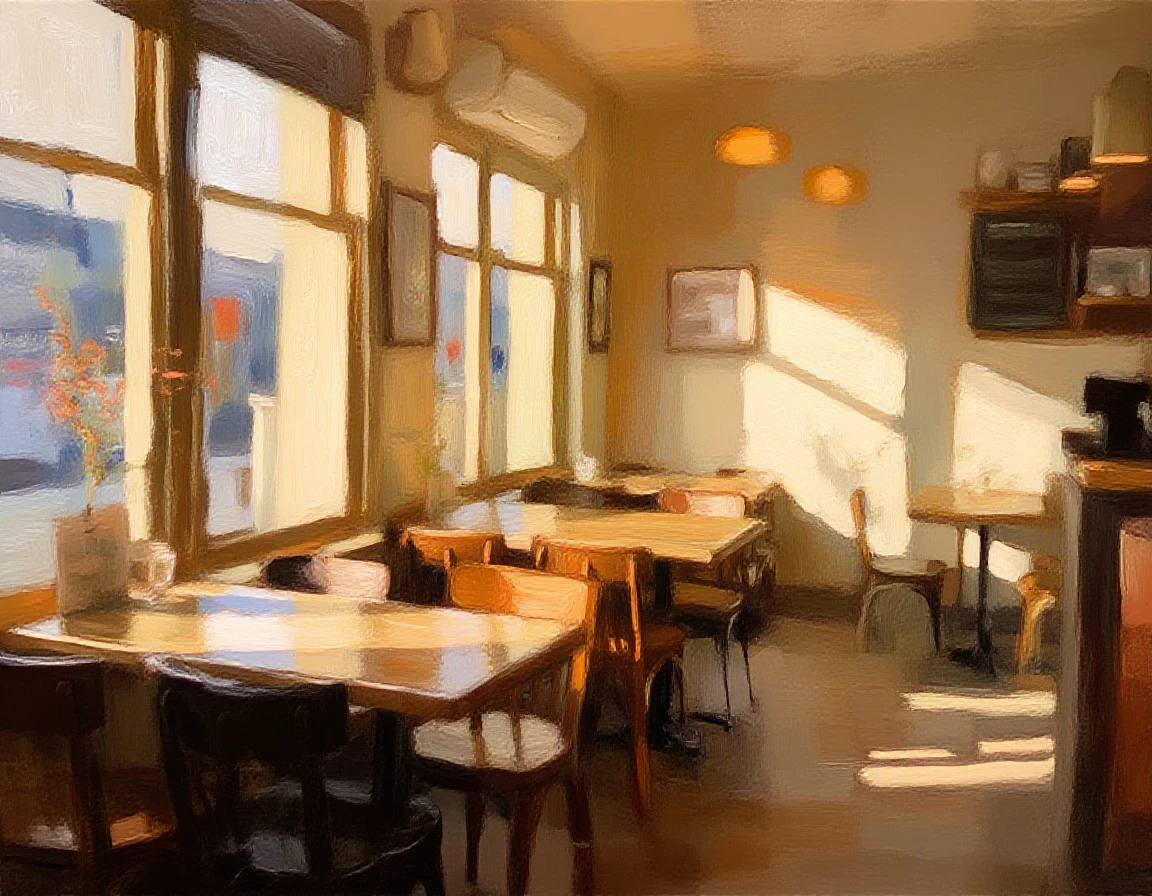
Z-Image img2img at strength 0.65. More subtle than Klein's edit — the composition is tighter to the original, and the brushwork is softer.
The strength dial
0.3–0.4Very close to originalMinimal — slight softeningSubtle filter-like effects
0.5–0.65Recognizable structureStrong texture transferBest balance for style transfer
0.7–0.8Loose interpretationHeavy restylingCreative reinterpretation
0.9–1.0Completely new imageFull generationReference is just a seed
Tip: Start at 0.6 and adjust. Lower if the composition is drifting too far. Higher if the photo’s realism is bleeding through the style.
Klein 9b edit vs. Z-Image img2img
Speed4 steps (~3s)20 steps (~15s)
Style intensityStrong, dramaticAdjustable via --strength
CompositionTightly preservedDrifts at higher strength
How it worksInstruction-following editRedraw from init image
Best forQuick transforms, dramatic effectsFine-tuned balance, subtle effects
Klein 9b is the faster, more dramatic choice — it understands style instructions and applies them confidently. Z-Image img2img gives you a strength slider to fine-tune exactly how much of the original shows through. Use Klein for bold transforms, Z-Image when you want more nuance.
Going further: LoRA training for consistent style
Everything above is a one-off transform — each generation is independent. If you need to generate many images in a consistent style (a storybook, a brand campaign, a game asset set), train a style LoRA instead.
Klein 9b editNoneVaries per generationExploration, one-off transforms
Z-Image img2imgNoneTied to init imageControlled style transfer
Style LoRA30+ images, training timeHigh — learned styleRepeated use across many prompts
$ modl dataset create my-style --from ~/reference-paintings/
$ modl dataset caption my-style
$ modl train --dataset my-style --base z-image-turbo --lora-type style
$ modl generate "a mountain landscape" --base z-image-turbo --lora my-style-v1
Combining with other primitives
Style transforms compose well with the rest of modl’s pipeline:
$ modl edit "transform this into a vibrant oil painting" --image photo.png --base flux2-klein-9b
$ modl vision score styled.png
Aesthetic score: 8.1 / 10
$ modl process upscale styled.png
Upscaling 1152x896 → 4608x3584
Quick reference
Style transfer commands
$ modl edit "transform this into [style description]" --image photo.png --base flux2-klein-9b
$ modl generate "[scene], [style description]" \
--base z-image --init-image photo.png --strength 0.6 --steps 20
$ modl generate "TRIGGER [scene], [style]" \
--base z-image --lora style-v1 --init-image photo.png --strength 0.6