Inpaint Any Image with Any Model
LanPaint brings training-free inpainting to every model in modl. Remove people, change expressions, swap objects — no dedicated inpaint model required.
Inpainting replaces a specific region of an image while preserving everything else. You provide a mask (white pixels = regenerate, black = keep) and a prompt describing what fills the gap. The best inpainting is invisible — you shouldn’t be able to tell the image was edited.
modl supports two main approaches: Flux Fill — a dedicated inpainting model trained for the task — and LanPaint — a training-free algorithm from a recent paper (Zheng et al., arXiv:2502.03491) that lets ANY standard generation model do inpainting. LanPaint is the more interesting story: it means Z-Image, which has no inpaint pipeline, can now do surgical image editing.
LanPaint: inpainting without an inpainting model
LanPaint (Langevin Painting) is a training-free inpainting algorithm published in 2025. Instead of requiring a model trained specifically for inpainting, it modifies the standard denoising loop: at each step, it runs inner Langevin dynamics iterations that balance two forces — the prompt guiding the masked region toward new content, and a BiG score (Bidirectional Guided) anchoring the unmasked region to the original image.
The result: generation models that have no inpaint pipeline — like Z-Image and Flux Klein — can now inpaint. No special weights, no fine-tuning.
Here’s what it can do. Starting with a tourist photo at the Eiffel Tower:
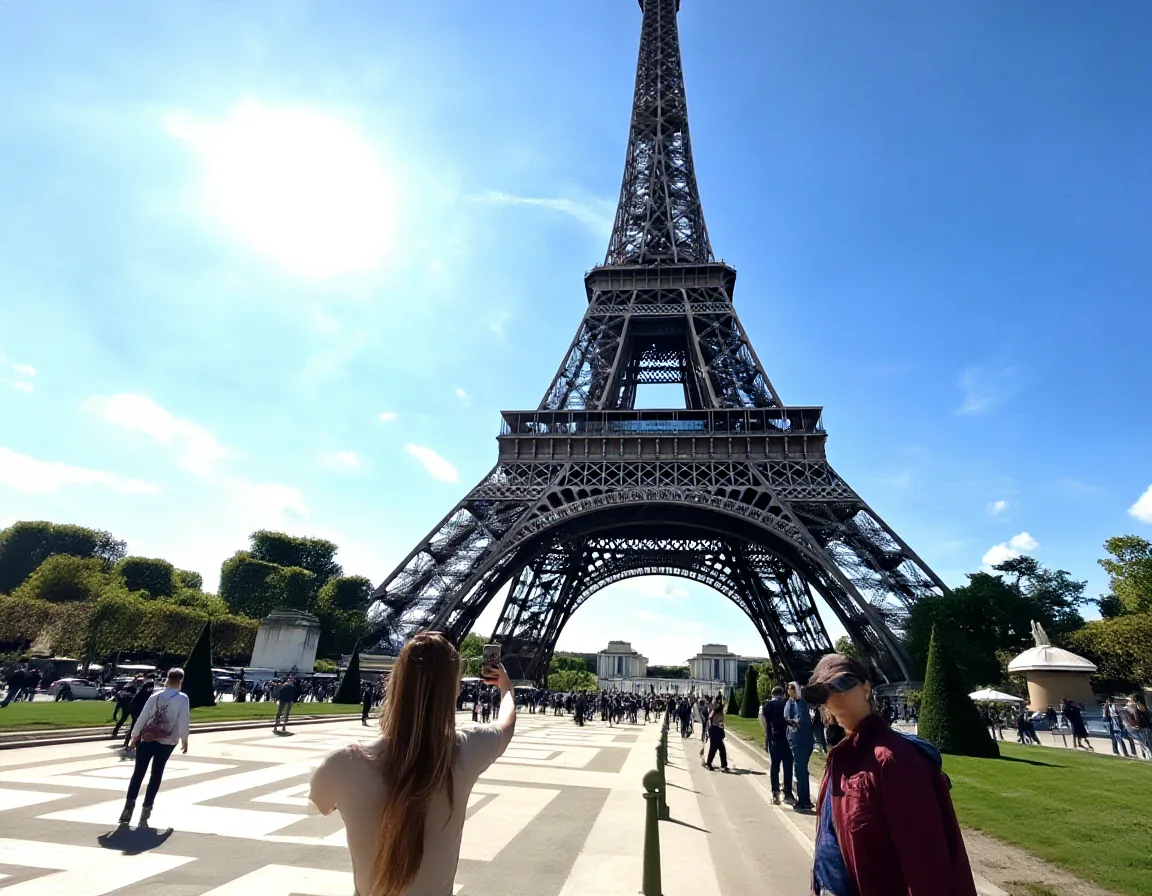
Original image. Generated with Z-Image (30 steps). A woman in the foreground and tourists on the right.
Step 1: Find the people with modl vision ground
modl vision ground uses a vision-language model (Qwen3-VL) to locate objects by description. It returns bounding boxes in normalized coordinates that you convert to a mask.
Step 2: Create masks from the bounding boxes
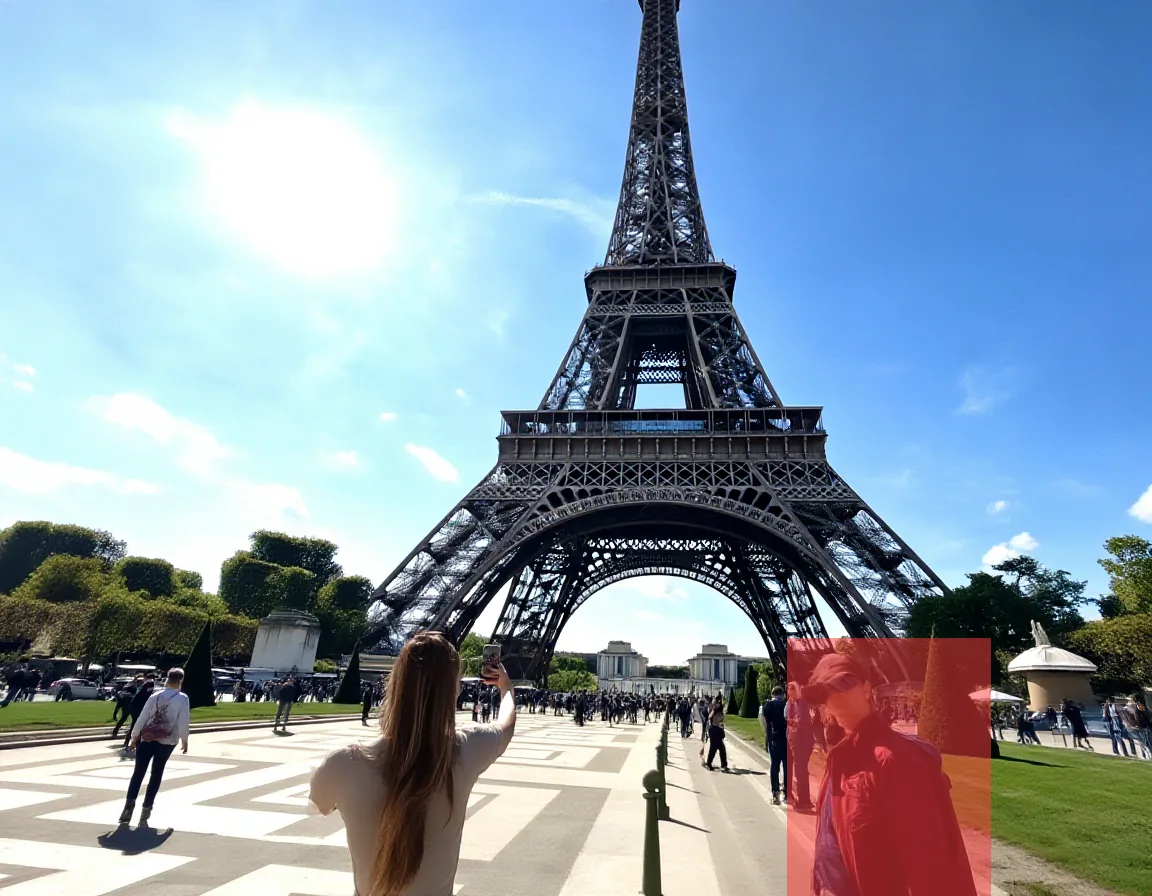
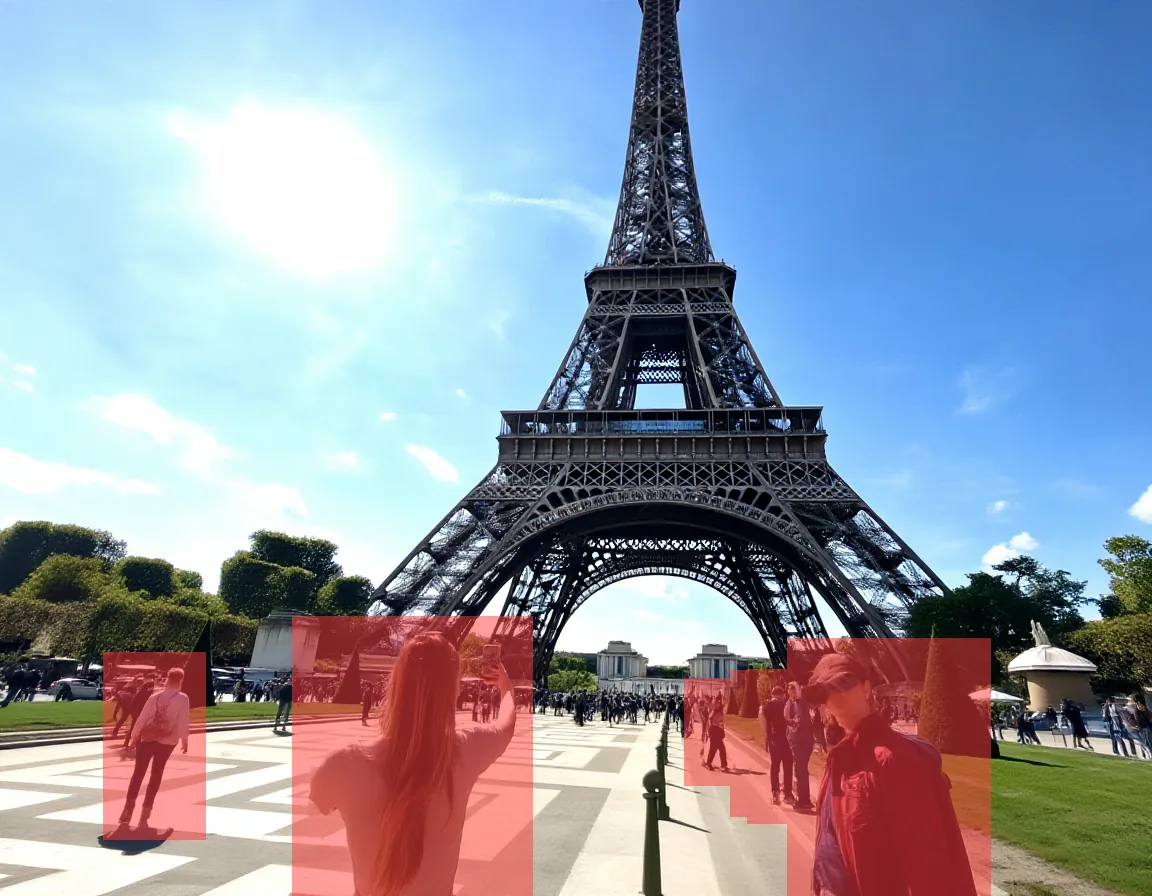
Left: mask from a single ground detection. Right: merged mask covering all detected people. Both generated by modl vision ground + segment.
Step 3: Inpaint
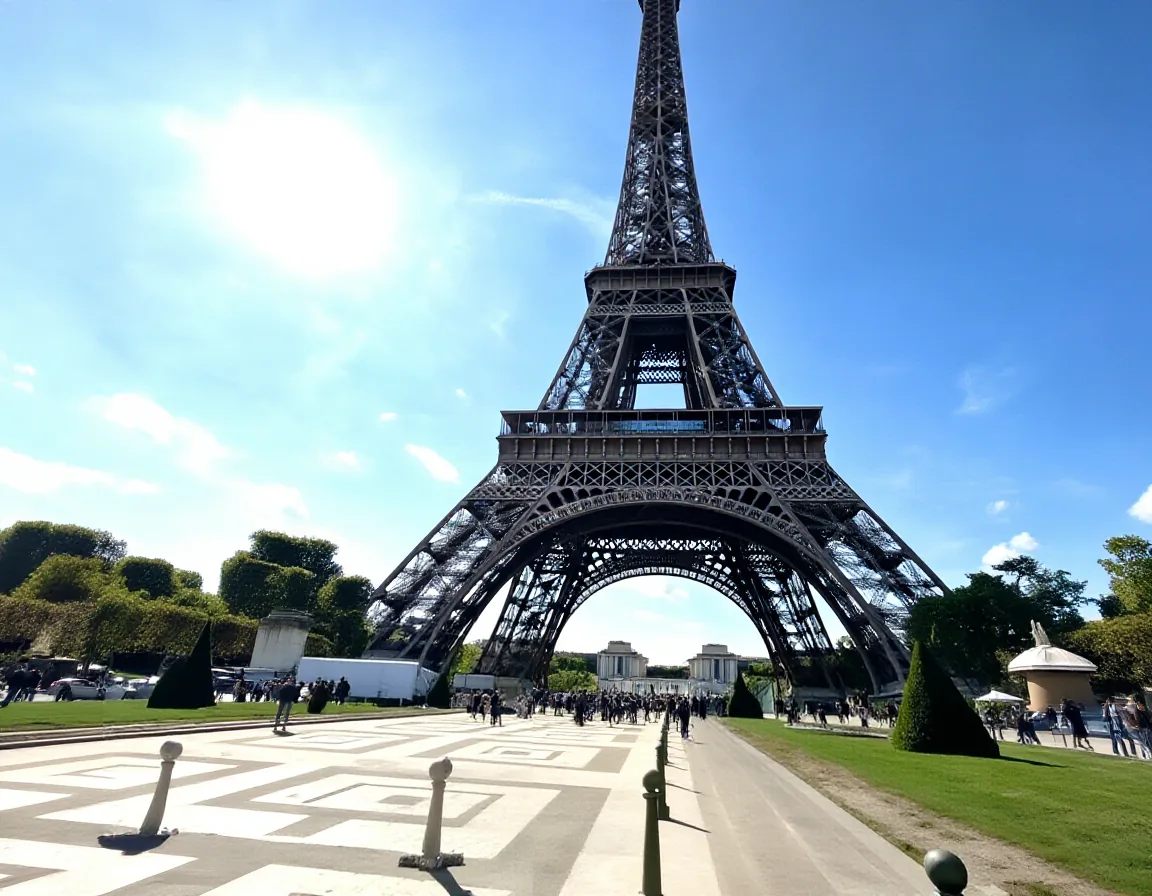
LanPaint with Z-Image removed all foreground people and reconstructed the cobblestone plaza, grass, and walkway. 14.8% of the image regenerated using a model with no inpaint training.
Flux Fill handles the same task:
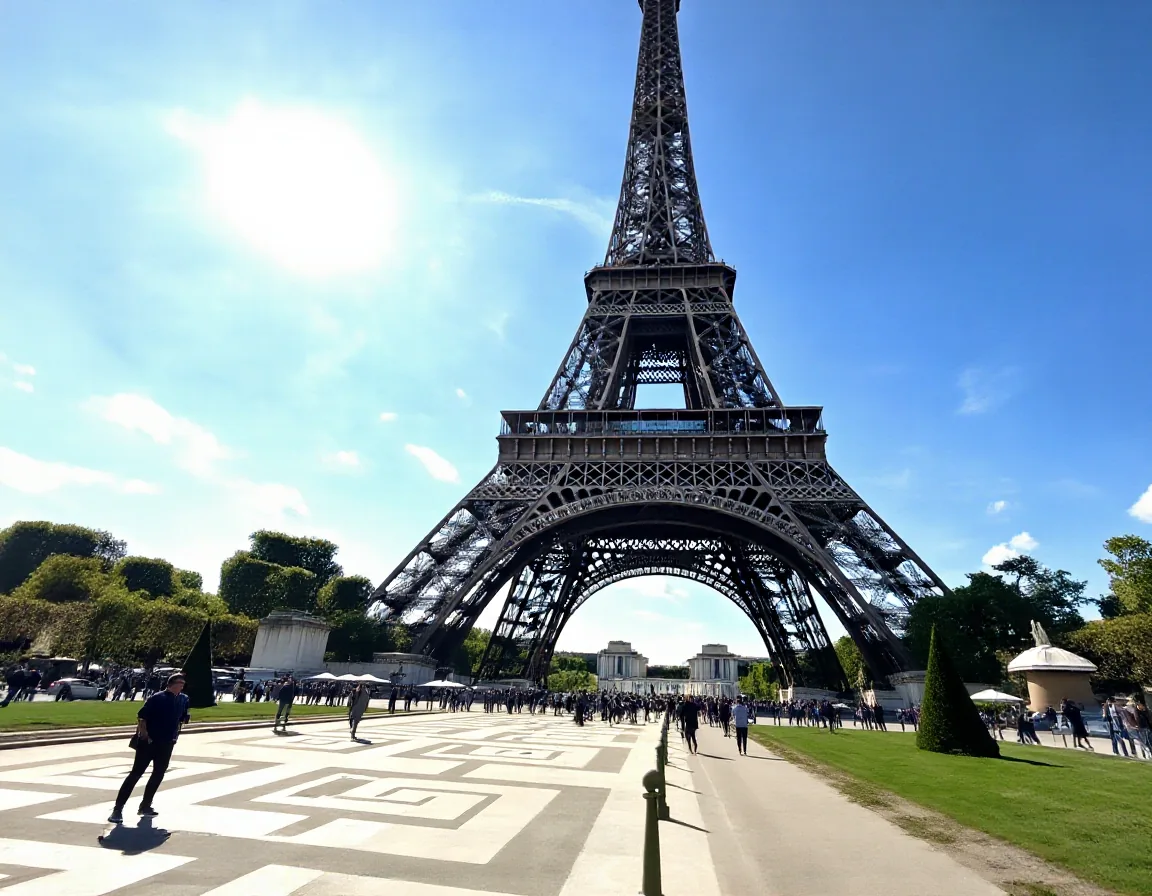
Flux Fill on the same mask. Also clean — the cobblestone pattern and perspective are well reconstructed.
Both methods handle the multi-person removal well — and LanPaint is doing this with a standard Z-Image model that has zero inpaint training. That’s the breakthrough: any model you can generate with, you can now inpaint with.
Seed variation
Like all generation, LanPaint’s output varies with the seed. Here’s the same edit at two different seeds:
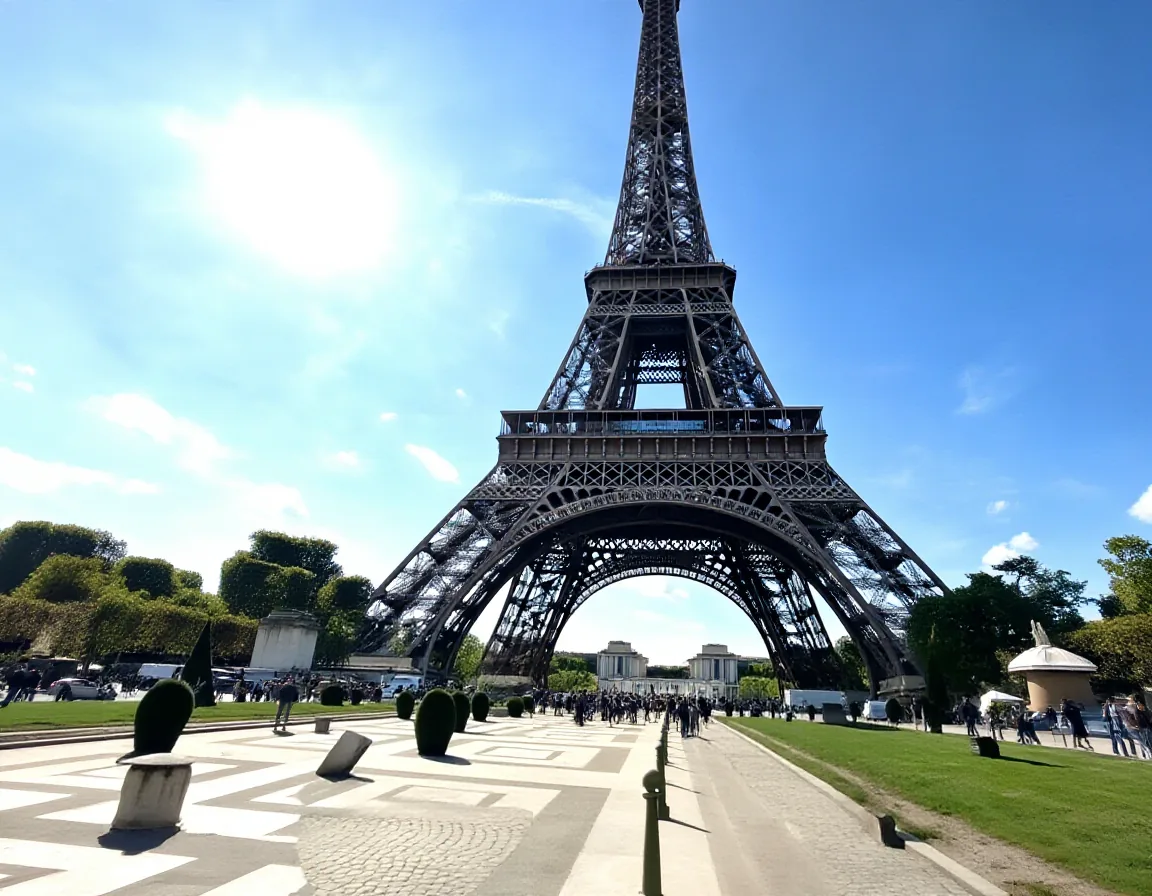
Same mask, same params, different seed. Seed 42 is cleaner. Seed 123 has some artifacts on the left side. Like standard generation, try a few seeds and pick the best.
This is normal variance, same as you’d see generating multiple images with any model. Try a few seeds and pick the best — just like you would with standard generation.
At each denoising step, LanPaint runs 5 inner Langevin iterations. Each iteration computes a BiG (Bidirectional Guided) score that does two things simultaneously: (1) pulls the masked region toward the prompt’s predicted clean image, and (2) anchors the unmasked region to the original photo. The balance between these forces is controlled by lambda — higher lambda means stronger reference anchoring.
Flux Fill: the precision tool
Flux Fill Dev is purpose-built for inpainting — a 384-channel input model trained specifically on masked regions. It excels at small, precise edits where boundary blending matters most.
Change a facial expression
The most impressive small-mask demo: 4.1% of the image, dramatic visible change.
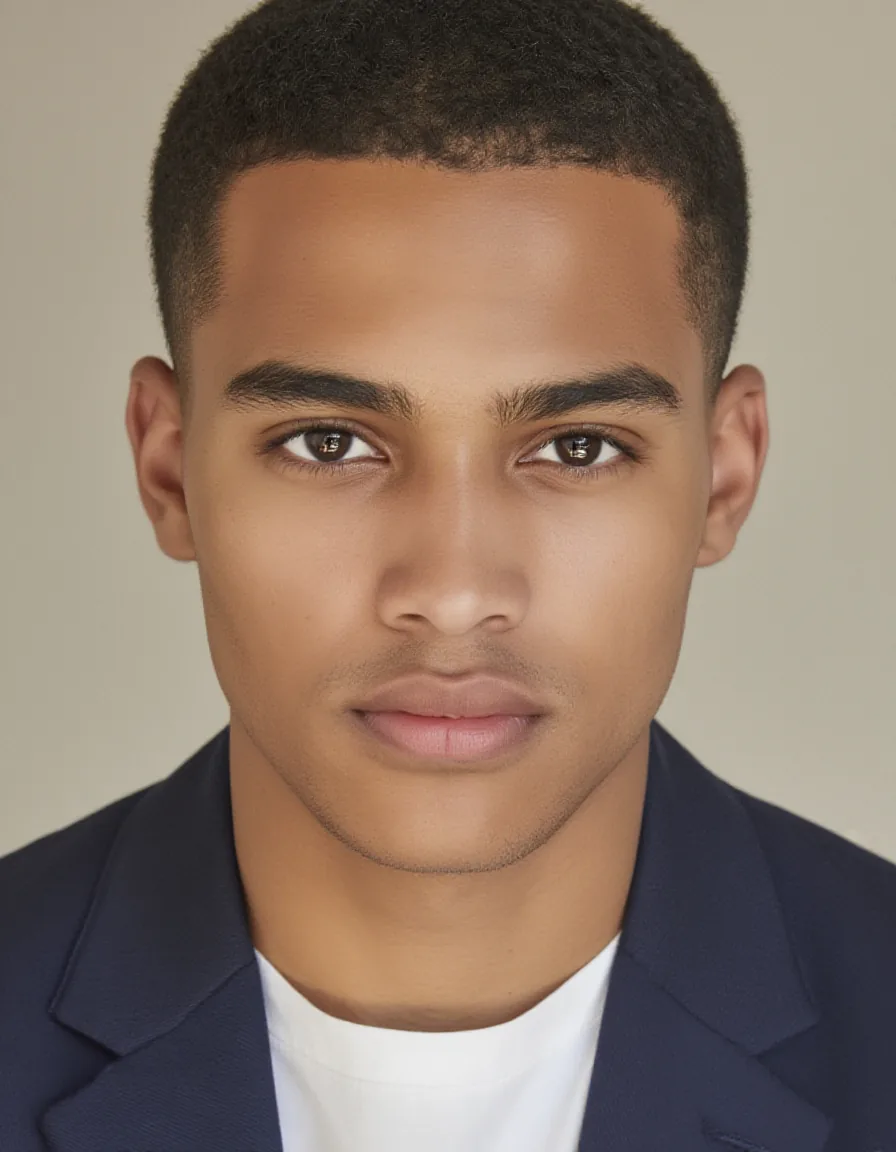
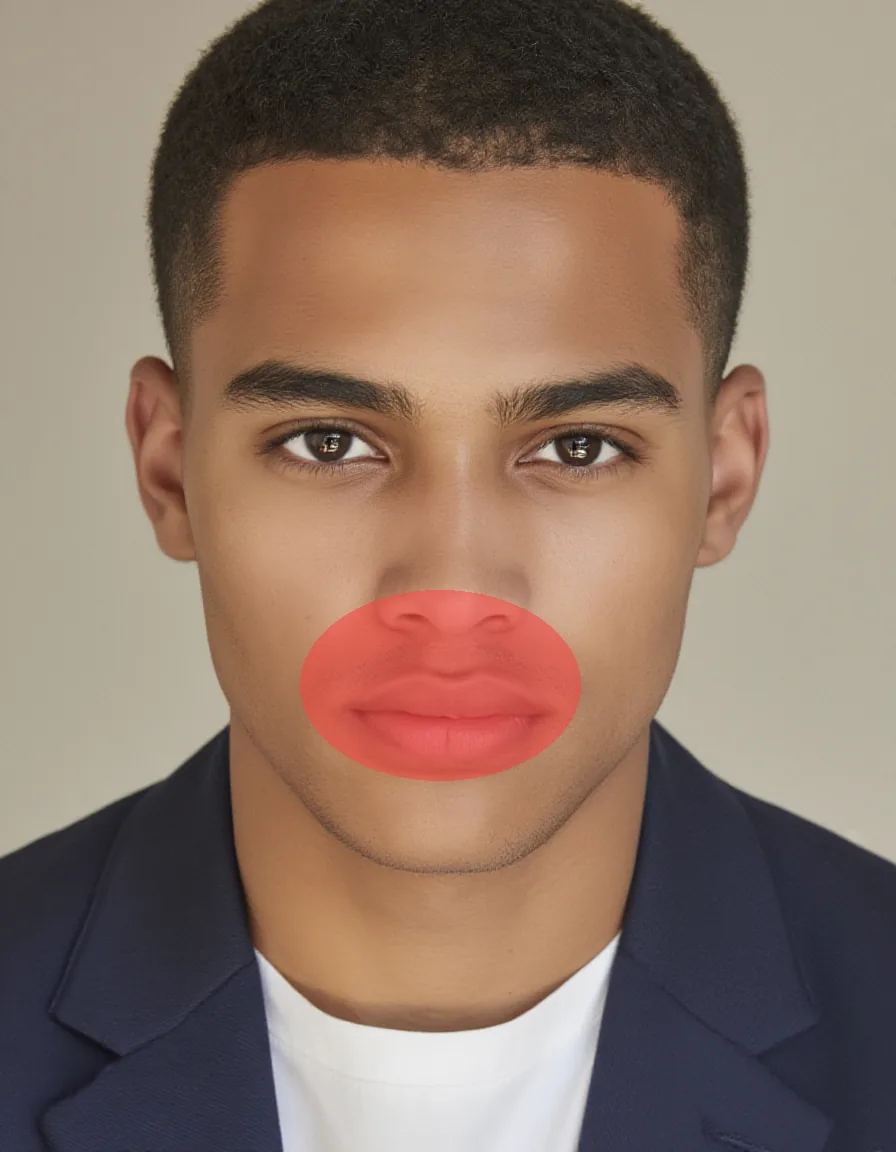
Original portrait and the mask — just the mouth and chin (4.1% of the image).
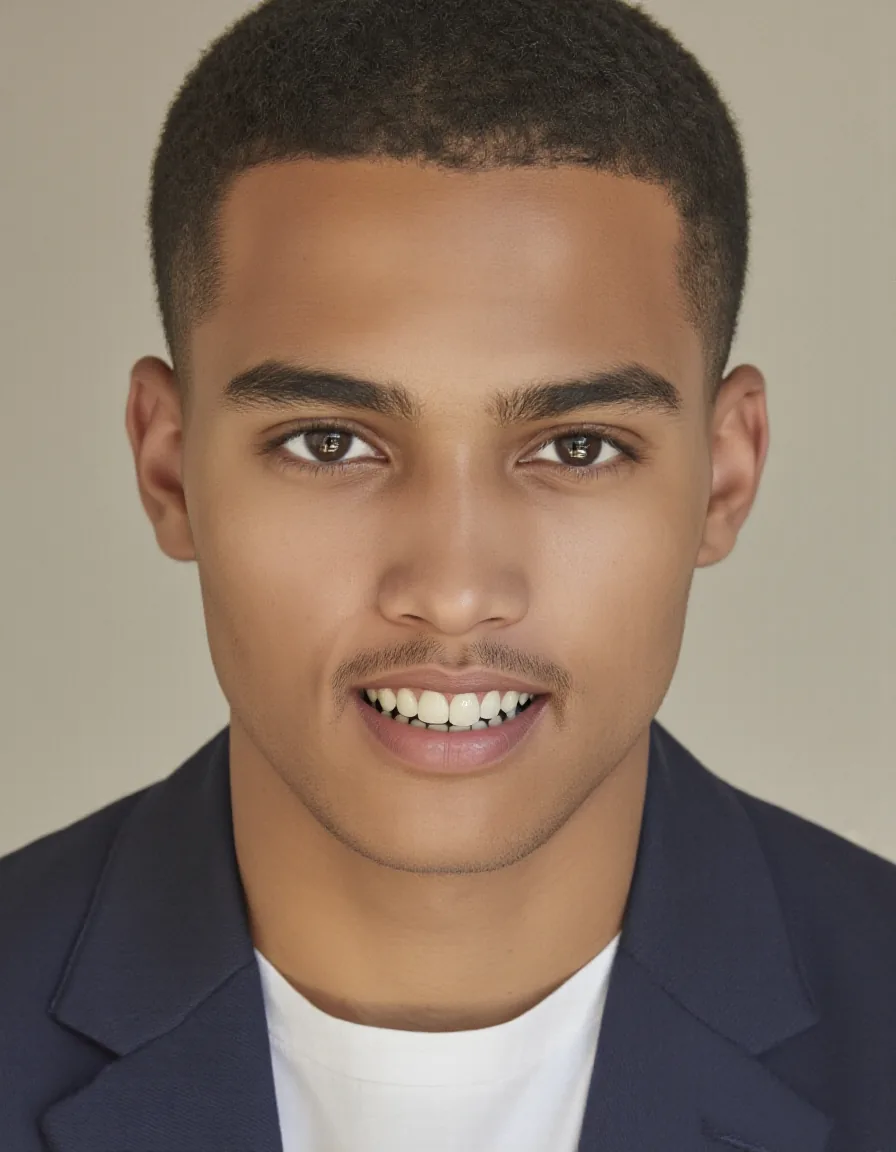
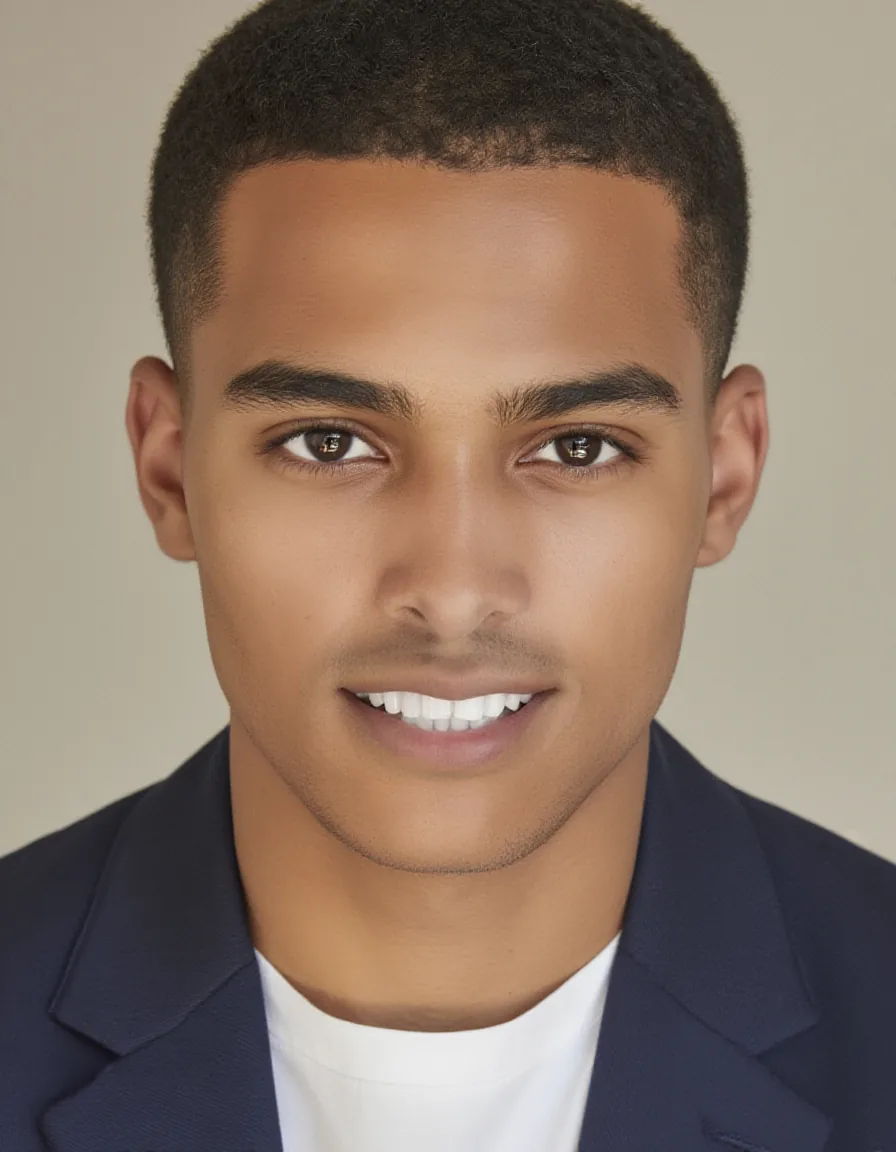
Same mask, same prompt, both from the neutral original. Flux Fill produced a wider smile. LanPaint converged on a subtler expression.
Swap an object
Replace the coffee mug on a desk with a candle. The mask was generated with modl vision ground "coffee mug" — properly covering the entire mug:

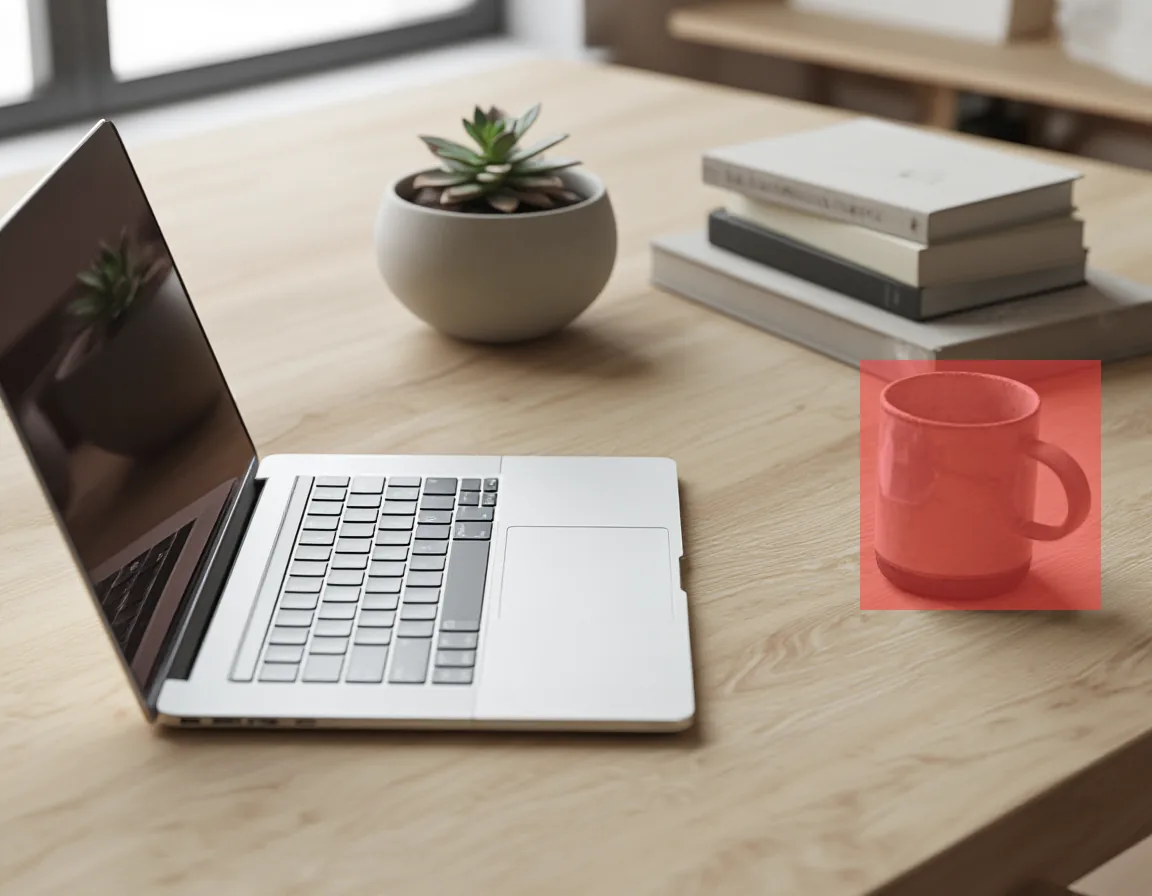
Original desk and the mask from modl vision ground (coffee mug query) — covers the full mug (5.8% of image).


Both replaced the mug cleanly. Flux Fill generated a tall candle in a dark vessel. LanPaint produced a smaller tea light in a shallow dish. Wood grain is continuous in both.
When to use which
Auto-routing: If you pass —mask with a model, modl picks the best method automatically. Flux 1 models route to Flux Fill when installed. Klein and Z-Image models that lack standard inpainting route to LanPaint. You can override with —inpaint lanpaint or —inpaint standard.
Distilled/turbo models (Z-Image Turbo, Flux Schnell) produce lower quality with LanPaint. Distillation compresses the denoising schedule, and LanPaint’s algorithm relies on the score function that distillation breaks. Z-Image base gives the best LanPaint results.
Creating masks
Three approaches:
For the detect → segment → inpaint pipeline, see the Image Primitives guide.
Lessons from testing
Things we learned building this guide:
-
LanPaint can handle larger masks than Flux Fill. At 15% mask coverage, LanPaint successfully removed a person while Flux Fill reconstructed them. The Langevin dynamics actively push toward the prompt rather than preserving nearby content.
-
Flux Fill excels at tiny, precise edits. Expression changes, small object swaps, blemish removal — anywhere the mask is under 5% and boundary blending is critical.
-
The prompt should describe what fills the gap. “Empty plaza, Eiffel Tower, sunny day” works better than “remove the person” — the model needs to know what to generate, not what to delete.
-
Mask placement matters more than mask shape. Rough ellipses work fine. But if the mask only partially covers an object, Flux Fill may keep it rather than removing it.
-
LanPaint supports Z-Image (base + turbo) and Flux Klein 9B. Each model needs a small adapter matching its output convention. Z-Image base gives the best results.
LanPaint across models
The same inpainting task — removing all foreground people from the Eiffel Tower scene — across three different models. Same mask, same prompt, same seed:
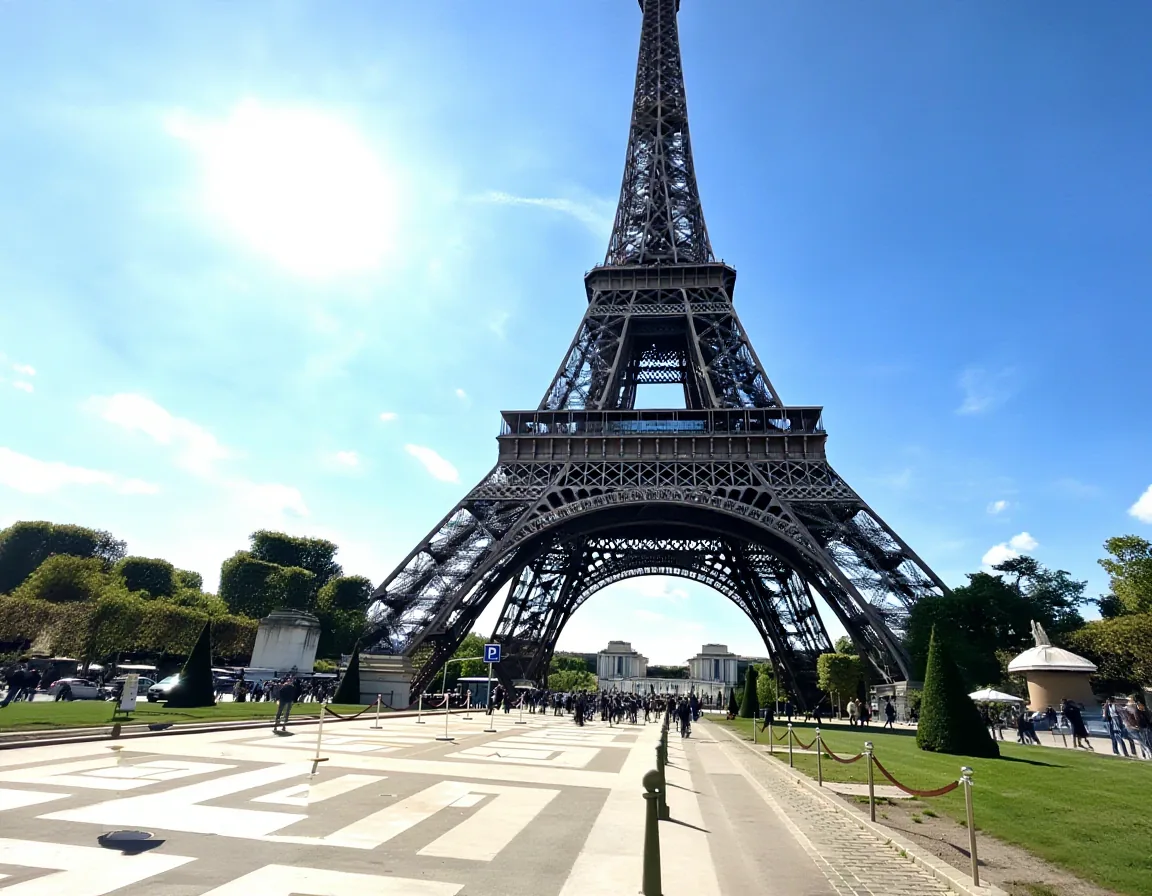
Z-Image (non-distilled, bf16) vs Klein 9B (distilled, fp8). Z-Image produces a more natural reconstruction. Klein adds bollards and slightly different paving — its edit-style architecture interprets the scene differently.
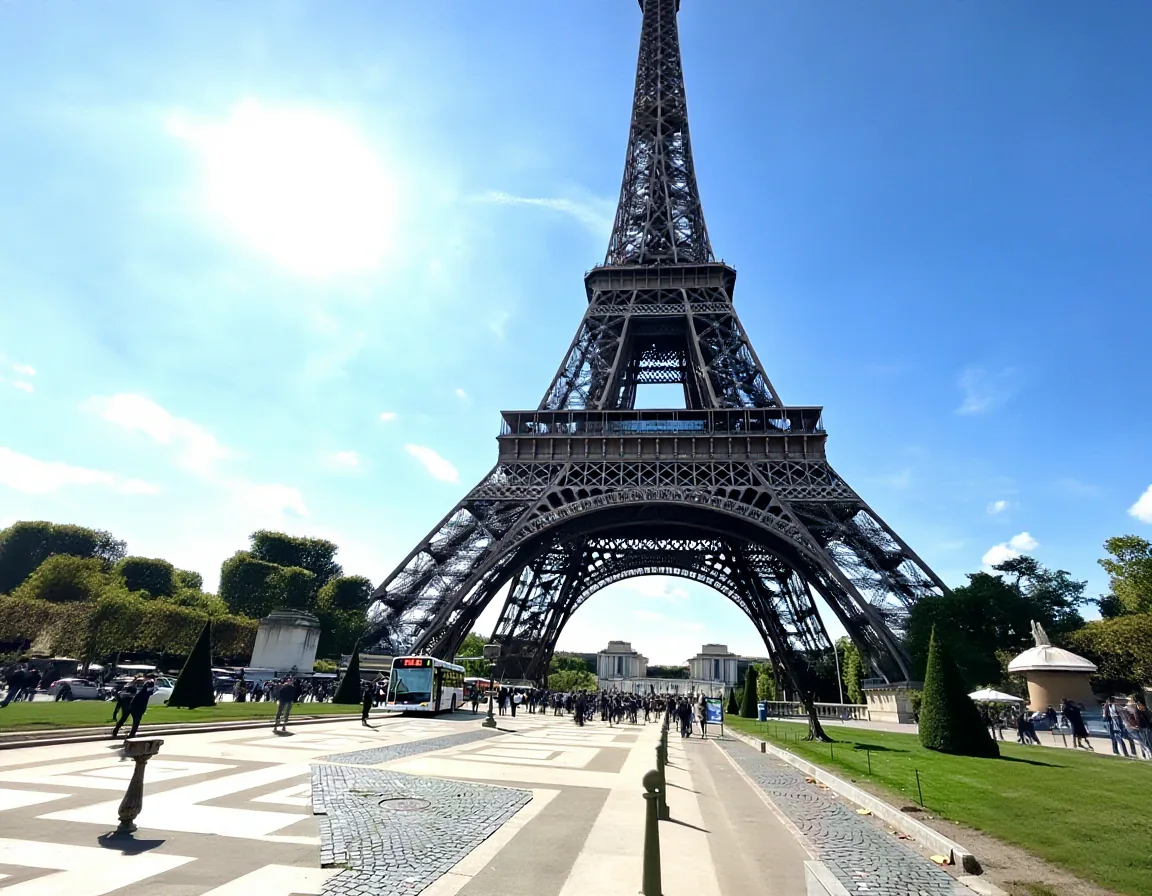
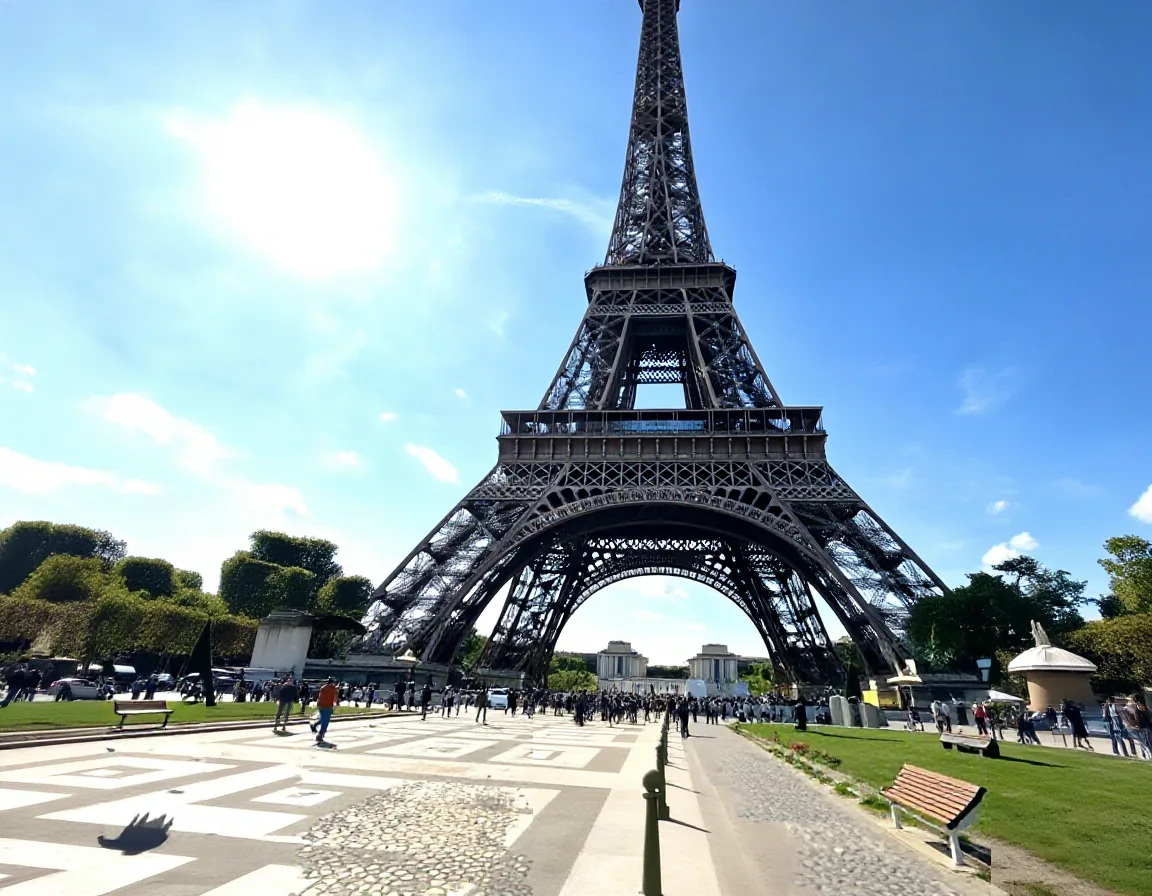
Klein 4B (distilled, 4B params) adds a bus and bollards — its edit-style architecture interprets the prompt more creatively. Z-Image Turbo (distilled, 8 steps) is the fastest but adds phantom objects.
Reference
Quick Reference
Flux Fill (small precise edits):
modl generate "what fills the gap" \
  --base flux-fill-dev \
  --init-image photo.png --mask mask.png \
  --steps 28
LanPaint (Z-Image, Klein — no inpaint model needed):
modl generate "what fills the gap" \
  --base z-image --inpaint lanpaint \
  --init-image photo.png --mask mask.png \
  --steps 30
Supported LanPaint models:
- Z-Image (recommended — best quality)
- Z-Image Turbo (fast, lower quality)
- Flux Klein 4B and 9B (edit-style, different aesthetic)
LanPaint flag:
--inpaint lanpaint— force LanPaint (auto-selected for models without standard inpaint)--inpaint standard— force standard diffusers/Flux Fill inpainting--inpaint auto— (default) picks the best method for the model- Paper: arXiv:2502.03491