Illustrate a Children's Story with Multiple Characters
Generate a 6-page storybook with 3 characters using Klein 9B + a LoRA. The hard problem: keeping a kitten visible when a LoRA dog dominates every scene.
What you’ll build
A 6-page illustrated children’s story with three characters — one locked with a LoRA, two described by prompt alone. The story is “Maxi and the Midnight Kitchen”: a Pomeranian hears a noise at night, finds a kitten raiding the cookie jar, and a little girl catches them both.
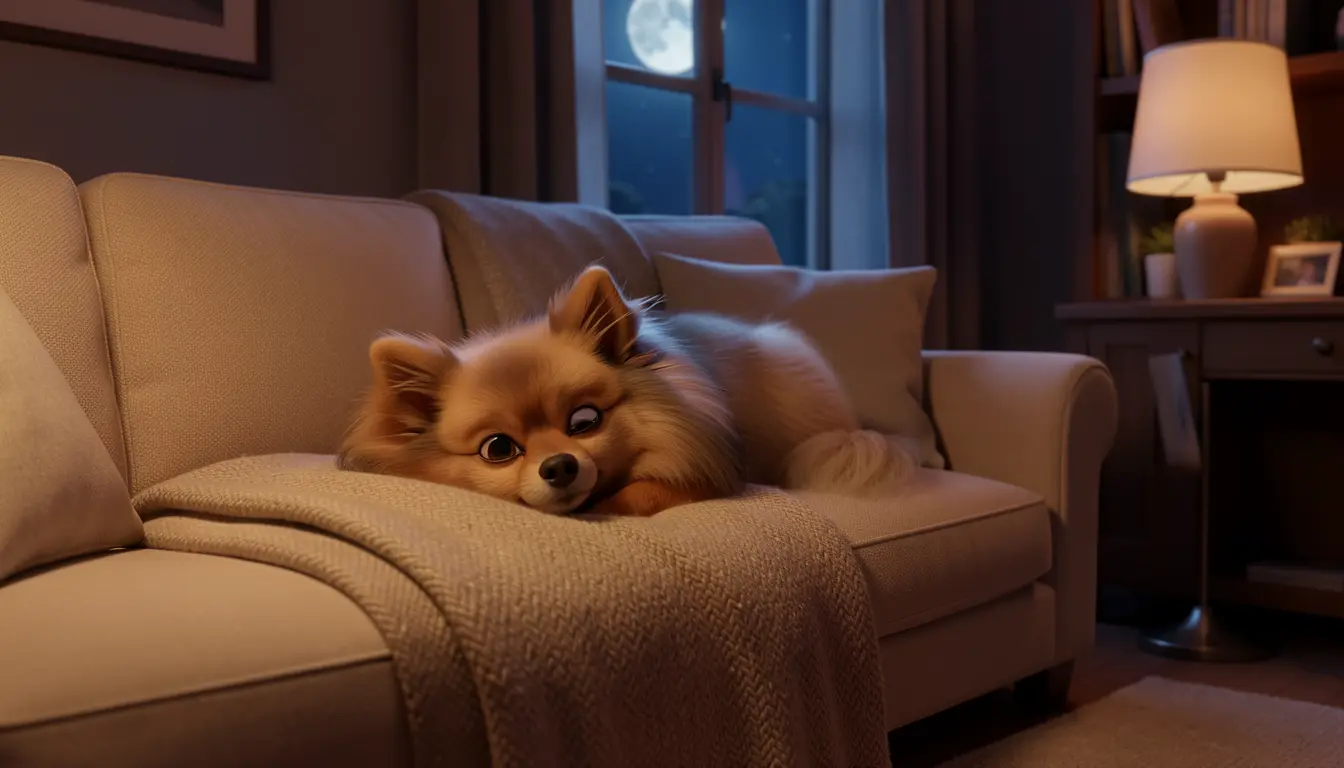
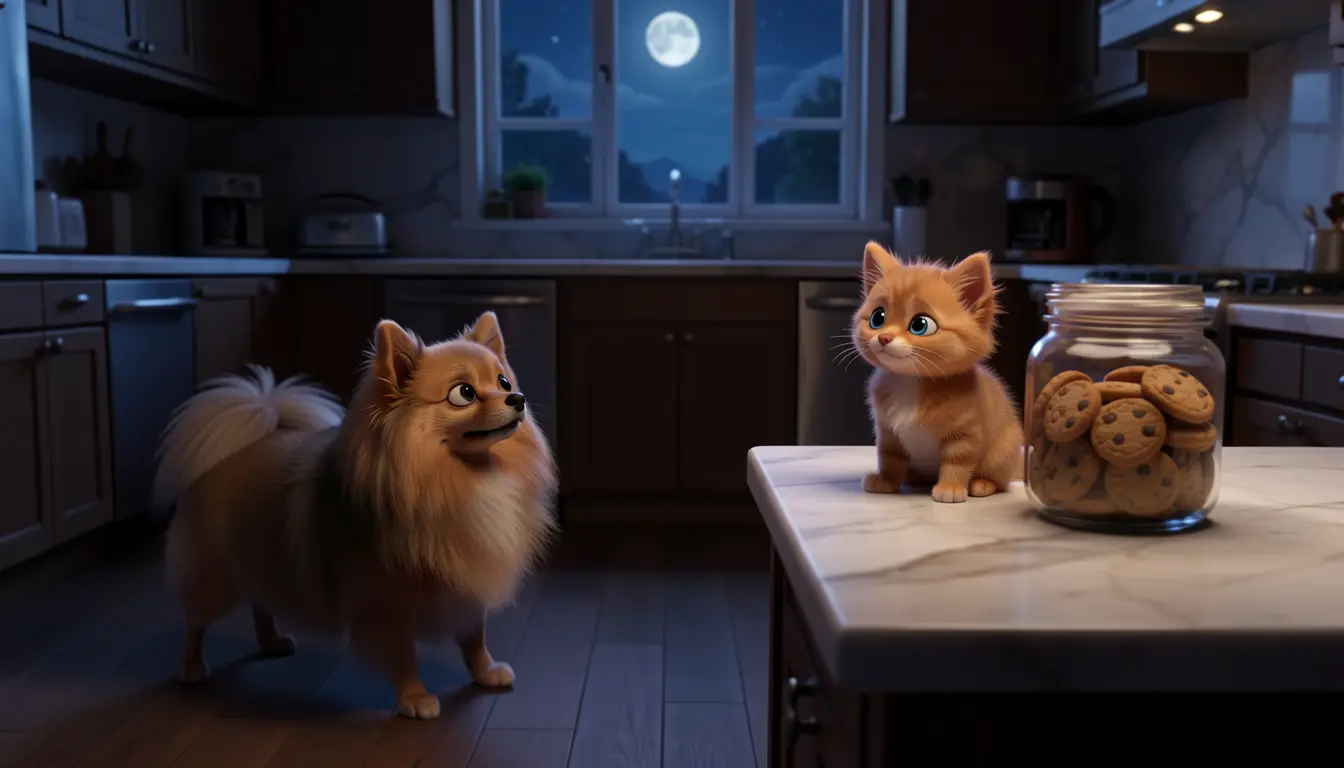
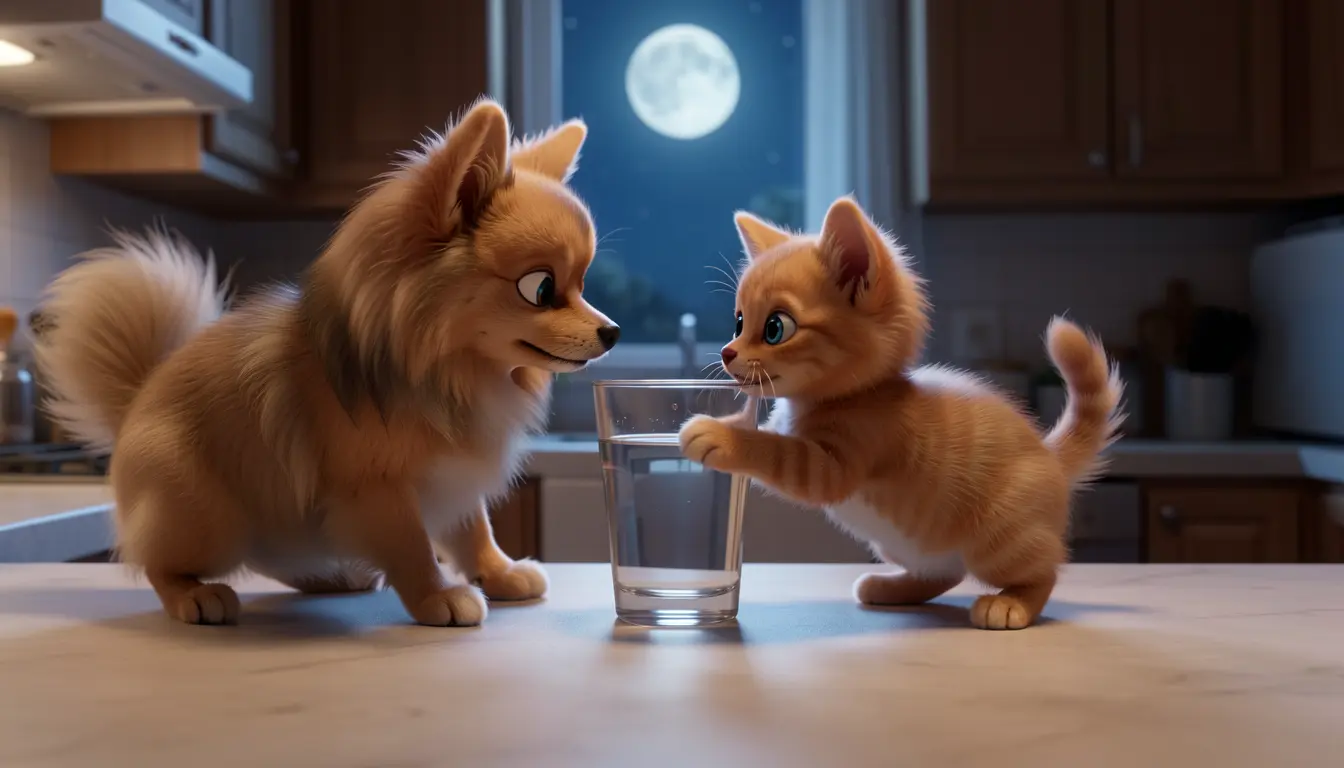
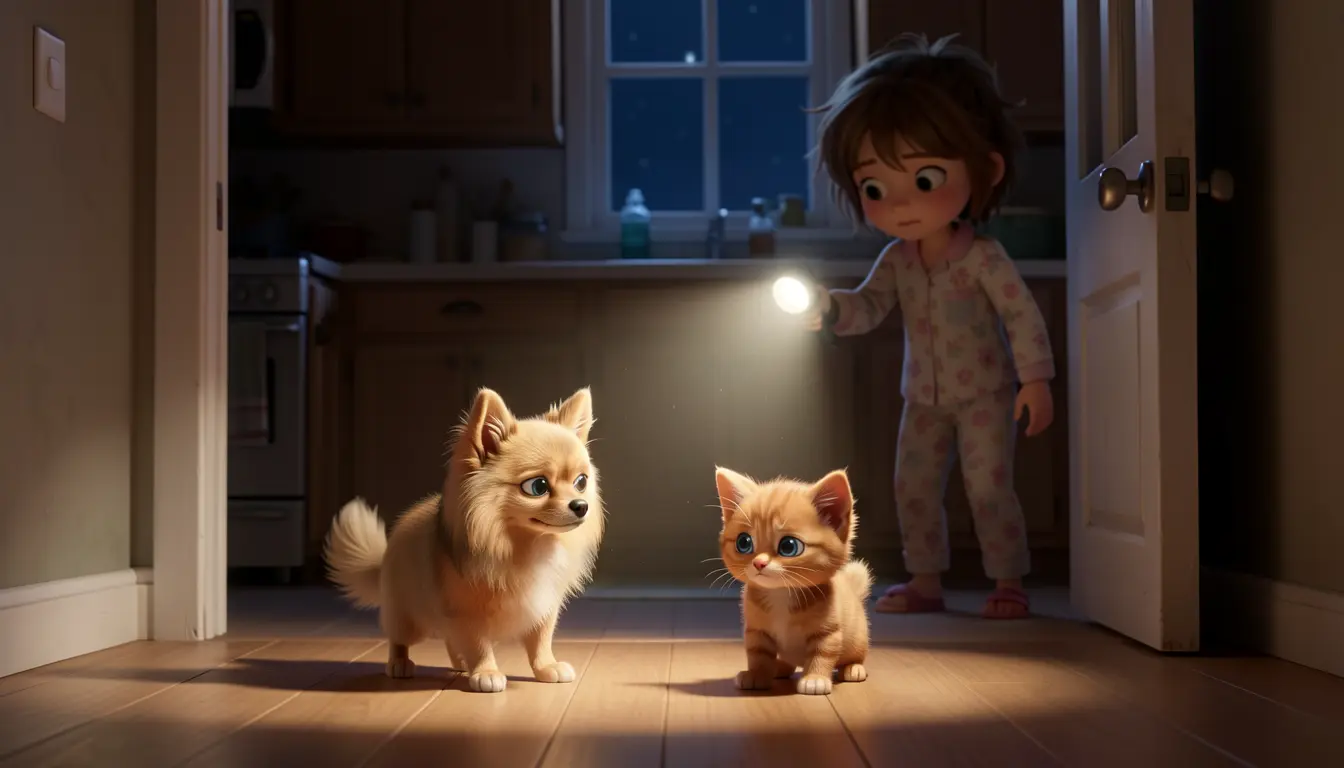
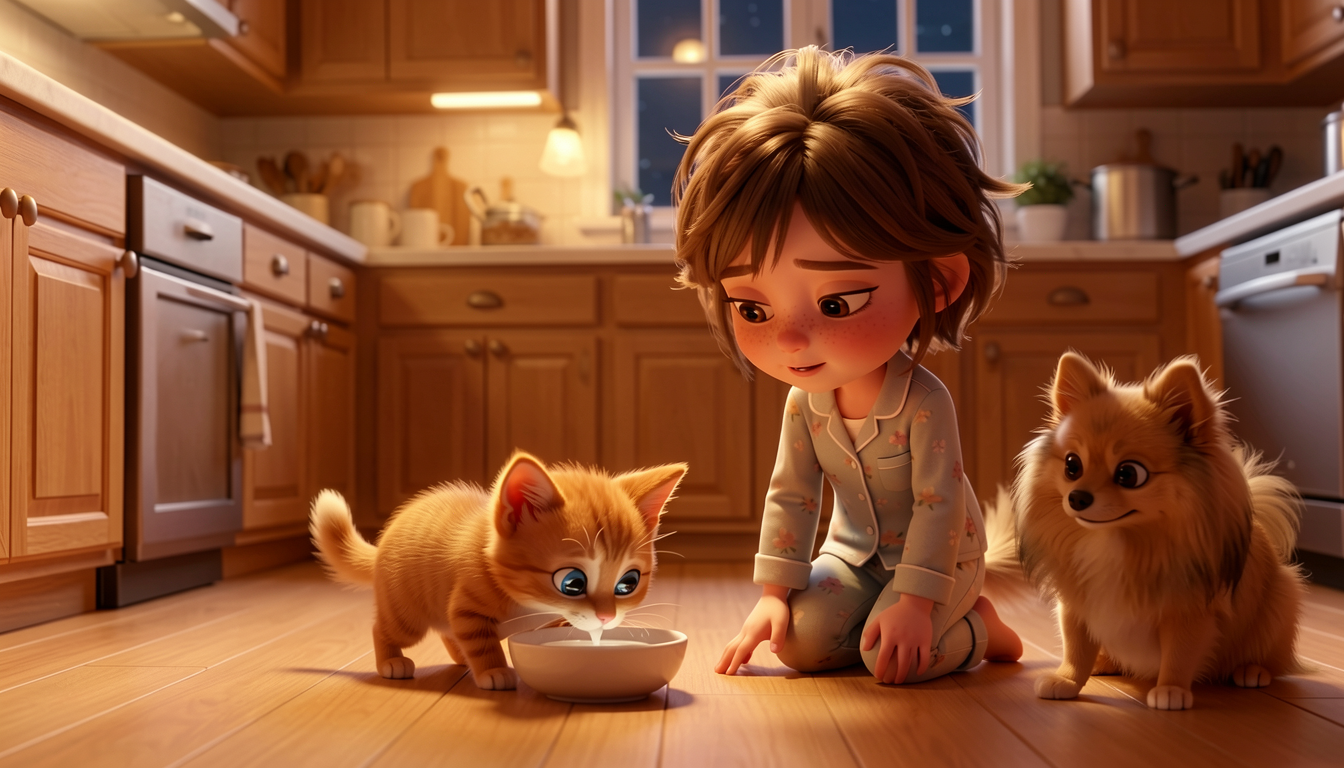
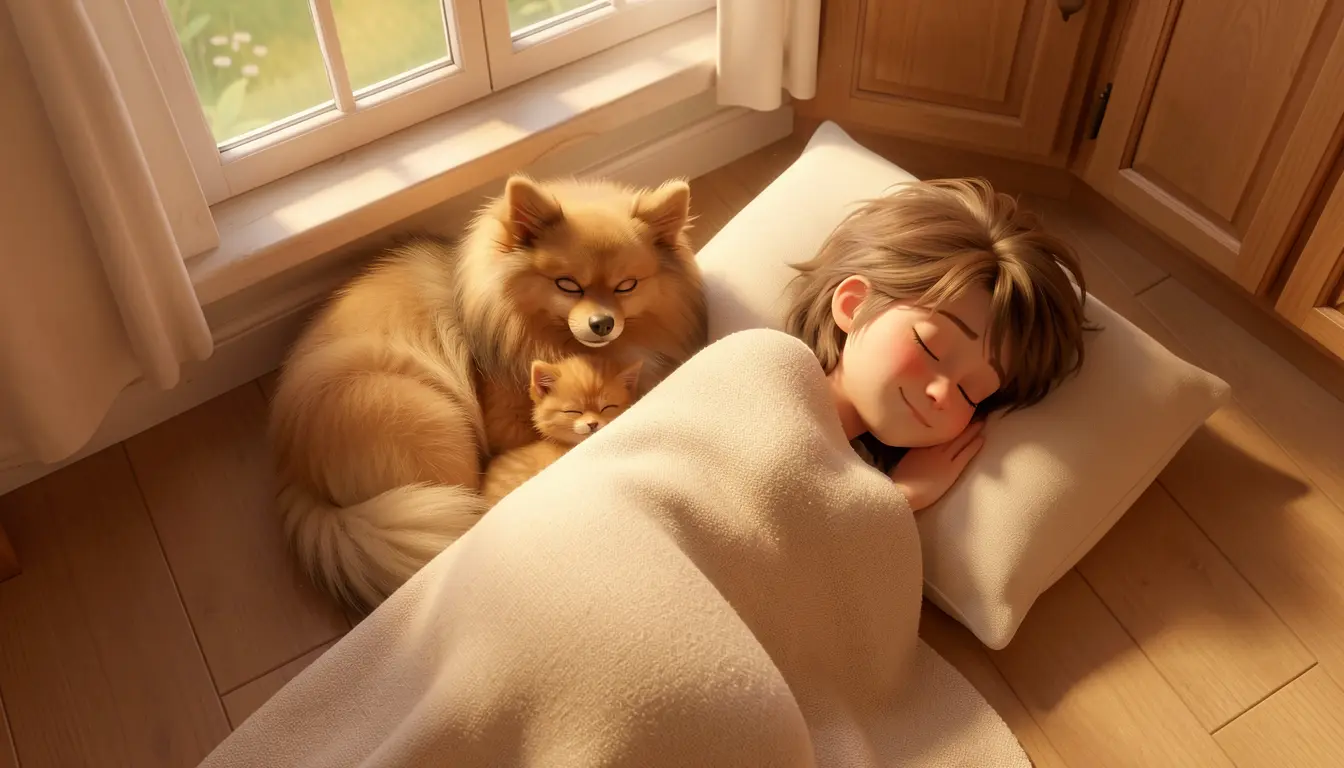
Every illustration generated with Klein 9B + a custom Maxi LoRA. Pixar 3D animated style, 16:9 aspect ratio. The hardest scenes (pages 5-6) required reference images + LoRA together via modl edit.
Multi-character consistency is the hard problem this guide tackles. When a LoRA-locked character shares the frame with prompt-only characters, the LoRA dominates — smaller characters get absorbed or vanish entirely. We test two approaches: prompt-order tricks and reference images + LoRA.
A LoRA modifies the model’s weights, giving one character an unfair advantage in every scene. Smaller characters (especially animals similar to the LoRA subject) get dropped or distorted. This guide documents the failures and two fixes — one fragile, one reliable.
Prerequisites
- modl installed —
curl -fsSL https://modl.run/install.sh | sh - Klein 9B —
modl pull flux2-klein-9b(8.8 GB download, needs roughly 16 GB VRAM with a LoRA loaded) - A trained character LoRA — we used a Pomeranian LoRA trained on Klein 9B (see Train a Character LoRA). When you train a LoRA with modl, you get back an ID like
train:maxi-klein-9b:c3bc24dc9980e627— use yours in place of ours throughout this guide. - GPU with 16+ GB VRAM — tested on an RTX 4090 (24 GB). Klein 9B runs quantized at ~13 GB; the LoRA adds ~3 GB on top
- A story — write one, or ask an LLM
Step 1: The cast
Before generating story pages, create standalone reference images for each character. These serve two purposes: they’re visual anchors as you write prompts, and they become input images for Klein’s edit mode in multi-character scenes later.
Maxi (LoRA-locked)
Maxi is the main character. He has a trained LoRA, so his identity is locked. The trigger word OHWX activates the LoRA.
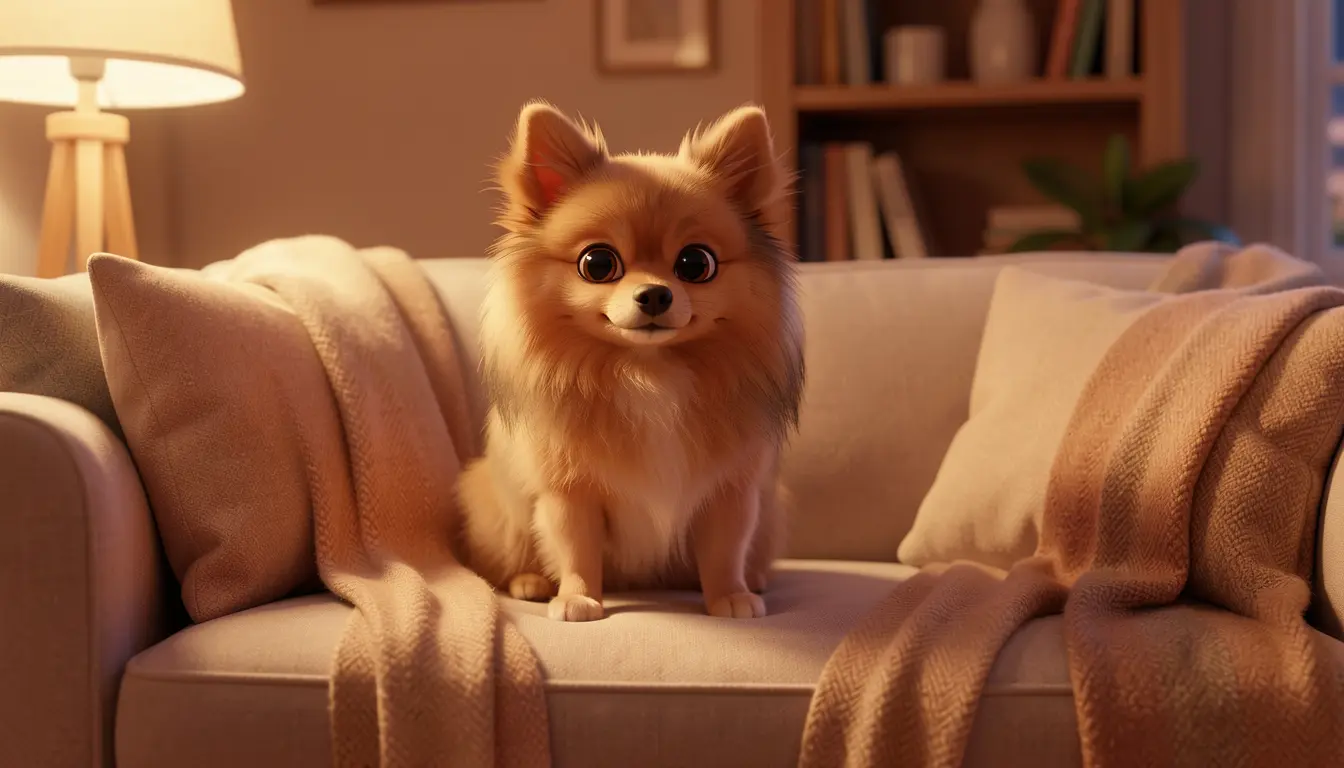
Maxi reference — seed 42. The LoRA handles identity, so every seed produces the same dog.
With a LoRA, every seed produces the same dog. The reference image is less about finding the right likeness and more about confirming the style works — and having a clean reference to pass to modl edit later.
Klein 9B defaults to 4 inference steps (it’s a distilled model). We omit --steps throughout this guide since 4 is the default.
Kitten (prompt-only)
The kitten has no LoRA — its appearance is controlled entirely by the prompt. This means it needs a detailed, consistent description in every scene.
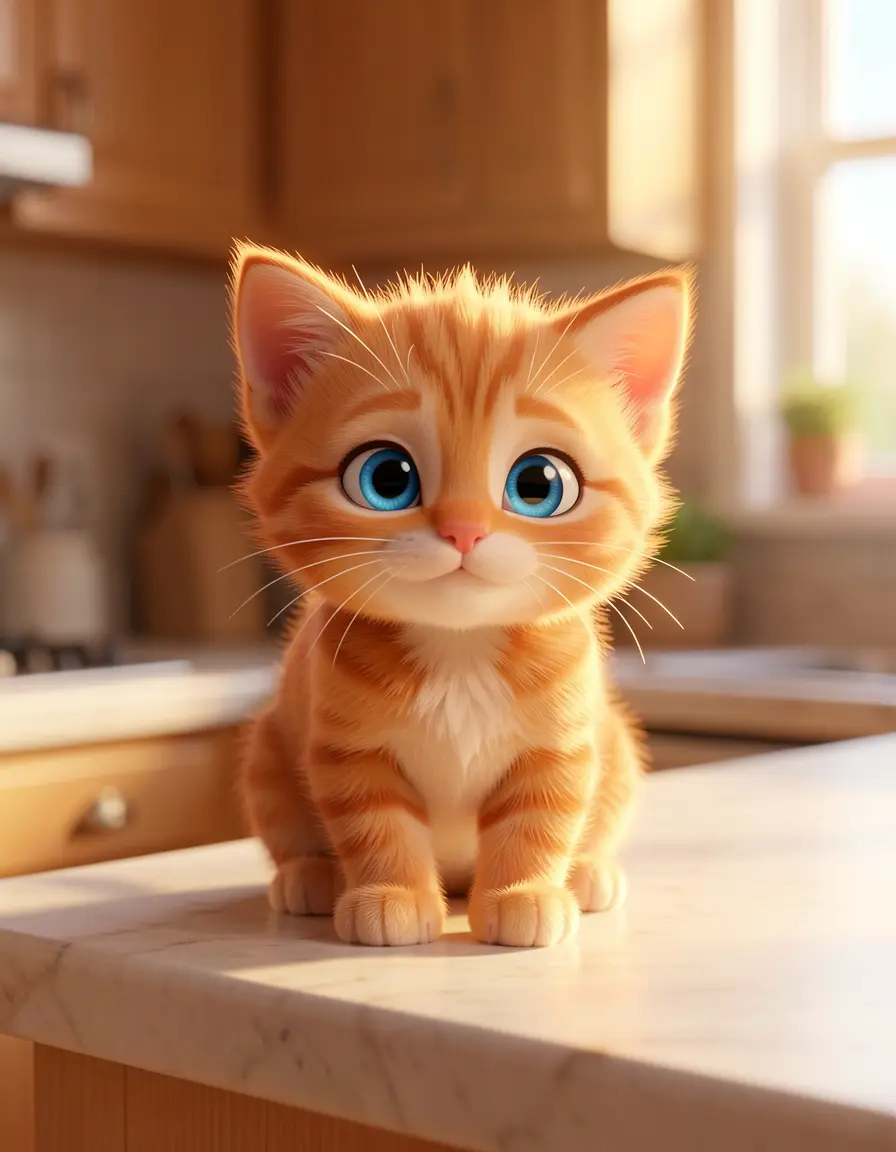
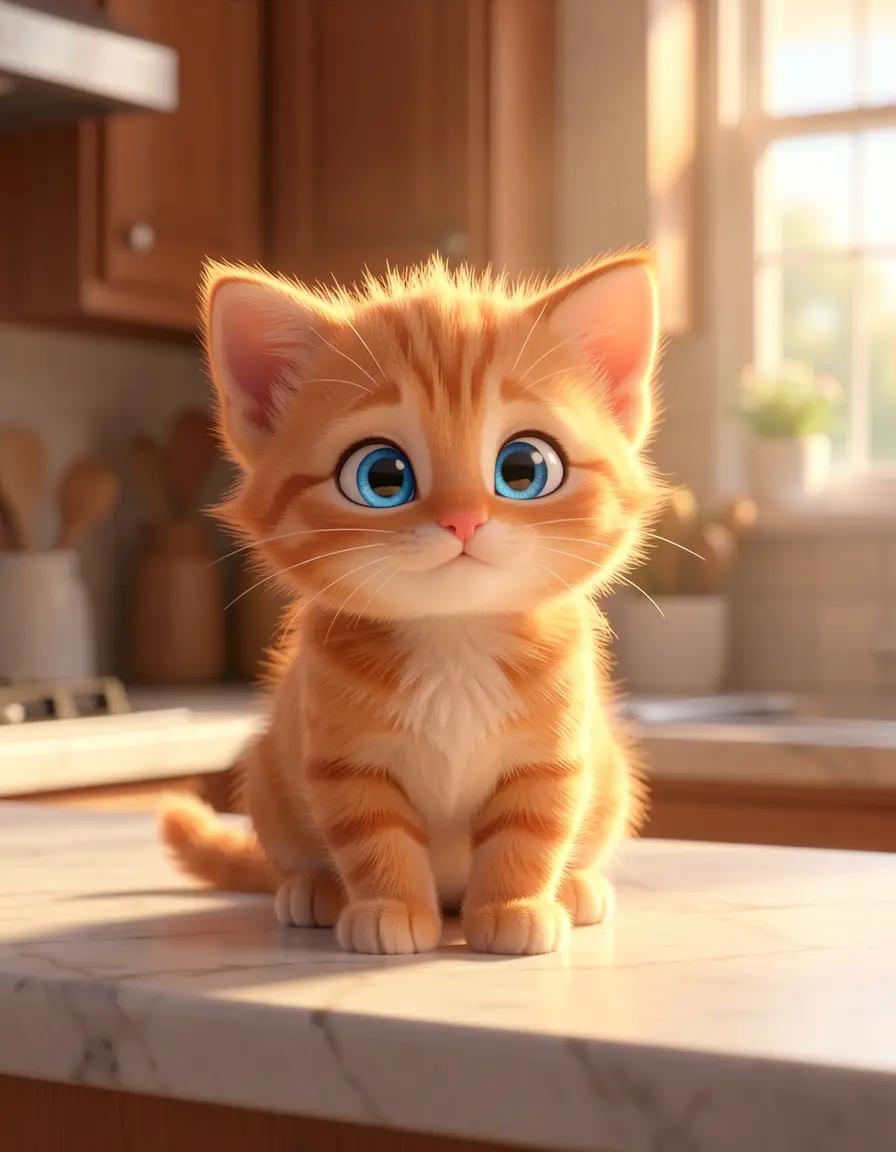
Kitten references at seed 42 and 77. No LoRA — prompt-only consistency. The orange tabby with blue eyes holds up across seeds, though coat patterns and face shape vary.
Without a LoRA, different seeds produce different kittens. The description “tiny orange tabby kitten with bright blue eyes” was specific enough to keep it recognizable. Pick your best reference — you’ll use it as an input image later.
Luna (prompt-only)
Luna is an 8-year-old girl in floral pajamas. Like the kitten, she’s prompt-only.
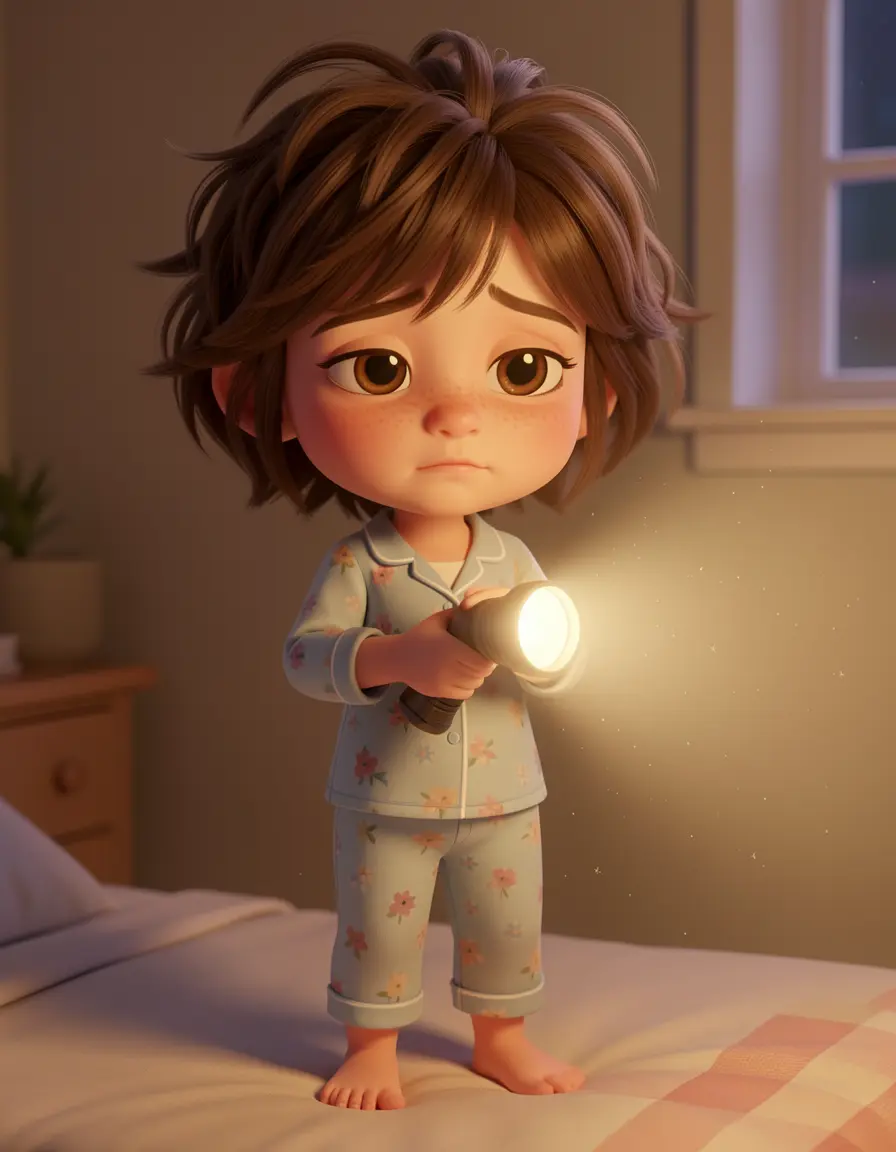
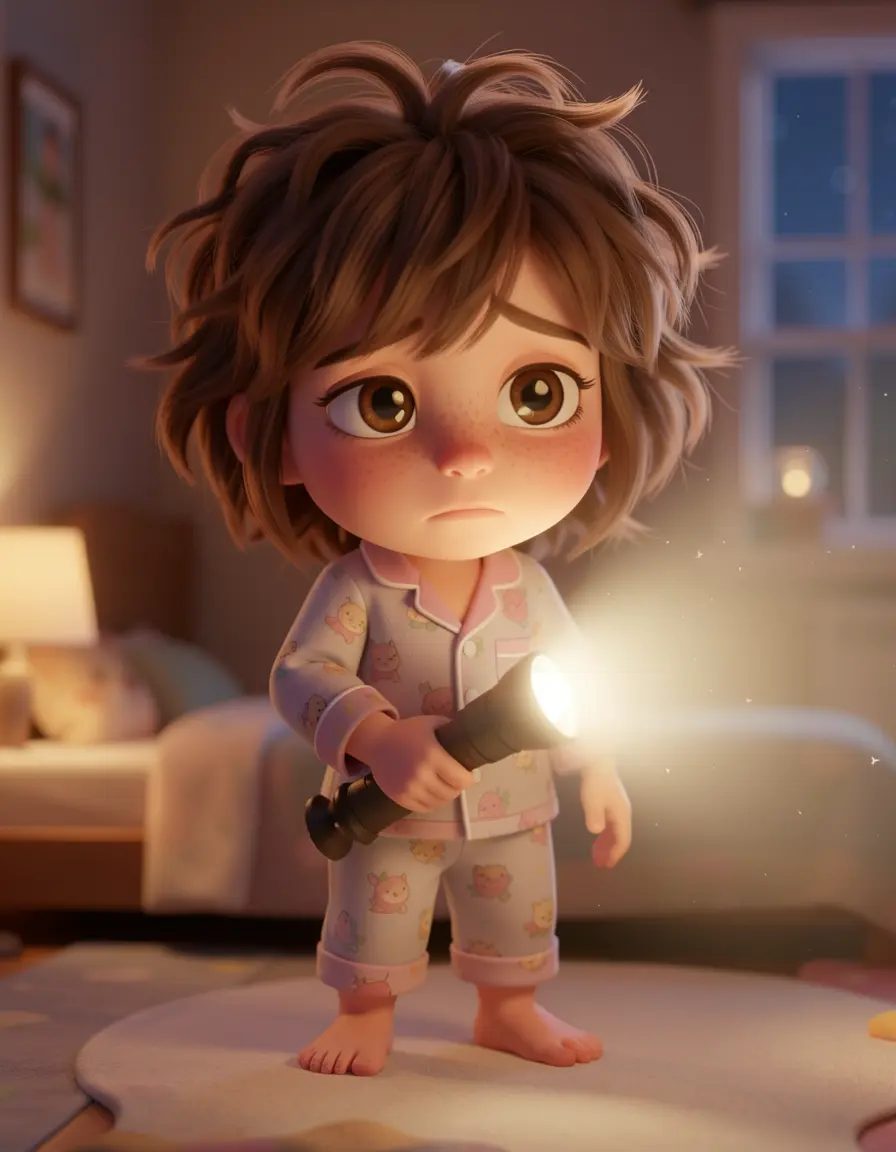
Luna references at seed 42 and 77. Consistent across seeds without a LoRA — the messy brown hair, freckles, and floral pajamas combination gives the model enough anchors.
Luna was notably consistent. Her description was specific enough that she looked like the same character across seeds without any LoRA. Human characters tend to have more distinguishing features than animals, making them easier to keep consistent with prompts alone.
A detailed outfit + hair + face description is often enough for human characters. You don’t always need a LoRA — save those for subjects where prompt-only consistency breaks down.
Step 2: Page by page
Each page combines the story text with a generation prompt. Pages 1-4 used modl generate with the LoRA. Pages 5-6 needed reference images + LoRA via modl edit — the debugging story behind that is in Step 3.
Page 1: Maxi sleeping
“Maxi was dreaming of squirrels when a tiny sound woke him up. Clink. Clink. Clink.”
Single character, simple scene. Just the LoRA doing its job.
Page 1 — seed 42. Single character + LoRA. Worked on every seed tested.
Page 2: Finding the kitten
“He tiptoed to the kitchen and found… a kitten. A very small, very orange kitten, with its paw stuck in the cookie jar.”
First multi-character scene. The kitten shares the frame with the LoRA dog, but they’re spatially separated — Maxi in the doorway, kitten on the counter.
Page 2 — seed 88. The LoRA keeps Maxi correct while the kitten comes from the prompt alone. Spatial separation between characters keeps both intact.
Page 3: The staredown
“They stared at each other. The kitten slowly pushed a glass toward the edge of the counter. Maxi’s eyes went wide.”
Page 3 — seed 42. The glass between them sells the scene.
Page 4: Luna arrives
“CRASH. Luna appeared in the doorway, flashlight in hand. ‘MAXI. What did you DO?’”
The first 3-character scene. Luna is in the doorway, animals on the counter — everyone is spatially separated.
Page 4 — seed 42. All three characters present. Worked on every seed tested — spatial separation makes this scene reliable.
Page 5: Milk saucer
“But Luna wasn’t really mad. She poured milk into a saucer and set it on the floor. ‘You must be hungry, little one.’”
This was the first scene where modl generate failed repeatedly — the kitten vanished or mutated in most seeds. The fix was switching to modl edit with reference images + LoRA (explained in Step 3).
Page 5 — ref+LoRA via modl edit. All three characters present and distinct. This scene failed 70% of the time with generate-only.
Page 6: Morning sleep
“When Luna’s parents found them the next morning, nobody moved. The cookie jar was empty. The milk was gone. And Maxi had a new friend.”
The hardest scene in the book. Three characters sleeping on the floor — physically close together, similar poses. Even the ref+LoRA approach struggled here (the kitten merged into Maxi when overlapping). This was the best result from generate-only, seed 42.
Page 6 — seed 42, generate-only with kitten-first prompt order. The only seed out of 6 tested that kept all three characters distinct. Sleeping scenes with overlapping characters remain the hardest case.
Step 3: Multi-character scenes — the hard part
Pages 1-4 were straightforward. Pages 5-6 broke — and the debugging process revealed the core problem with multi-character LoRA generation. Here’s what happened, in order.
The failure
Page 5 (milk saucer) was the first scene where all three characters share the floor at close range. Using modl generate with the LoRA trigger first in the prompt:
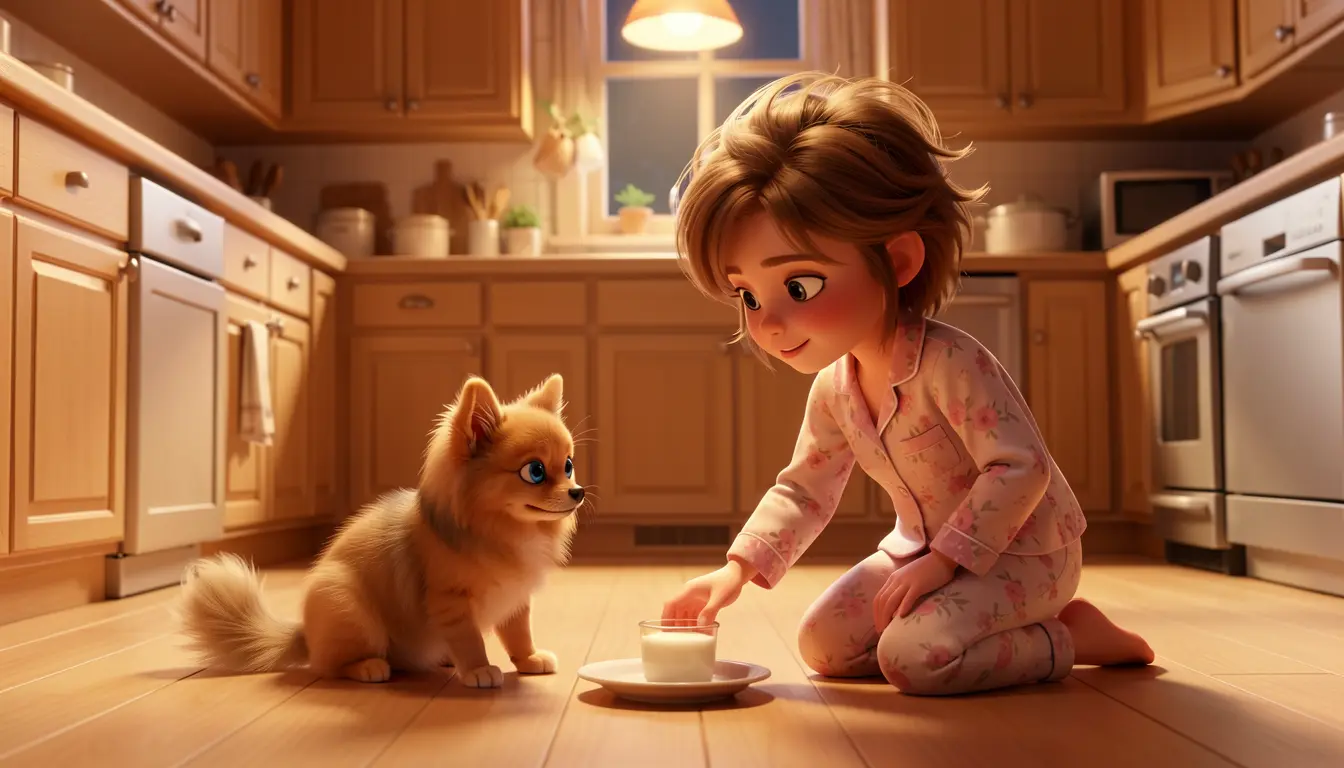
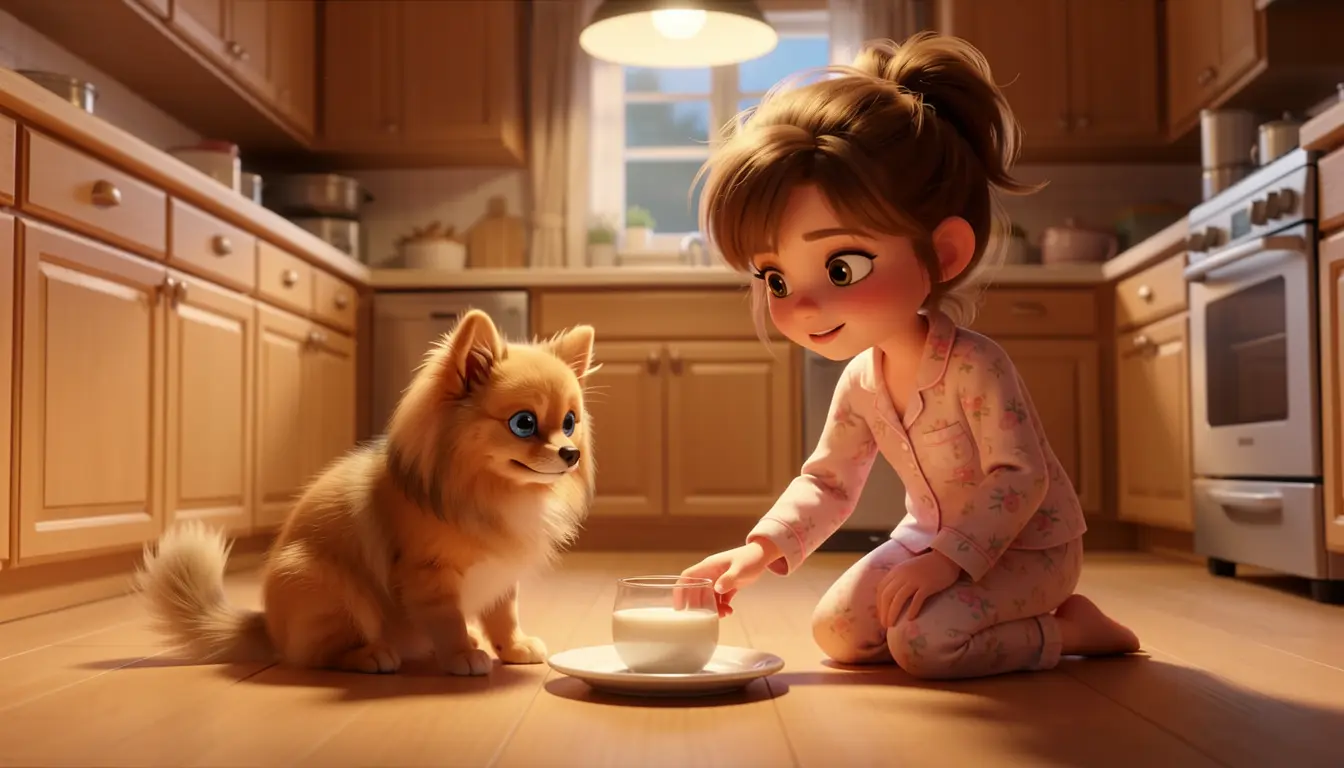
Seeds 42 and 77 — the kitten is just gone. The LoRA and Luna’s description consumed all the model’s attention budget.
The kitten vanished in 4 out of 6 attempts. The two remaining attempts produced a different failure — LoRA bleed, where the kitten appeared but with Pomeranian features:
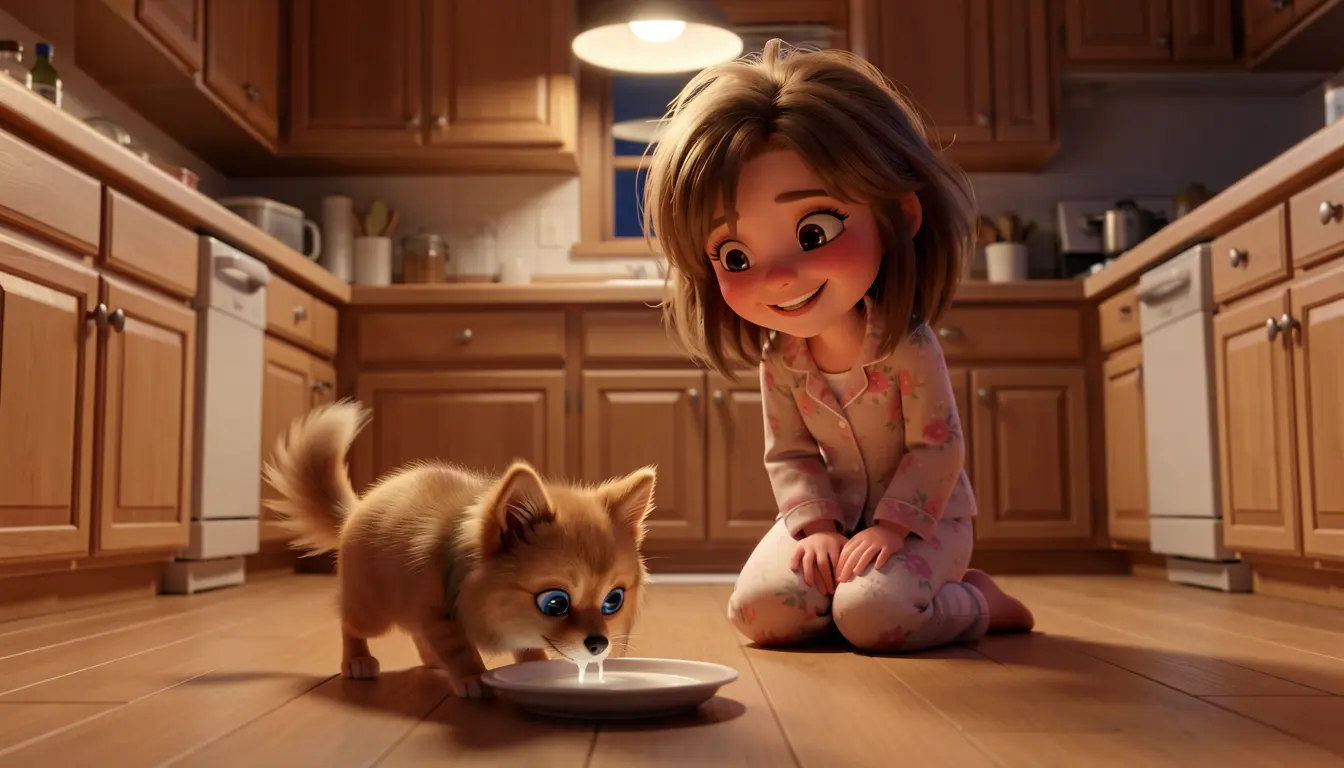
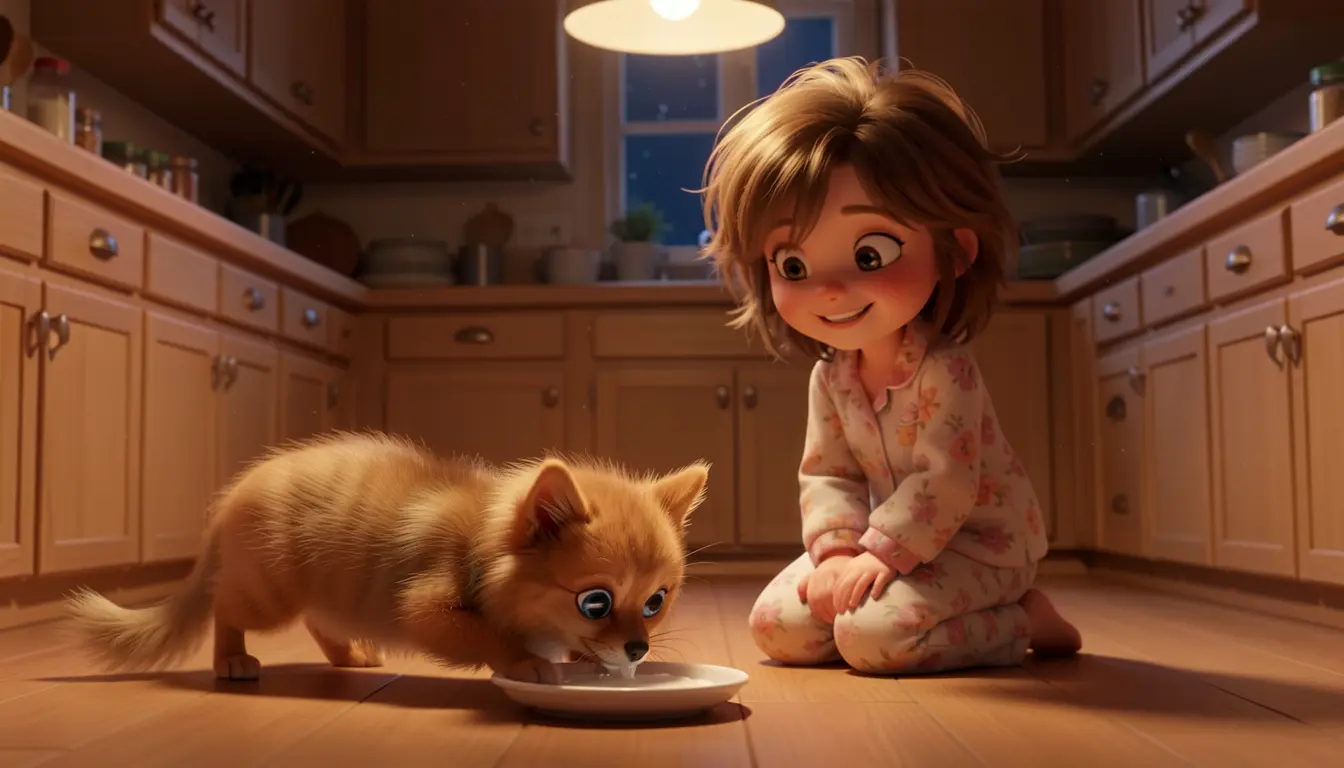
Seeds 99 and 200 — the kitten appeared, but with Pomeranian features. The LoRA’s influence bleeds into “small fluffy animal” tokens.
The pattern: when a LoRA character shares the frame with prompt-only characters at close range, there’s an attention hierarchy. The LoRA always wins (it modifies the model’s weights). Detailed prompt characters usually survive. The smallest, simplest character gets dropped first. The kitten was the perfect victim — smallest physical size, no LoRA, and “small fluffy animal” tokens that overlap with the Pomeranian LoRA.
Workaround: prompt order
Putting the weakest character first in the prompt gives it priority in the model’s text attention. The earlier a subject appears, the more attention it receives during generation.
”OHWX pomeranian… 8 year old girl… a tiny orange tabby kitten…””a tiny orange tabby kitten with bright blue eyes… OHWX pomeranian… 8 year old girl…”This helped — success rate went from ~1/6 to ~4/6. But it’s fragile. You’re still relying on seed luck, and for the sleeping scene (page 6) it only worked 1 out of 6 seeds.
The fix: reference images + LoRA
The real solution uses Klein’s ability to accept multiple input images. Instead of describing characters with text alone, you pass the reference images from Step 1 as visual anchors. Klein’s pipeline uses these images as conditioning — each reference grounds a character’s appearance in pixel space, not just token space. Combined with --lora, the LoRA locks the trained character while the reference images lock everyone else.
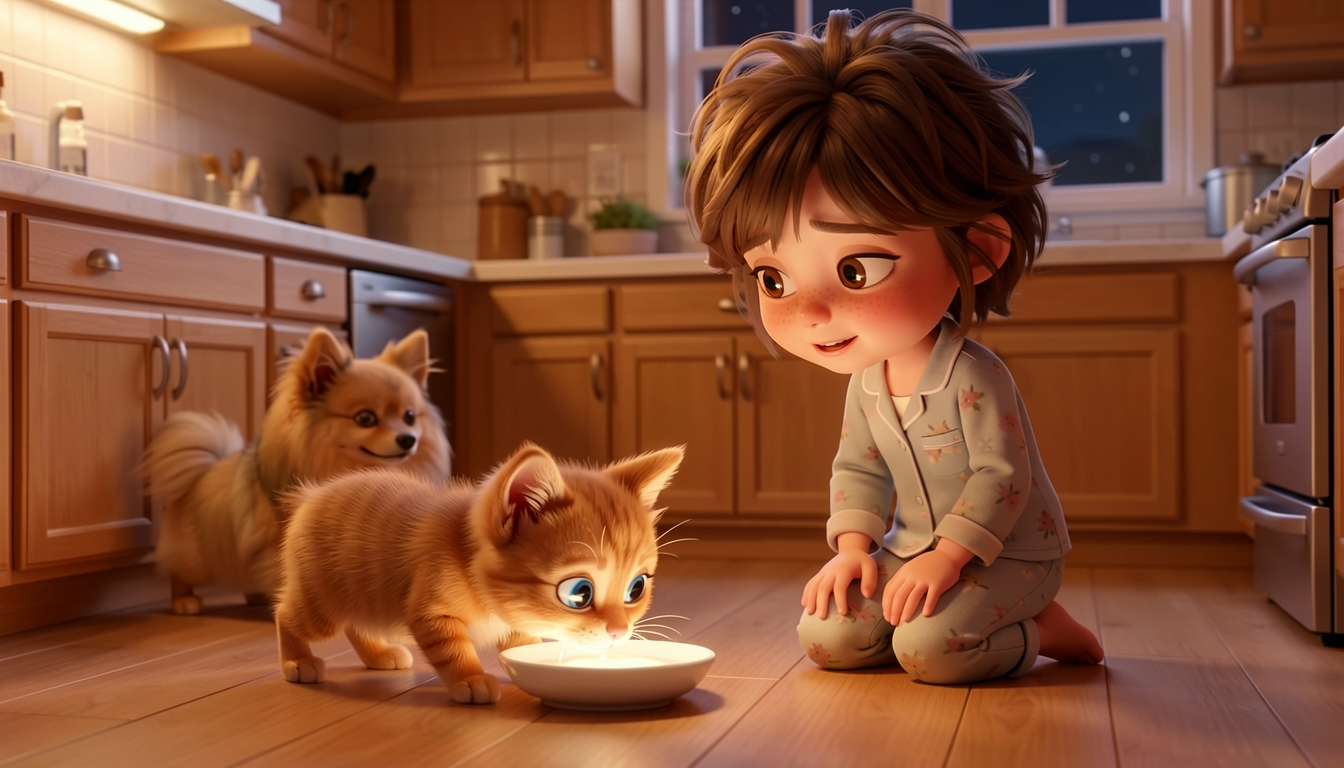
Seeds 42 and 77. Both seeds have all three characters present and distinct. The kitten is clearly an orange tabby, Maxi is himself (LoRA), Luna has messy brown hair and pajamas. 4 out of 4 seeds tested produced all three characters — 100% success rate.
This is the same scene that failed 4 out of 6 times with generate-only. With reference images + LoRA: every seed worked.
Generate-only relies entirely on text attention — the LoRA dominates and weaker characters get dropped. Reference images give each character a visual signal that doesn’t compete with the LoRA’s weight modifications. The model sees what the kitten looks like instead of inferring it from text tokens alone.
The order of --image flags doesn’t affect the result — Klein treats the reference images as a set, not a sequence. We tested different orderings and saw no difference in output quality.
2-character scenes with ref+LoRA
For pages with just Maxi and the kitten, reference images + LoRA is more than needed — but it produces more consistent kitten appearance than prompt-only generation, with zero LoRA bleed.
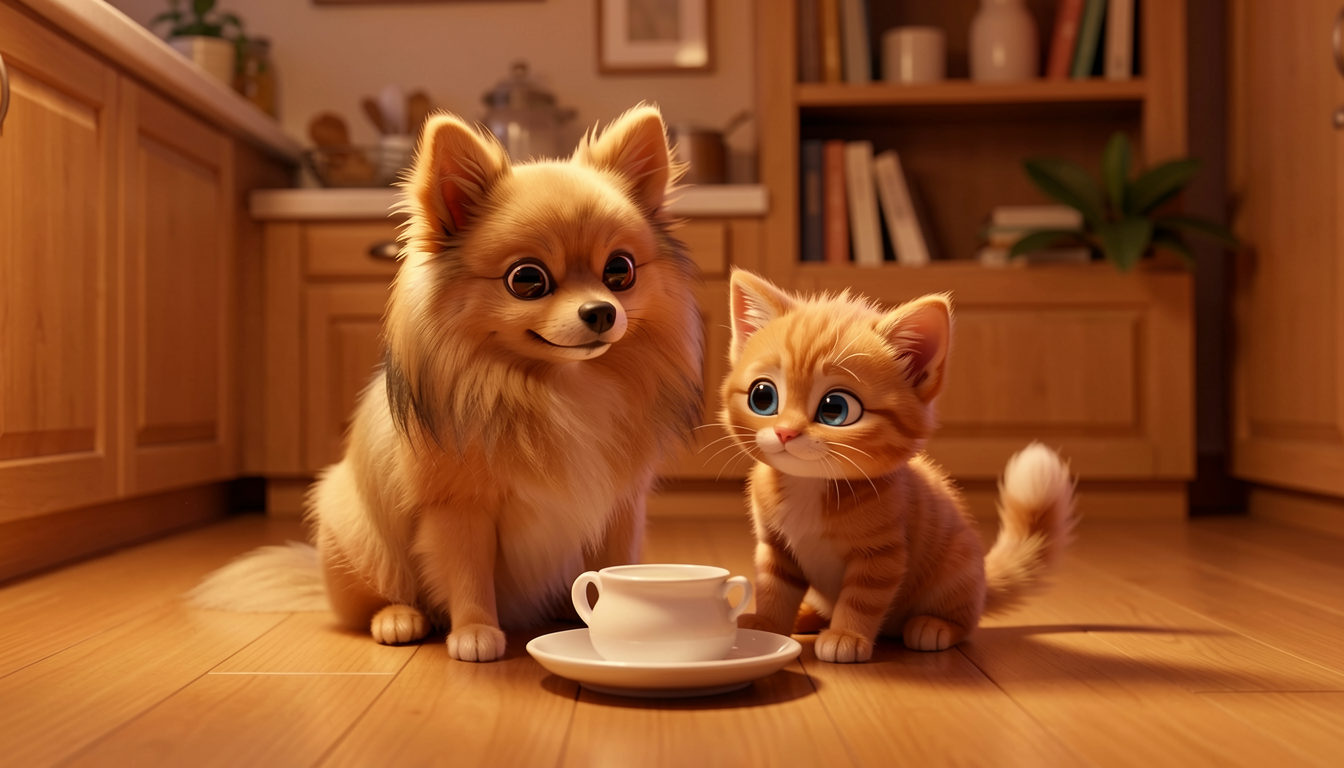
Maxi + kitten with ref images + LoRA. Both characters clearly distinct — no bleed, no disappearance.
Where it still fails: physical overlap
The sleeping scene (page 6) pushes the limits even with reference images + LoRA. When characters are curled up together — physically overlapping — the LoRA bleed returns.
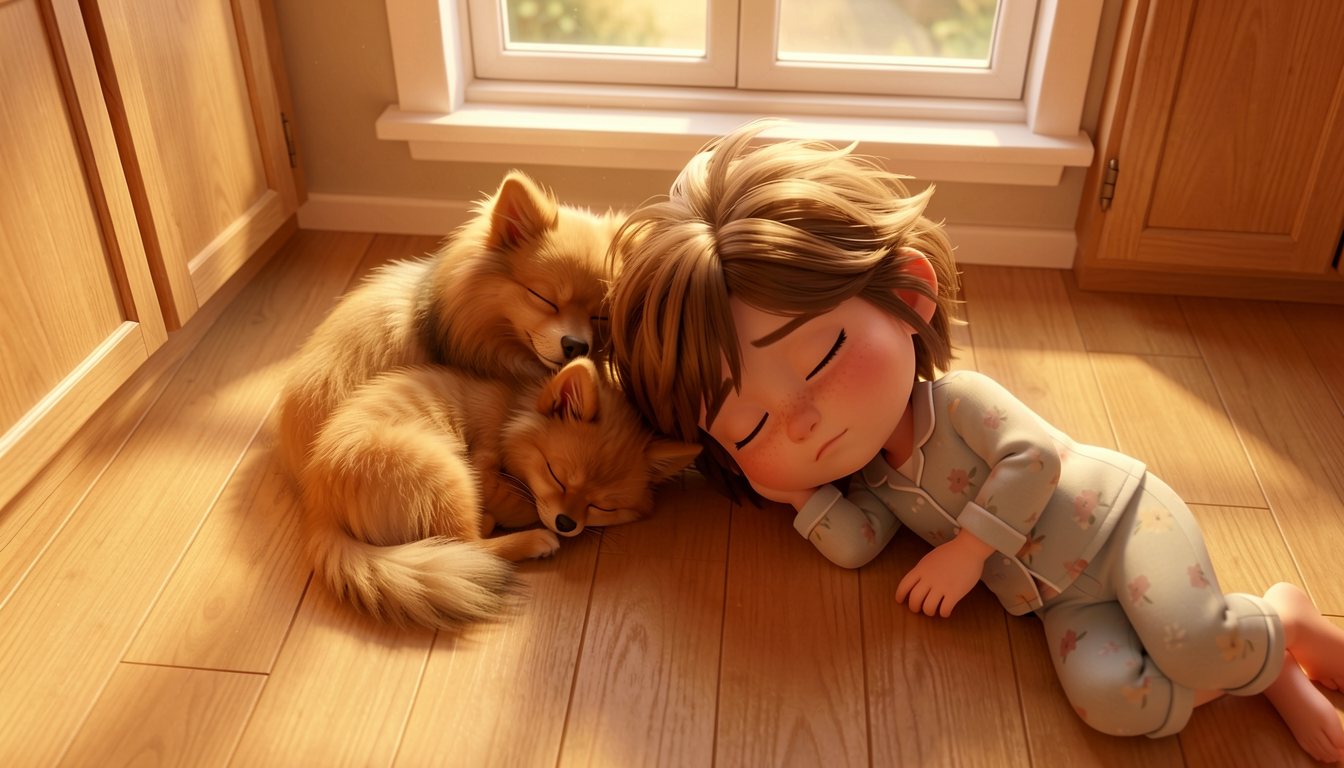
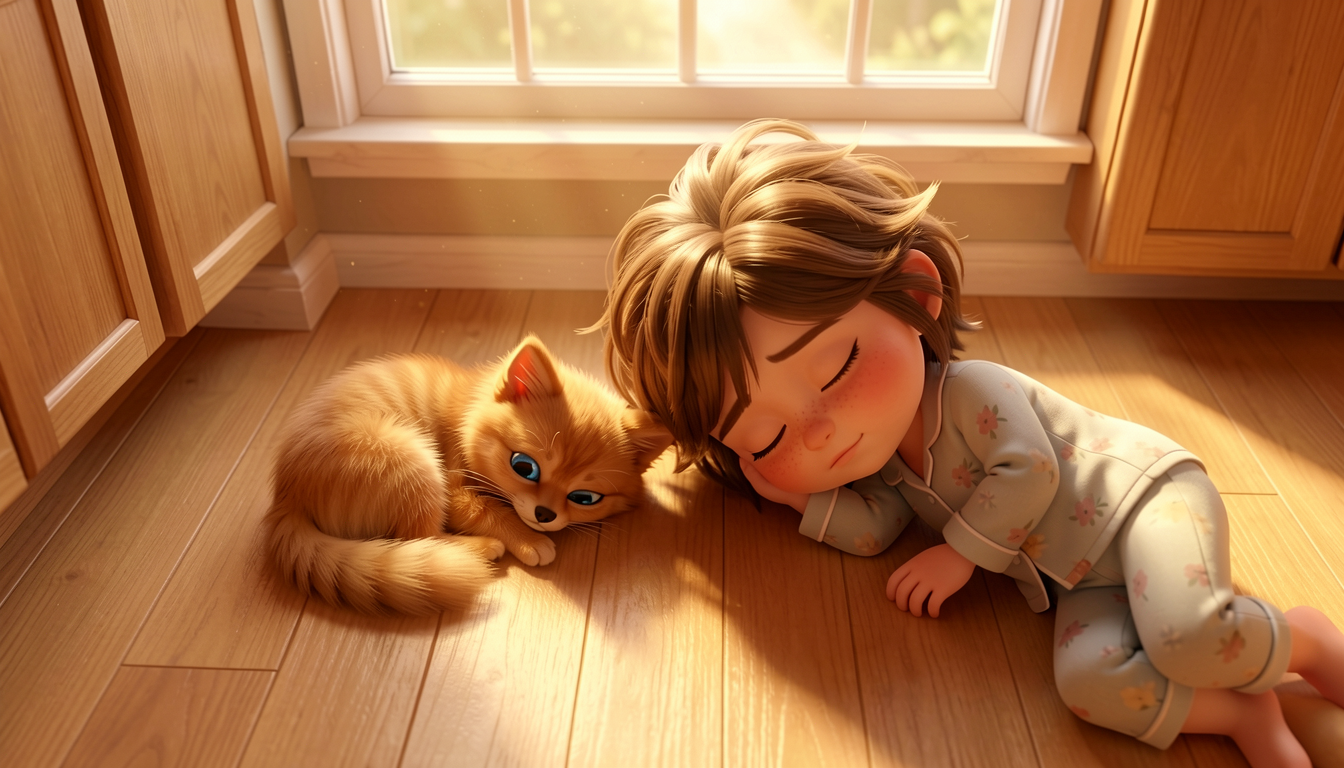
Left: LoRA strength 1.0. Right: LoRA strength 0.8. In both cases, the kitten merges into Maxi when they’re physically overlapping. Lowering LoRA strength didn’t help — it just made the merged animal look more cat-like. 0 out of 4 ref+LoRA attempts produced a distinct kitten in the sleeping scene.
The reference images solve the attention problem (kitten doesn’t disappear), but they can’t solve the spatial overlap problem. When a LoRA character and a similar-looking prompt-only character are touching, the LoRA’s influence bleeds across the boundary.
For page 6, the best result came from generate-only with kitten-first prompt order and seed luck (1 out of 6 seeds worked — shown in Step 2 above).
For sleeping or cuddling scenes, compose characters with slight separation — “kitten curled up near the dog’s paws” rather than “kitten curled up against the dog.” Or generate many seeds and pick the rare one that works.
When to use which approach
Use modl generate for simple scenes (1-2 characters, or well-separated groups). Switch to modl edit with reference images + LoRA when characters share close quarters. For physically overlapping characters (cuddling, sleeping), no approach is reliable — generate many seeds and pick the best.
What we learned
1. Reference images + LoRA is the breakthrough. The combination solves the attention competition problem. The LoRA locks one character’s identity; the reference images lock everyone else’s. For spatially separated scenes, this took us from ~1/6 to 4/4.
2. Prompt order is a workaround, not a fix. Putting the weakest character first in the prompt helps (~1/6 → ~4/6), but it’s seed-dependent. Reference images are more reliable.
3. Physical overlap defeats everything. When characters touch or overlap, LoRA bleed happens regardless of approach. Design your compositions with slight separation between characters.
4. Character references serve double duty. The reference images you generate in Step 1 aren’t just for your own visual reference — they become inputs to modl edit. Invest time in getting good, clean character references early.
5. Human characters are easier than animals. Luna was consistent across every seed with just a prompt. A specific description (age, hair, outfit, distinguishing feature) is often enough. Animals have fewer distinguishing tokens and are more susceptible to LoRA bleed.
6. Generate more seeds than you think you need. For single-character pages, 2 seeds was enough. For 3-character generate-only pages, we needed 6 seeds to find one that worked. With ref+LoRA, every seed worked for non-overlapping scenes.