Design a Character Reference Sheet with Klein
Generate a base character, then edit poses, expressions, and outfits — all without retraining. Real results, real failures, and a Klein 4B vs 9B showdown.
What you’ll build
A character reference sheet — front/side/back views, expression variations, outfit swaps — from a single base image. No LoRA training, no mask painting, no ComfyUI nodes. One generate command for the base, then edit commands to create every variation.
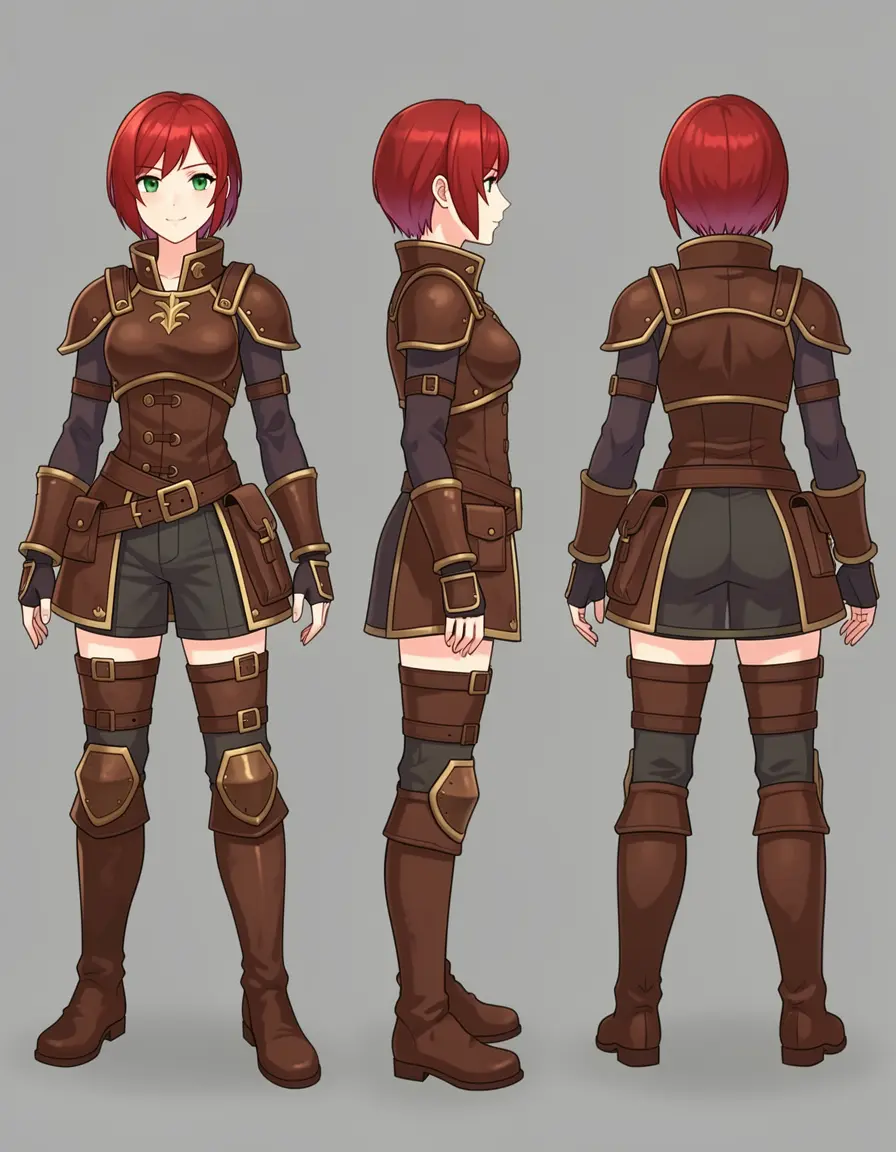
A full turnaround sheet generated from a single edit command on Klein 9B. Front, side, and back views with consistent character design.
This guide documents every step honestly — including the attempts that failed, the prompts that produced blurry messes, and the model comparison that surprised us. If you’ve tried character sheets before and given up when the results didn’t match the tutorial screenshots, this is the guide for you.
Game developers building character art for RPGs, visual novels, or tabletop games. Comic/webtoon creators who need consistent character references. Anyone who wants to explore a character design without commissioning dozens of illustrations.
Prerequisites
- modl installed —
curl -fsSL https://modl.run/install.sh | sh - Klein 4B —
modl pull flux2-klein-4b(3.8 GB, fits on 8 GB VRAM) - Klein 9B —
modl pull flux2-klein-9b(8.8 GB, needs ~16 GB VRAM, optional for comparison) - GPU with 8+ GB VRAM — Klein 4B fits on 8 GB, 9B needs 16 GB
Step 1: Generate a base character
Everything starts with a strong base image. This is the image every edit will reference, so it needs clear features, a clean pose, and a neutral background. Describe one character, one pose, one background:
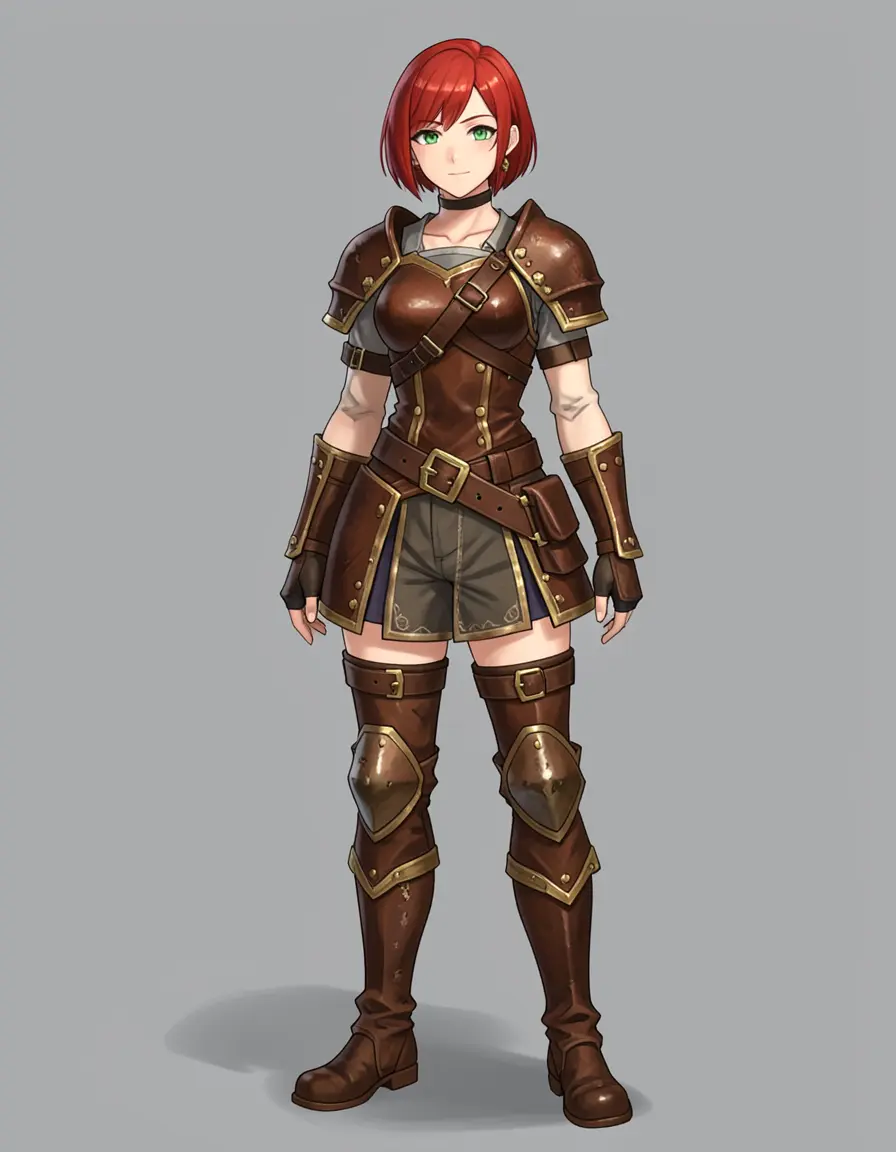
Seed 42 — strong pose, detailed armor
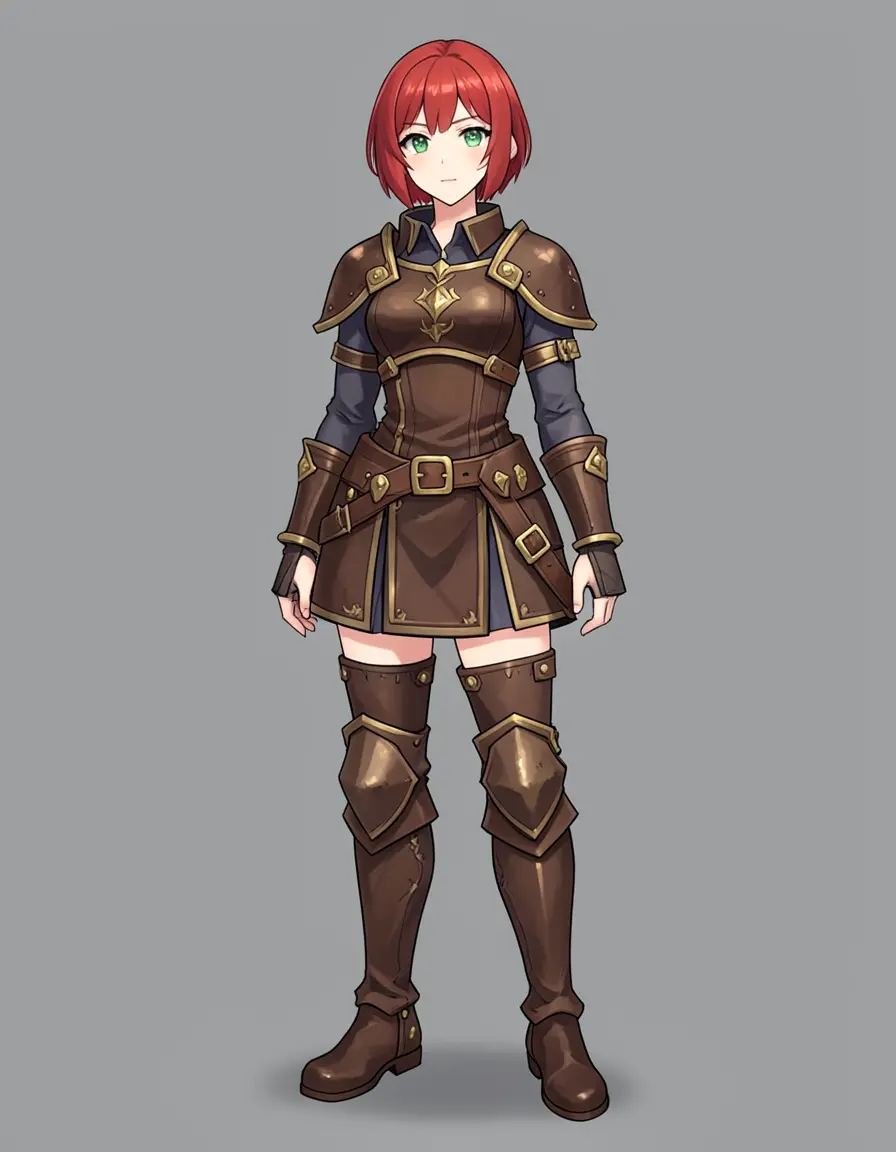
Seed 77 — clean stance, visible green eyes
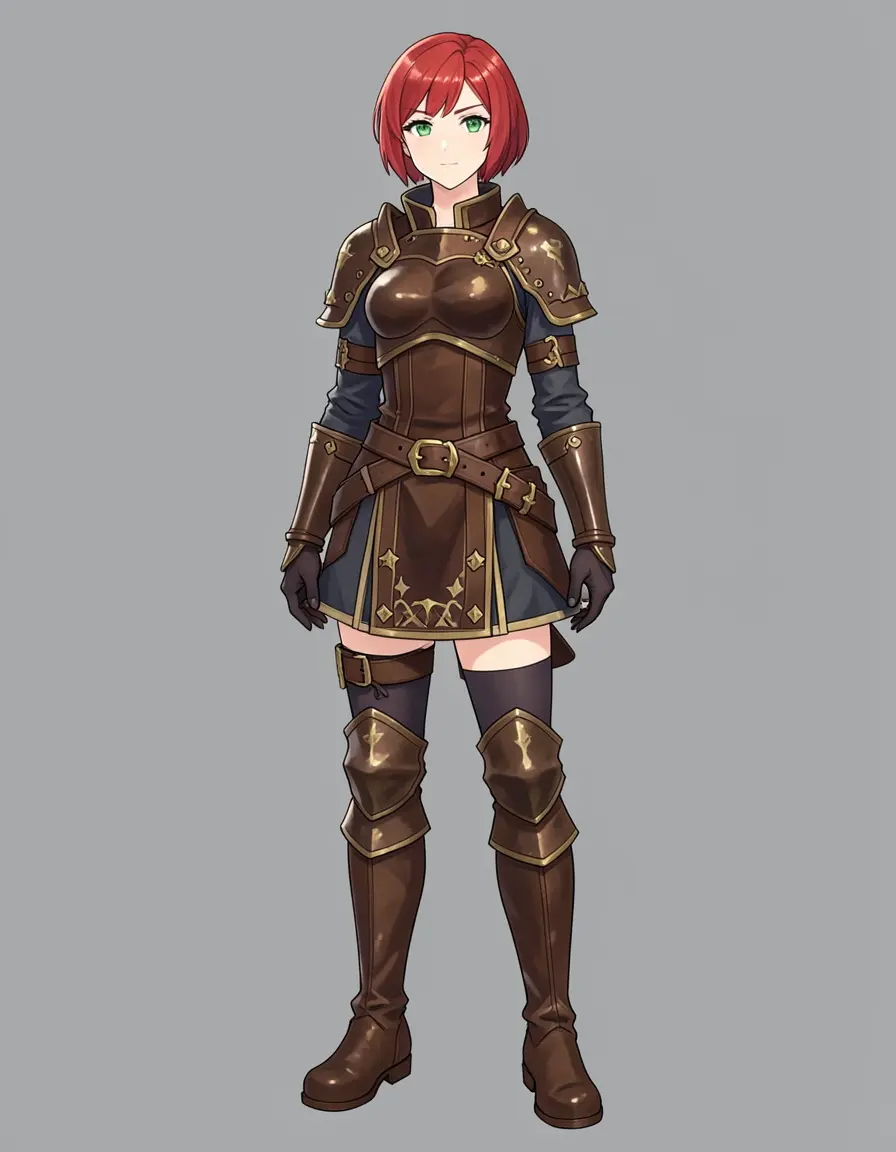
Seed 123 — different armor interpretation
Three seeds, same prompt, Klein 4B. All three are sharp and detailed — visible green eyes, gold trim, clean armor design. This is a 3.8 GB model running in 4 steps. Seed 77 has the cleanest neutral stance, so we’ll use it as our base.
All three are production-quality at 3:4 aspect ratio — enough vertical space for head-to-toe framing without stretching the character.
Klein 9B: more detail, same speed
Same prompt, same seed, bigger model. Both run at 4 steps:
Same prompt, same seed (77), same 4 steps. Both are sharp and detailed. 9B has slightly crisper linework and more ornate armor detailing — individual buckles and clasps are more defined. The difference is subtle, not dramatic.
Both models produce clean, usable character designs. The 9B has:
- Slightly sharper linework — finer edge definition on armor pieces
- More ornate details — individual buckles and clasps are more defined
- Stronger anime influence — crisper cel-shaded look
But the 4B is not far behind. For character reference sheets, Klein 4B is genuinely production-ready — not a compromise, not a draft tool. If your GPU has 16+ GB VRAM, 9B adds polish. If you’re on 8-12 GB, 4B does the job.
Step 2: Pose variations
With a clean base character, modl edit can rotate, repose, and reframe — without losing the character design.
Front, side, back
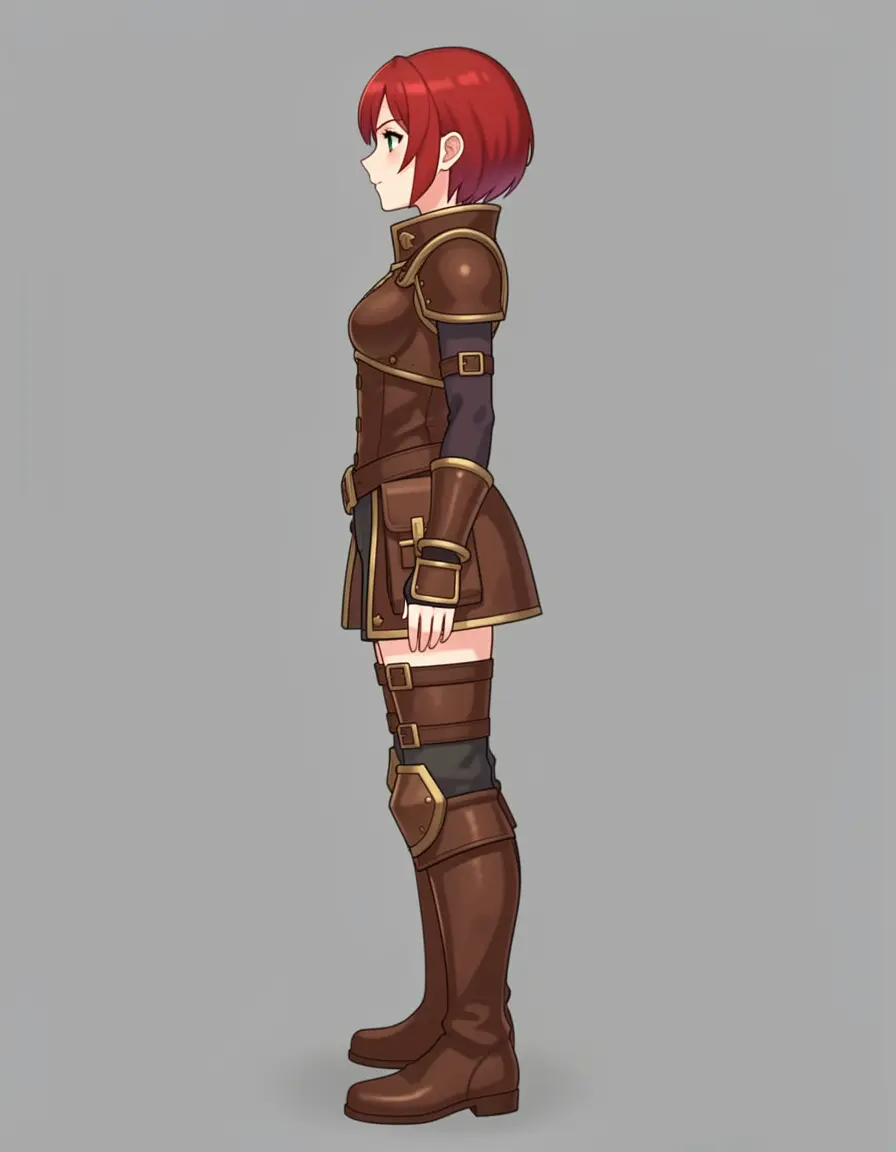
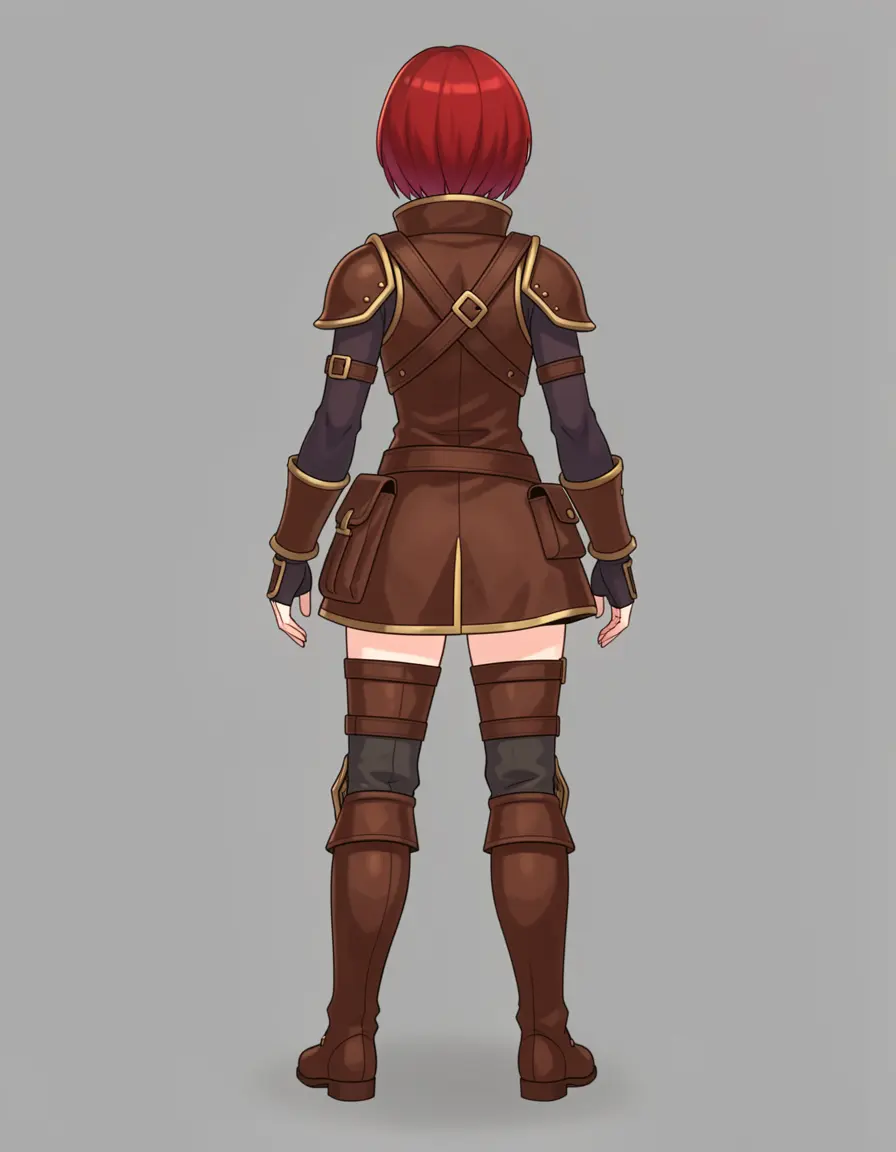
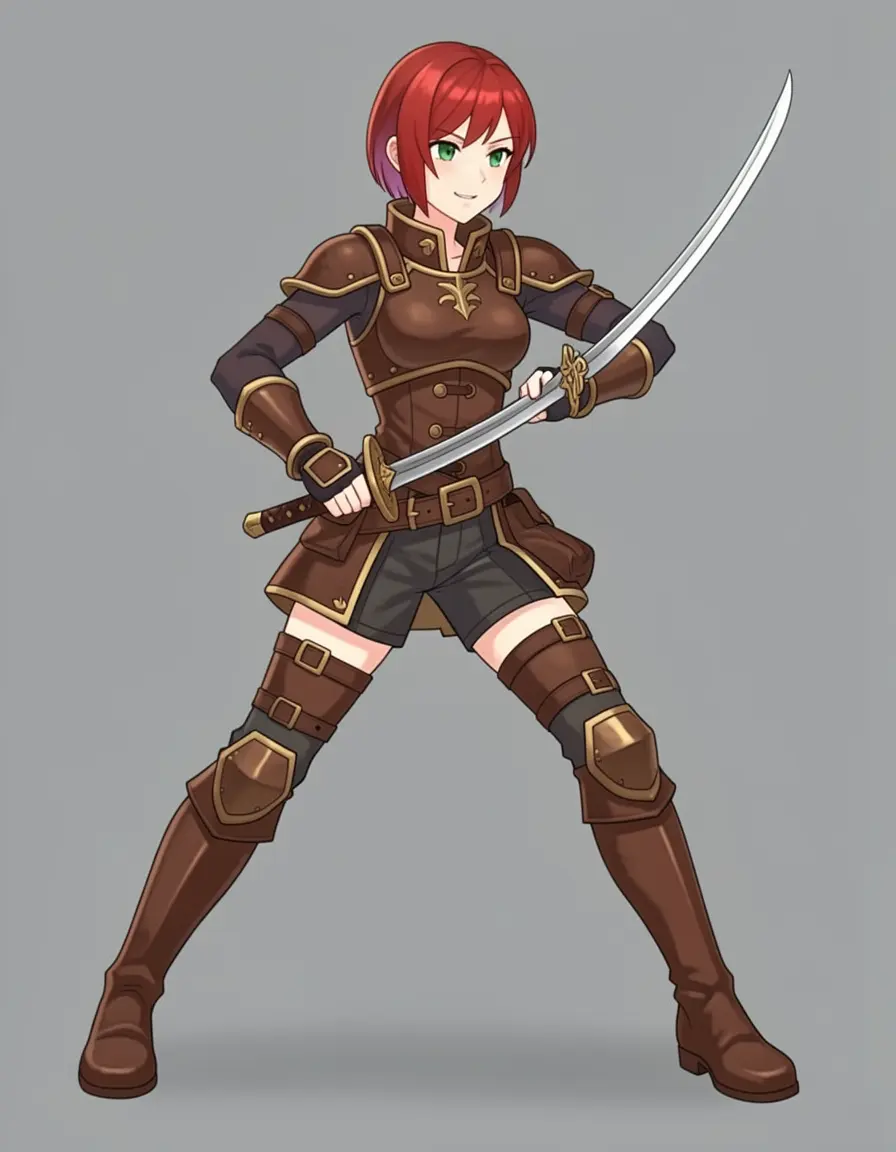
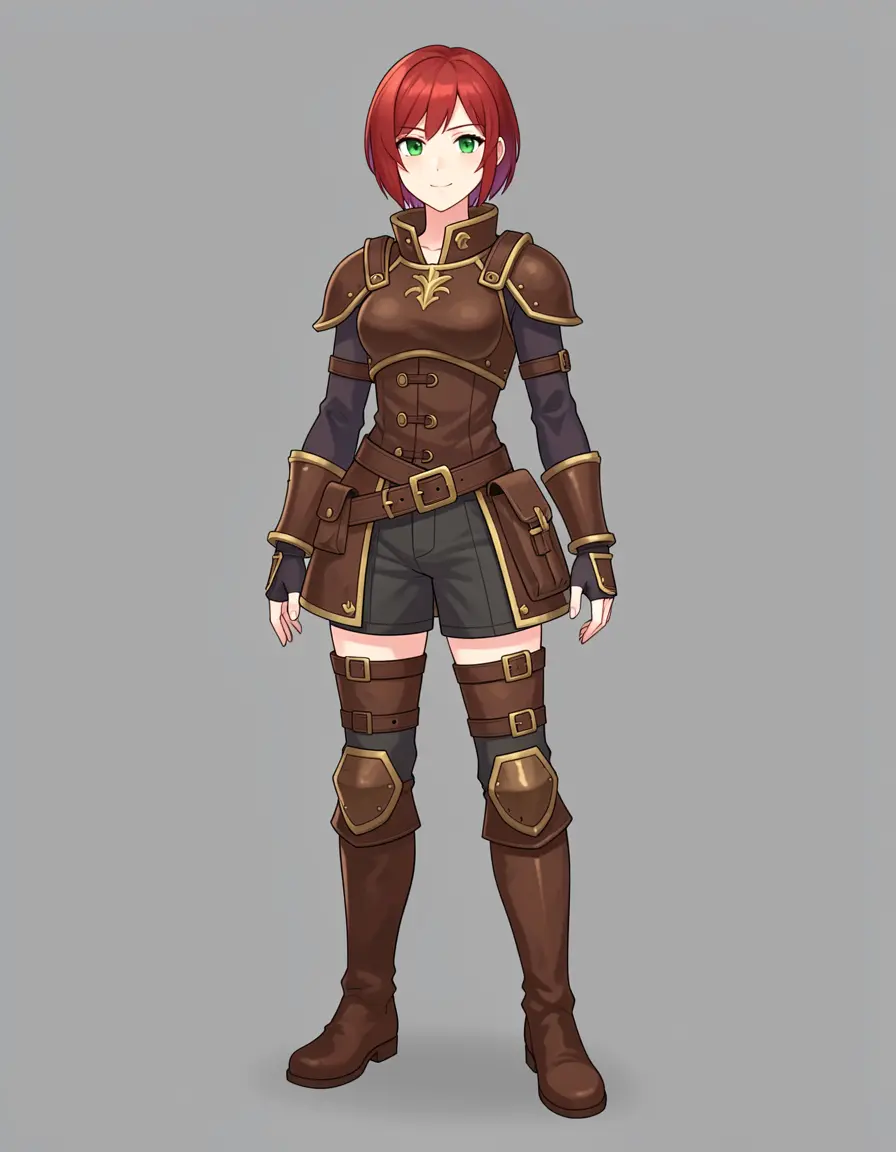
Four views from one base image. The red hair, leather armor, gold trim, and gray background stay consistent across all four. The action pose added dual swords — the model interpreted 'drawing a sword' generously.
The side and back views preserved the armor design faithfully — you can see the gold trim continuing around the back, the same belt pouches, the same boot style.
Action poses: expect to seed-shop
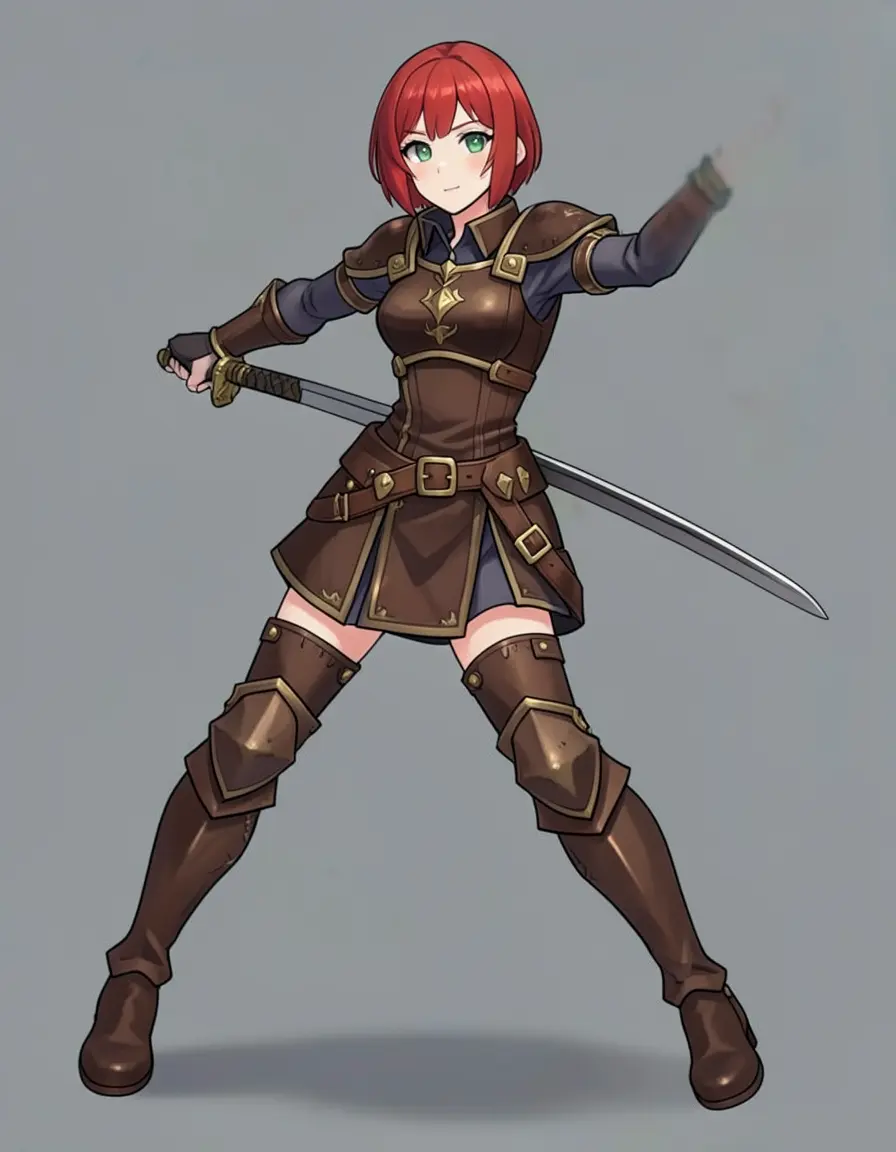
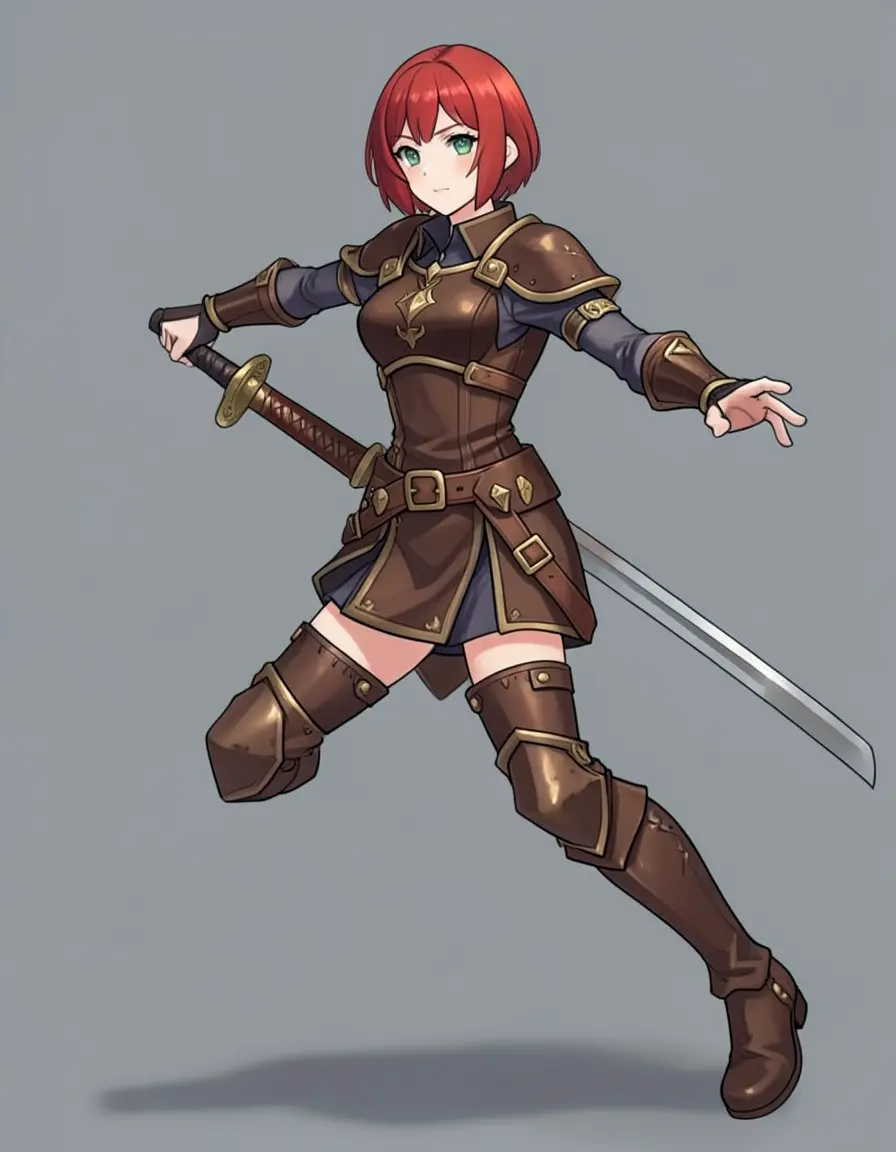
Action poses with weapons are the hardest edit. The model needs to add an object (sword) that the character interacts with physically — grip, angle, blade direction all need to be correct. Expect to try 3-5 seeds before getting a clean result.
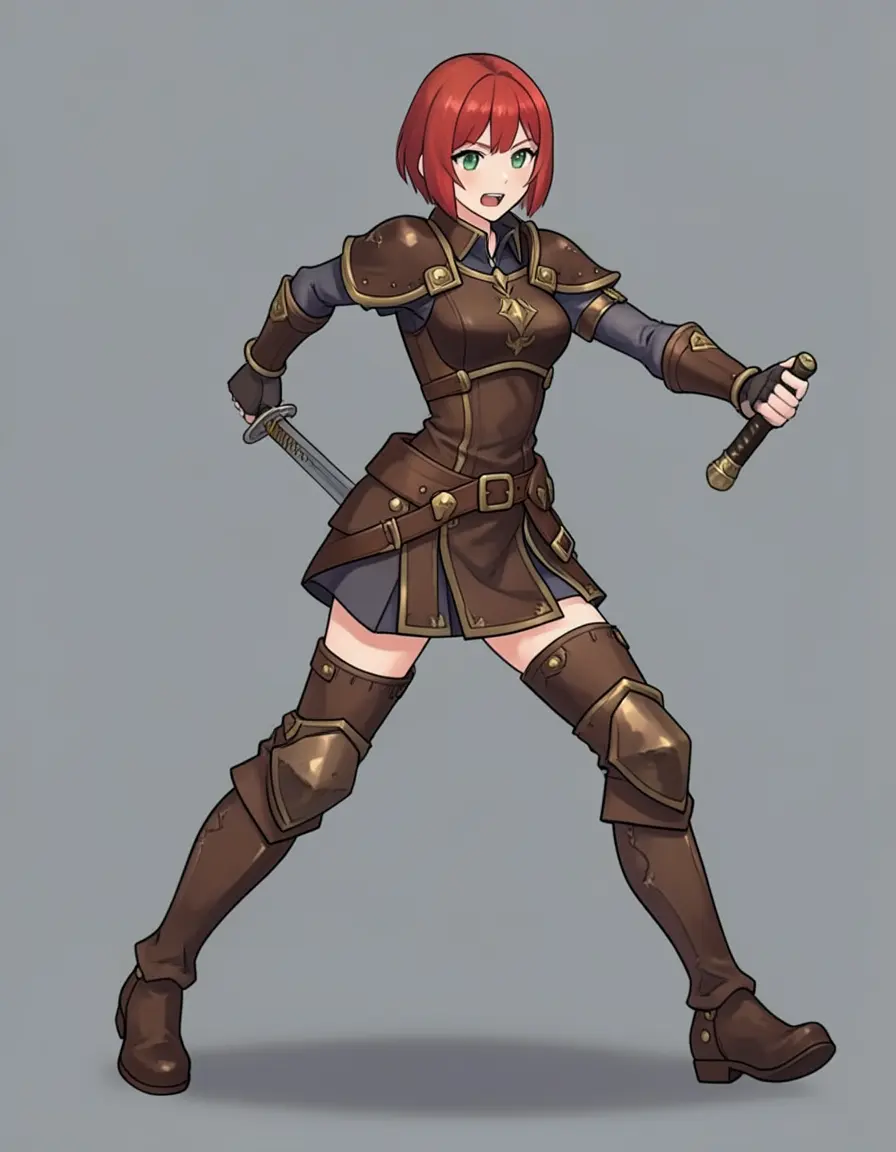
s10 — grip off
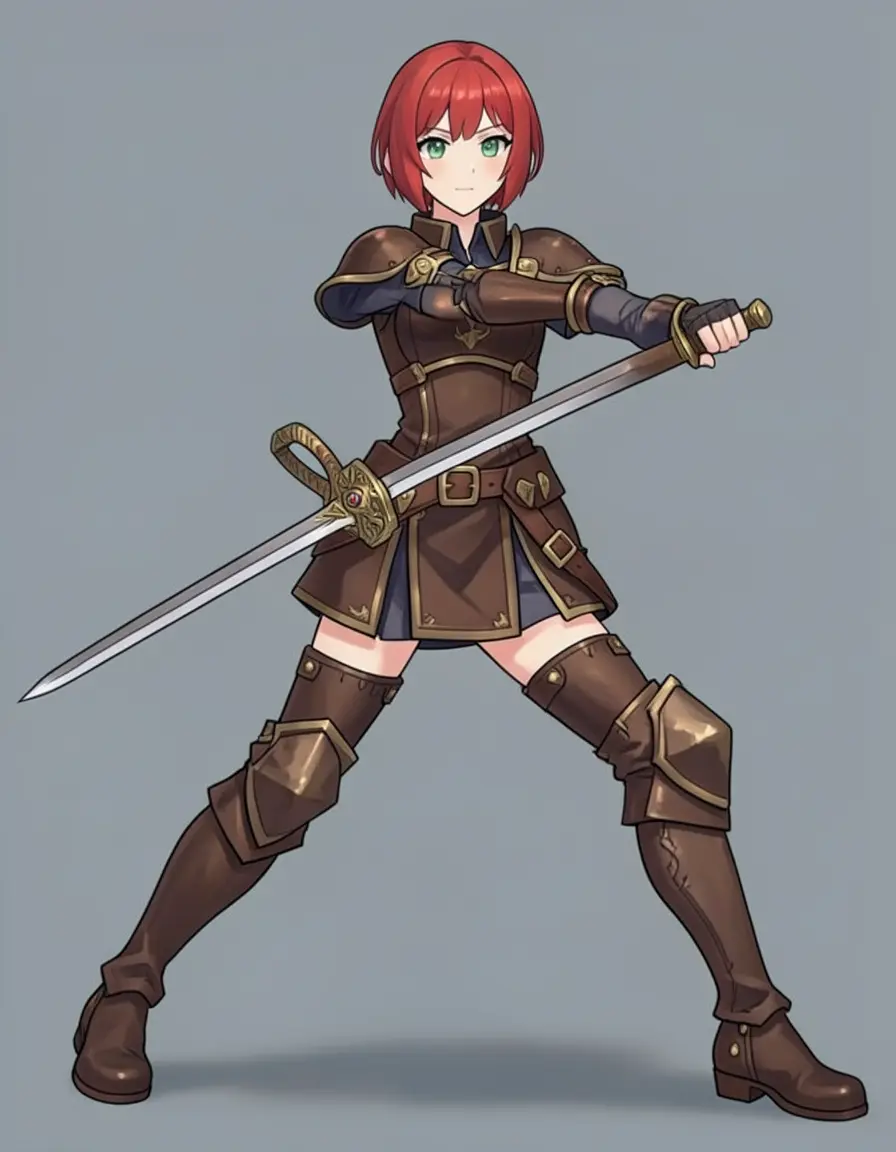
s21 — clean grip
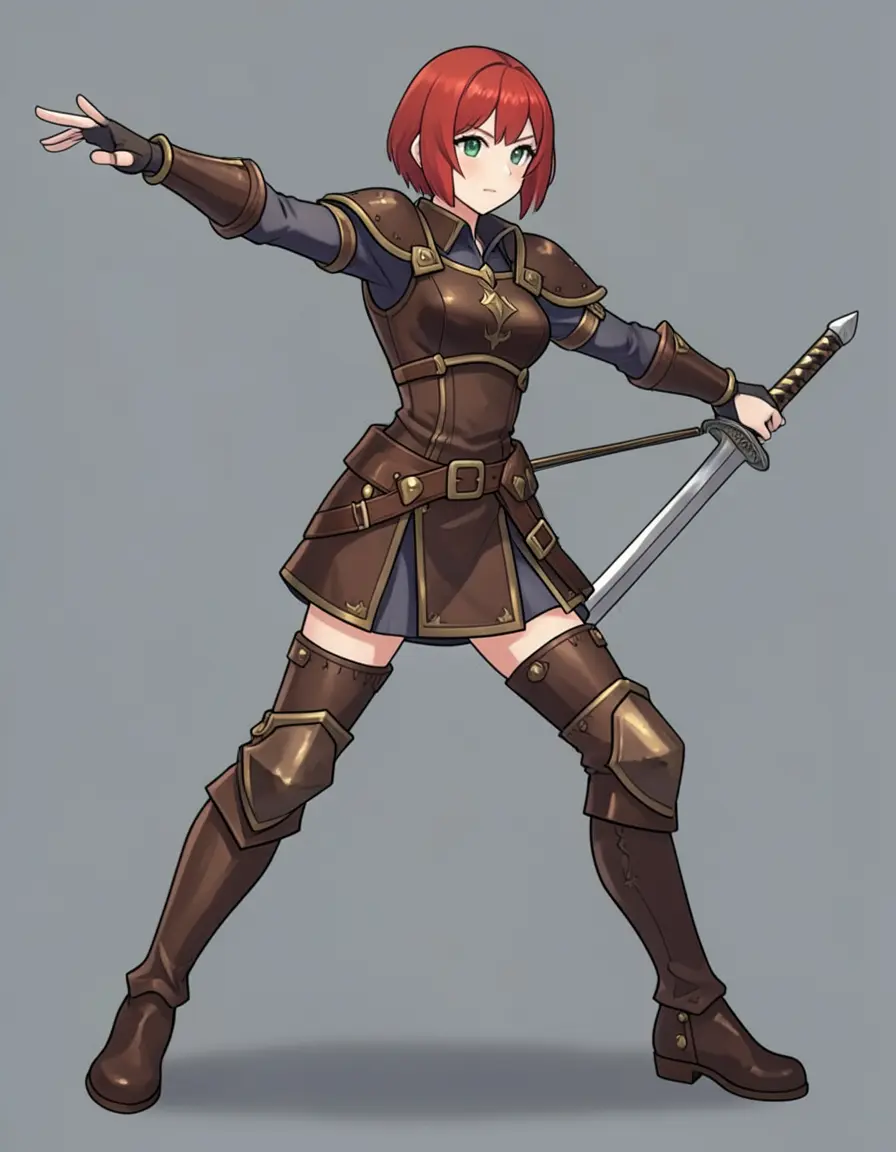
s33 — floating sword
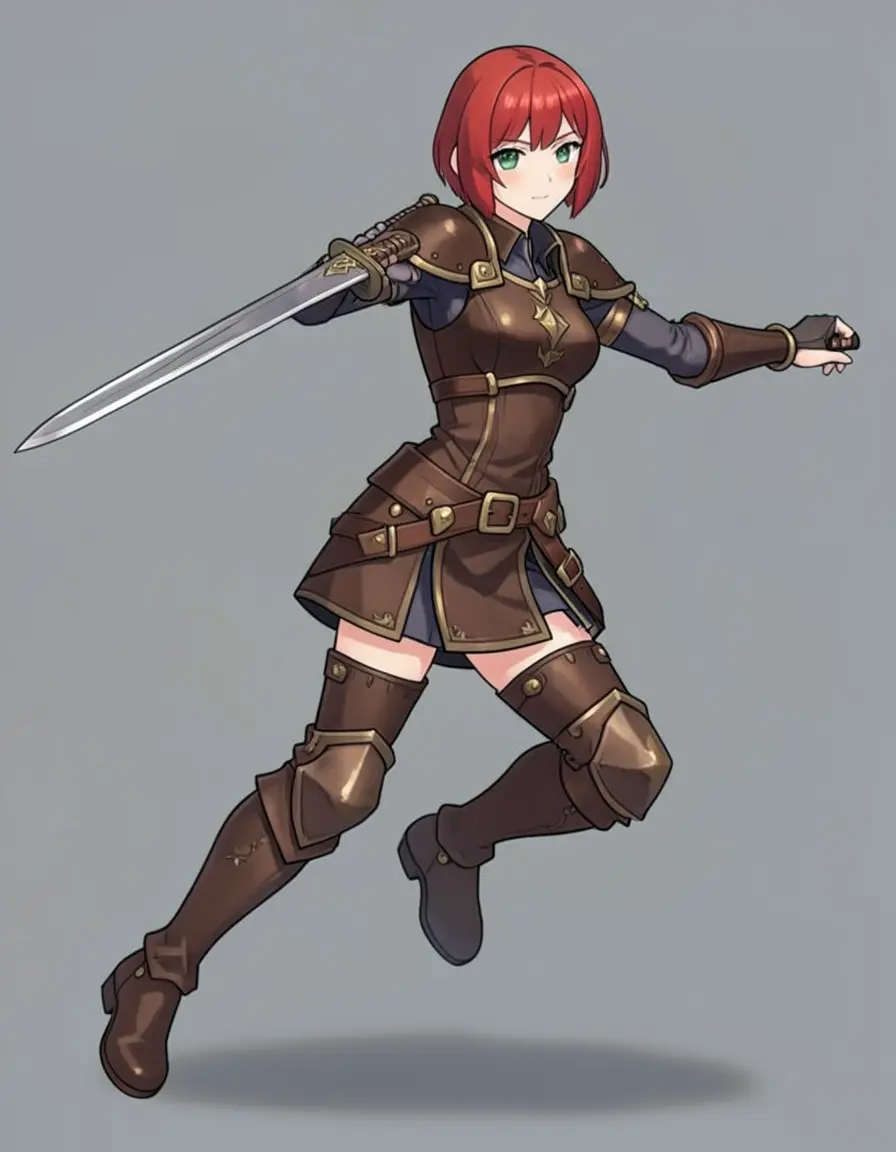
s55 — good leap
s88 — hand issue
s99 — clean draw
Six seeds for the same action pose prompt on Klein 4B. Clean grips (seeds 21, 99), floating swords (seed 33), hand artifacts (seeds 10, 88). AI models struggle with hand-object interaction — use —count 4 to batch-generate variations and pick the best. Seed-shopping is part of the workflow, not a failure.
Klein 4B handles poses too
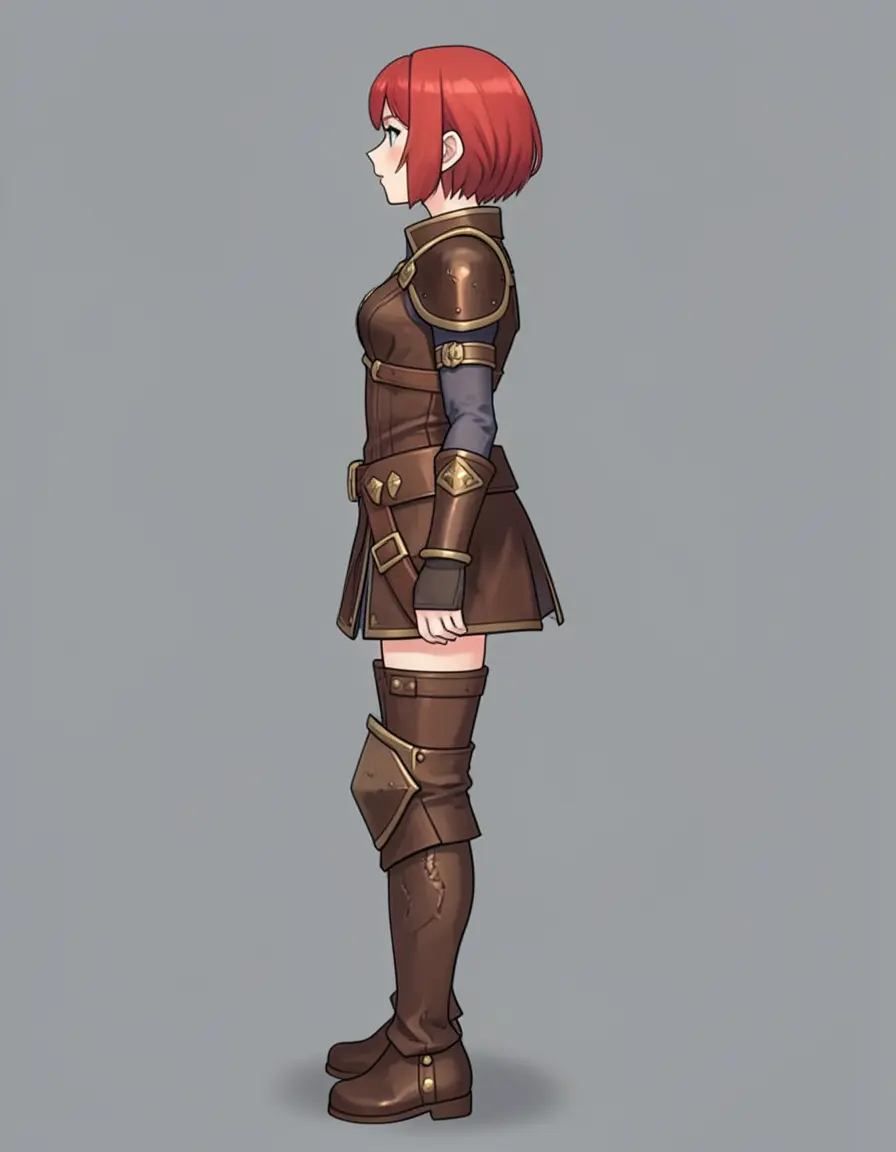
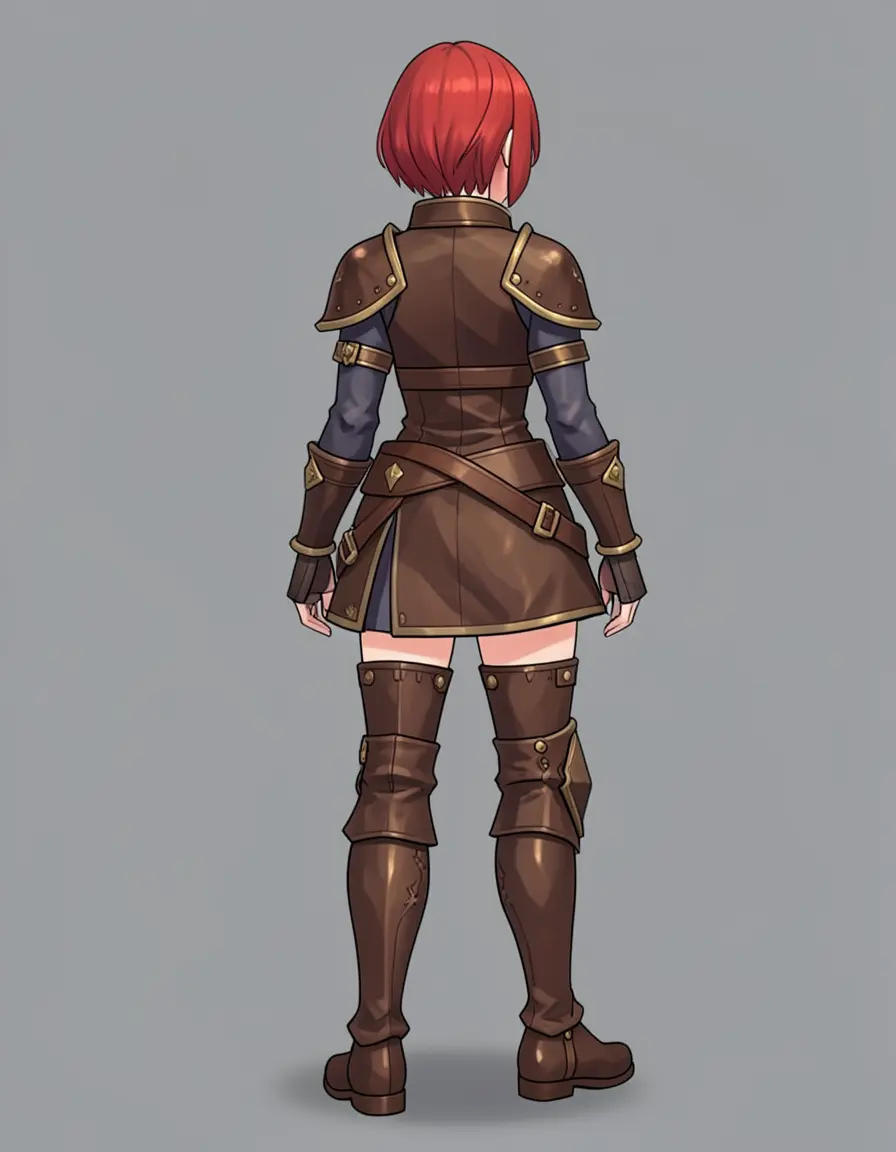
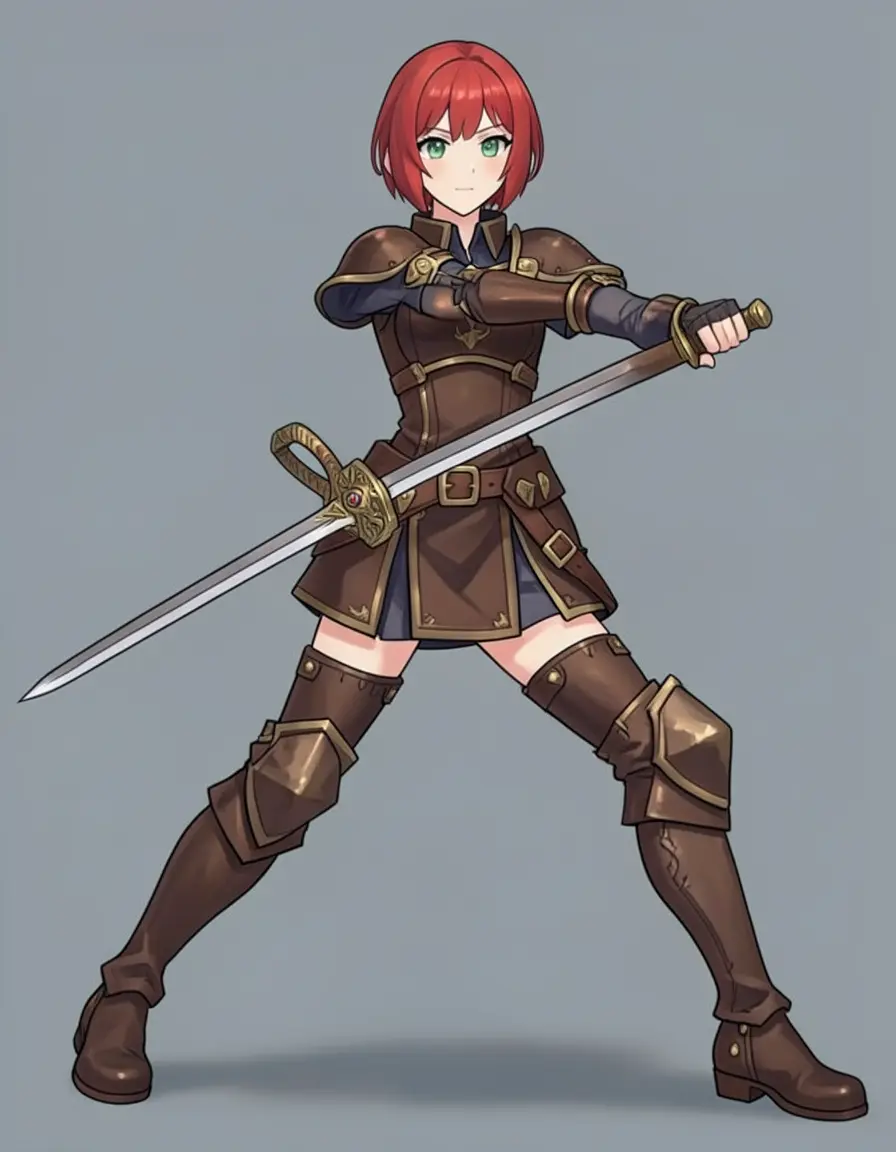
Klein 4B pose edits. All four views are clean and detailed — the side and back views preserve the armor design, and the action pose has a proper sword and dynamic stance. The 4B model handles pose rotation well in 4 steps.
Klein 4B nails pose variations. The side view preserves the armor profile, the back view shows the gold trim continuing around, and the action pose produced a dynamic sword stance with clean lines. The 9B versions have slightly sharper detail, but both models produce usable reference views.
Step 3: Expression sheet
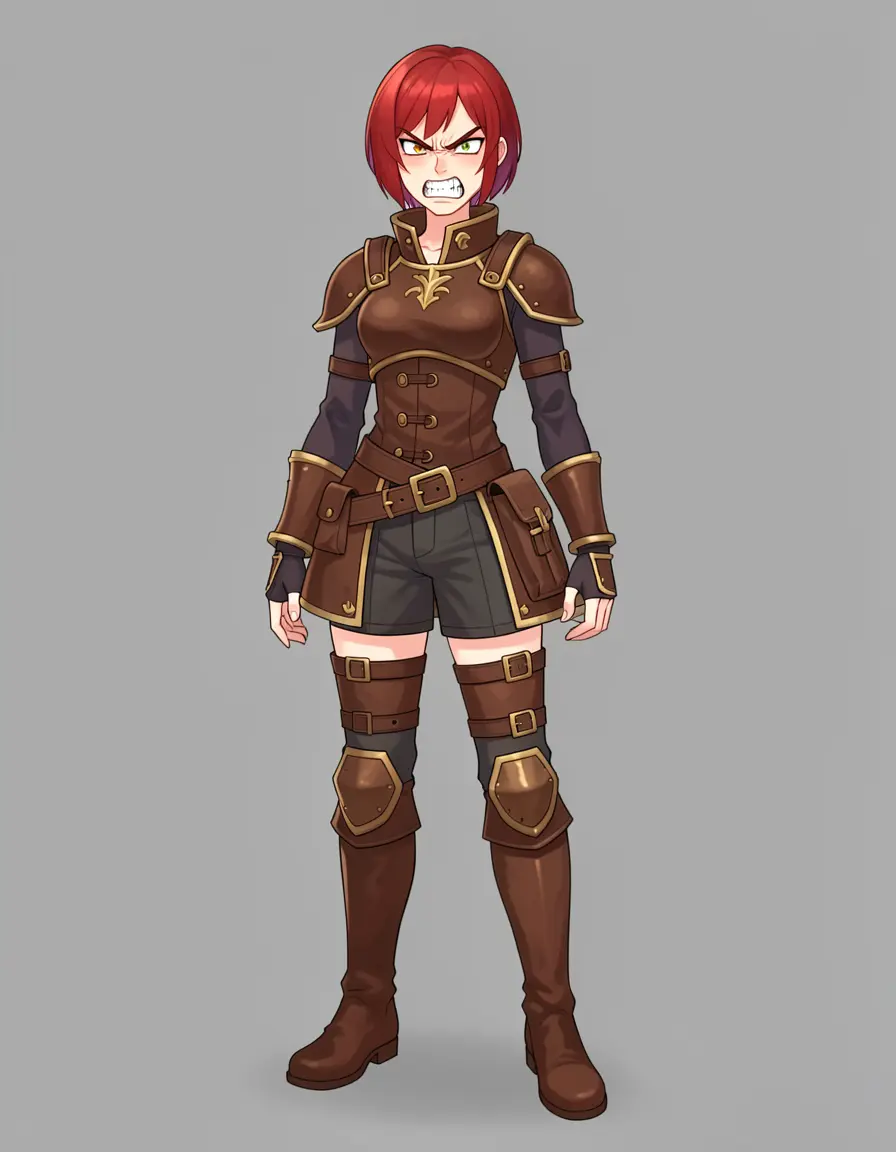
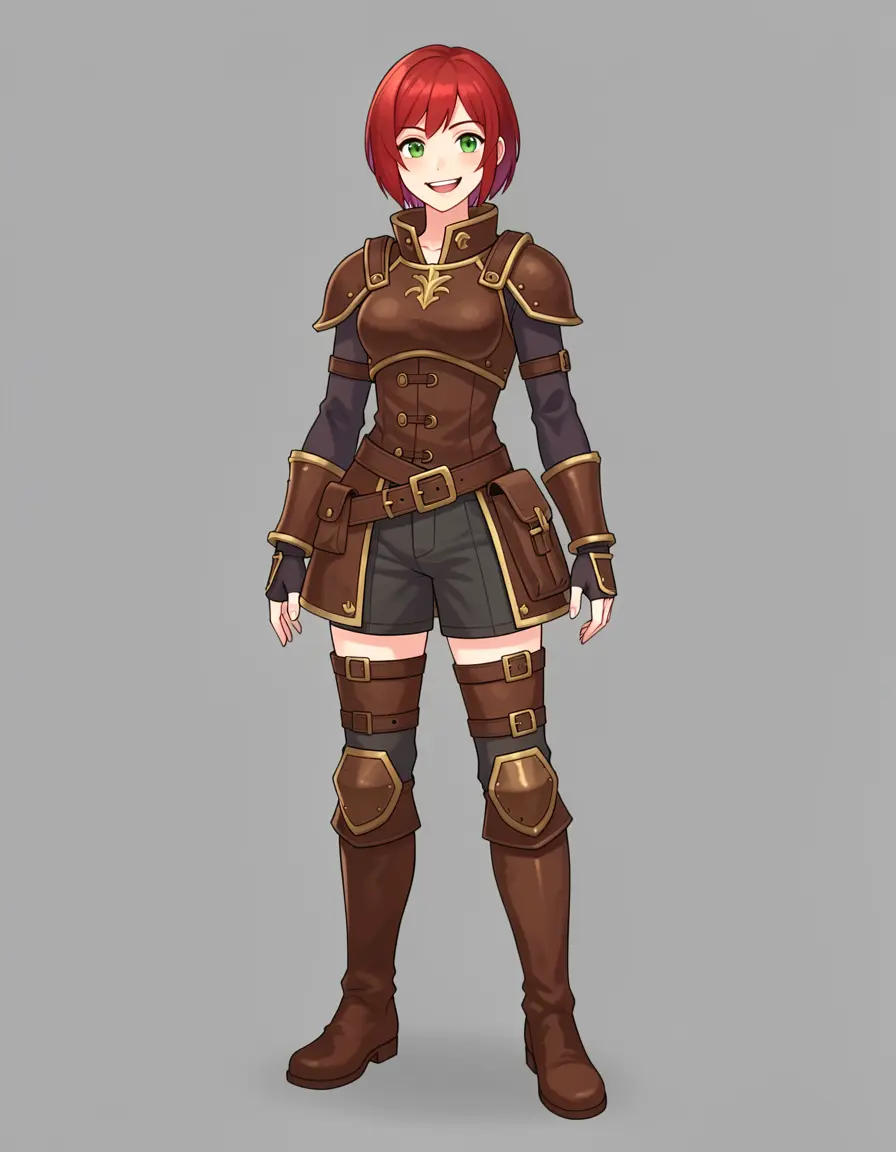
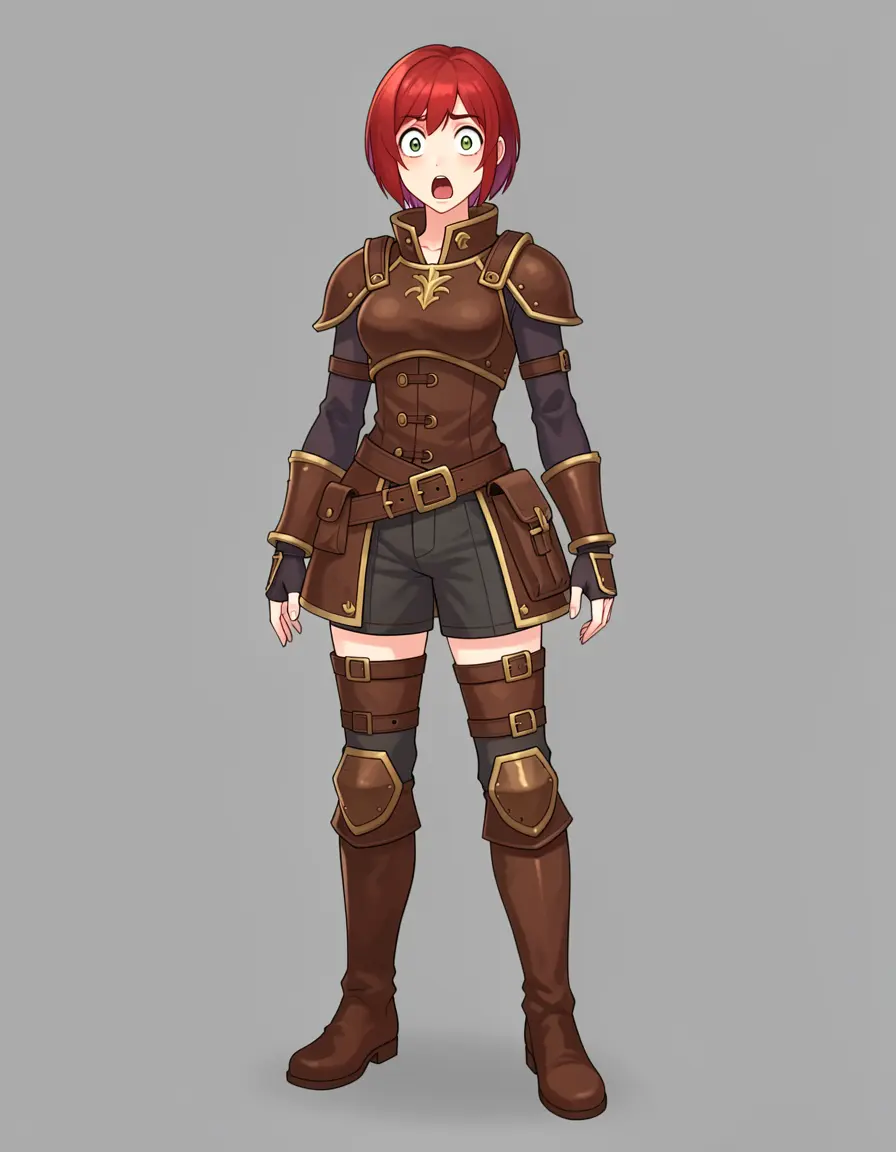
This is where edit models shine. Changing a facial expression is a small, focused edit — exactly what the model is good at.
Neutral
Angry
Happy
Surprised
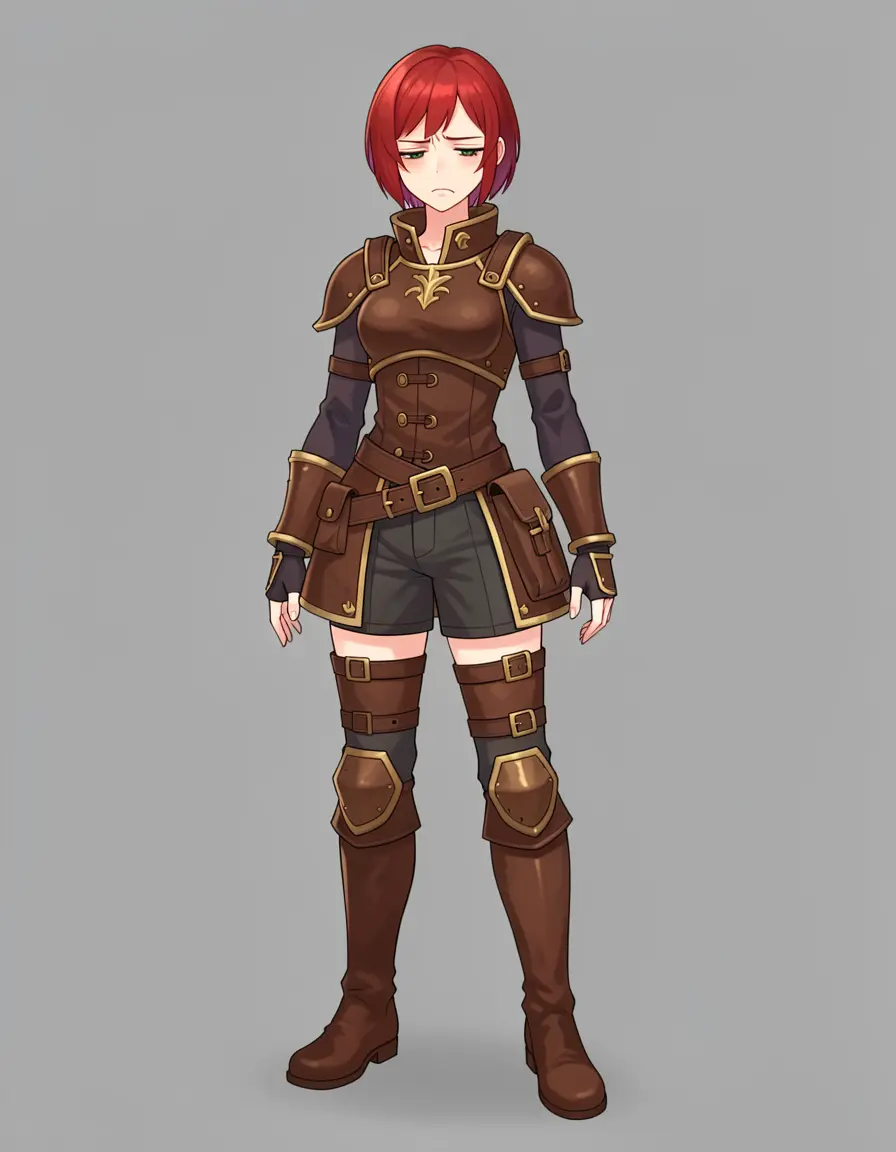
Sad
Five expressions, one base image. The outfit, pose, background, and hair stay pixel-perfect. Only the face changes — exactly what you want for a reference sheet. Look at the angry expression: teeth visible, brow furrowed. The sad expression: eyes closed, slight downturn.
This is the sweet spot for edit models. The change is localized (just the face), so the model has plenty of capacity to make it convincing. Every expression maintains the exact same outfit, pose, and background. You can also zoom in for face-detail reference (modl edit "zoom in to show just the character's face and shoulders" --image base.png), useful for avatar or portrait references.
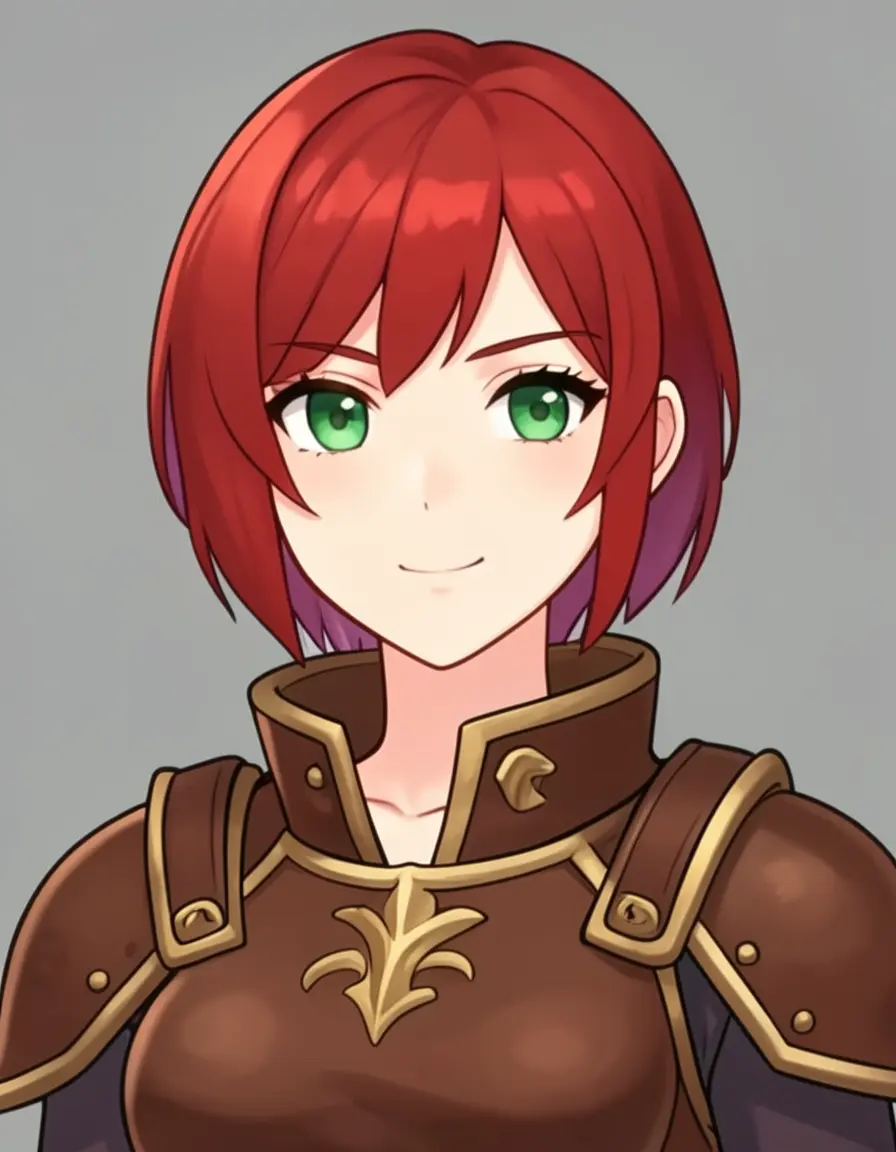
Face close-up generated from the same base image with a single edit command.
Step 4: Outfit variations
Swap the entire outfit while keeping the character’s face and identity. This tests the model harder — it needs to change most of the image while preserving a small but critical region (the face).
Original
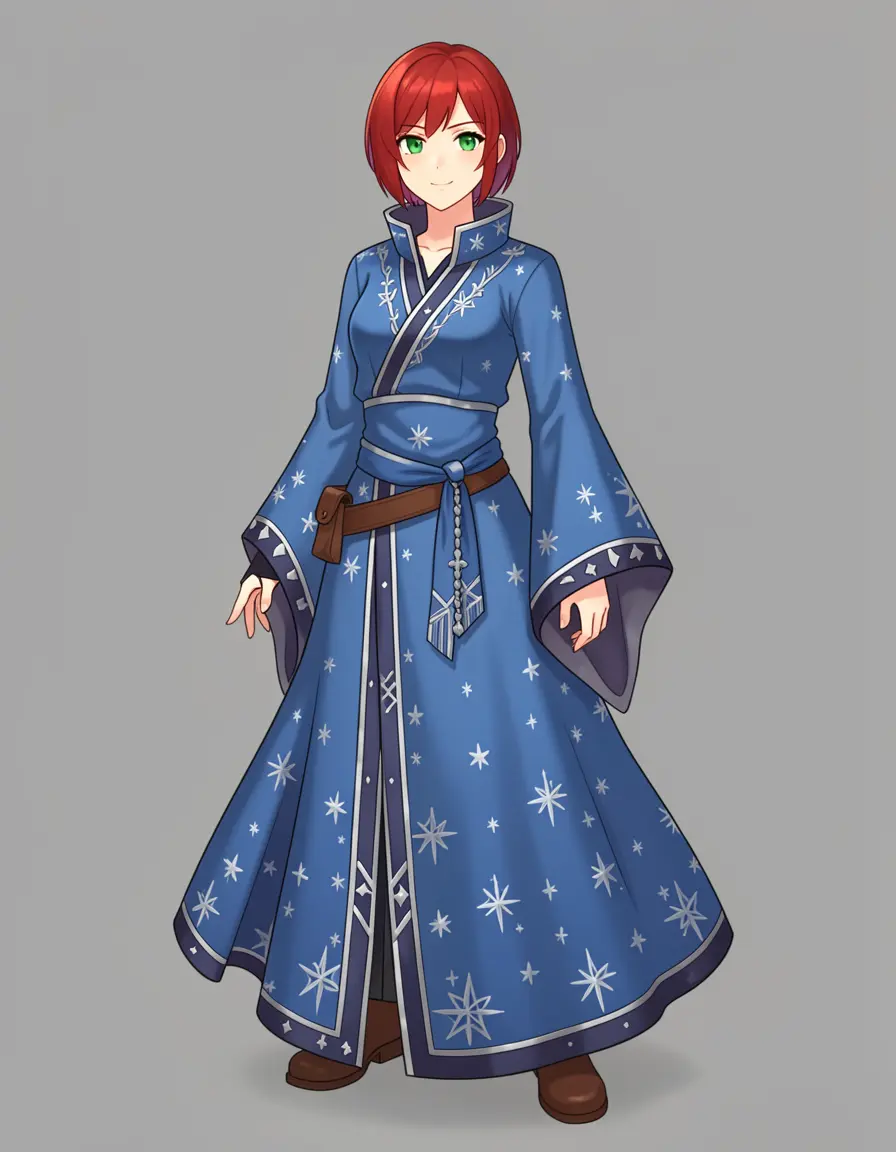
Mage
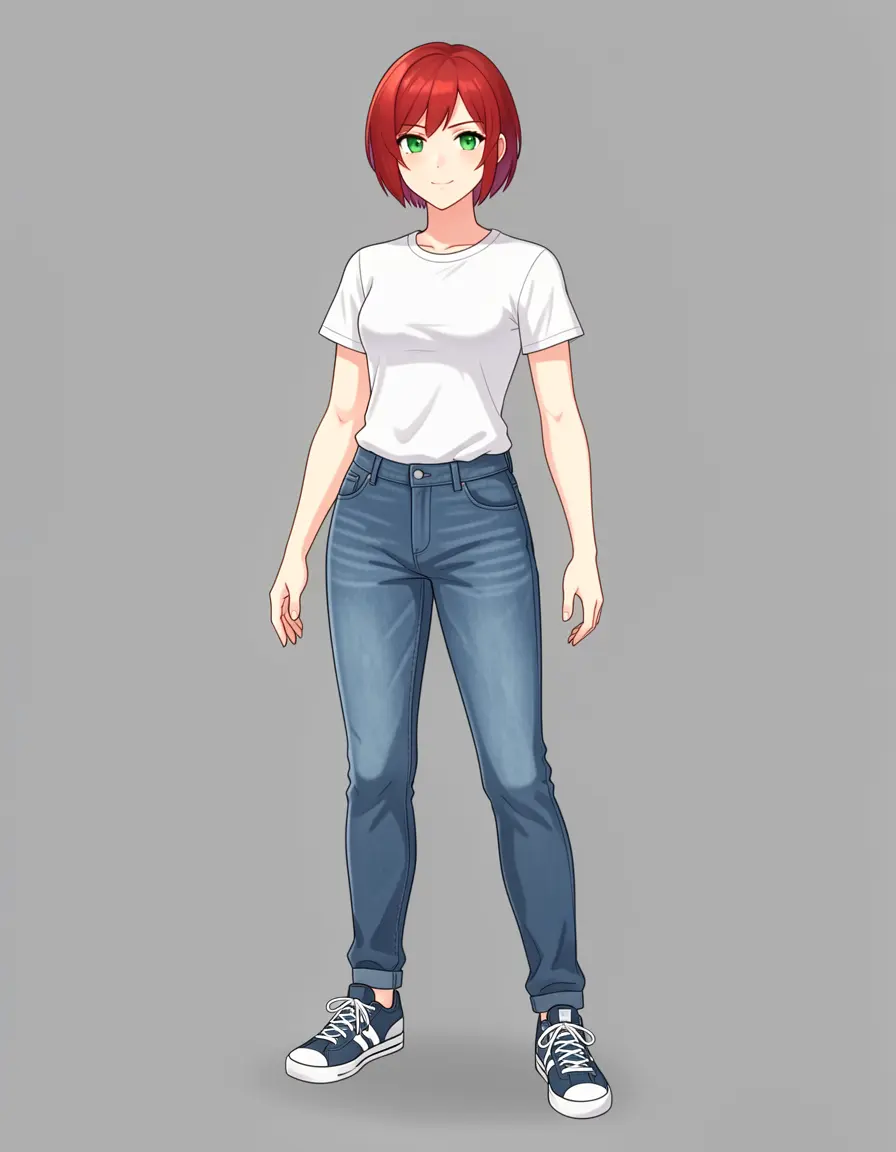
Casual
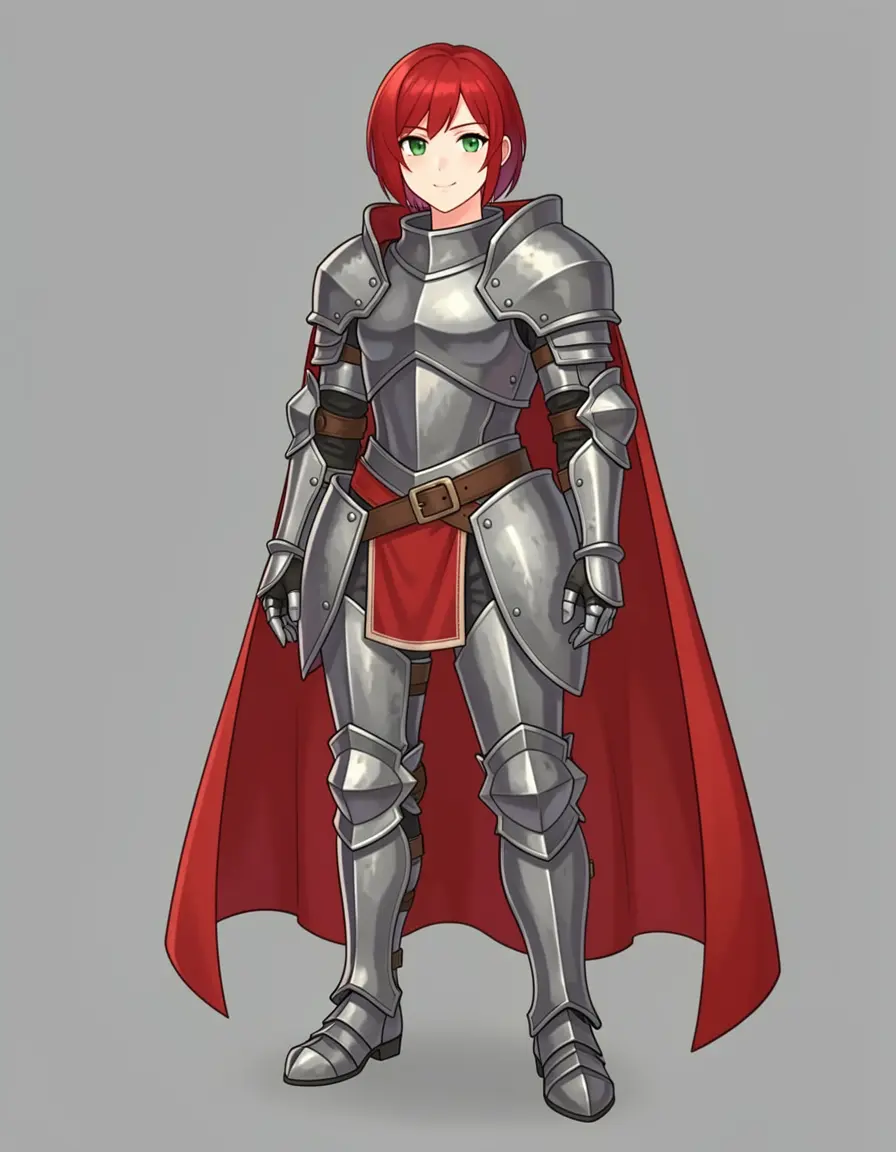
Knight
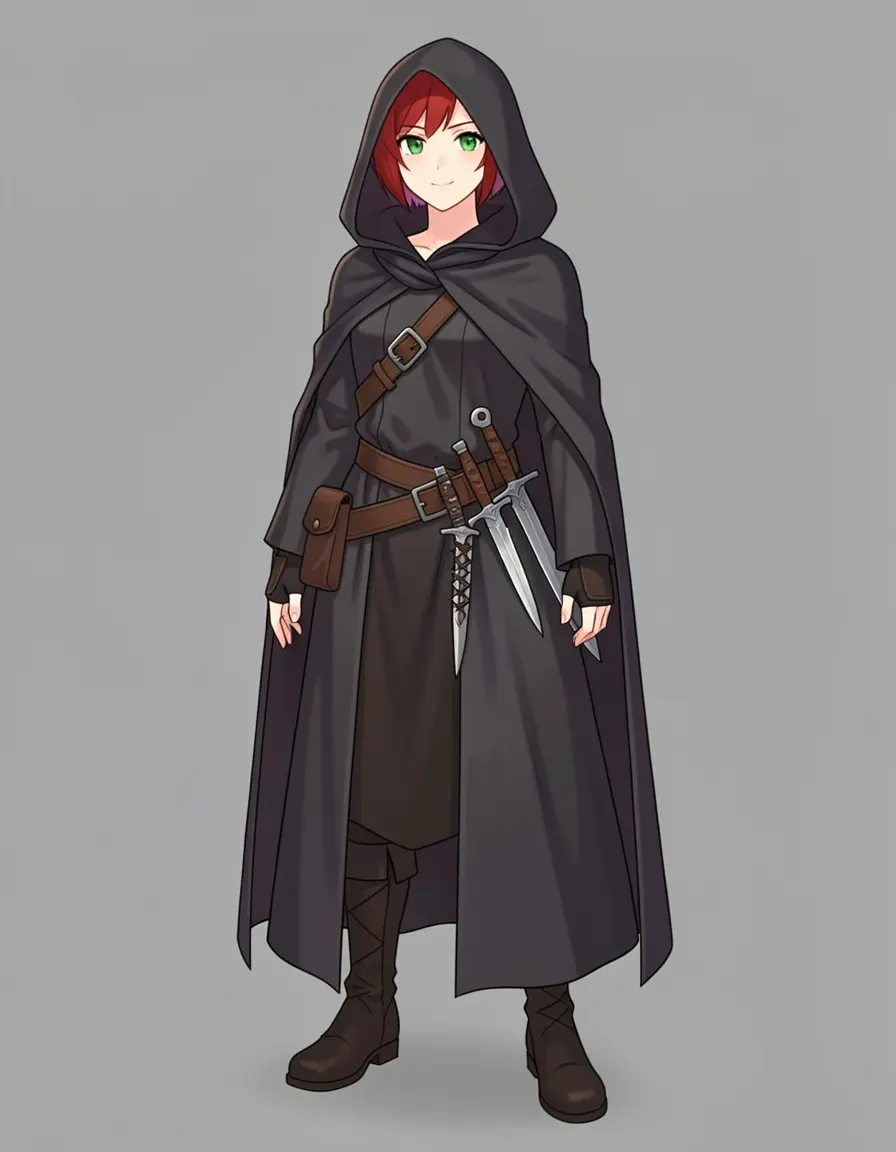
Assassin
Four class outfits from one base character. The face, hair, and eyes stay consistent across all five images. The mage robe has actual star patterns. The casual outfit is a completely different visual register (modern vs fantasy) and still works. The knight armor is the standout — full plate, red cape, gold accents inherited from the original design.
The knight armor result is particularly impressive — the model transferred the gold accent color from the original leather armor into the plate armor design. The assassin’s cloak partially covers the red hair with a hood, but the visible strands and the face beneath are still recognizably the same character. Note the anchor phrase "keep the same character face and red hair" in every prompt — without it, the model may reinterpret the face to match the new outfit’s genre.
4B vs 9B: outfit comparison
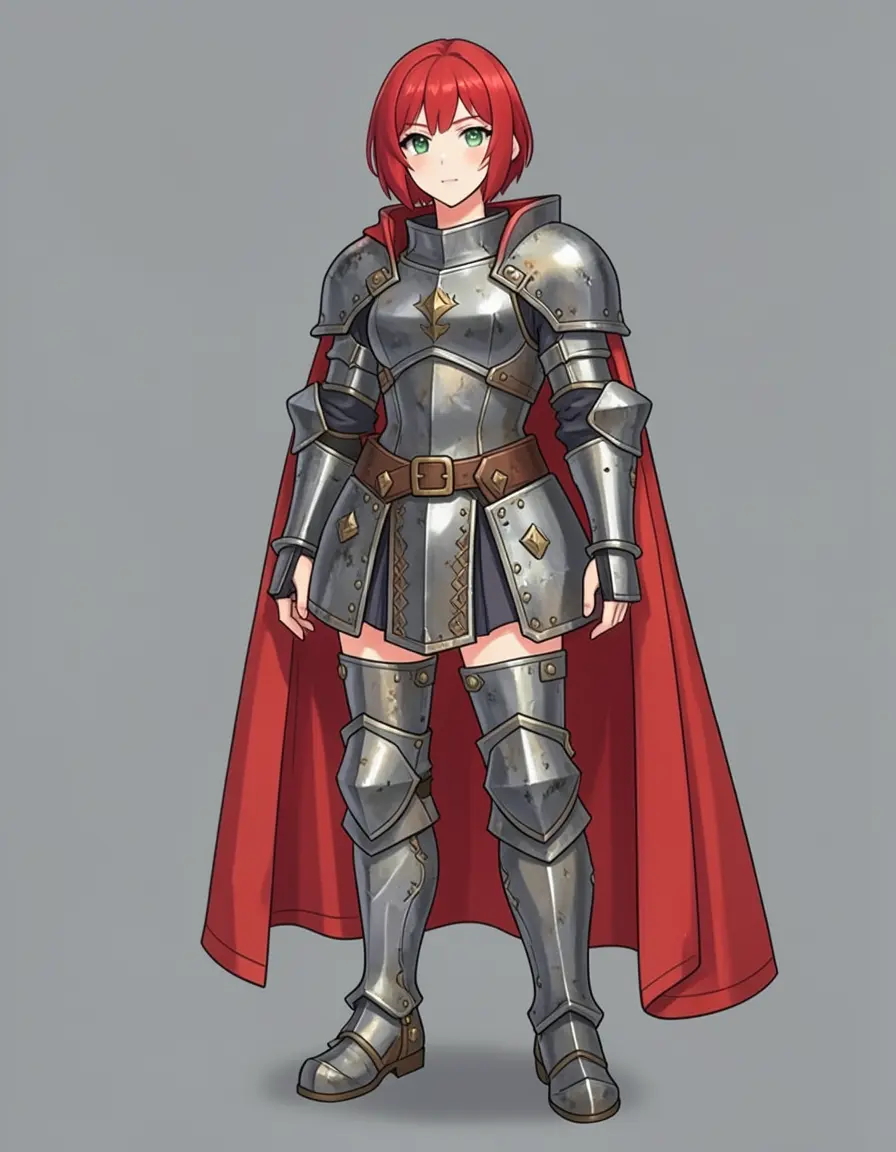
Both models render full plate armor with a red cape and gold accents. 9B has slightly sharper plate edges and more defined rivets. 4B's cape drape is arguably better. Both are production-quality.
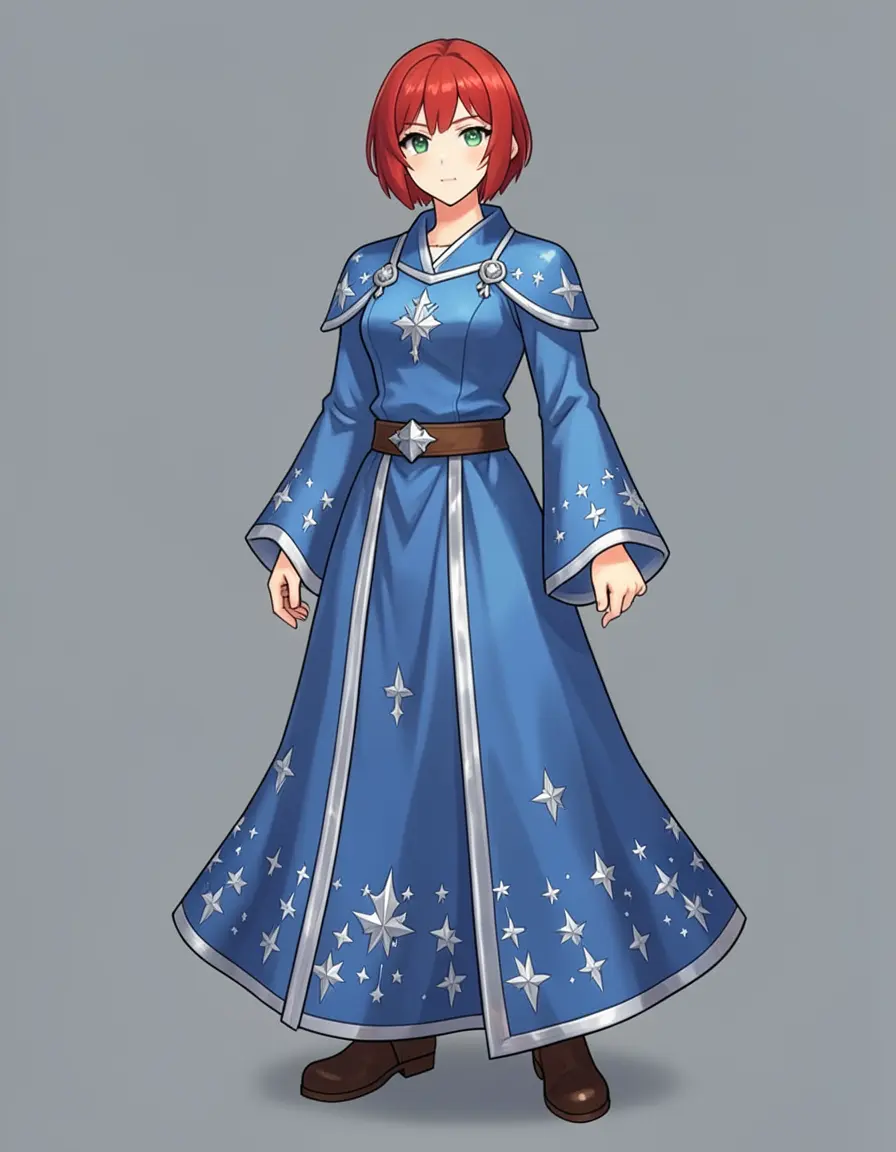
Both models rendered the star patterns. 4B went with a Western mage robe with prominent silver stars. 9B leaned more kimono-style with subtler embroidery. Different interpretations, both valid.
Step 5: Turnaround sheet in one shot
A turnaround sheet shows the same character from multiple angles — typically front, side, and back — on a single image. It’s the standard deliverable for game dev and animation character pipelines. While editing individual views (front, side, back) works reliably, you can also ask Klein 9B to generate a full turnaround from a single edit:
Klein 9B generated a proper three-view turnaround from a single edit. The armor design is consistent across all three views. The gold trim, belt pouches, and boot style carry through.
We expected this to fail — generating a multi-panel layout from an edit command is asking the model to simultaneously rotate the character, clone it three times, and arrange them spatially. But it worked. The armor design carries through all three views with consistent detailing.
4B does it too — mostly
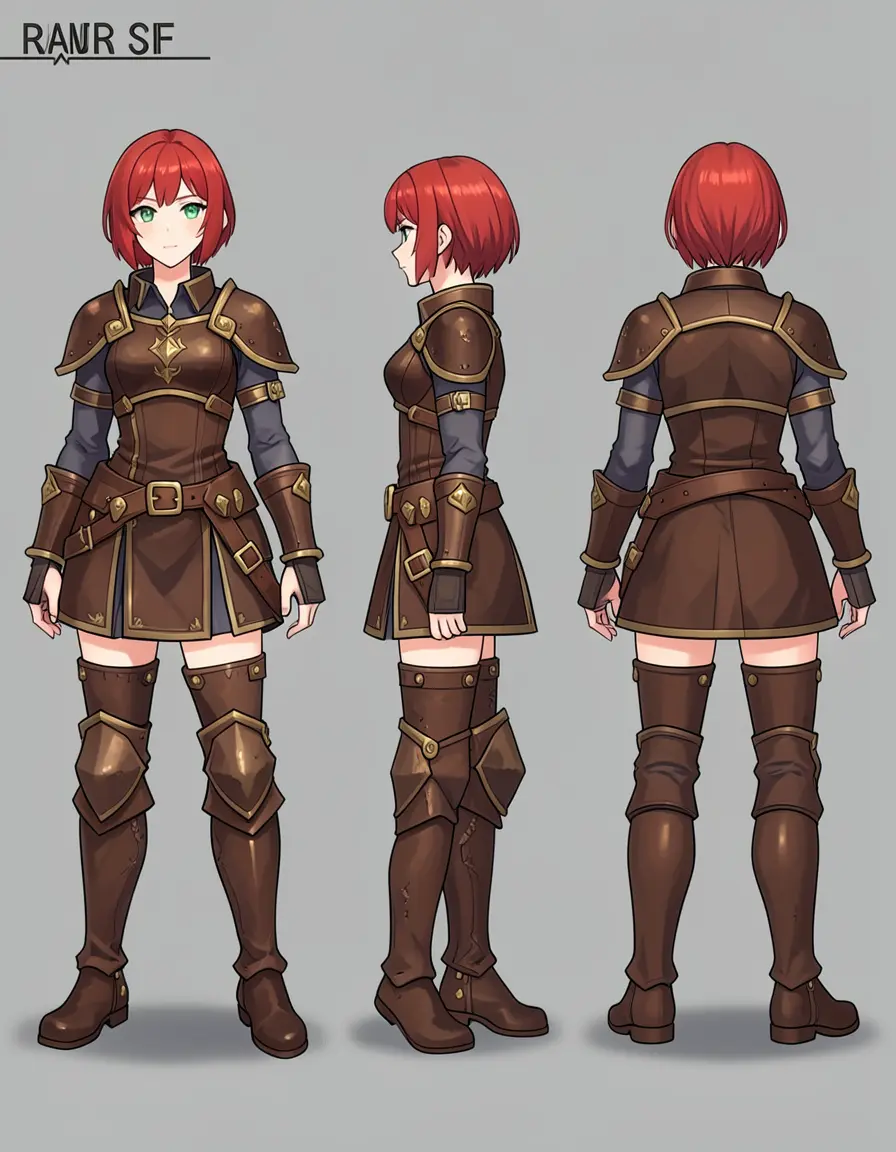
Both models generate three-view turnarounds from a single edit. 4B's front and back are solid, but the side view has proportional issues — the torso and legs don't quite match the other views. 9B nails all three. For turnarounds specifically, 9B is the safer choice.
The 4B turnaround is close but not quite there — the front and back views are consistent, but the side view has proportional drift (legs are shorter, torso wider). It also picked up a text artifact in the corner. For turnaround sheets specifically, 9B produces cleaner results with more consistent proportions across all views.
Shortcut: generate a sheet directly
You can also skip the edit approach and prompt for a reference sheet in a single modl generate command using 16:9 aspect ratio:
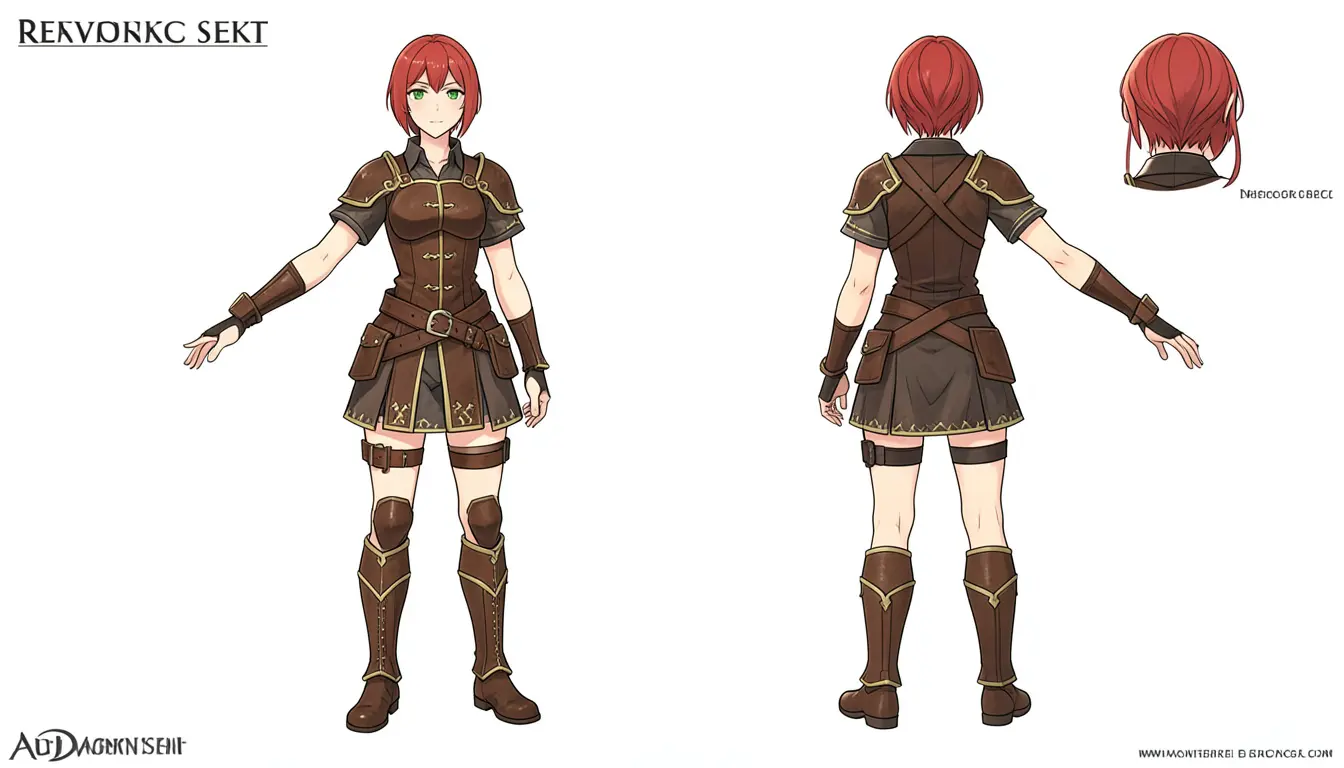
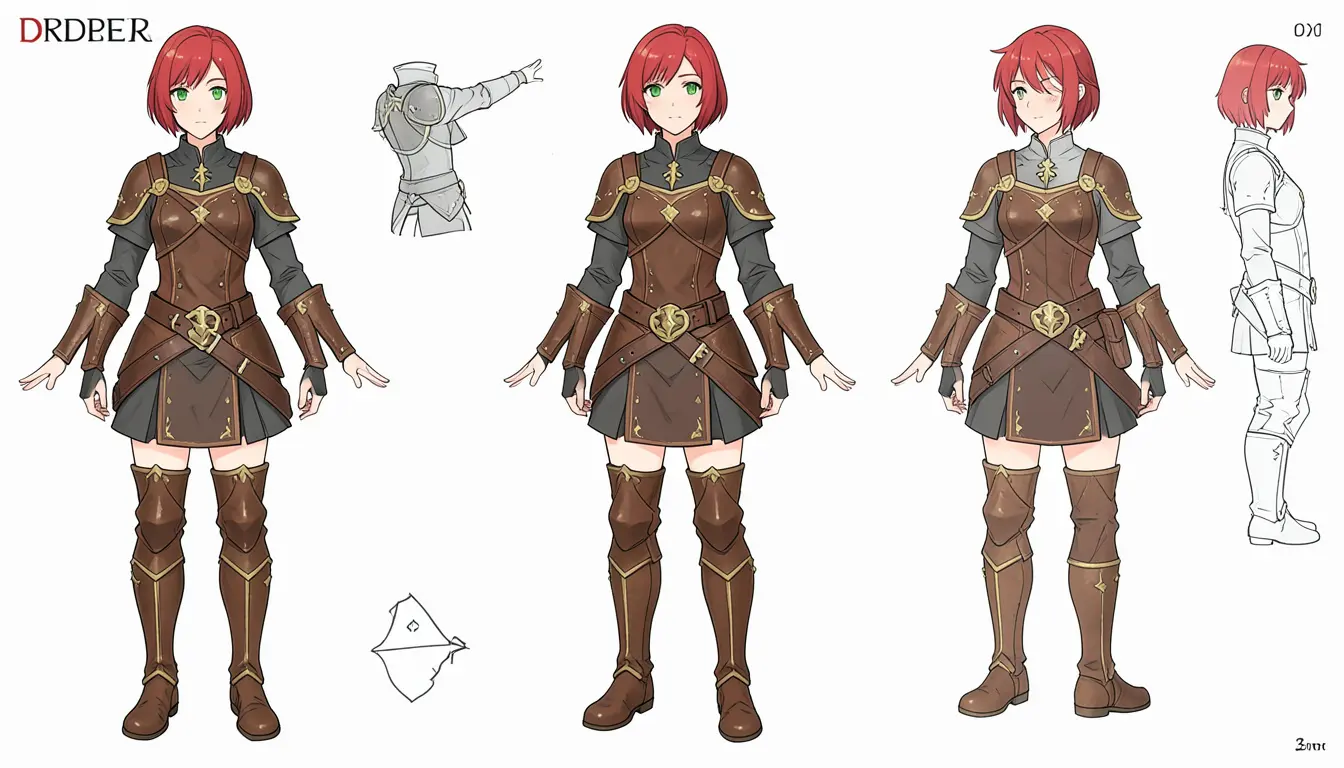
Direct sheet generation on Klein 4B, 16:9. Both produced multi-view layouts with the model's own annotations. Usable for quick exploration, but proportions drift between views, armor details vary, and text labels are gibberish. The edit approach (Steps 1-5) gives you control over each view.
Step 6: Pushing the limits
Changing everything at once
What happens when you ask for a pose change, outfit swap, expression change, and prop addition all in one edit?
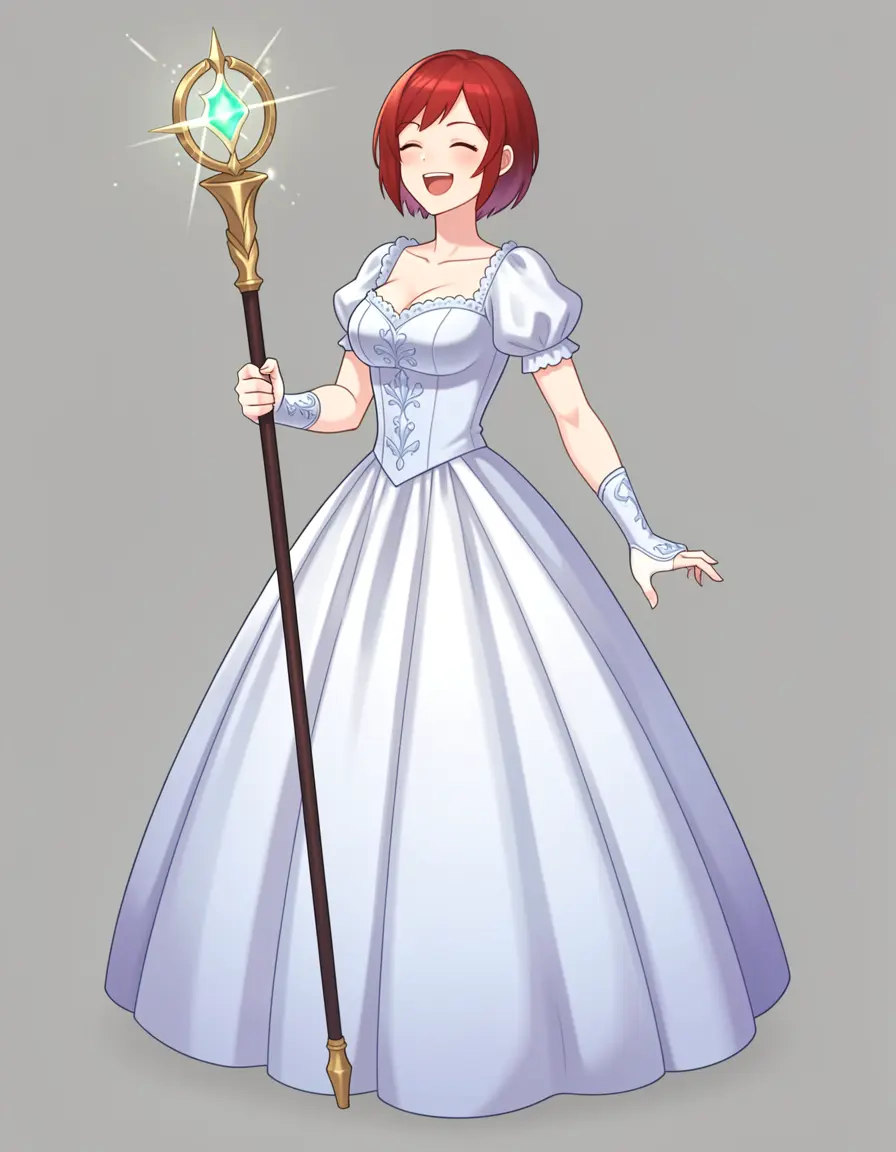
Four simultaneous changes: pose (three-quarter), outfit (ballgown), expression (laughing), and prop (magic staff). All four applied correctly. The character's red hair and face shape are still recognizable despite everything else changing.
We expected identity to break with four simultaneous changes, but the model kept the red hair, face shape, and head proportions consistent. The staff is properly held, the ballgown has volume and drape, the laugh is convincing. For reference: single-change edits (expression only, outfit only) work reliably on both 4B and 9B. Multi-change edits like this one work on 9B but haven’t been tested on 4B.
Chaining edits
You can edit an already-edited image. Take the action pose and change the expression:
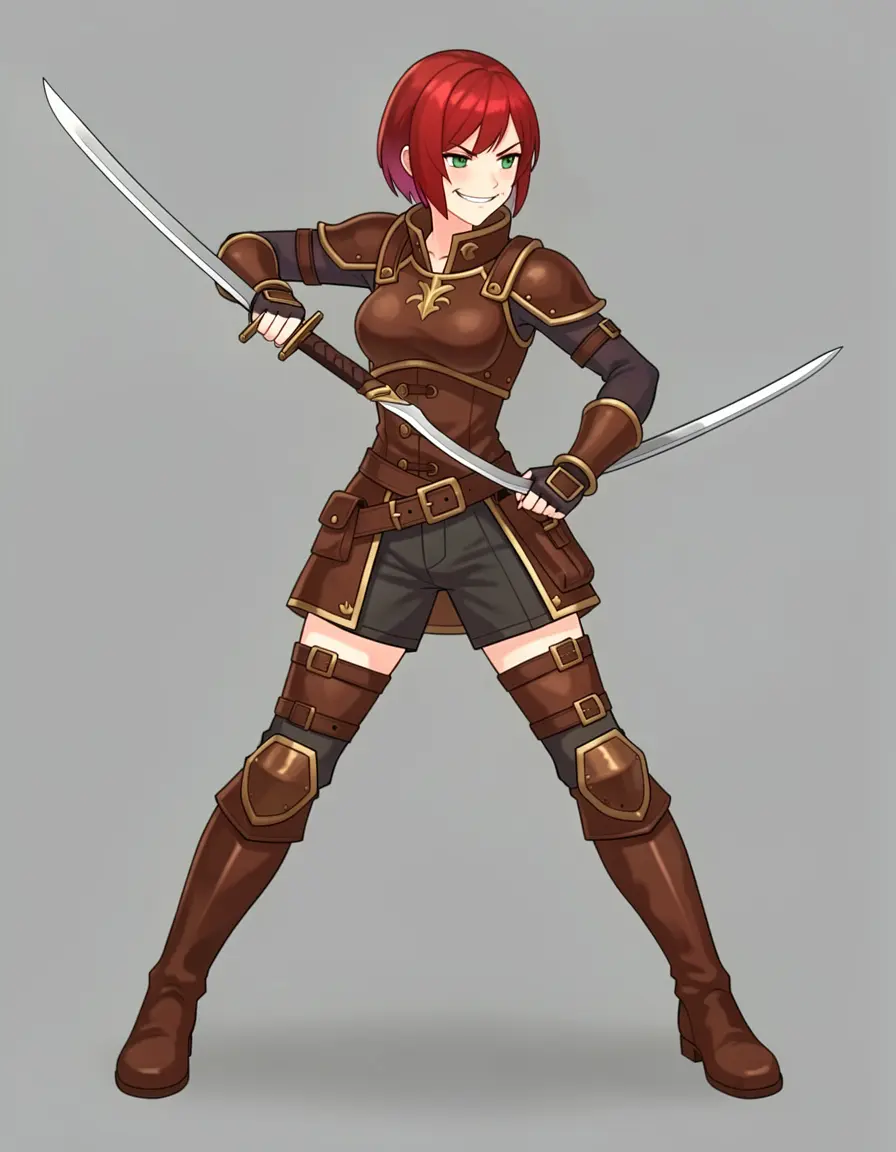
Chained edit: the action pose was already an edit of the base. Editing it again to change the expression worked — the smirk is visible, the dual swords and outfit are preserved. No quality degradation from the double edit.
No quality loss from the double edit. The swords, pose, and outfit from the first edit are all preserved, and the face now has a confident smirk. You can chain 2-3 edits before quality starts to degrade.
Character redesign: changing body type
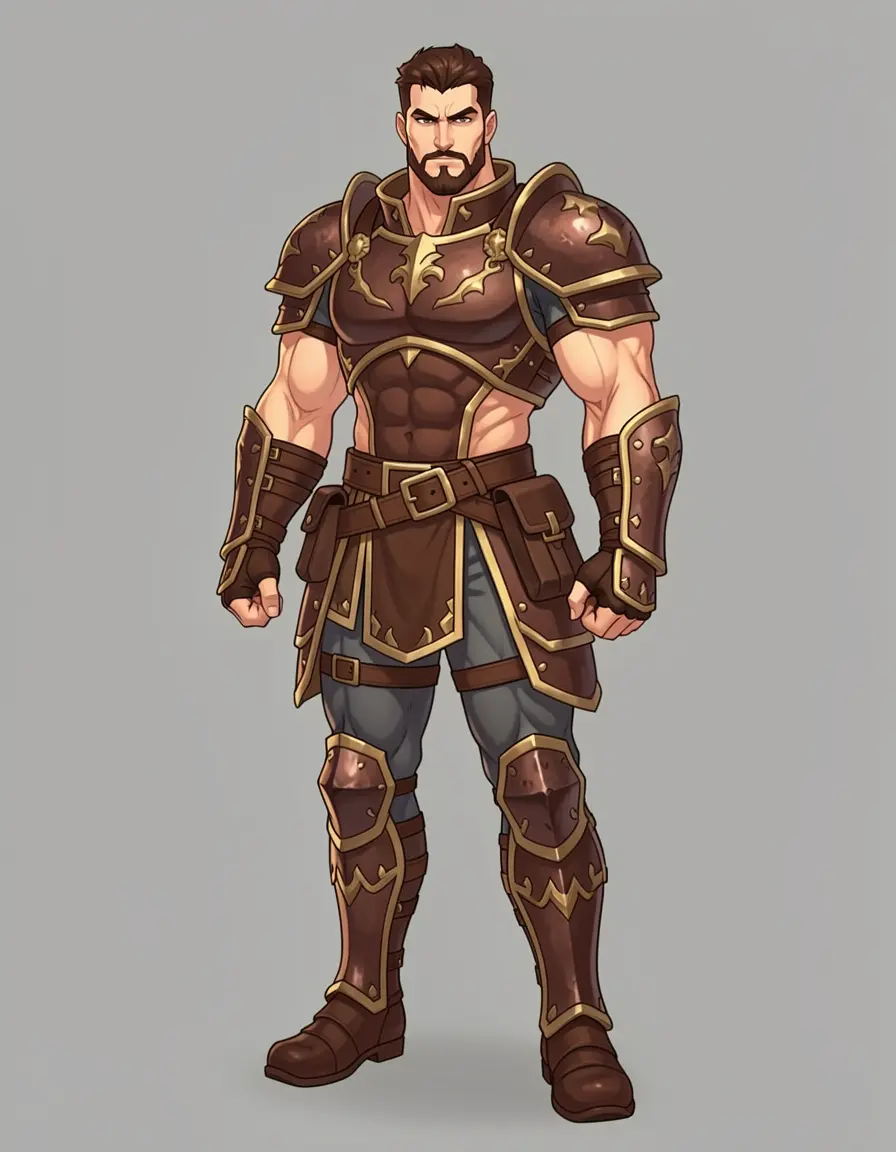
Complete character redesign. The model changed the body type, face, and proportions but kept the armor design language — same brown leather, same gold trim pattern, same belt style. Useful for generating party members or NPCs in a consistent art style.
This isn’t a failure — it’s a feature. If you’re building a game with multiple characters, you can establish an art style with one character and then use edit to create variations: different body types, different faces, same armor aesthetic.
Placing the character in a scene
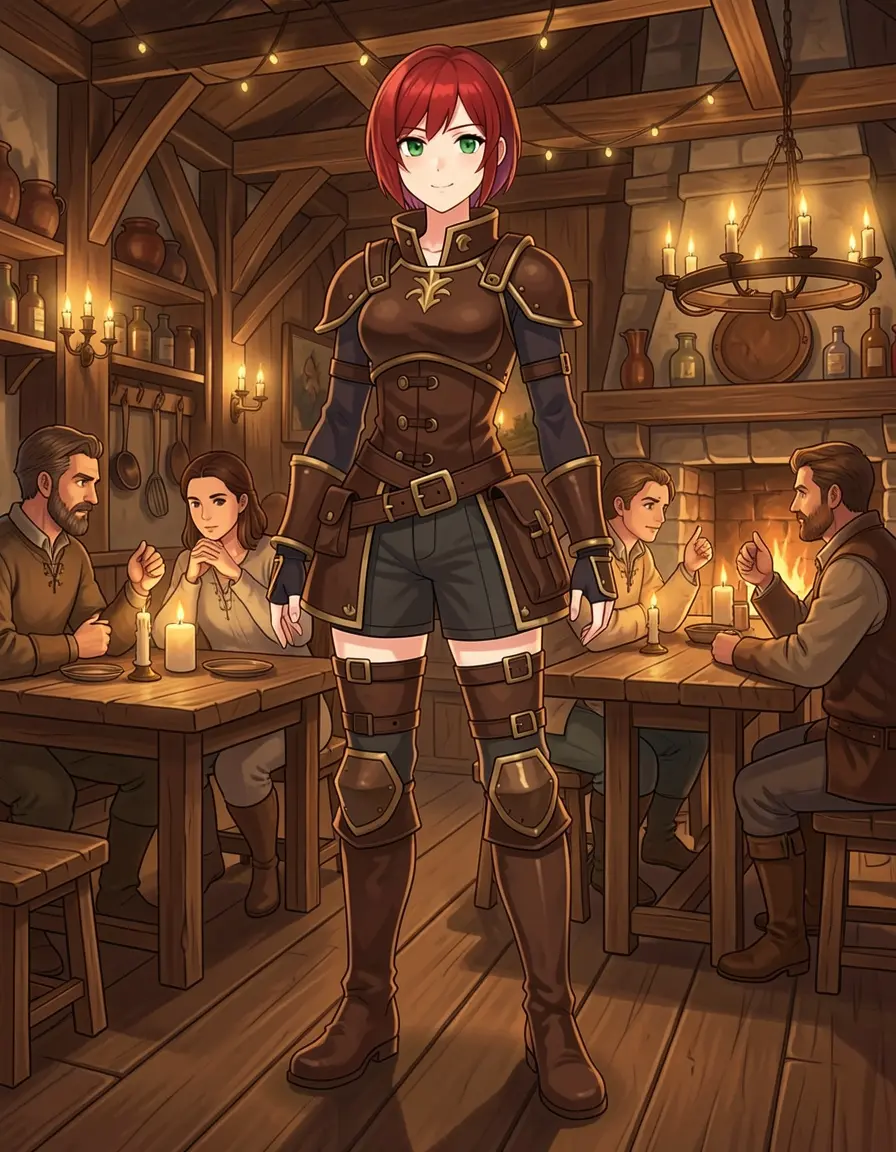
The gray background became a full medieval tavern — wooden beams, candle chandelier, stone fireplace, background NPCs. The character's outfit, face, and proportions are preserved. Useful for generating scene illustrations after you've locked the character design.
When to use 9B over 4B
Both models work for every task in this guide. Here’s when the extra VRAM cost of 9B is worth it:
Short version: Start with Klein 4B (8 GB VRAM). Switch to 9B (16 GB) for turnaround sheets or when you need to change multiple things in one edit.
Rules for consistent results
- One change per edit for maximum reliability. Chain edits for compound changes — expression on top of a pose change, outfit on top of a scene.
- Anchor phrases tell the model what to preserve:
"same outfit and appearance","keep the same character face and red hair". Without them, identity drifts on large edits like outfit swaps. - 3:4 aspect ratio for full-body character shots. 16:9 crops the feet; 1:1 makes the character too small.
- Seed matters for the base, less for edits. Try 3 seeds for your base character, then any seed works for edits.
- Batch action poses with
--count 4. Sword grips and hand-object interaction are inherently inconsistent — generate several and pick the best.
The full workflow
Here’s the complete pipeline for generating a character reference sheet:
Each step takes about 3-5 seconds of inference time on a 4090 (after the model is loaded — first generation includes a ~30s model load, subsequent generations reuse it). A full reference sheet (base + turnaround + 4 expressions + 3 outfits + close-up + scene) is about 11 images in 1-2 minutes.
Bonus: style gallery
Once you have a character you like, one modl edit command transforms it into any visual style. Same character, same armor, completely different medium — useful for pitching a character across different art directions or adapting to a specific game’s visual language.
Original
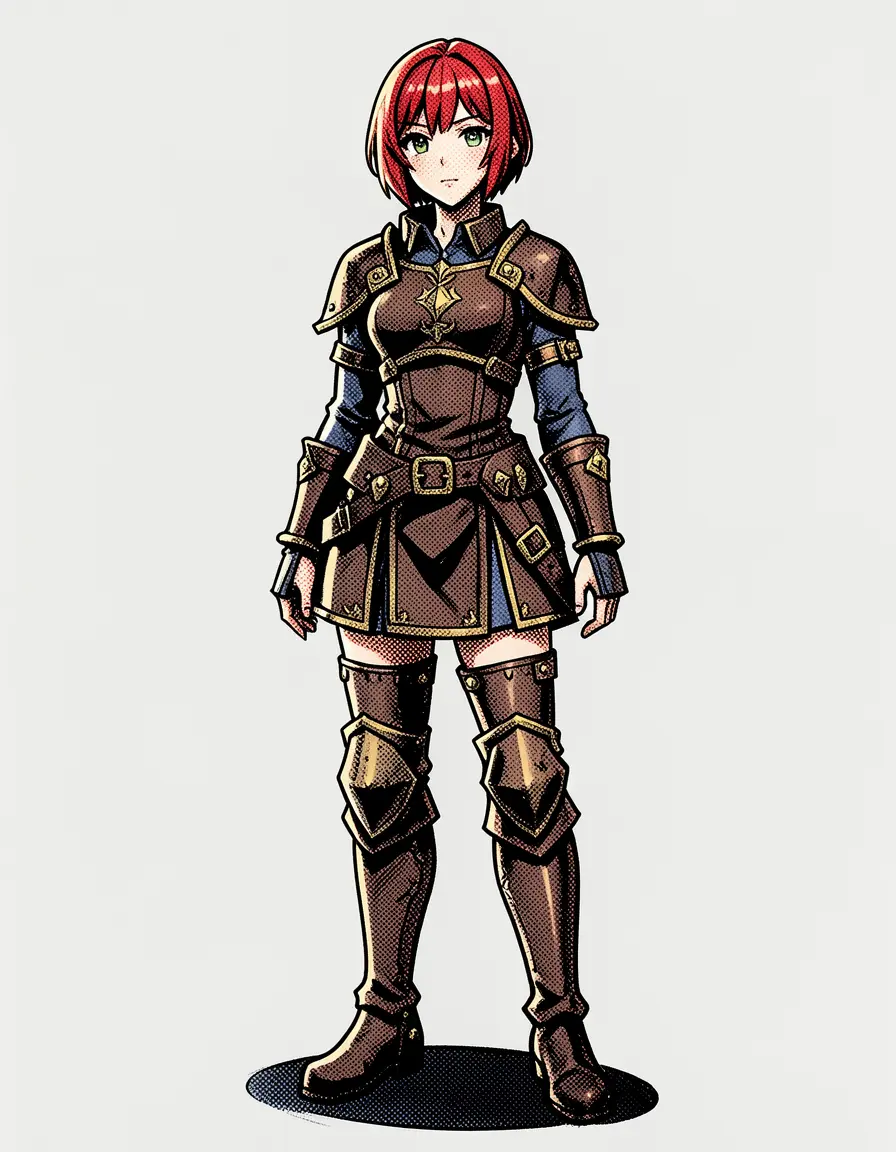
Comic book
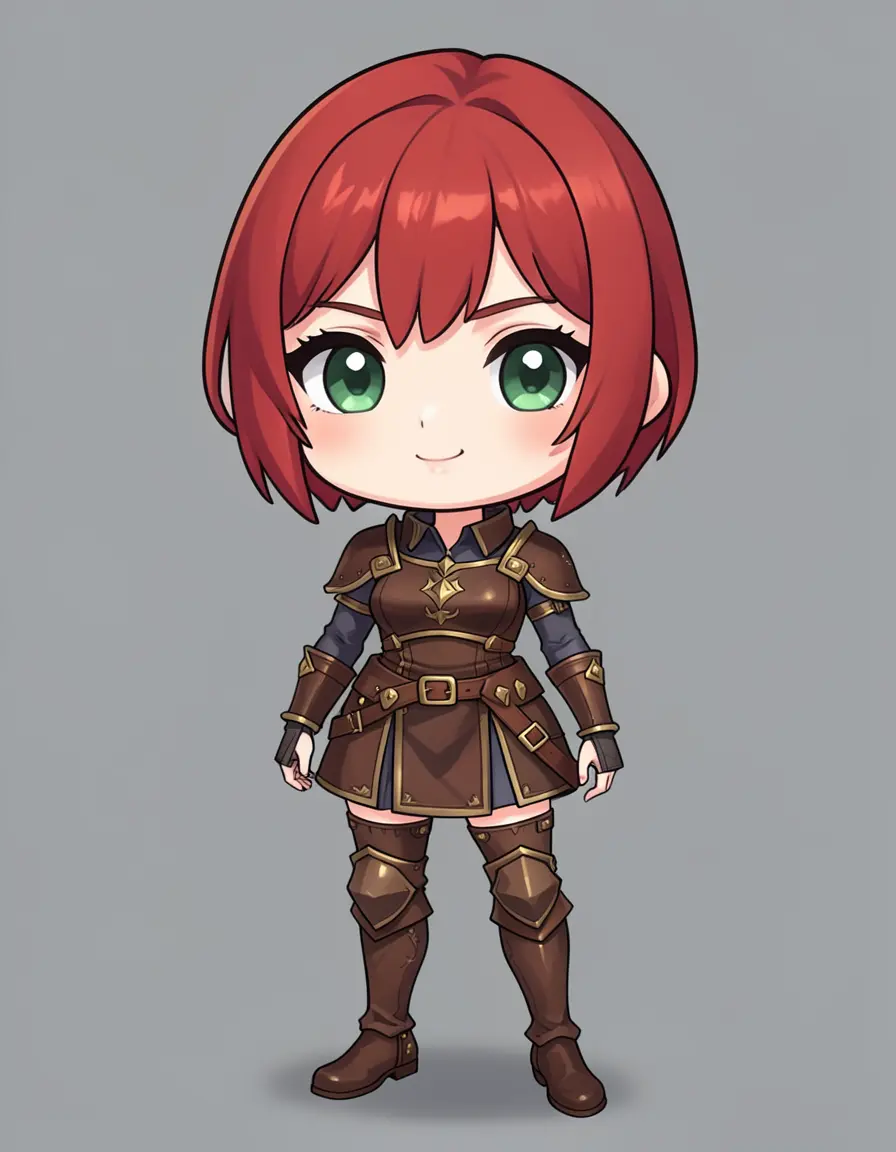
Chibi
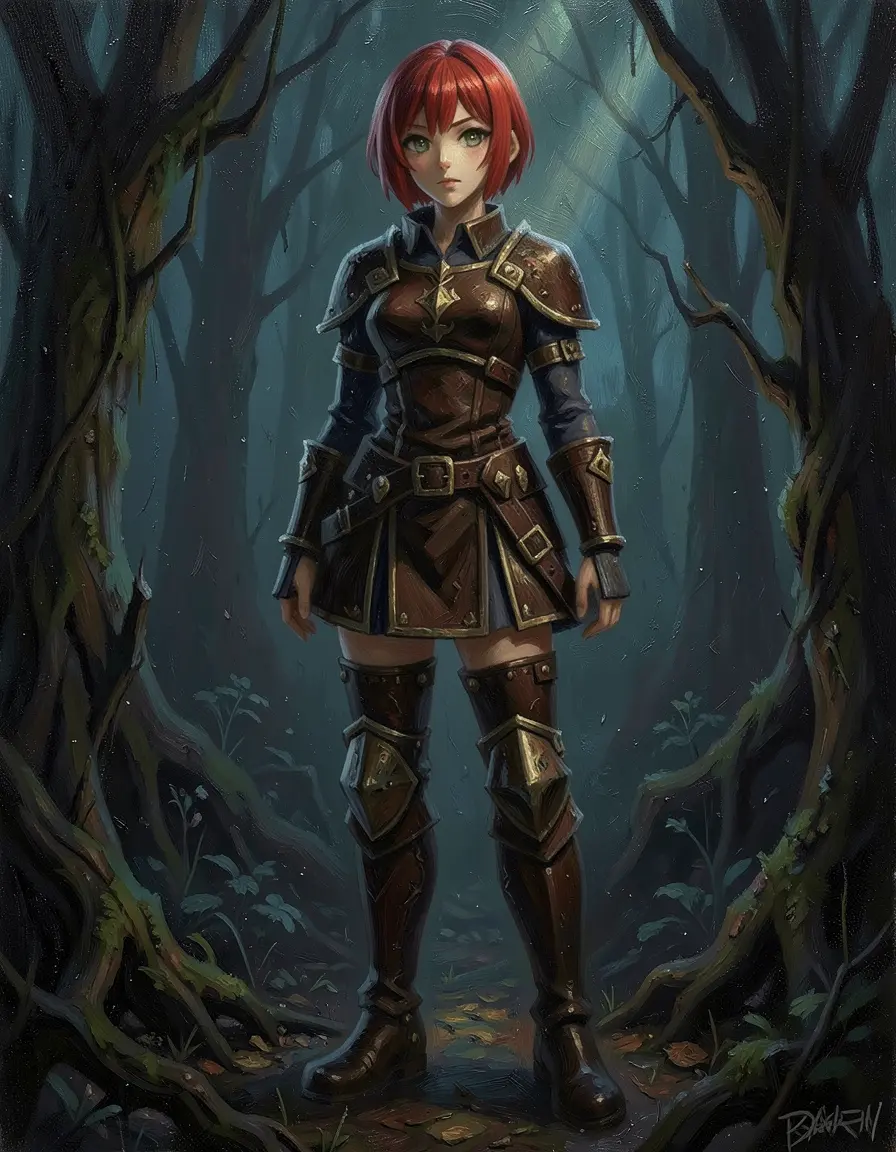
Dark fantasy oil
Three styles from one base image, all on Klein 4B. The comic book version has proper halftone dots and bold outlines. The chibi re-proportioned the entire body (oversized head, stubby limbs) while keeping the armor design recognizable. The dark fantasy oil painting added an entire forest environment with dramatic lighting. For more styles, see the style transfer guide.
Going further: LoRA for locked identity
The edit approach above works well for a single session — but if you revisit the character next week, you’re starting from scratch. A LoRA solves this. Train once on your character (or a real subject — a pet, a person, a product), and every future generation is identity-locked by default.
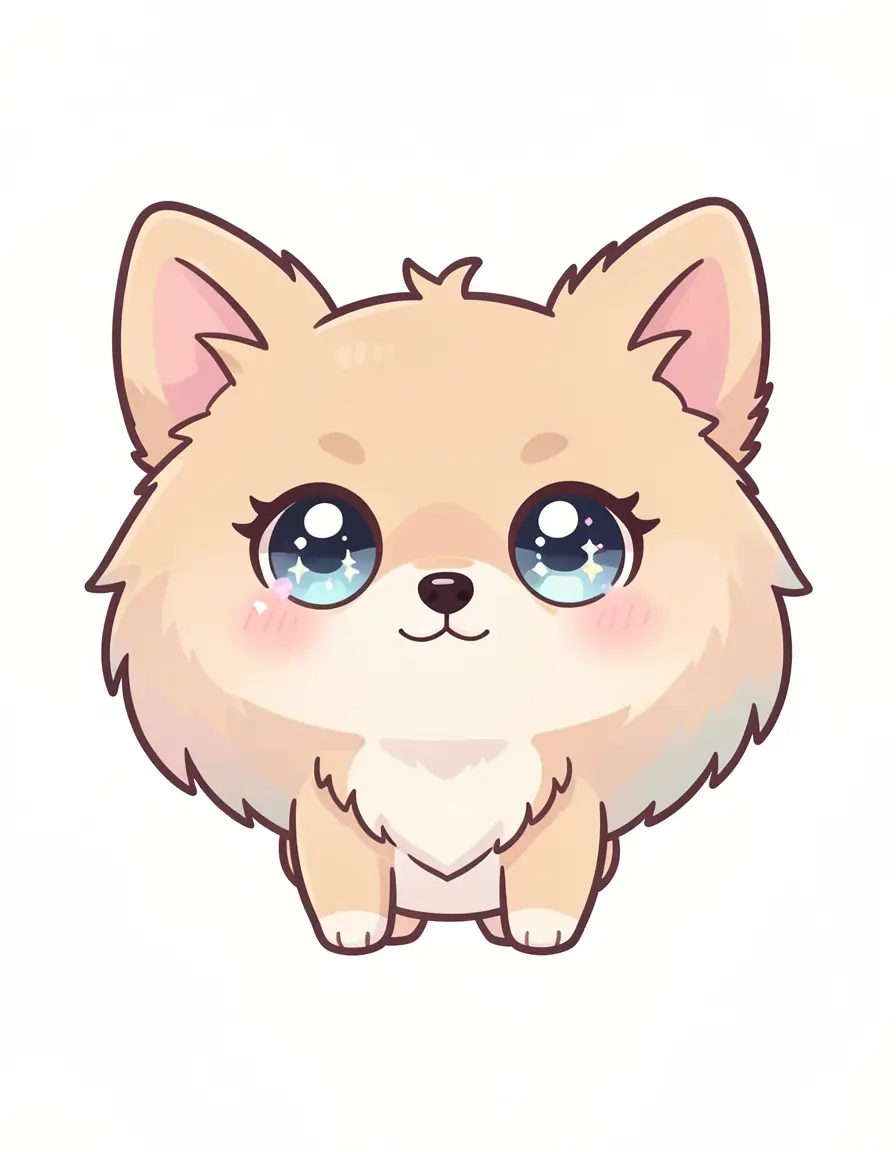
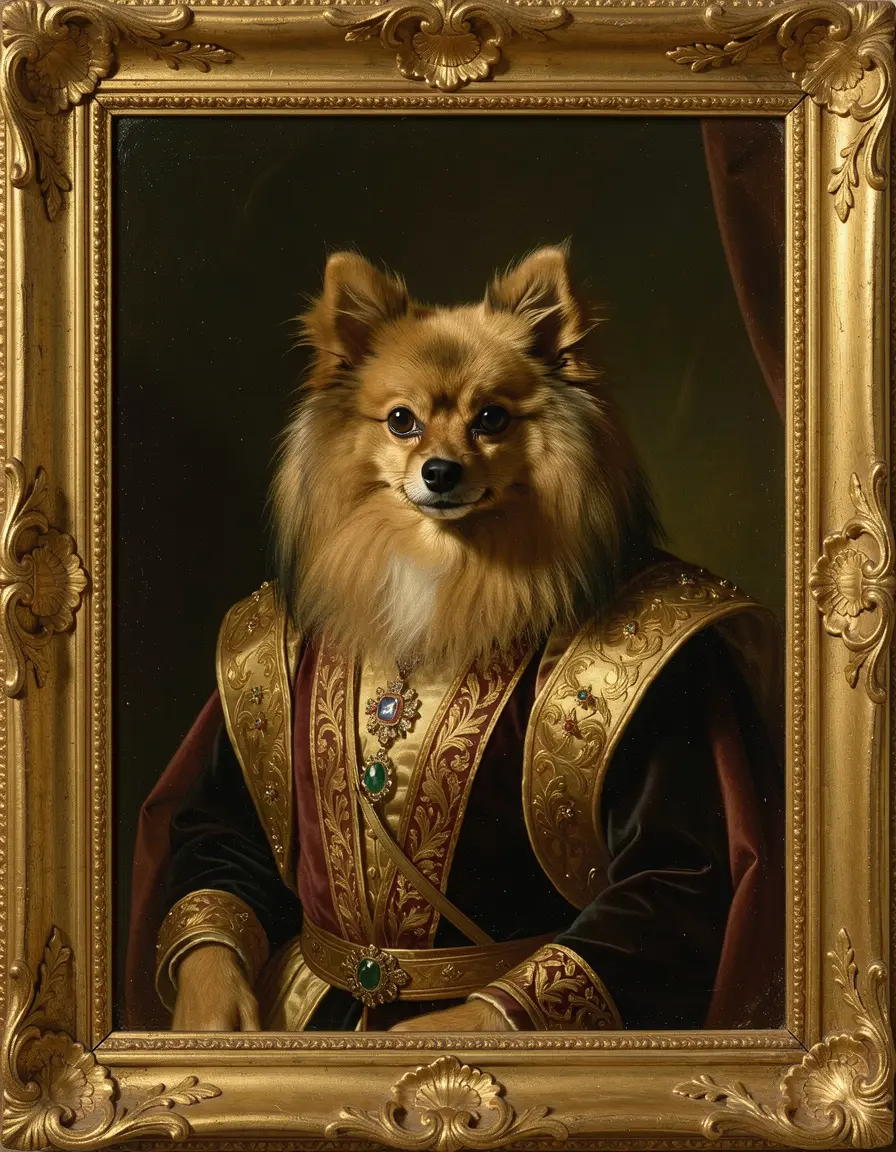
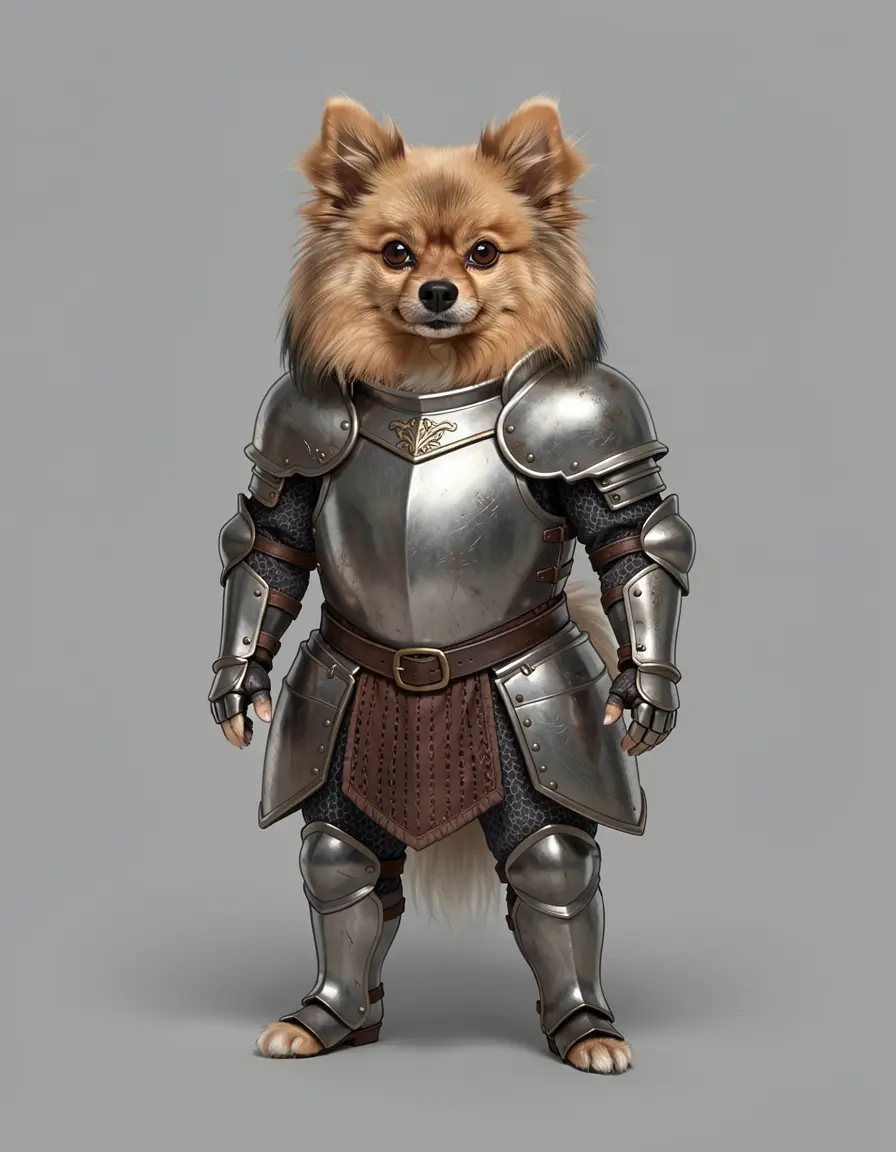
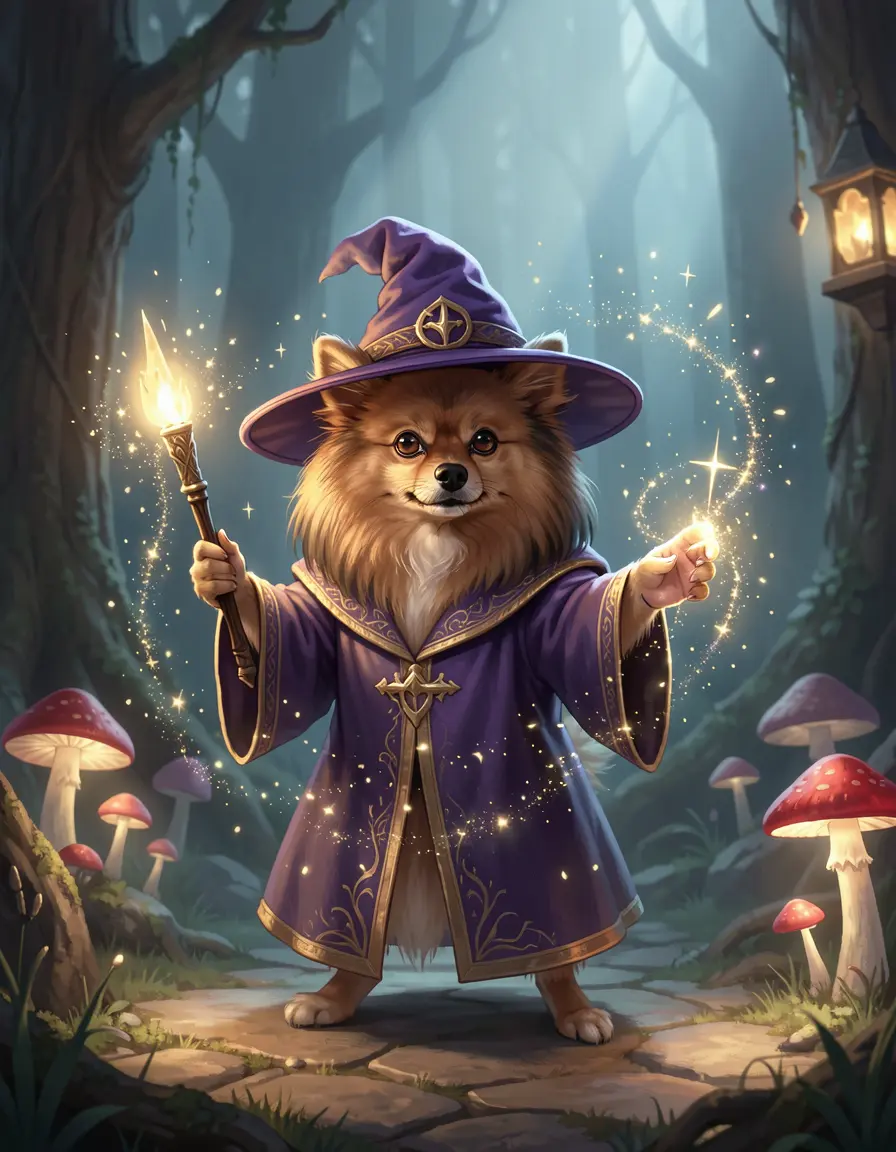
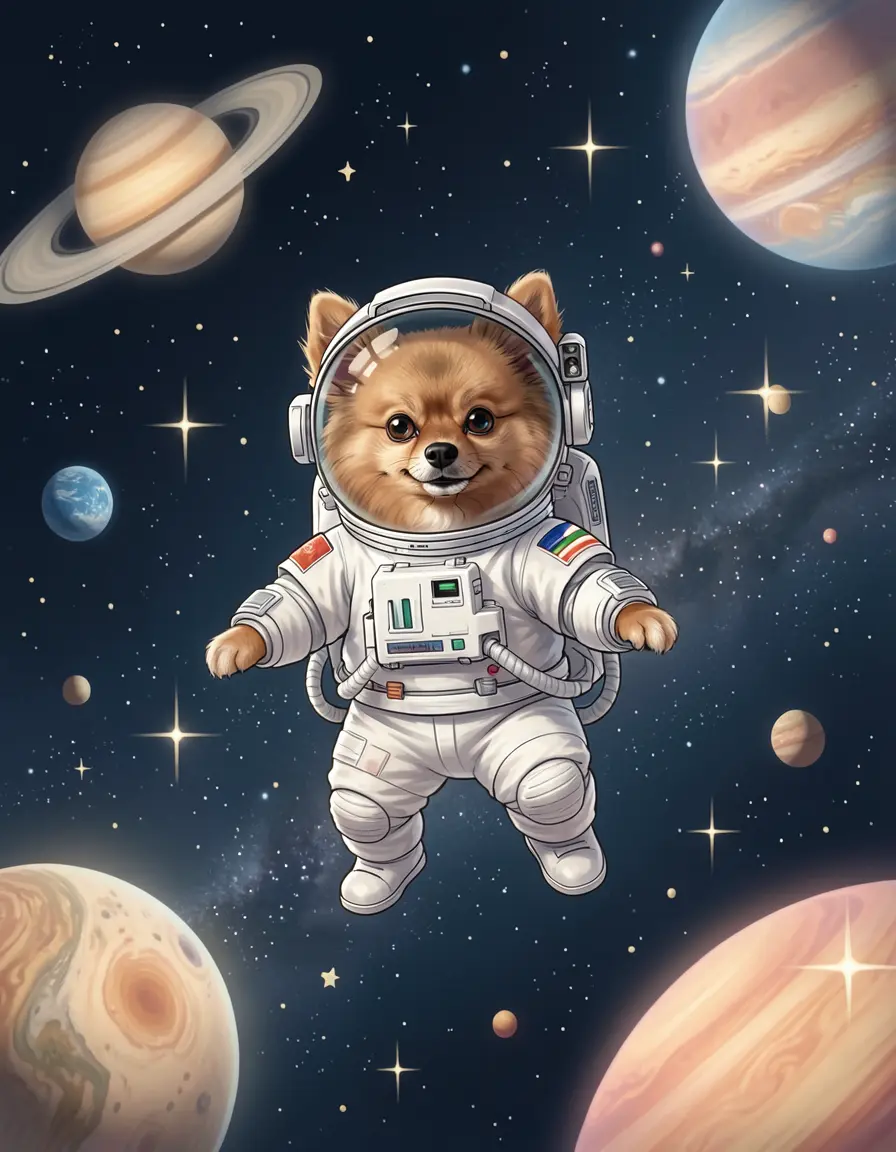
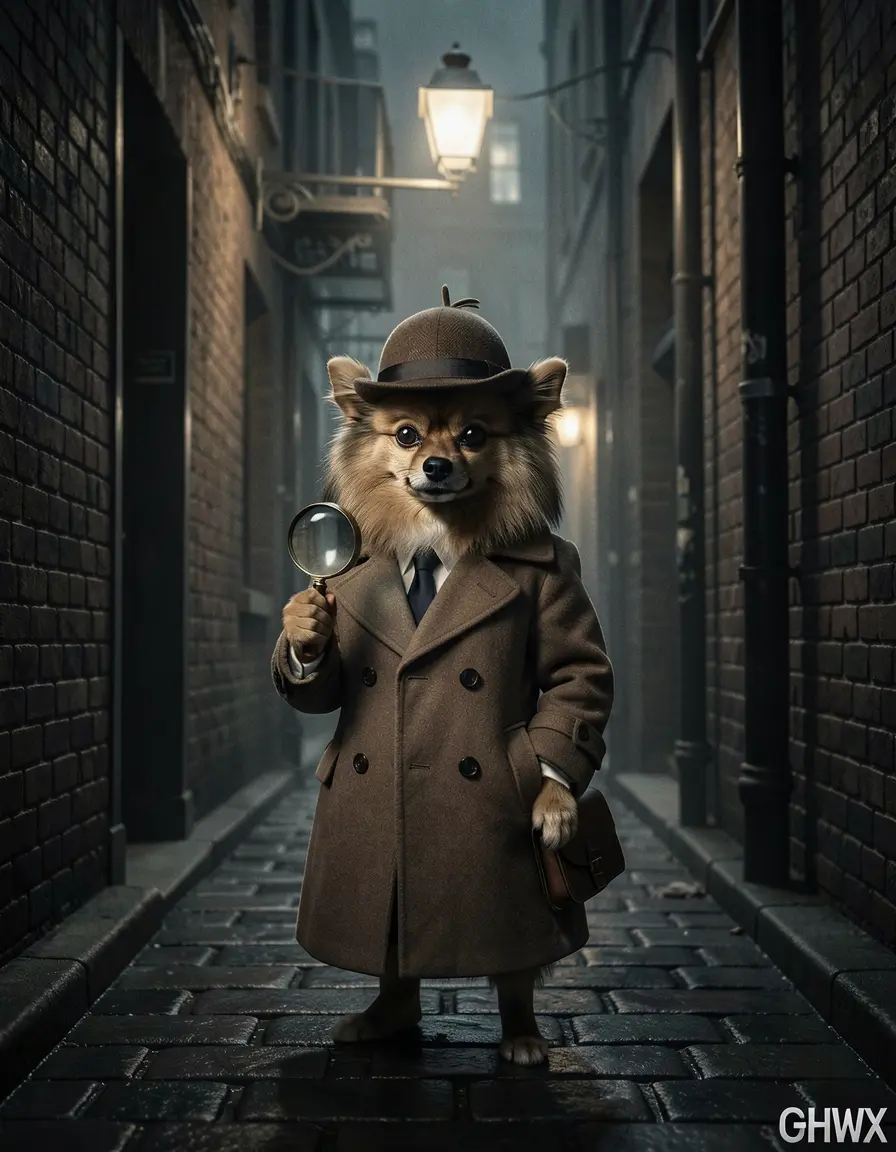
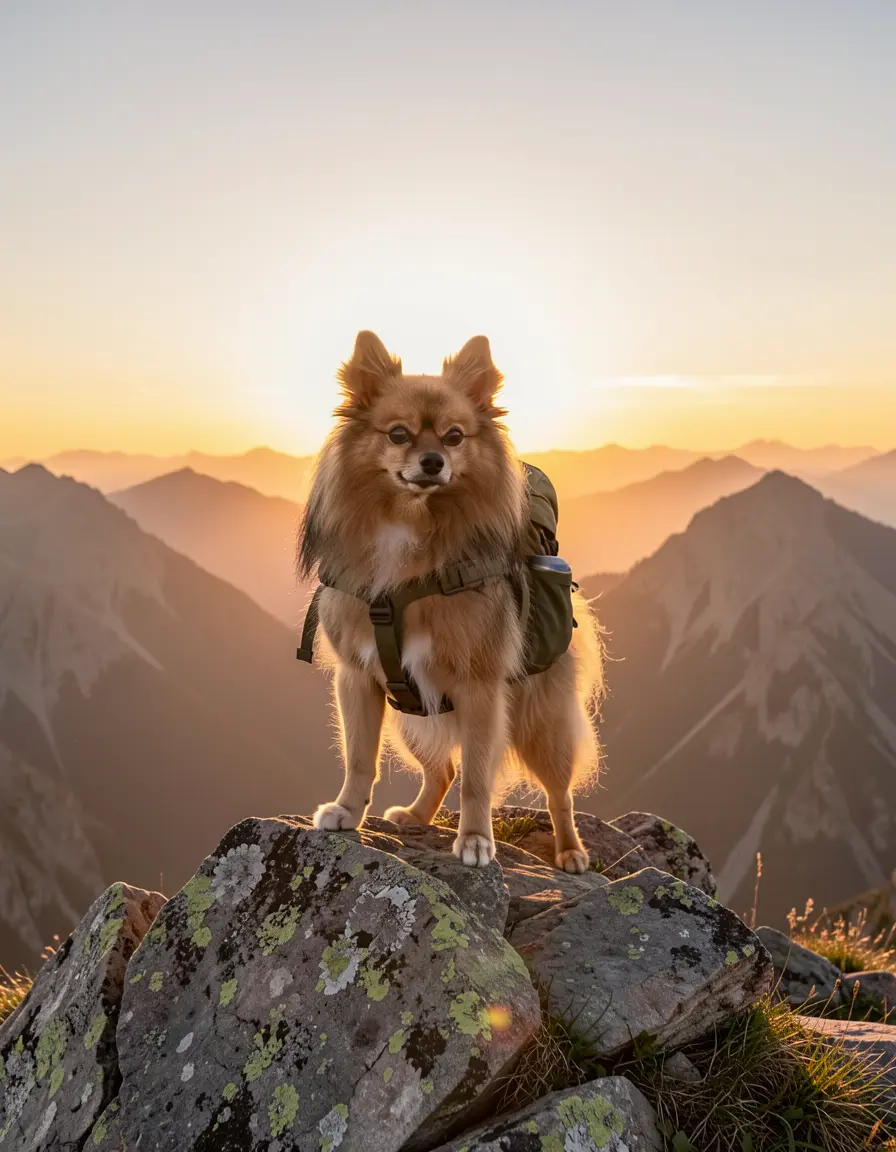
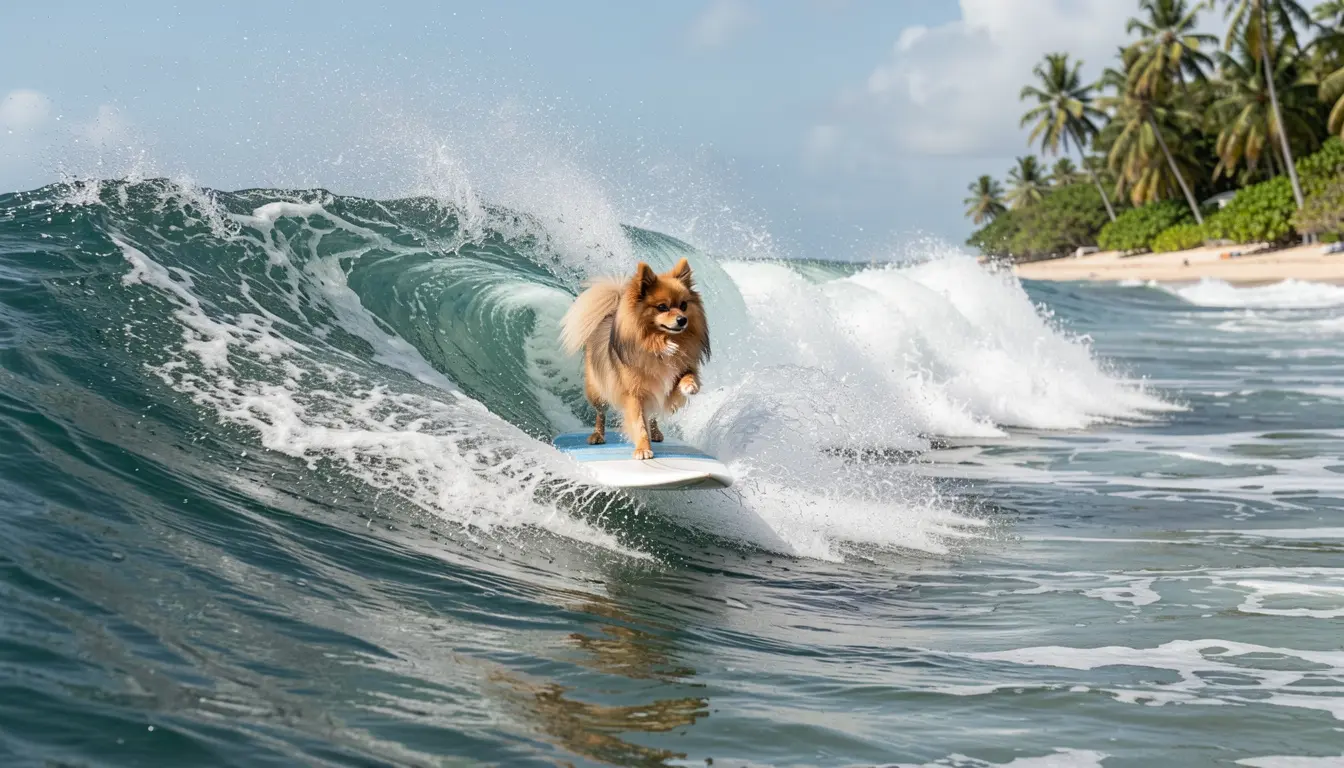
Here’s a Pomeranian LoRA (trained on 24 phone photos) applied to Klein 9B. Same modl generate command, but with --lora added — every result is recognizably the same dog, regardless of style or scene:
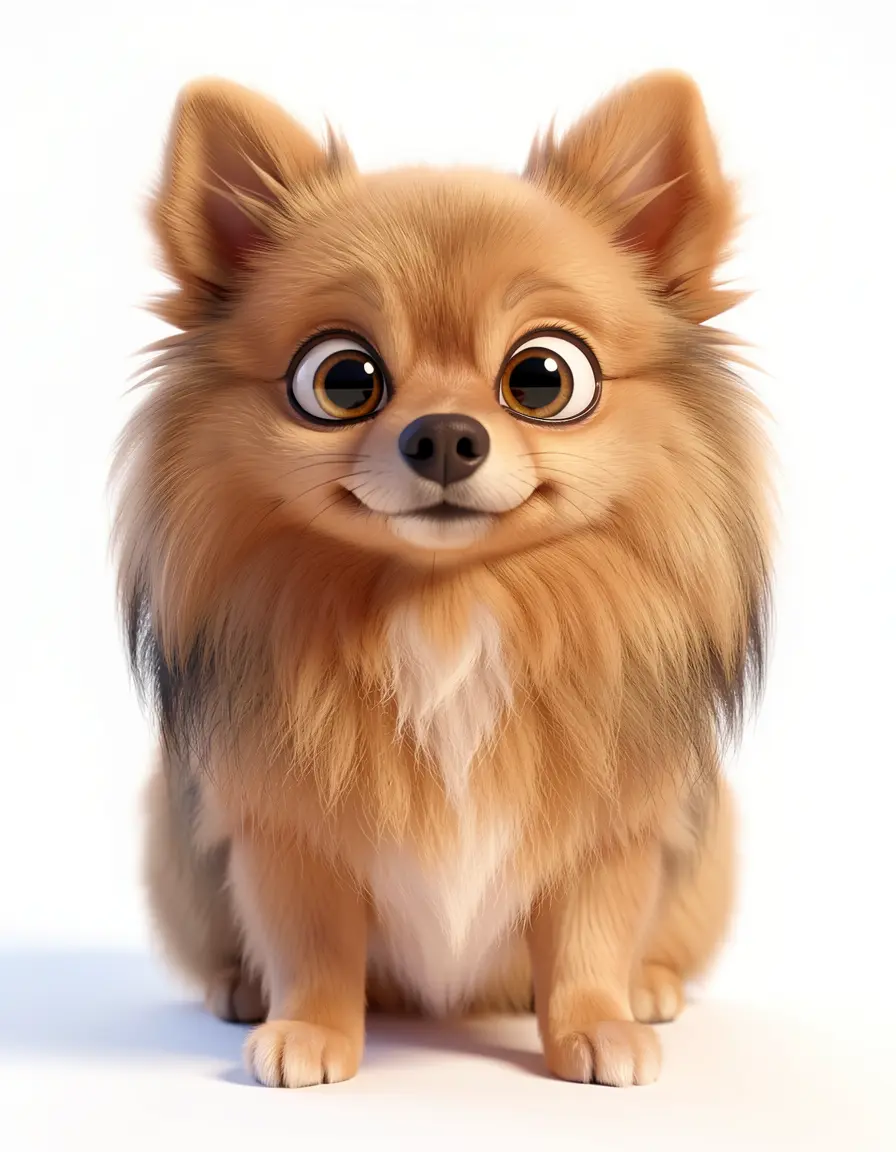
Pixar 3D
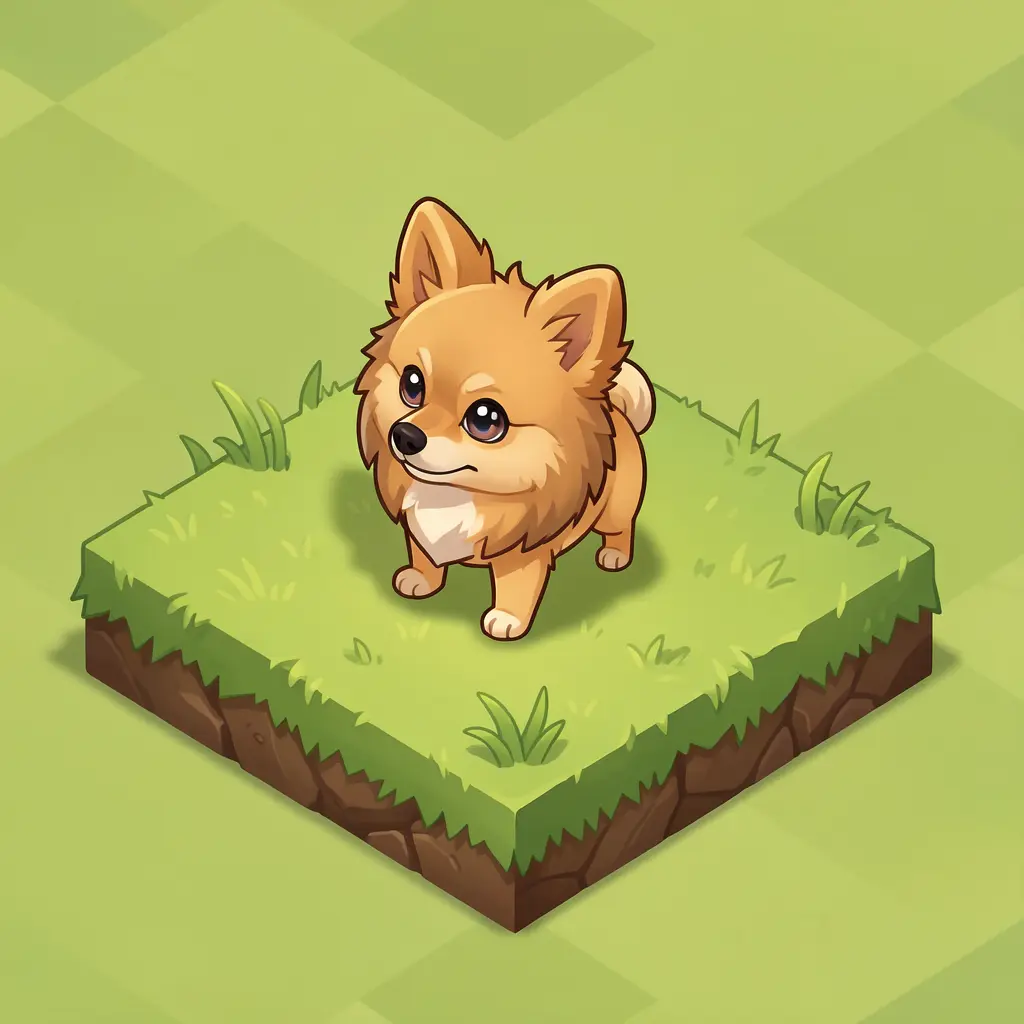
Isometric game tile
Chibi
Renaissance portrait
Knight armor
Wizard
Astronaut
Detective noir
Mountain adventurer
Surfing
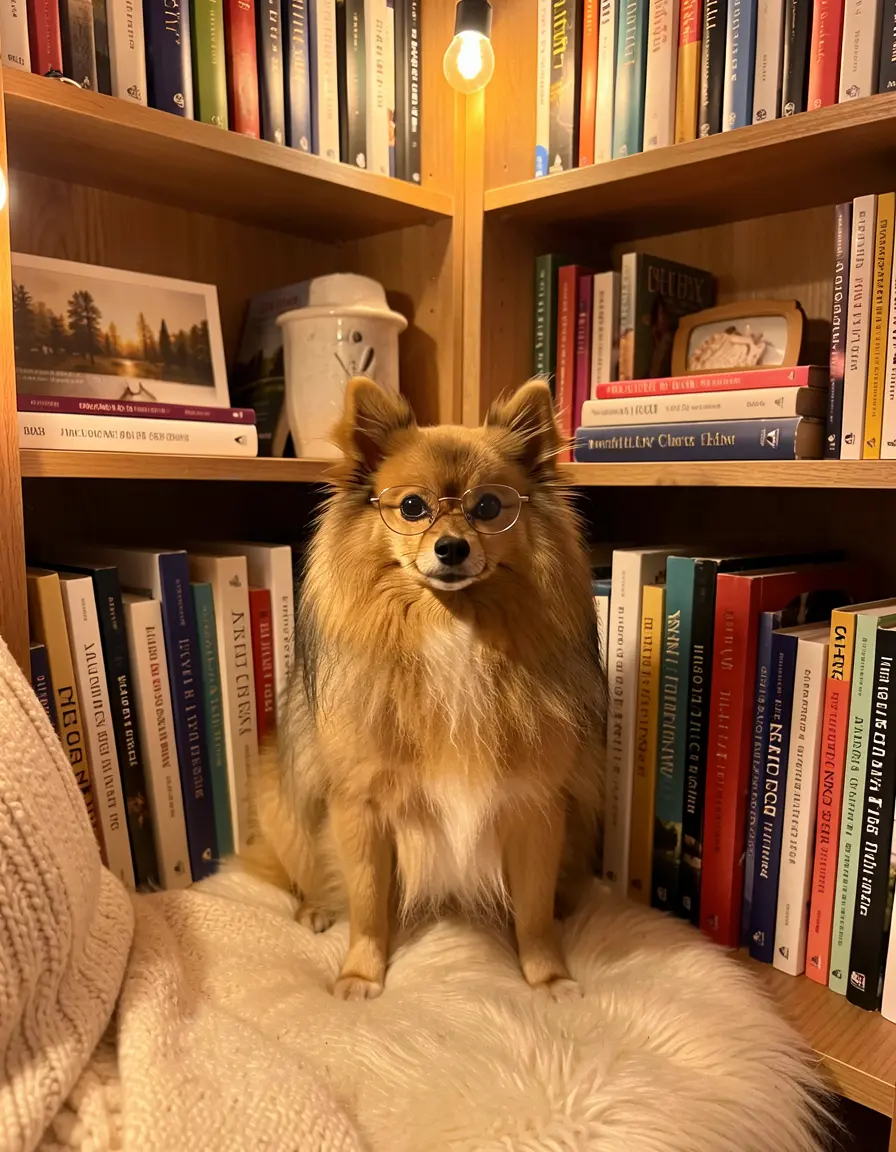
Cozy reading nook
Same Pomeranian, same LoRA, 12 different styles and scenes. The Pixar 3D render has proper subsurface scattering on the fur. The isometric tile looks like an actual game asset. The Renaissance portrait generated its own ornate gold frame. The detective has a magnifying glass and deerstalker hat in a noir alley. Every image is recognizably the same dog — trained on 24 phone photos, generating in 4 steps.
This is the full pipeline: train a LoRA on your subject, then generate them in any style, any scene, any pose — all with consistent identity. The LoRA locks in the subject’s appearance, and the prompt controls everything else.
What’s next
- Train a Character LoRA — For even stronger identity consistency across dozens of images, train a LoRA from the reference sheet you just created
- Transfer Style From a Reference Image — Apply a specific art style (oil paint, pixel art, anime) to your character sheet
- Virtual Try-On Deep Dive — The same outfit-swap technique applied to fashion and clothing
- Inpaint Any Image — When you need pixel-level control over specific regions
Quick reference
modl generate “character description” —base flux2-klein-4b —size 3:4modl edit “change [aspect]” —image base.png —base flux2-klein-4b- Klein 4B is production-ready at 8 GB VRAM. Klein 9B adds polish at 16 GB.
- One change per edit for maximum consistency
- Always include an anchor phrase: “same outfit”, “keep the same face”
- 3:4 ratio for full body, chain edits for compound changes
- Turnaround sheets work as a single edit on both models